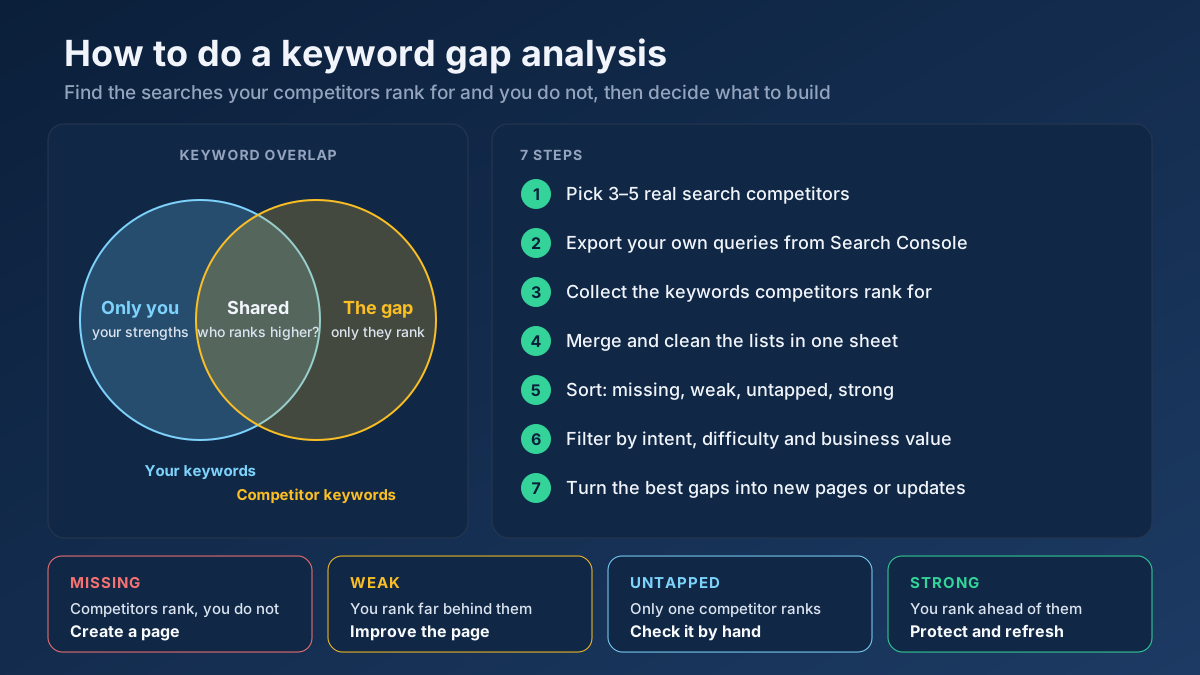
How to Do a Keyword Gap Analysis: 7 Free Steps
Learn how to do a keyword gap analysis in 7 steps: find the keywords competitors rank for and you don’t, sort the gaps, then turn them into a content plan.
Read article →Compare two pieces of text and get a real similarity percentage to detect duplication.
Fetching live data…
The Text Similarity / Duplicate Checker is a free tool that compares two pieces of text and returns a real similarity percentage. Paste two articles, two product descriptions or a draft against an original and it measures how much overlapping wording they share. This helps you spot duplicate content, near-copies and accidental repetition that can dilute rankings. The score is computed directly from the actual text you provide — no signup, no limits.
Compare two category descriptions and you might get a 86% similarity score — a strong sign they are near-duplicates that could compete with each other. Rework one until the score drops well below 50%, and the two pages can rank for distinct intents instead of cannibalizing each other.
Yes — completely free, with no signup and no usage limits. Compare as many texts as you like.
There is no fixed cutoff, but scores above roughly 70% usually mean the texts are near-duplicates worth differentiating. Aim to make competing pages clearly distinct.
Duplicate and overlapping pages can trigger cannibalization. Pair this with the Content / Keyword Gap to differentiate coverage and the Google SERP Snippet Preview to refine each snippet, and read our keyword cannibalization guide to fix competing pages.
Guides, tips and tutorials hand-picked for this tool — go from running a check to actually fixing it.
 Keyword Research
Learn how to do a keyword gap analysis in 7 steps: find the keywords competitors rank for and you don’t, sort the gaps, then turn them into a content plan.
Read article →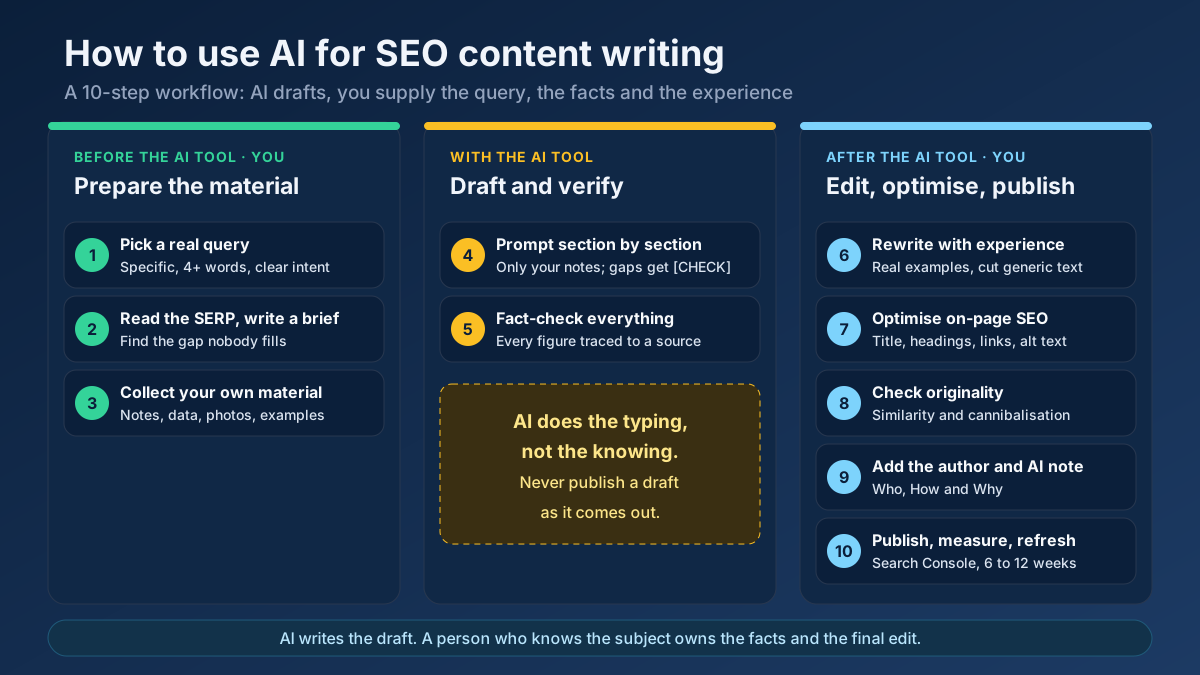 Content
Learn how to use AI for SEO content writing without risking a penalty: a 10-step workflow for briefs, drafts, fact-checks, editing and E-E-A-T signals.
Read article →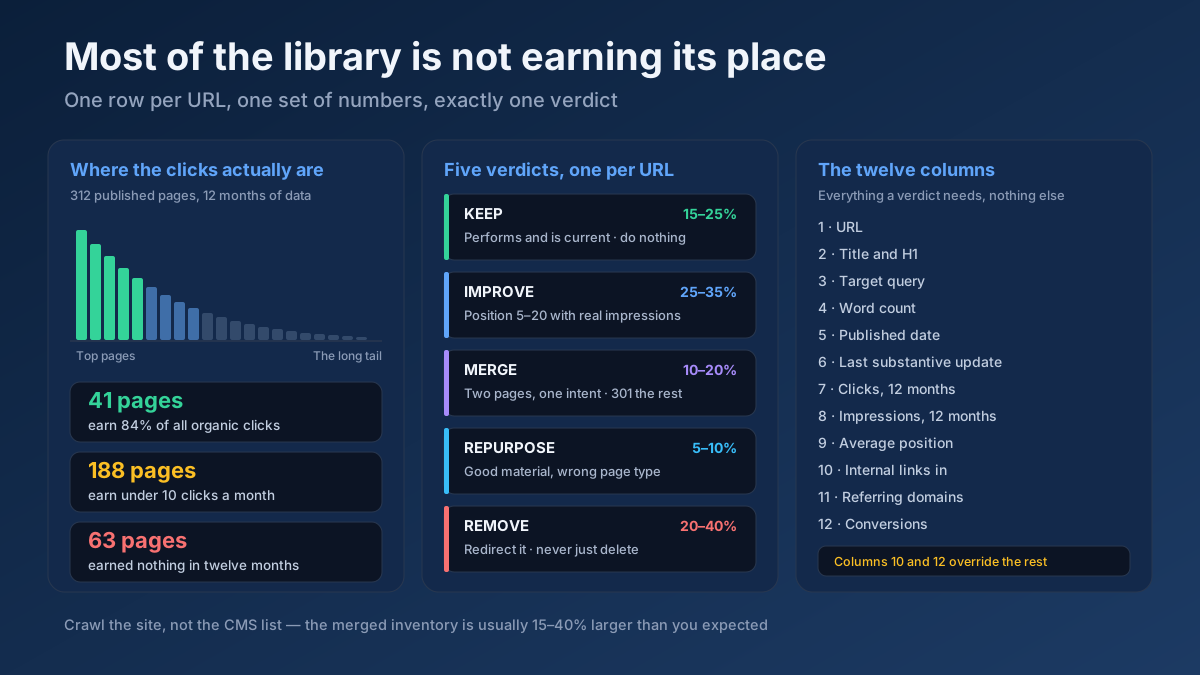 Content
How to do a content audit for SEO in 10 steps: inventory every URL, attach 12 months of data, then decide what to keep, improve, merge, repurpose or remove.
Read article →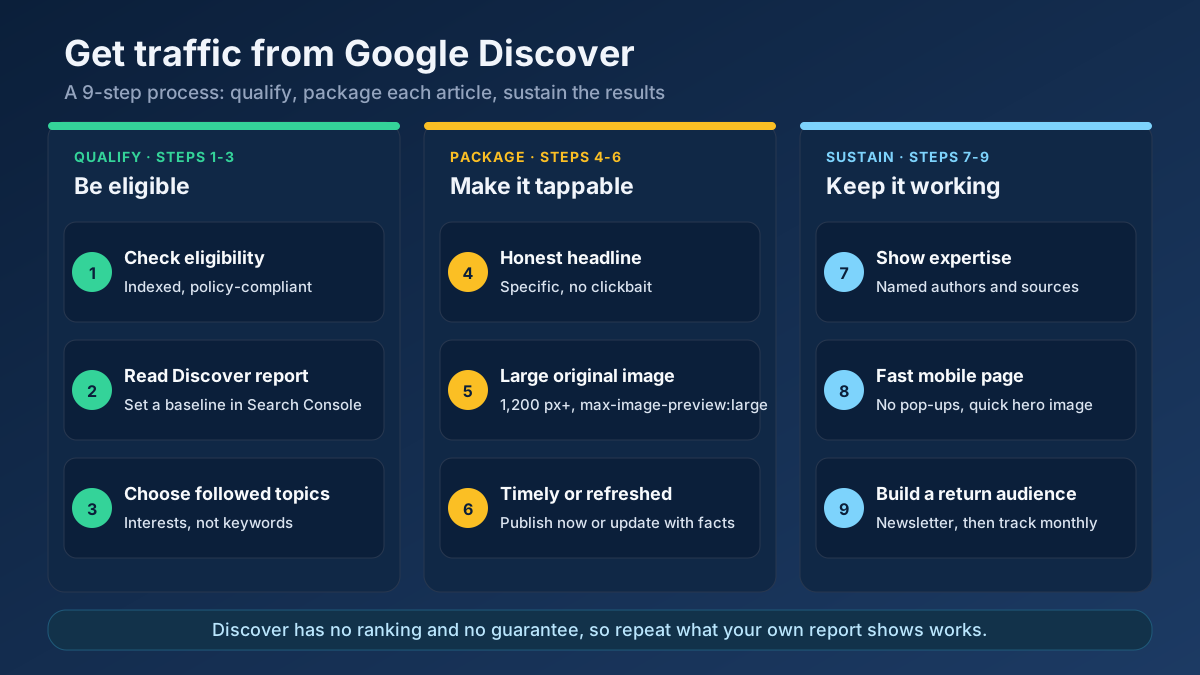 Content
Learn how to get traffic from Google Discover: check eligibility, fix images and headlines, choose topics and read the report to repeat what works.
Read article → Technical SEO
How to fix duplicate content issues in 9 steps: find every duplicate URL, choose between a canonical, a 301 and noindex, and stop the problem returning.
Read article →When multiple pages target the same keyword, they compete with each other and dilute rankings. Here is the fix.
Read article →Turn one seed into hundreds of scored keyword ideas. Pulls live Google, YouTube, Bing and DuckDuckGo autocomplete, scores every phrase for demand, difficulty and opportunity, labels intent and funnel stage, groups everything into pillar-and-spoke topic clusters and adds a real 13-month interest trend from Wikipedia.
Open tool →Get instant keyword ideas straight from Google Autocomplete with A-Z & question modifiers.
Open tool →Turn one seed into clustered content ideas: questions, comparisons, prepositions — perfect for content calendars.
Open tool →Classify any keyword as Informational, Navigational, Commercial or Transactional using real signal patterns.
Open tool →Turn one seed keyword into semantic clusters ready for content planning. Expands your seed with real Google Autocomplete queries, groups them into topic clusters by shared terms, labels each cluster’s search intent and charts the distribution — so you can build a hub-and-spoke content architecture.
Open tool →Classify a whole keyword list by search intent in one pass. Labels each keyword Informational, Commercial, Transactional or Navigational, maps it to a funnel stage (ToFu/MoFu/BoFu) and the best content type, and charts the intent distribution — perfect for prioritizing a content calendar.
Open tool →Your site may have a critical PHP vulnerability
PHP2Shell (CVE-2026-109618 and CVE-2026-109619) lets attackers run code on servers running PHP older than 8.2.35, 8.3.36, 8.4.27 or 8.5.12, without logging in. Attacks have been seen since 17 October. Check whether your site is affected.