How it works
Most free keyword tools stop at a raw dump of autocomplete suggestions: a long alphabetical list with no numbers, no priorities and no plan. This one runs a full research pipeline instead. Here is exactly what happens between the moment you press Analyze and the moment the report appears — usually in two to four seconds.
Step 1 — You choose a seed keyword, a language and a market
Start with the broadest phrase that still describes your topic — email marketing rather than email marketing automation software for Shopify stores. A broad seed gives the expansion engine more room to work; the long-tail variations are what the tool is built to discover for you. Then pick the language your audience searches in and, optionally, the country. Language and market are sent to every engine as real locale parameters, so a Turkish seed returns Turkish predictions from Turkish searchers rather than English ones translated after the fact. Six languages are supported: English, Turkish, German, Spanish, French and Arabic, each with its own hand-written modifier vocabulary and correct word order — how to X in English, X nedir in Turkish.
Step 2 — The engine fans out 120+ live autocomplete queries in parallel
Your seed is combined with a large modifier set and every combination is fired at the suggestion endpoints simultaneously. That set includes the full A–Z alphabet (plus locale-specific letters such as ç, ğ, ş or ä, ö, ü), every question word, prepositions and connectors, and around thirty commercial and content modifiers — best, cheap, free, price, review, alternative, software, template, checklist, statistics, for beginners and the current and next year. On Deep depth the digits 0–9 are added too, which surfaces model numbers, prices and version-specific queries.
The tool queries Google Autocomplete using the client that returns fifteen predictions per request and Google's own internal relevance weight for each one — a number most free tools never read. It also queries YouTube autocomplete for video demand, plus Bing and DuckDuckGo as independent engines. A phrase that shows up on several engines at once is a far stronger demand signal than one that appears on a single list, and that agreement is measured rather than assumed.
Step 3 — The strongest finds are expanded a second time
Single-level expansion always plateaus. So the tool takes the highest-relevance phrases from the first pass and runs them back through the engine as fresh seeds. That second level is where the genuinely valuable long-tail lives: not email marketing tips, but email marketing tips for small business owners. Standard depth expands the top twelve finds; Deep depth expands the top thirty and routinely returns well over a thousand unique ideas from one seed.
Step 4 — Every keyword is scored for demand, difficulty and opportunity
Each unique phrase is scored on three transparent 0–100 indexes so you can sort a thousand ideas into a shortlist in seconds. The Demand Index blends Google's own autocomplete relevance weight, the phrase's best ranking position across every expansion, how many independent engines returned it, and how many different expansion queries surfaced it. The Difficulty estimate models specificity, commercial pull, money-niche vocabulary and the keyword's own demand. Opportunity combines the two, so the phrases that rise to the top are the ones with real demand that you can realistically rank for. The full formula is explained in the next section — nothing here is a black box.
Step 5 — Intent, funnel stage and the page type to build are assigned
Every keyword is classified as informational, commercial, transactional or navigational by a weighted multilingual classifier that scores all the signals in a phrase rather than stopping at the first match it finds. Each keyword is then mapped to a funnel stage (ToFu, MoFu or BoFu) and to the page type that actually ranks for that phrasing — a comparison page for x vs y, a step-by-step guide for how to x, a local landing page for x near me, a pricing page for x cost. The tool also predicts which SERP features each keyword is likely to trigger: featured snippets, People Also Ask, video, shopping, reviews, image packs or the local pack.
Step 6 — Keywords are grouped into a pillar-and-spoke content architecture
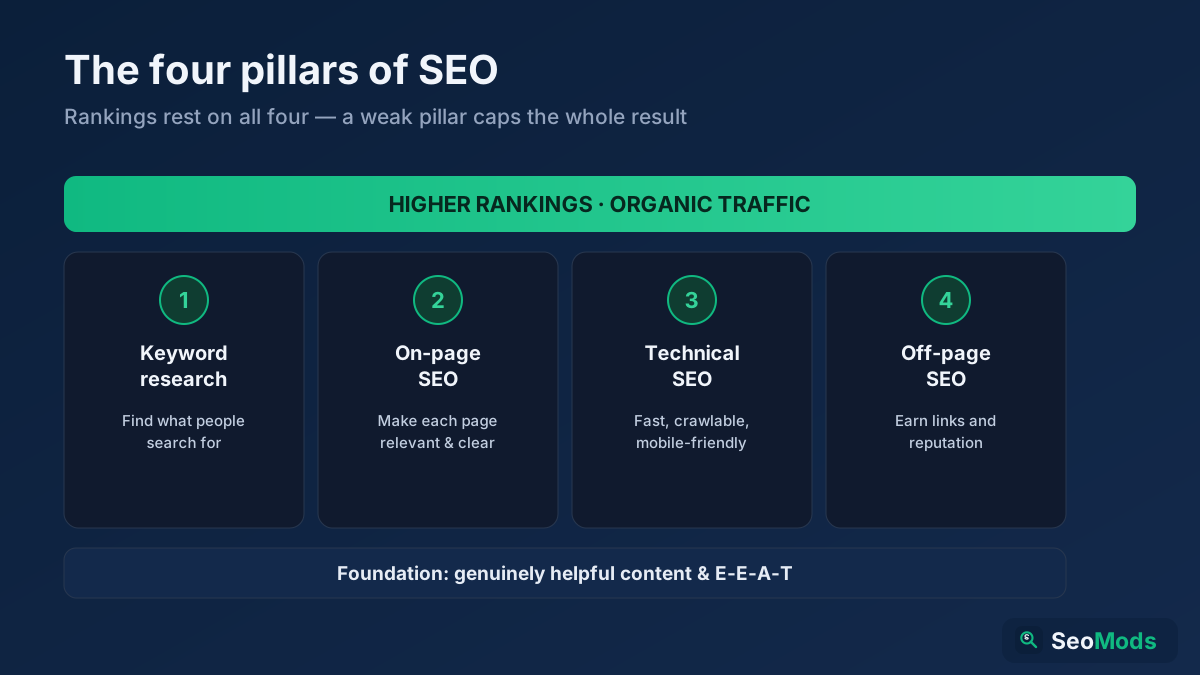
A flat list of a thousand keywords is not a plan. The tool groups the results by their dominant shared term into topic clusters, ranks those clusters by total demand, and nominates the highest-demand phrase in each cluster as the pillar page. The remaining phrases become the supporting spokes. Publish one pillar per cluster, publish the spokes around it, link every spoke back to its pillar — that internal-link shape is what search engines and AI models read as topical authority. Every question phrasing the engine found is collected separately, ready to become FAQ sections and schema markup.
Step 7 — A real interest trend is attached to the topic
The seed is matched to a Wikipedia entity, and the last thirteen months of actual page views for that entity are pulled from the Wikimedia Pageviews API. This is raw third-party data, not a model: you can see the peak month, the quietest month, the monthly average and whether interest over the last quarter is up or down against the quarter before it. Use it to time seasonal content and to sanity-check whether a topic is growing or fading before you commit a quarter of editorial budget to it. The tool also lists the related entities Wikipedia links from that article — the surrounding concepts an authoritative page is expected to mention even when nobody searches for them directly.
Step 8 — You export the plan
Copy every keyword as a plain list, download the visible tables as a CSV for Excel or Google Sheets, export the whole report as structured JSON with every score attached, print it to PDF for a client, or copy a share link that re-runs the exact same research with the same seed, language, market and depth.
How the metrics are calculated
No free source publishes licensed search volume or per-keyword link metrics, so this tool does not pretend to. It publishes transparent indexes instead, and tells you exactly what goes into them.
- Demand Index (0–100) — a relative popularity index, not monthly search volume. Four signals feed it: Google's own
suggestrelevance weight for the prediction (Google reserves its highest weights for its strongest queries), the best position the phrase reached across every expansion, how many independent engines returned it, and its breadth — how many different expansion queries surfaced the same phrase. Second-level finds are discounted slightly because they sit further from the seed. - Difficulty (0–100, estimated) — a heuristic model of how contested a query is. Word count and specificity dominate; commercial and transactional intent push it up; money-niche vocabulary (insurance, loans, legal, hosting, software) pushes it up further; explainer phrasing such as how to, what is or examples pulls it down; the bare head term is always treated as the hardest phrase in the set; and the keyword's own demand feeds back in, because popular queries attract competitors.
- Opportunity (0–100) — a geometric blend of demand and the inverse of difficulty. This is the column to sort by. A high-demand, high-difficulty head term and a no-demand, zero-difficulty phrase both score poorly; the winners are the phrases with genuine demand that a normal site can actually rank for.
- Topic Opportunity — a single headline score for the whole seed, built from the average opportunity of your top twenty targets, the breadth of ideas the seed produced and how question-rich the topic is. It answers one question quickly: is this topic worth building a content cluster around at all?
What it shows
- Hundreds to thousands of keyword ideas — real autocomplete predictions, deduplicated across four engines and two expansion levels.
- Demand, difficulty and opportunity scores — every phrase scored on the same 0–100 scale so a huge list becomes sortable.
- Priority targets — the twenty keywords with the best demand-to-difficulty ratio, with the page type to build for each.
- Search intent and funnel stage — informational, commercial, transactional or navigational, mapped to ToFu, MoFu or BoFu.
- Topic clusters — a ready-made pillar-and-spoke architecture with the pillar page nominated for each cluster.
- Question keywords — every question phrasing found, ready for FAQ sections, featured snippets and FAQPage schema.
- Likely SERP features — featured snippet, People Also Ask, video, shopping, reviews, images or local pack, per keyword.
- A real 13-month interest trend — actual Wikipedia page views for the topic entity, with peak month, quietest month and quarter-on-quarter change.
- Common modifiers — the words that keep appearing next to your seed, i.e. the angles the topic is genuinely searched with.
- Related entities to cover — the surrounding concepts an authoritative page on this topic is expected to mention.
- Length distribution — how much of your idea pool is head, mid and long-tail.
- Full export — copy, CSV, JSON, PDF and a shareable deep link.
Common use cases
- Planning a content calendar — take the top clusters, assign one pillar and five to eight spokes per cluster, and you have a quarter of briefs from a single seed.
- Finding long-tail wins for a new site — sort by opportunity and filter to four-plus-word phrases to find demand you can rank for before you have any authority.
- Mapping intent across the funnel — separate the research queries from the buying queries so blog posts and money pages stop competing with each other.
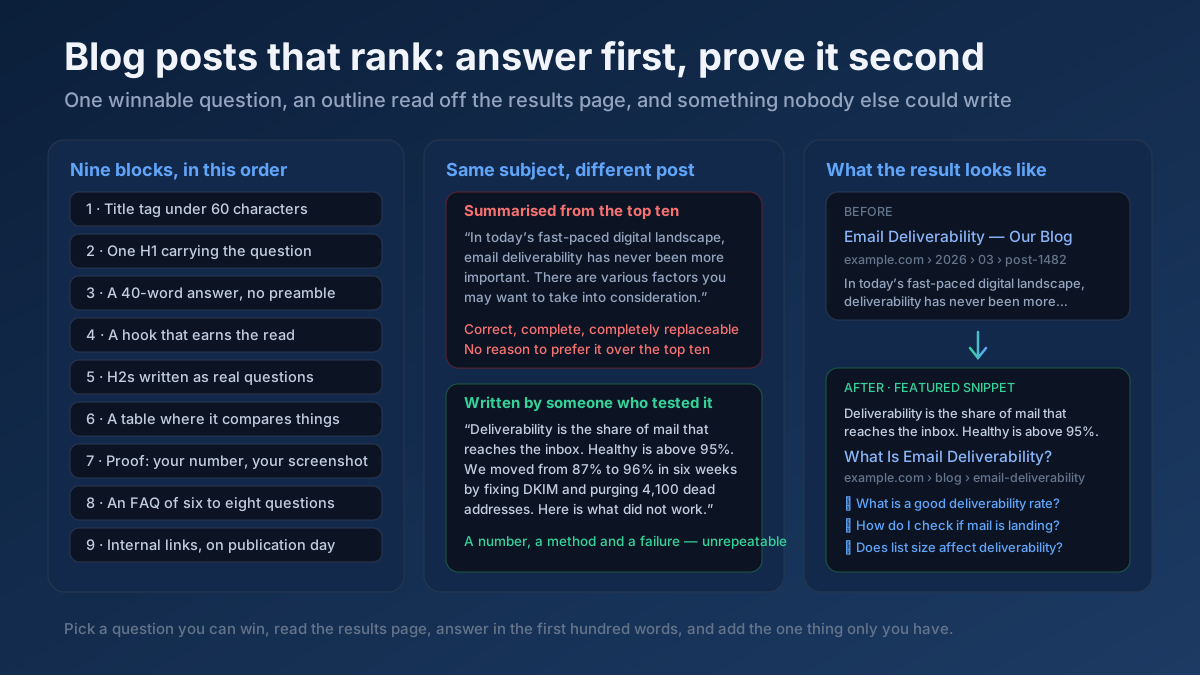
- Building FAQ and AI-citation content — answer the question list in 40–60 words per answer to compete for featured snippets, People Also Ask and AI Overview citations.
- Briefing writers and freelancers — hand over a cluster with its pillar, its spokes, the intent labels and the page types instead of a single keyword and a word count.
- Entering a new language or market — run the same seed against a different language and country and see how the demand shape changes before you translate anything.
- Timing seasonal campaigns — use the interest trend to publish six to eight weeks ahead of the topic's peak month rather than during it.
- Client pitches and audits — export the report as a PDF or JSON and show the opportunity you found rather than describing it.
Choosing a search depth
Fast sends roughly 45 queries to Google only and returns in about a second — ideal when you just want to sanity-check a topic. Standard is the default: around 120 queries across all four engines, plus the Wikipedia trend and one round of second-level expansion. Deep pushes past 180 queries, adds digit modifiers and expands the top thirty finds, which is what you want when you are building a full content plan and can wait a few extra seconds.
Example
Enter email marketing in English for the United States on Standard depth and you get back well over a thousand unique ideas in about three seconds. The priority table surfaces phrases like what is email marketing and how does it work (informational, ToFu, demand 69, difficulty 19) ahead of the obvious head term, because the head term scores high on demand and far higher on difficulty. The clustering step returns groups such as free, best, examples, beginners and small business, each with a nominated pillar page. The trend panel shows the matching Wikipedia entity's real monthly page views, so you know whether interest in the topic is climbing before you commit to the plan.
Frequently asked questions
Is the Keyword Research tool free?
Yes — completely free, with no signup, no API key and no usage limits. Every data source it uses is a free public endpoint, so there are no credits to buy and nothing to cancel. Run as many seeds as you like.
Where does the keyword data come from?
From live autocomplete predictions on Google, YouTube, Bing and DuckDuckGo — the same predictions real searchers see as they type — plus Wikipedia for entity resolution and the Wikimedia Pageviews API for the interest trend. Every idea reflects genuine typed demand rather than a generated word list.
Does this tool show monthly search volume?
No, and it deliberately says so on screen. Licensed search volume comes from paid clickstream databases; any free tool that shows a precise monthly number is either estimating it or reselling someone else's data. Instead you get a Demand Index — a relative 0–100 score built from Google's own autocomplete relevance weights, ranking position, cross-engine agreement and breadth. It is excellent for ranking one keyword against another within a topic, which is what you actually need when prioritizing. For absolute volume, pair it with Google Keyword Planner or your own Search Console impressions.
How accurate is the difficulty score?
It is an estimate and labelled as one. No free source publishes per-keyword link metrics, so difficulty here models the factors that reliably predict competition: specificity, word count, commercial pull, money-niche vocabulary and the keyword's own demand. Treat it as a comparative sorting signal within your result set rather than an absolute number, and confirm your shortlist by looking at who currently ranks — the SERP Features Analyzer tool helps you read those SERPs.
How many keywords will I get?
It depends on the seed and the depth. A broad English seed on Standard depth typically returns 600–1,500 unique ideas; Deep depth on a large topic can pass 1,700. A narrow, very specific seed returns fewer, which is itself useful information — it usually means you should widen the seed.
Which languages and countries are supported?
English, Turkish, German, Spanish, French and Arabic, each with its own modifier vocabulary and correct word order rather than a translated English list. You can also pick a country so the predictions come from that market — the same seed produces a noticeably different keyword set in the US, the UK and Türkiye.
What is the difference between this and the Keyword Suggestion tool?
The Keyword Suggestion Tool tool is the quick version: one engine, a plain list of autocomplete ideas, no scoring. This tool is the full research pipeline — four engines, two expansion levels, demand and difficulty scoring, intent and funnel mapping, clustering and a real interest trend. Use the suggestion tool to brainstorm, this one to build a plan.
How should I act on the results?
Start with the priority table and pick five to ten targets. Confirm the intent of each with the Search Intent Analysis tool, then turn the cluster into briefs with the Topic Research & Content Ideas tool and refine the grouping with the Semantic Keyword Cluster tool. Once a page is live, check its on-page optimization with the On-Page SEO Checker (Keyword) tool and track its position with the Keyword Rank Checker tool. For the full workflow, read our keyword research guide and our guide to topic clusters and pillar pages.
Why should I target long-tail keywords?
Long-tail phrases have clearer intent, far less competition and much better conversion rates, and they are realistically rankable for a site without established authority. Sort the results by opportunity and you will find most of the winners are four words or longer. Our guide to long-tail keywords explains how to build a strategy around them.
Can I export the results?
Yes. Copy the complete keyword list as plain text, download the tables as a CSV for Excel or Google Sheets, export the full report as JSON with every score and cluster attached, print it to PDF, or copy a share link that re-runs the identical research for a colleague or client.
Will these keywords help with AI search and AI Overviews?
Yes — that is what the question list and the related-entities panel are for. AI Overviews, ChatGPT and Perplexity cite passages that answer a specific question clearly and mention the surrounding entities a topic expert would mention. Answer each question from the list in 40–60 words under a matching heading, work the related entities into your pillar content, and you give answer engines something they can quote directly.
How do I avoid keyword cannibalization when I publish the cluster?
Give each keyword exactly one page. If two phrases in a cluster share the same intent and the same answer, they belong on one page as sections, not on two competing pages. The intent and page-type columns make those duplicates easy to spot before you publish — and our article on keyword cannibalization covers how to fix it if it has already happened.