Long-Tail Keywords: Why They Convert Better
Long, specific phrases are easier to rank for and bring higher-intent traffic. Here is how to find and use them.
Read article →Get instant keyword ideas straight from Google Autocomplete with A-Z & question modifiers.
Fetching live data…
The Keyword Suggestion Tool gives you instant keyword ideas straight from Google Autocomplete. Type a seed phrase and it pulls the real predictions Google shows as people type, then expands them with A–Z and question modifiers so you see far more than the standard ten suggestions. Every idea is a phrase real users actually search, making it a fast, free way to find fresh angles with no signup required.
coffee maker).Enter standing desk and you might see standing desk under 200, standing desk vs sitting and how to build a standing desk — instant prompts for product pages, comparisons and how-to posts, all drawn from live autocomplete.
Yes — it is completely free with no signup and no daily limits. Enter as many seeds as you like.
Yes. The tool reads live Google Autocomplete predictions, so each suggestion is a phrase Google currently offers to real searchers — nothing is invented.
This tool focuses on fast autocomplete ideas. For intent labels and grouping, use the Keyword Research tool, and learn how to act on autocomplete data in our long-tail keywords guide.
Guides, tips and tutorials hand-picked for this tool — go from running a check to actually fixing it.
Long, specific phrases are easier to rank for and bring higher-intent traffic. Here is how to find and use them.
Read article →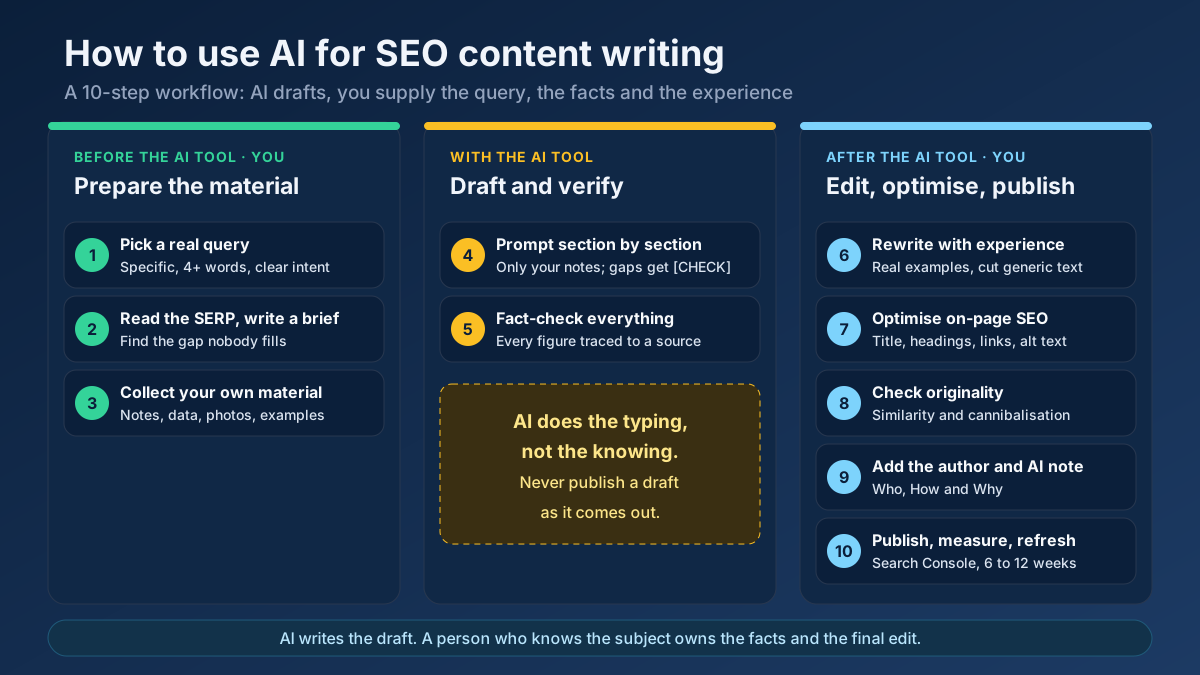 Content
Learn how to use AI for SEO content writing without risking a penalty: a 10-step workflow for briefs, drafts, fact-checks, editing and E-E-A-T signals.
Read article →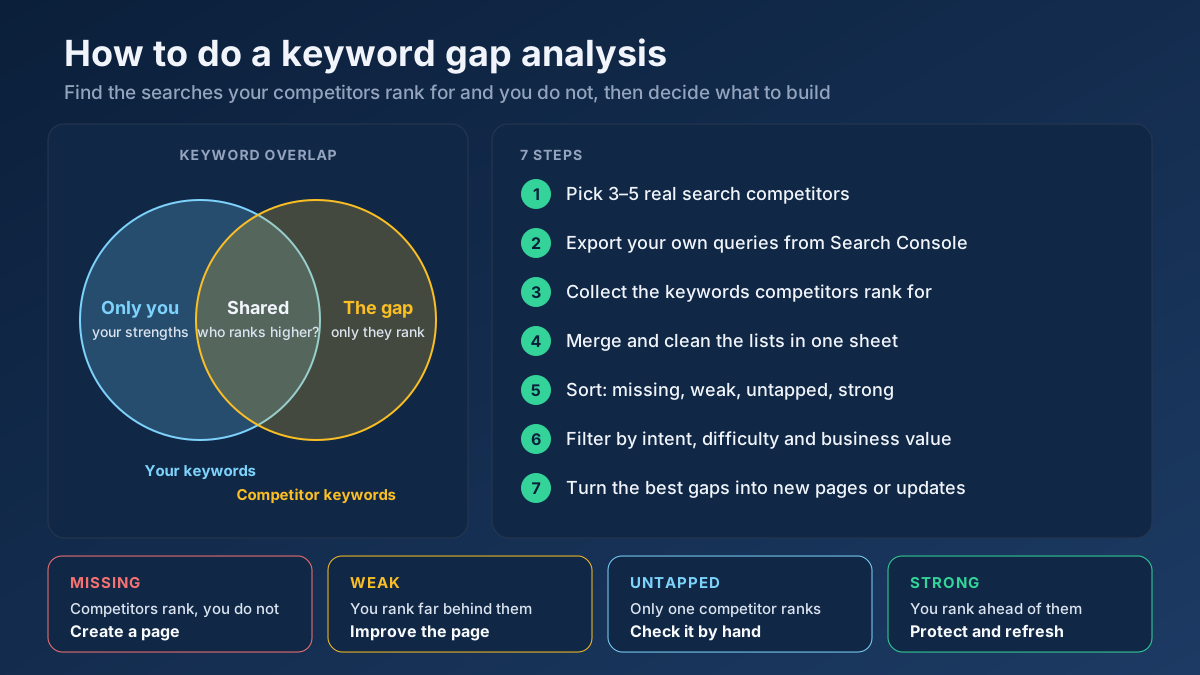 Keyword Research
Learn how to do a keyword gap analysis in 7 steps: find the keywords competitors rank for and you don’t, sort the gaps, then turn them into a content plan.
Read article →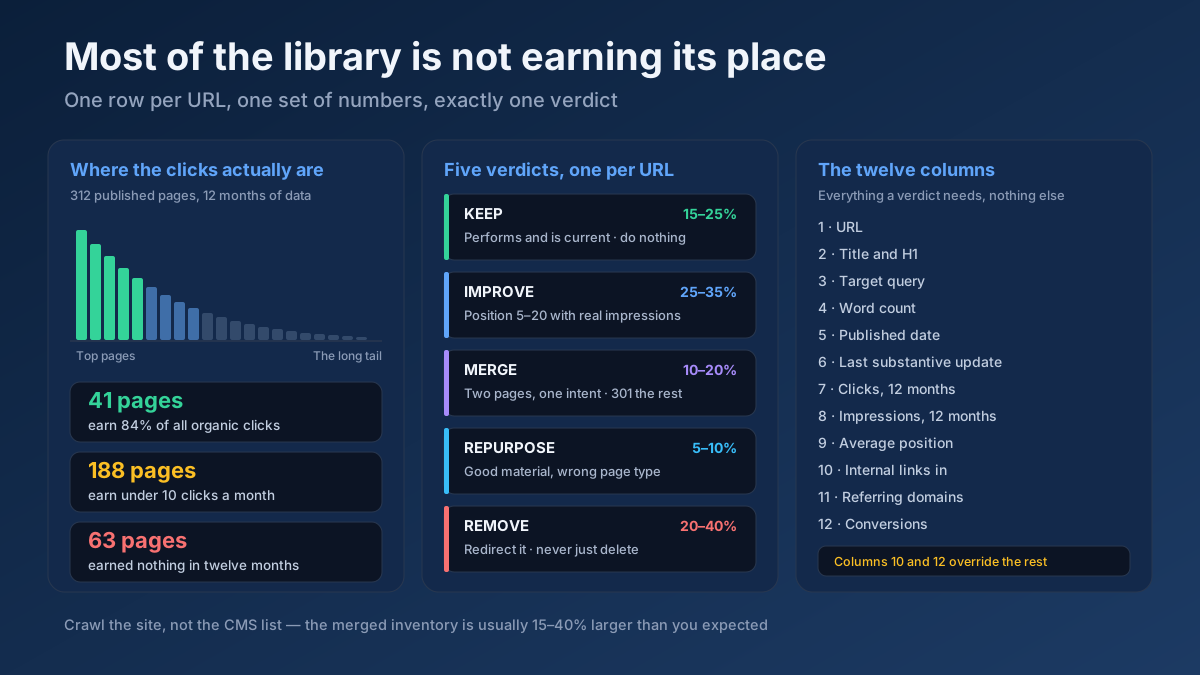 Content
How to do a content audit for SEO in 10 steps: inventory every URL, attach 12 months of data, then decide what to keep, improve, merge, repurpose or remove.
Read article →When multiple pages target the same keyword, they compete with each other and dilute rankings. Here is the fix.
Read article →Updating old content is often the highest-ROI SEO task. Here is a simple refresh workflow.
Read article →Turn one seed into hundreds of scored keyword ideas. Pulls live Google, YouTube, Bing and DuckDuckGo autocomplete, scores every phrase for demand, difficulty and opportunity, labels intent and funnel stage, groups everything into pillar-and-spoke topic clusters and adds a real 13-month interest trend from Wikipedia.
Open tool →Turn one seed into clustered content ideas: questions, comparisons, prepositions — perfect for content calendars.
Open tool →Classify any keyword as Informational, Navigational, Commercial or Transactional using real signal patterns.
Open tool →Turn one seed keyword into semantic clusters ready for content planning. Expands your seed with real Google Autocomplete queries, groups them into topic clusters by shared terms, labels each cluster’s search intent and charts the distribution — so you can build a hub-and-spoke content architecture.
Open tool →Classify a whole keyword list by search intent in one pass. Labels each keyword Informational, Commercial, Transactional or Navigational, maps it to a funnel stage (ToFu/MoFu/BoFu) and the best content type, and charts the intent distribution — perfect for prioritizing a content calendar.
Open tool →Understand what a searcher really wants. Analyzes a query’s primary and secondary intent, maps it to a funnel stage, recommends the content type and the SERP features it’s likely to trigger, and shows real related queries with their own intent — so your page matches what Google rewards.
Open tool →Your site may have a critical PHP vulnerability
PHP2Shell (CVE-2026-109618 and CVE-2026-109619) lets attackers run code on servers running PHP older than 8.2.35, 8.3.36, 8.4.27 or 8.5.12, without logging in. Attacks have been seen since 17 October. Check whether your site is affected.