No Signup Unlimited Usage Real Data 100% Free Privacy First Fast Results Export Reports Mobile Friendly

Technical Site Audit (Crawler)

Crawl multiple pages of a site and aggregate technical SEO issues: broken links, missing titles, thin content, redirects and noindex.

Fetching live data…

Quick answer

The Technical Site Audit is a free crawler that visits multiple pages of a website in one run and aggregates the technical SEO problems it finds. Where the single-page audit grades one URL, this tool gives you a site-level health score and shows which pages have issues — broken links, redirect chains, missing meta tags, weak heading structure, images without ALT text, thin content and accidental noindex — so you can fix the problems holding your whole site back.

How it works

  1. Enter your site's URL (the homepage is a good starting point).
  2. The crawler fetches the page, discovers internal links, and crawls a batch of your most important pages in parallel.
  3. Each crawled page is parsed for technical issues, and outbound links are checked for broken (4xx/5xx) and redirected responses.
  4. Results are aggregated into a health score, an issue breakdown, and a per-page table so you know exactly where to act.

What it checks

  • Broken links — dead links (4xx/5xx) found across the crawl that waste crawl budget and hurt UX.
  • Redirect chains — links that resolve through one or more 3xx hops.
  • Missing meta — pages with no title or no meta description.
  • Heading structure — missing H1, multiple H1s, and H2 usage across pages.
  • Image ALT text — images lacking descriptive ALT attributes.
  • Thin content — pages with too little text.
  • Indexability — pages accidentally set to noindex.

Common use cases

  • Monthly site health check — catch new issues before they cost you traffic.
  • After a migration or redesign — the moment technical problems most often appear.
  • Finding broken links at scale — across many pages, not one at a time.
  • Onboarding a new site — get a fast, objective technical baseline.

Example

Crawl a small business site and you might get a health score of 67/100 across 12 pages: 3 pages missing meta descriptions, 2 pages with no H1, 8 images without ALT text, and 4 broken outbound links — each listed with the exact page so you can fix them one by one.

Frequently asked questions

How many pages does it crawl?

It crawls a batch of your most important internal pages discovered from the starting URL, which is enough to surface site-wide patterns quickly without a long wait. For deep single-page detail, pair it with the On-Page SEO Audit.

Can it find broken links and redirects?

Yes. It checks outbound links found during the crawl and reports dead links and redirect hops. For tracing a single URL's full redirect chain, use the Redirect & HTTP Status Checker, and for one page's links use the Broken Link Checker.

Is it really free?

Yes — no signup, no limits, real live crawling. Follow up with our technical SEO audit checklist to fix what it finds.

Learn & Resources

Guides, tips and tutorials hand-picked for this tool — go from running a check to actually fixing it.

On-Page SEO
Jul 10, 2026 · 15 min read

What Is SEO? A Complete Guide for Beginners

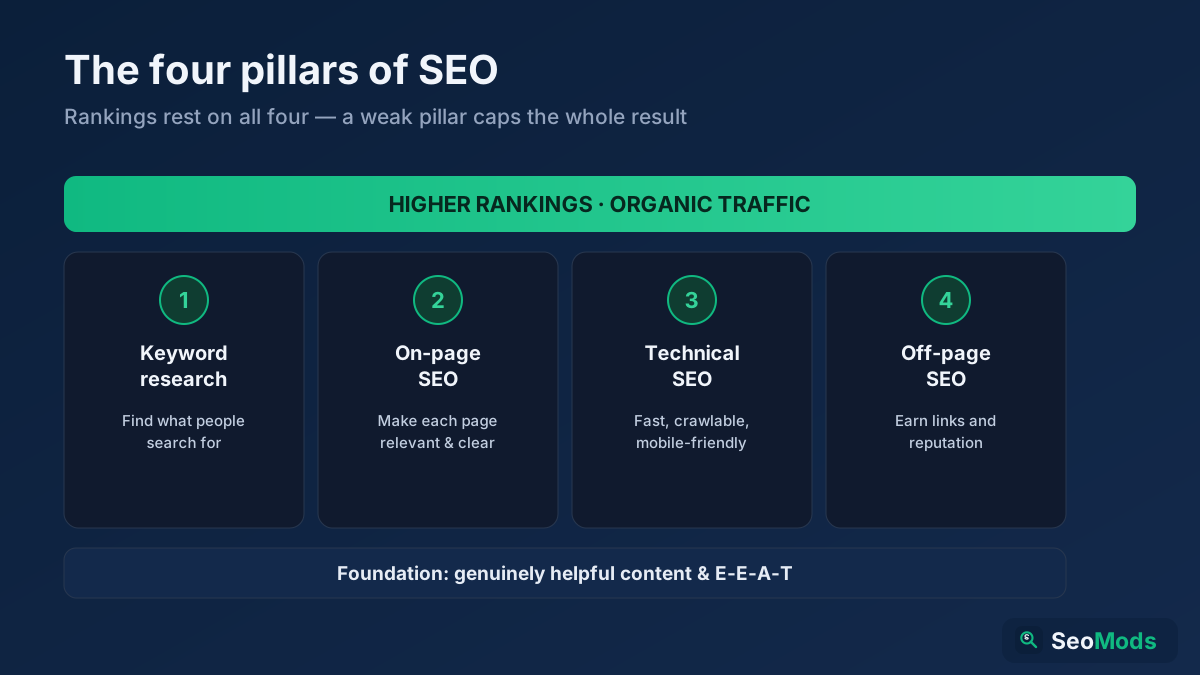
SEO is how you make a website rank higher in search engines so it earns free, organic traffic. This complete beginner's guide explains what SEO is, how search engines work, the four pillars (keyword research, on-page, technical and off-page), GEO for AI search, and a simple step-by-step roadmap you can start today.

Read article →