No Signup Unlimited Usage Real Data 100% Free Privacy First Fast Results Export Reports Mobile Friendly

Broken Link Checker

Crawl all links on a page and report dead links (4xx/5xx), redirects and their HTTP status codes.

Fetching live data…

Quick answer

The Broken Link Checker is a free tool that crawls every link on a web page and tells you which ones are dead. It requests each URL and reports its real HTTP status — working links (2xx), redirects (3xx), client errors (4xx like 404 Not Found) and server errors (5xx). Broken links waste crawl budget, frustrate visitors and leak link equity, so finding them quickly keeps your pages healthy. Everything is checked against real, live data, with no signup and no limits.

How it works

  1. Paste the full URL of the page you want to scan (for example https://example.com/blog).
  2. The tool fetches the page, extracts every <a href> link and de-duplicates them.
  3. Each link is requested individually so its live HTTP status code can be read.
  4. You get a sortable list grouped by status — OK, redirected and broken — with the exact code for each.

What it checks

  • Dead links (4xx) — pages that no longer exist, like 404 and 410.
  • Server errors (5xx) — destinations that are down or misconfigured.
  • Redirects (3xx) — 301 and 302 hops that should often point straight to the final URL.
  • Final HTTP status — the real code returned after following the response.
  • Internal vs external — whether each broken link lives on your domain or off-site.
  • Link text and target — the anchor and the URL behind it, so fixes are easy.

Common use cases

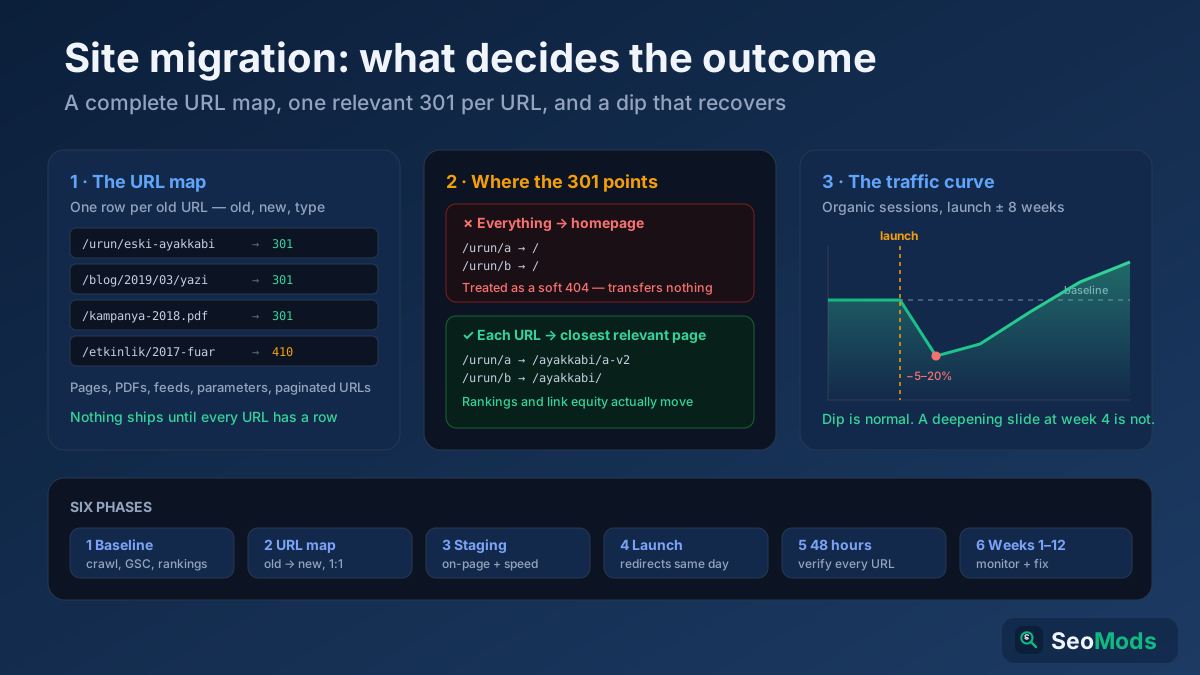
  • Post-migration cleanup — catch links that broke after a redesign or URL change.
  • Old blog posts — find aged external links that have since gone offline.
  • Pre-publish review — make sure every link works before a page goes live.
  • Resource pages — keep curated link lists trustworthy and current.

Example

Run the tool on a long article and you might see 42 links scanned: 35 returning 200 OK, 4 redirecting via 301, and 3 broken — two external 404s pointing to deleted articles and one internal 500 error. You now have a precise, prioritized list of exactly which links to fix or remove.

Frequently asked questions

Is the Broken Link Checker free?

Yes — completely free, with no signup and no usage limits. You can scan as many pages as you like.

Does it follow redirects?

Yes. Redirect chains are reported with their status codes so you can decide whether to repoint a link to its final destination. To trace a single chain in full detail, use the Redirect & HTTP Status Checker.

How is this different from a full link audit?

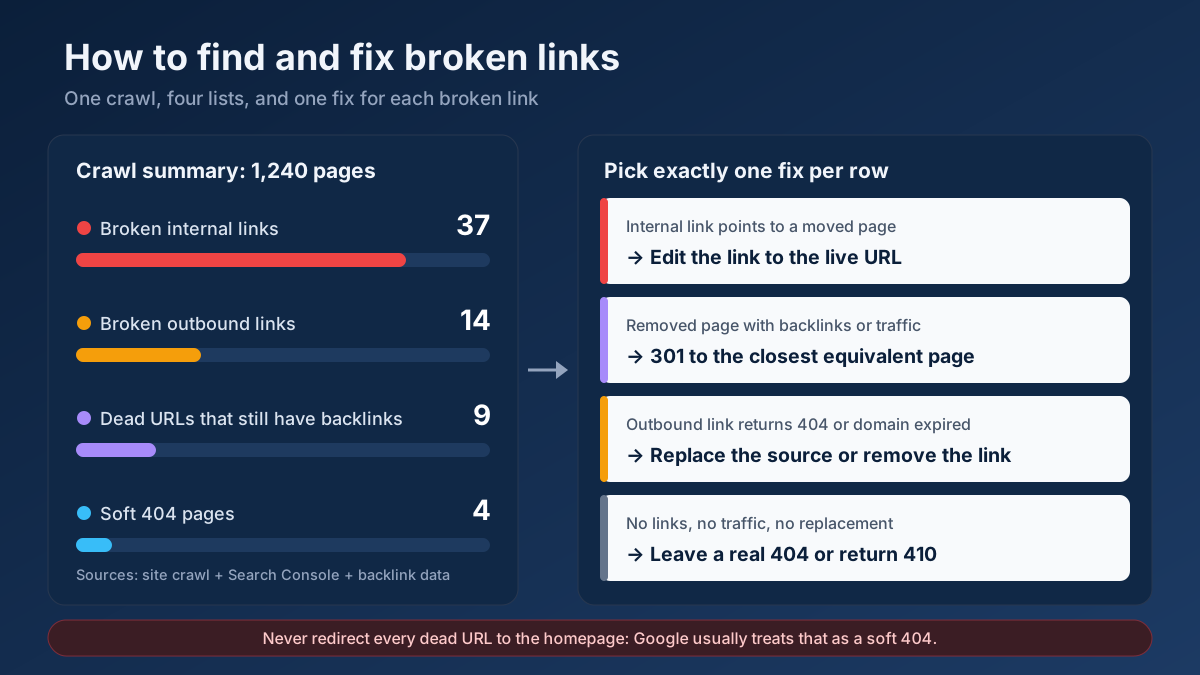
This tool focuses on whether links resolve. For the internal/external and nofollow breakdown of a page, use the Link Analyzer, and learn how to turn dead links into opportunities in our broken link building guide.

Is this a free alternative to the Moz broken link checker?

Yes. It crawls every link on a page and flags broken (4xx/5xx) links and redirects with their status codes — a free, no-signup way to find dead links on any page.

Learn & Resources

Guides, tips and tutorials hand-picked for this tool — go from running a check to actually fixing it.

On-Page SEO
Jul 10, 2026 · 15 min read

What Is SEO? A Complete Guide for Beginners

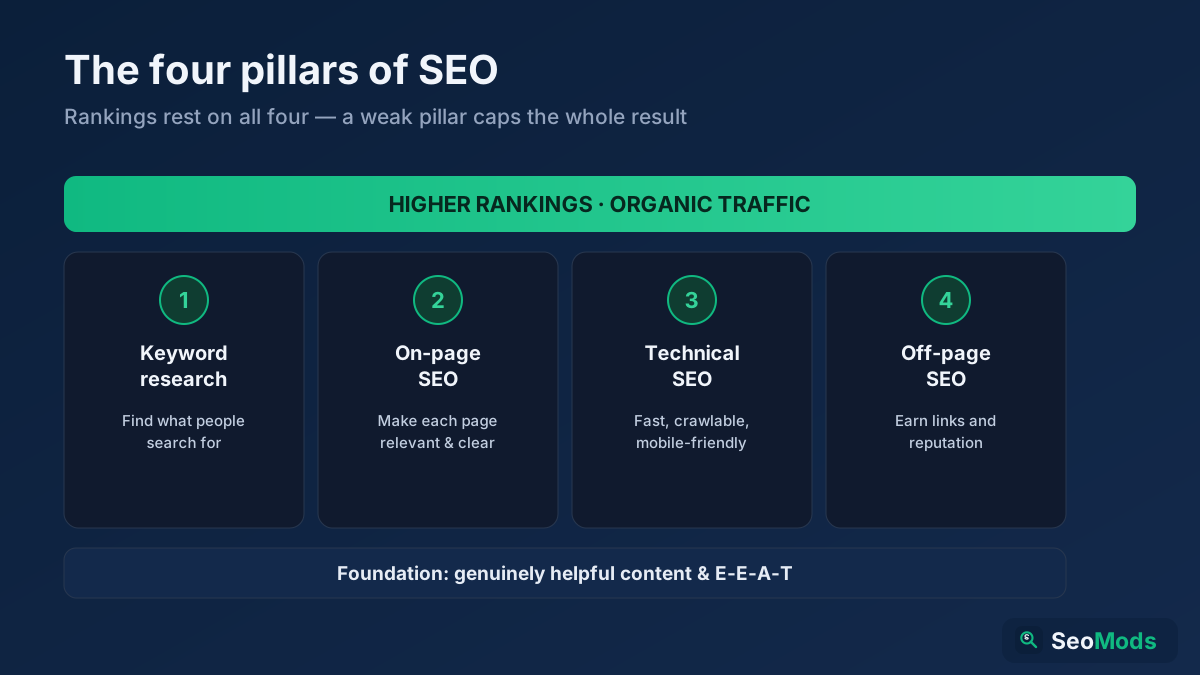
SEO is how you make a website rank higher in search engines so it earns free, organic traffic. This complete beginner's guide explains what SEO is, how search engines work, the four pillars (keyword research, on-page, technical and off-page), GEO for AI search, and a simple step-by-step roadmap you can start today.

Read article →
Analytics
Jul 15, 2026 · 15 min read

How Long Does SEO Take to Work? A Realistic Timeline (2026)

SEO takes four to six months to show meaningful movement and six to twelve months to produce significant organic traffic — faster for technical fixes and established sites, slower for new domains in competitive niches. This 2026 guide gives a realistic month-by-month timeline, the seven factors that decide your pace, how to speed things up, and how to measure progress before your rankings even move.

Read article →
