How to Fix Soft 404 Errors in Search Console
Learn how to fix soft 404 errors in Google Search Console: find them, tell real ones from false alarms, then return a 404, add a 301 or improve the page.
Read article →Trace the full redirect chain (301/302/307) of a URL and verify the final status code.
Fetching live data…
The Redirect & HTTP Status Checker is a free tool that traces the full redirect chain of any URL and reports the HTTP status code at every hop until it reaches the final destination. It shows you exactly how a browser or crawler travels from the address you enter to the page that finally loads — every 301, 302 or 307 in between, the destination of each, and the status of the last response. It uses live data, with no signup and no limits.
http://example.com).301 or 302.Location each redirect points to.200.200.Trace http://example.com and you might see it 301 to https://example.com, then 301 again to https://www.example.com, ending in a 200 — a two-hop chain you could shorten to a single redirect to save crawl budget and load time.
Yes — completely free, with no signup and no usage limits. Trace as many URLs as you need.
A 301 is a permanent redirect that passes ranking signals to the new URL, while a 302 (or 307) is temporary and tells search engines the move may be reversed. For permanent moves you almost always want a 301. Learn the details in our 301 vs 302 redirects guide.
Each extra hop adds latency for users and consumes crawl budget, and ranking signals can dilute across the chain. Collapsing multi-hop chains into a single redirect keeps pages fast and clean. To inspect the headers behind any hop, use the HTTP Header Checker and confirm the final certificate with the SSL Certificate Checker tool.
Guides, tips and tutorials hand-picked for this tool — go from running a check to actually fixing it.
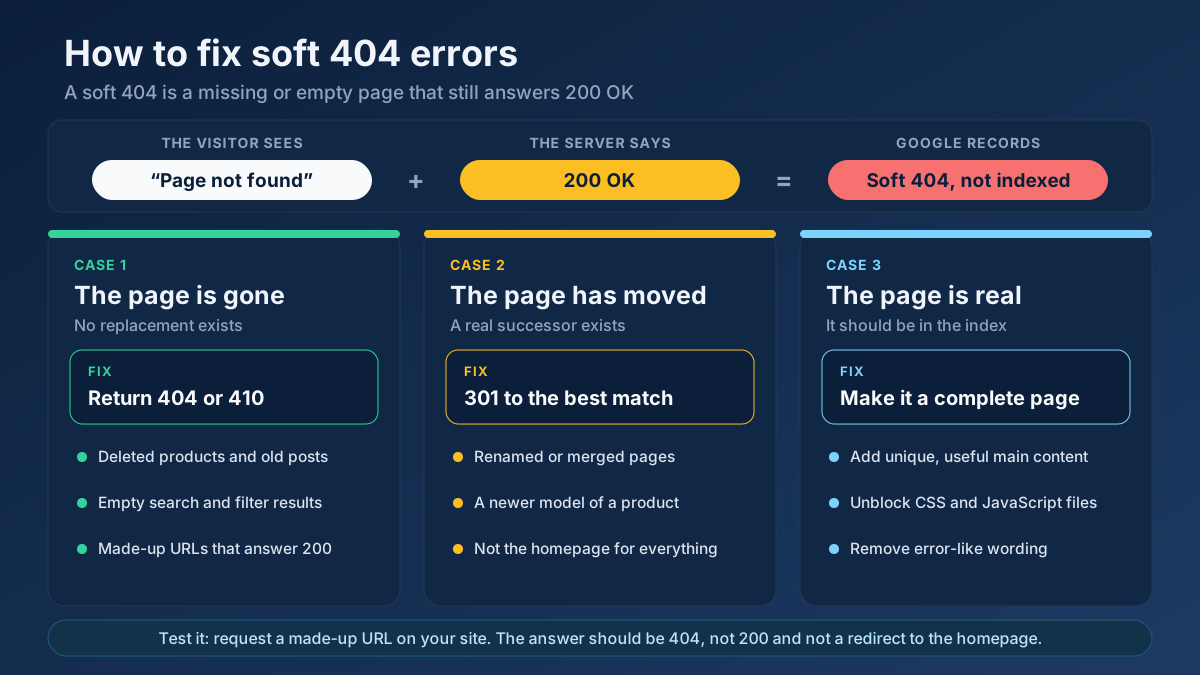 Technical SEO
Learn how to fix soft 404 errors in Google Search Console: find them, tell real ones from false alarms, then return a 404, add a 301 or improve the page.
Read article →Using the wrong redirect type can lose rankings. Here is the simple rule for 301, 302 and redirect chains.
Read article →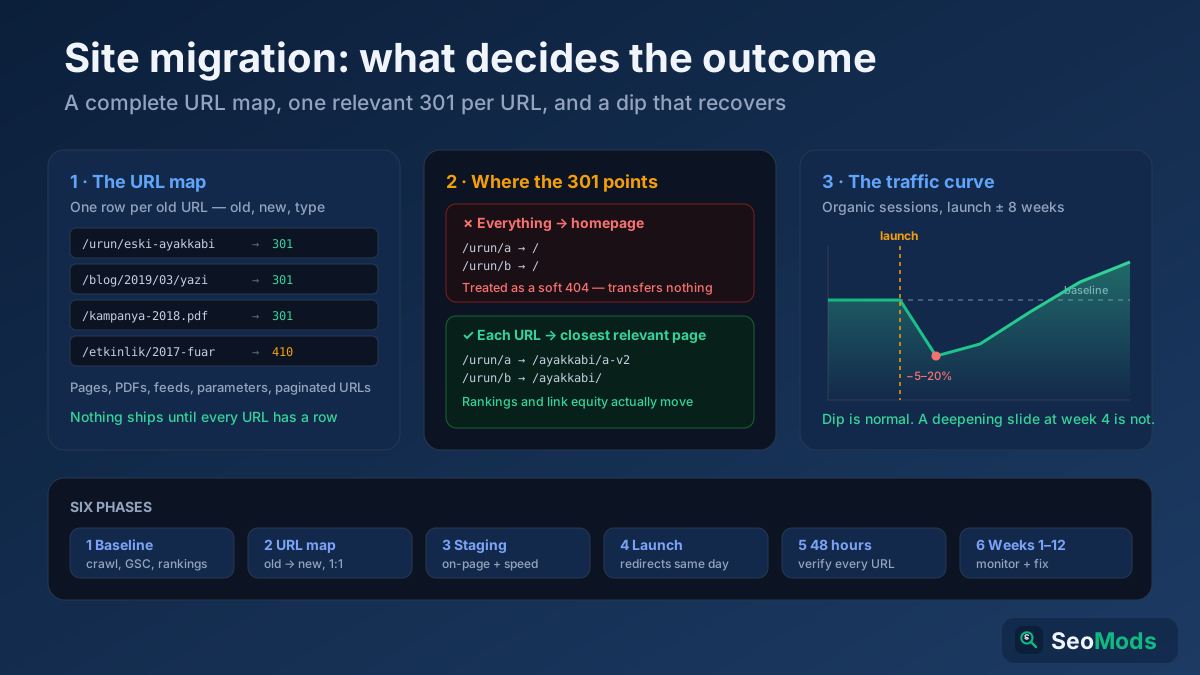 Technical SEO
A site migration is the riskiest thing you can do to organic traffic. The complete checklist: baseline, URL map, launch-day runbook and 48-hour verification.
Read article →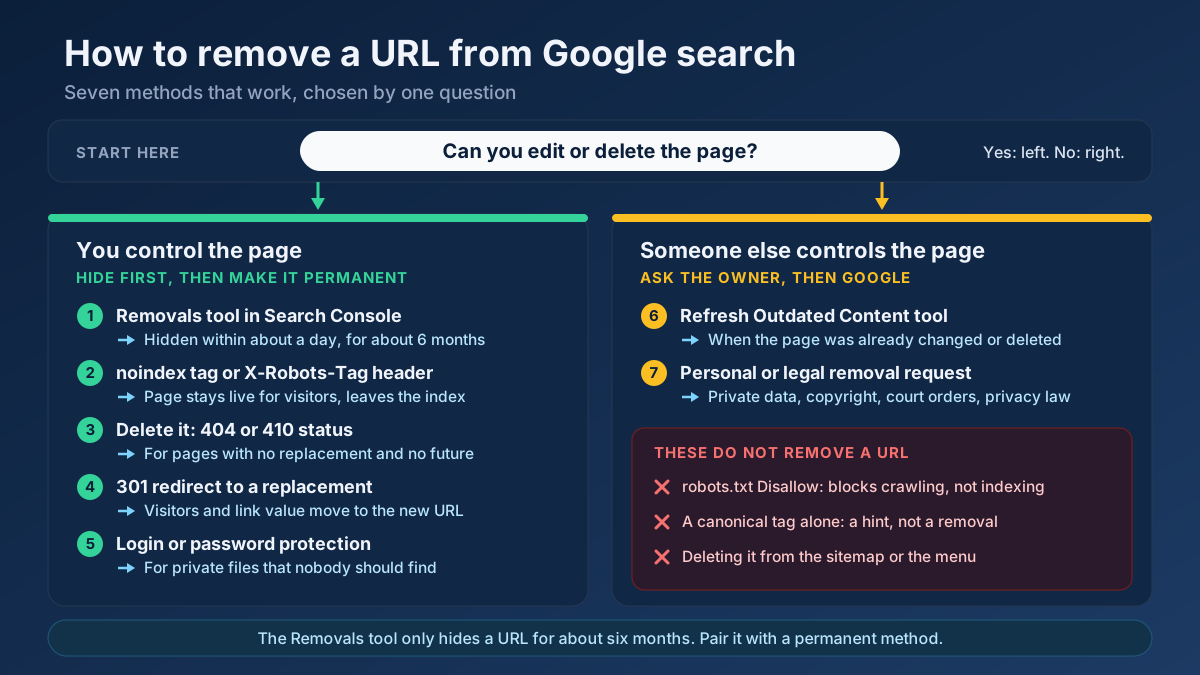 Technical SEO
Learn how to remove a URL from Google search results: hide it in a day with the Removals tool, then delete it for good with noindex, 404/410 or a redirect.
Read article → Technical SEO
How to fix duplicate content issues in 9 steps: find every duplicate URL, choose between a canonical, a 301 and noindex, and stop the problem returning.
Read article →Clean, readable URLs help users and search engines. Here is how to structure them.
Read article →Retrieve real domain registration data: registrar, creation/expiry dates, name servers and status.
Open tool →Query live A, AAAA, MX, NS, TXT, CNAME, SOA and SRV records for any domain.
Open tool →Inspect the live TLS certificate: issuer, validity dates, days remaining and SAN domains.
Open tool →View raw response headers, server software, caching, security headers and content type of any URL.
Open tool →Passive security scan of any website: HTTPS and TLS, HSTS, CSP and other security headers, exposed .env / .git / phpinfo files, cookie flags, mixed content, version leaks and the PHP2Shell (CVE-2026-109618 / CVE-2026-109619) PHP version check.
Open tool →Resolve a domain/IP and get real geolocation, ISP, ASN and hosting organization data.
Open tool →Your site may have a critical PHP vulnerability
PHP2Shell (CVE-2026-109618 and CVE-2026-109619) lets attackers run code on servers running PHP older than 8.2.35, 8.3.36, 8.4.27 or 8.5.12, without logging in. Attacks have been seen since 17 October. Check whether your site is affected.