PHP2Shell Vulnerability: Check and Fix Your Site
PHP2Shell (CVE-2026-109618, CVE-2026-109619) lets attackers run code on PHP servers. See which versions fix it, how to check your site and what to do today.
Read article →Passive security scan of any website: HTTPS and TLS, HSTS, CSP and other security headers, exposed .env / .git / phpinfo files, cookie flags, mixed content, version leaks and the PHP2Shell (CVE-2026-109618 / CVE-2026-109619) PHP version check.
Fetching live data…
The Website Security Checker is a free tool that looks at your site the way an outsider does: it loads one page, opens a TLS connection and asks for a handful of files that should never be public. In about half a minute you get a security score, a prioritised list of problems and a ready-to-paste fix for each one. It also checks whether your PHP version is exposed to PHP2Shell (CVE-2026-109618 and CVE-2026-109619), the critical remote code execution bugs patched on 21 October 2026.
https://example.com.http:// address to see whether visitors are sent to HTTPS, then reads the live certificate and the negotiated TLS version./.env, /.git/HEAD and /phpinfo.php, and checks the content of each answer so a friendly 404 page is never reported as a leak.Most website break-ins start with something boring: a forgotten .env file, an outdated PHP build, a debug page left online after a deploy. Attackers find these with automated scanners within hours of a new vulnerability going public. PHP2Shell is a good example: exploitation attempts were seen from 17 October 2026, days before the patch, because the details leaked. A hacked site also loses search traffic. Google flags compromised pages in Search Console, browsers may show warnings, and injected spam pages can drag down the whole domain.
Fix the red items first. Patch PHP and restart every worker, delete any exposed file and change the passwords and keys it contained, then force HTTPS with a 301 redirect and HSTS. After that, add the missing security headers one at a time, testing Content-Security-Policy in report-only mode before you enforce it. Hide version numbers by turning off expose_php and the server tokens. Run the scan again after every change; the score updates straight away.
The full PHP2Shell checklist, including temporary mitigations when you cannot upgrade today, is in our guide to the PHP2Shell vulnerability (CVE-2026-109618 and CVE-2026-109619). For the certificate alone, use the SSL Certificate Checker, and to read every raw header, use the HTTP Header Checker.
Yes. It is free with no signup. It only sends the same kind of GET requests a browser sends, carries no attack payloads, and never shows the contents of an exposed file. Results are not published anywhere.
Only when your site discloses its PHP version. Most well-configured sites hide it, which is good practice. In that case the tool says PHP was detected and explains how to check the real version on the server with php -v or your hosting panel.
No. It is a fast outside-in health check that catches common, high-impact mistakes. It does not log in, test forms or look for flaws in your own code. Use it after every deploy and before you pay for a deeper audit.
Guides, tips and tutorials hand-picked for this tool — go from running a check to actually fixing it.
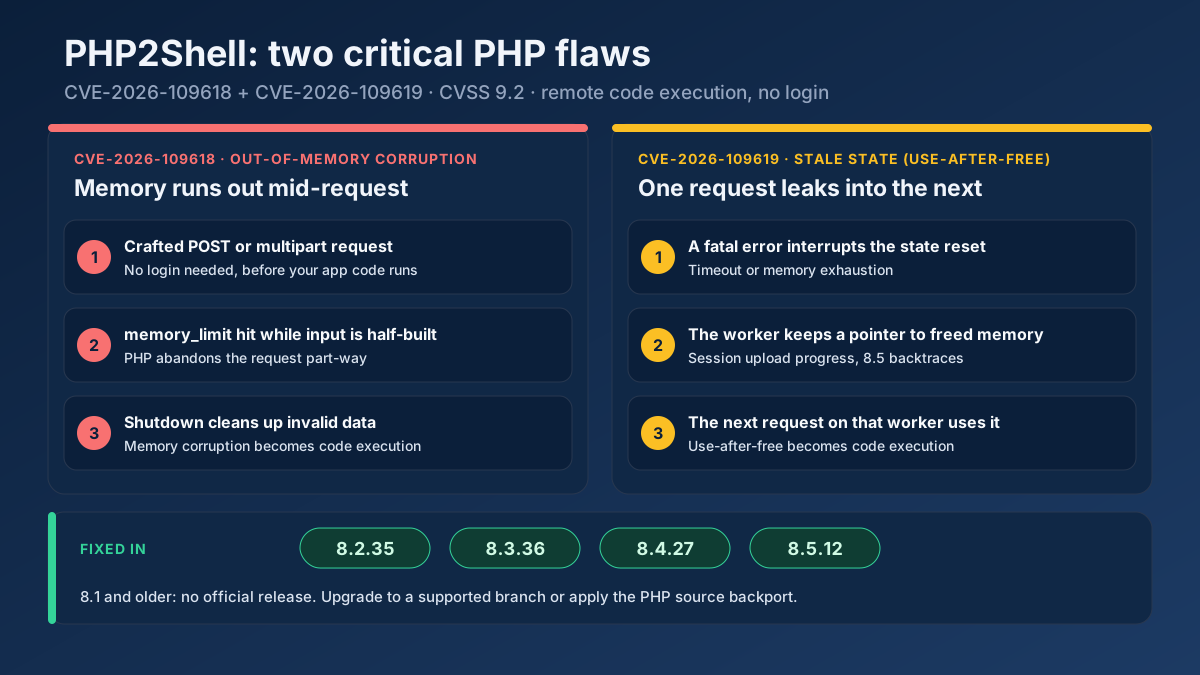 Technical SEO
PHP2Shell (CVE-2026-109618, CVE-2026-109619) lets attackers run code on PHP servers. See which versions fix it, how to check your site and what to do today.
Read article →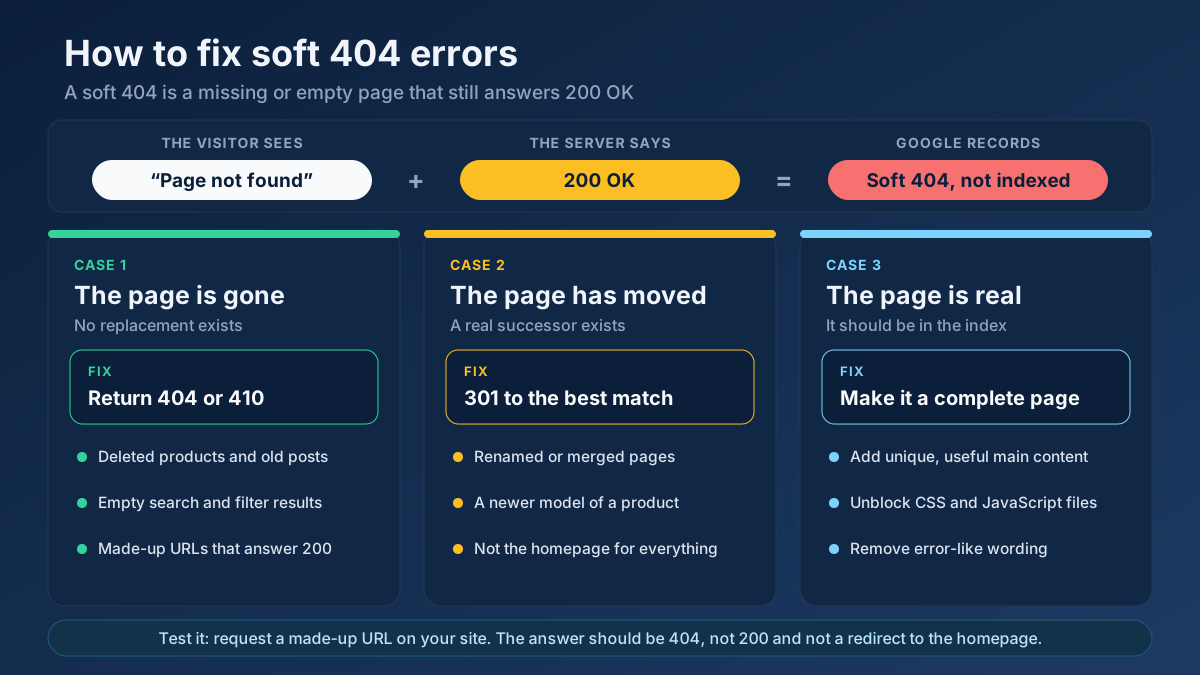 Technical SEO
Learn how to fix soft 404 errors in Google Search Console: find them, tell real ones from false alarms, then return a 404, add a 301 or improve the page.
Read article →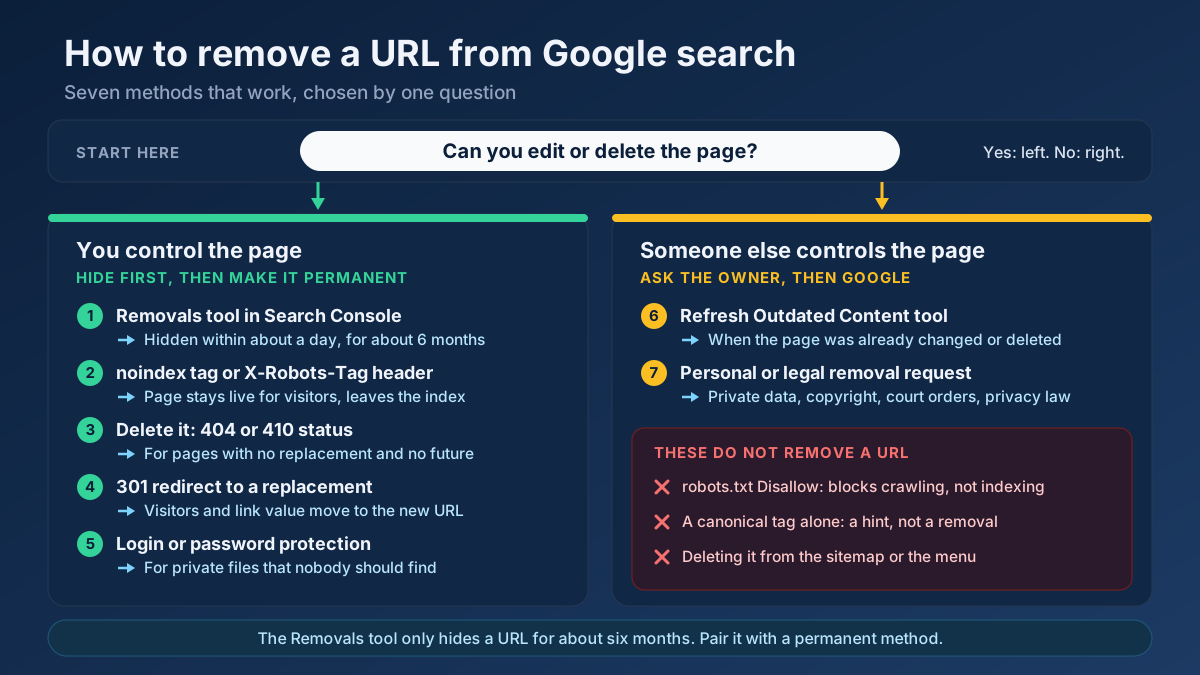 Technical SEO
Learn how to remove a URL from Google search results: hide it in a day with the Removals tool, then delete it for good with noindex, 404/410 or a redirect.
Read article →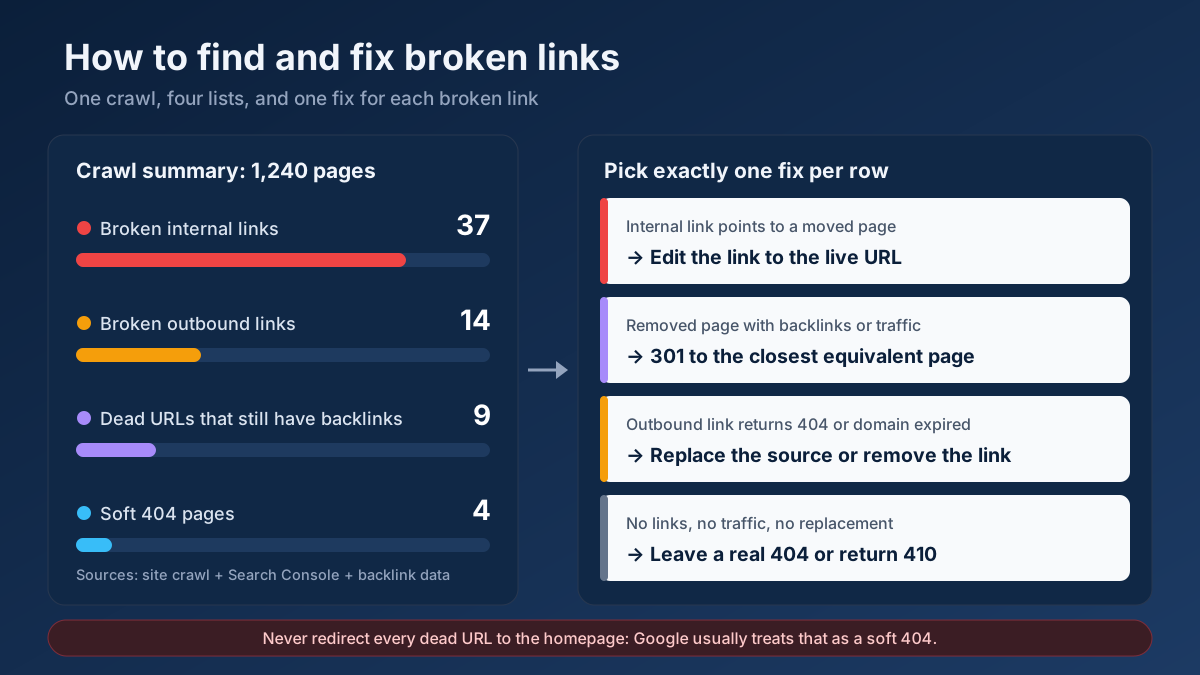 Technical SEO
How to find and fix broken links in 8 steps: crawl your site, check 404s and soft 404s in Search Console, recover lost backlinks and pick the right fix.
Read article → Technical SEO
How to fix duplicate content issues in 9 steps: find every duplicate URL, choose between a canonical, a 301 and noindex, and stop the problem returning.
Read article →Faster pages rank better and convert better. Here is a prioritized checklist that actually moves the needle.
Read article →Retrieve real domain registration data: registrar, creation/expiry dates, name servers and status.
Open tool →Query live A, AAAA, MX, NS, TXT, CNAME, SOA and SRV records for any domain.
Open tool →Inspect the live TLS certificate: issuer, validity dates, days remaining and SAN domains.
Open tool →View raw response headers, server software, caching, security headers and content type of any URL.
Open tool →Trace the full redirect chain (301/302/307) of a URL and verify the final status code.
Open tool →Resolve a domain/IP and get real geolocation, ISP, ASN and hosting organization data.
Open tool →