No Signup Unlimited Usage Real Data 100% Free Privacy First Fast Results Export Reports Mobile Friendly

Meta Tag Analyzer

Extract and grade title, meta description, robots, canonical, Open Graph and Twitter tags from any live page.

Add up to 3 URLs to compare competitors side by side.

Fetching live data…

Quick answer

The Meta Tag Analyzer extracts and grades the most important meta tags from any live web page — the title, meta description, robots directives, canonical link, Open Graph and Twitter Card tags. Rather than digging through page source by hand, you paste a URL and instantly see every tag's value, length and a pass/warn/fail verdict, all built from real, live data fetched directly from the page.

How it works

  1. Paste the full URL you want to inspect (for example https://example.com/page).
  2. The tool fetches the live page over HTTP and parses the <head> section of its HTML.
  3. It reads each meta tag, measures lengths and validates required attributes.
  4. You get a clean, grouped report with the exact value of every tag and what to fix.

What it checks

  • Title tag — presence and optimal length (30–60 characters).
  • Meta description — presence and length (70–160 characters).
  • Robots meta — index/noindex and follow/nofollow directives.
  • Canonical link — the declared preferred URL for the page.
  • Open Graph tags — og:title, og:description, og:image and og:type.
  • Twitter Card tags — card type, title, description and image.
  • Viewport & charset — mobile and encoding declarations.

Common use cases

  • Pre-launch QA — confirm a new page has every essential tag before it goes live.
  • Fixing weak snippets — diagnose a title or description that's too short or missing.
  • Competitor research — see exactly how rivals write and structure their tags.
  • Indexing checks — catch an accidental noindex that hides a page from Google.

Example

Analyze a product page and you might see a green title at 52 characters, an amber meta description warning that it's only 48 characters, a valid canonical, and a red flag that the Open Graph image is missing — so the page won't show a thumbnail when shared.

Frequently asked questions

Is the Meta Tag Analyzer free?

Yes — completely free, no signup and no limits. Analyze as many pages as you need with real, live data.

Why does my page have no meta description?

If the tag is missing, Google will generate its own snippet from the page text, which you can't control. Adding a concise, compelling description gives you that control back. Our meta description guide shows how to write one that earns clicks.

What should I check after the tags look good?

Validate how the page appears when shared with the Open Graph & Twitter Card Checker and confirm overall page health with the On-Page SEO Audit for a complete picture.

Learn & Resources

Guides, tips and tutorials hand-picked for this tool — go from running a check to actually fixing it.

On-Page SEO
Jul 10, 2026 · 15 min read

What Is SEO? A Complete Guide for Beginners

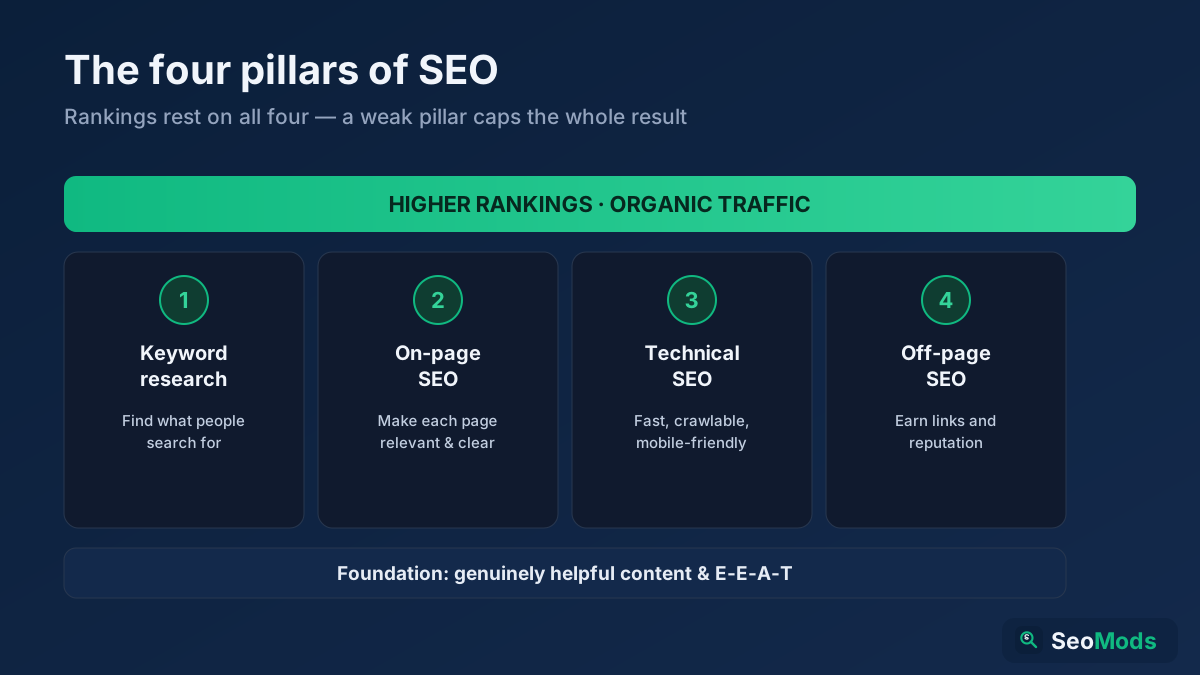
SEO is how you make a website rank higher in search engines so it earns free, organic traffic. This complete beginner's guide explains what SEO is, how search engines work, the four pillars (keyword research, on-page, technical and off-page), GEO for AI search, and a simple step-by-step roadmap you can start today.

Read article →