Why WordPress Site Owners need this
On a WordPress site, the <head> is written by committee. Core prints the document title, a canonical on single posts and a robots tag; your SEO plugin adds the description and social tags; the theme, a page builder or a snippet pasted into header.php years ago may add their own copies. The official WordPress documentation says meta tags are not included by default, so what ends up in the source depends on which of those pieces is active today.
Owners usually find out sideways. Search Console reports pages "Excluded by 'noindex' tag" that nobody tagged, an audit flags duplicate descriptions on posts that have one Yoast field, or category and tag archives with an "Archives" title and no description start appearing for your brand name.
This analyzer fetches the public URL logged out and reports the title, description, canonical, robots directive, viewport, language and Open Graph tags it finds, with lengths and a fix per gap. Its "Duplicate tags" line counts second copies, so a plugin conflict shows up as "2× <title>" instead of a mystery.
WordPress Site Owners specific guidance
Tips for WordPress Site Owners
Learn to tell the sources apart. With no SEO plugin, WordPress core prints a <title> built as Site Title – Tagline on the front page and Post title – Site Title elsewhere, a canonical on singular URLs and <meta name='robots' content='max-image-preview:large'>, but no description and no Open Graph tags. When "Discourage search engines from indexing this site" (Settings › Reading) is ticked, that same robots tag becomes noindex, nofollow, and no plugin setting overrides it.
Yoast, Rank Math and SEOPress wrap their output in an HTML comment such as <!-- This site is optimized with the Yoast SEO plugin -->. Anything the analyzer counts twice that sits outside that block came from the theme, a builder or custom code. Fix it at the source: remove the hard-coded <title> from header.php and rely on add_theme_support( 'title-tag' ), or switch off the builder's own SEO module.
Archives deserve the same check as posts. Run one category, one tag, an author page and /?s=test; decide per type whether it earns a place in Google, then either write a real archive description or set it to noindex in your plugin. A useful tell: when Search Console's Pages report lists many /tag/ URLs under "Crawled – currently not indexed", Google is already passing on them.
Common mistakes
Changes that "don't take" are usually cache, not SEO. Page caches (WP Rocket, LiteSpeed, W3 Total Cache), the host's cache and Cloudflare can keep serving yesterday's HTML after you save a new description. Purge, then re-run: the result comes from the public page, so if it still shows the old text, a cache layer is answering. Most cache plugins put a "Purge" or "Clear cache" item in the admin bar; use it after every SEO-plugin edit or update, not only after content changes.
Quick start
- Log out, or use a private window, so you test what crawlers get.
- Paste one URL per type: front page, post, page, category, tag.
- Read "Meta robots" under Request Details;
noindexon a post you want found comes first. - Check "Duplicate tags"; anything other than None needs a source.
- Fix, purge every cache, run the same URL again.
Real examples
1. Yoast plus a second set of tags outside it: 100/100, still duplicated
- Situation
- YUMI, a toddler snack brand, runs WordPress with WooCommerce and Yoast SEO 28.7. We ran its front page on 23 October 2026.
- Input
https://helloyumi.com/- Reading the result
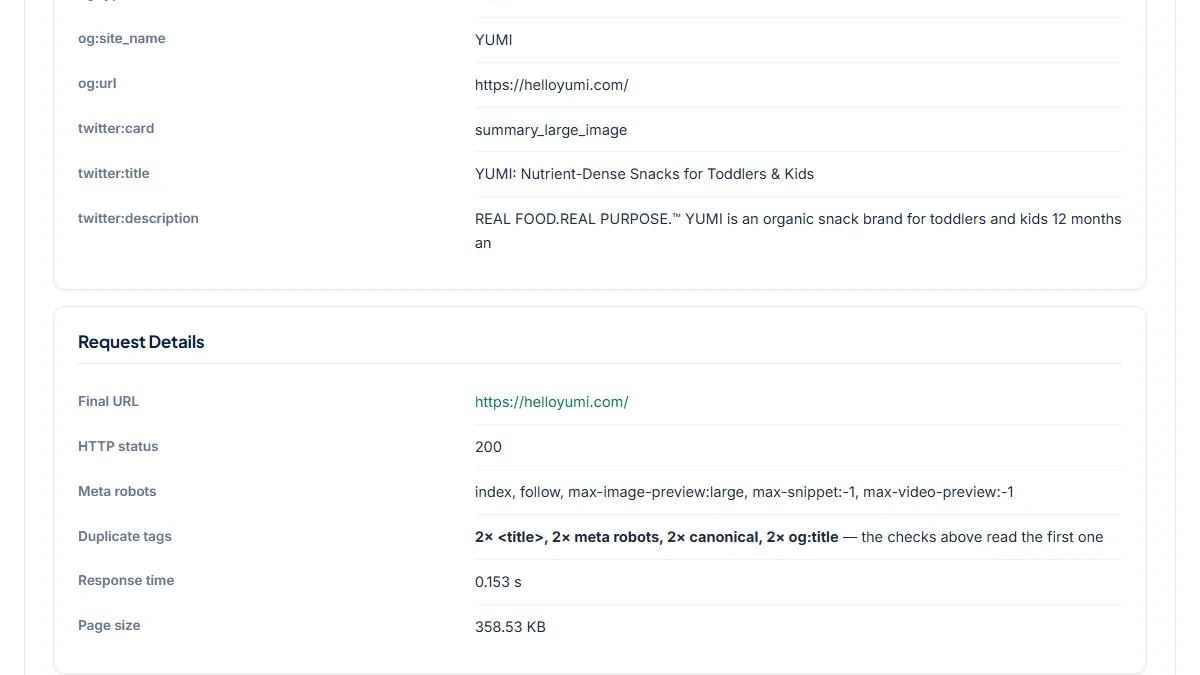
- Score 100/100, every check green, yet "Duplicate tags" reads 2× <title>, 2× meta robots, 2× canonical, 2× og:title. The source shows why: right after Yoast's block closes, a second
<title>follows, and further down an unlabelled block repeats robots and canonical with a different og:title ("YUMI: Nutrient-Dense Snacks…") and its own og:description. The copies agree on URLs today, but two systems now own the head; edit one and they drift. Keep Yoast and remove the copy from the theme or custom code.
2. No SEO plugin: what WordPress core prints on its own
- Situation
- Lamanna Bakery's site uses the Semplice portfolio theme on WordPress 7.1.3, without an SEO plugin. Same day.
- Input
https://www.lamannabakery.com/- Reading the result
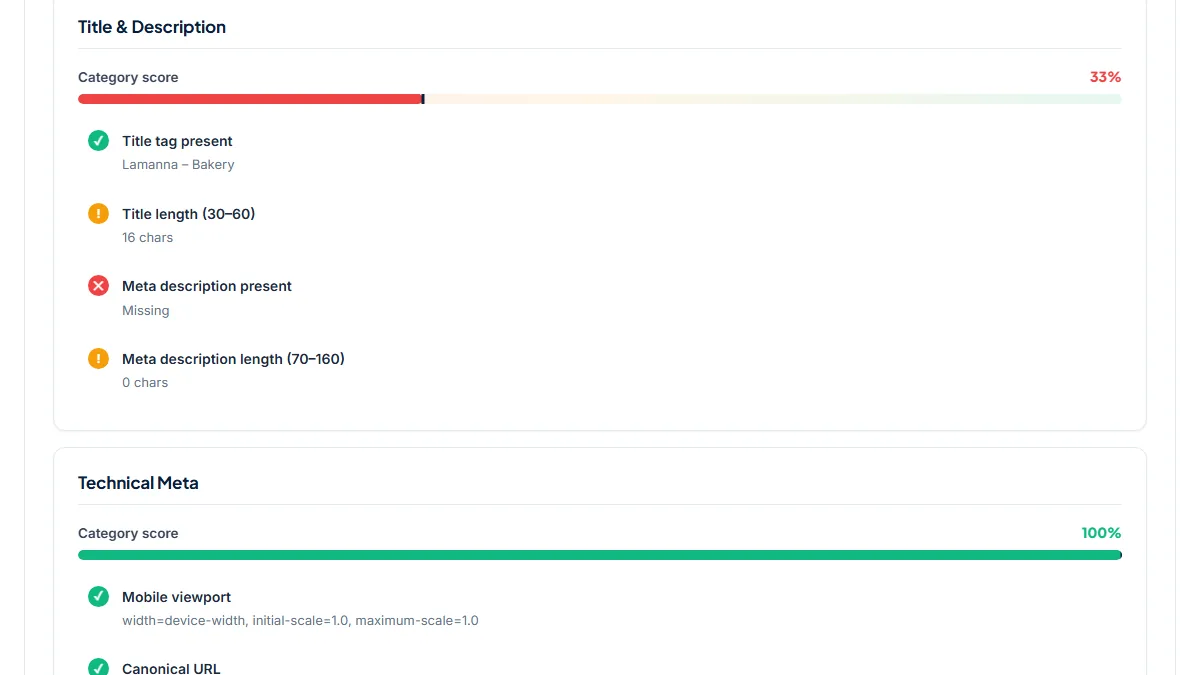
- Score 53/100. Meta description is a critical miss, the title "Lamanna – Bakery" is 16 characters (Site Title – Tagline, the core pattern), and there are no Open Graph or Twitter tags. Canonical, viewport, charset and lang pass, and Meta robots reads
max-image-preview:large, the core default that also confirms search engines are not discouraged. A lightweight SEO plugin, or a 30–60 character title and a description written for the front page, fixes most of it.
3. An indexed tag archive with a default "Archives" title
- Situation
- Microsoft's newsroom, Source, runs WordPress with Yoast. We checked one of its tag archives.
- Input
https://news.microsoft.com/source/tag/press-releases/- Reading the result
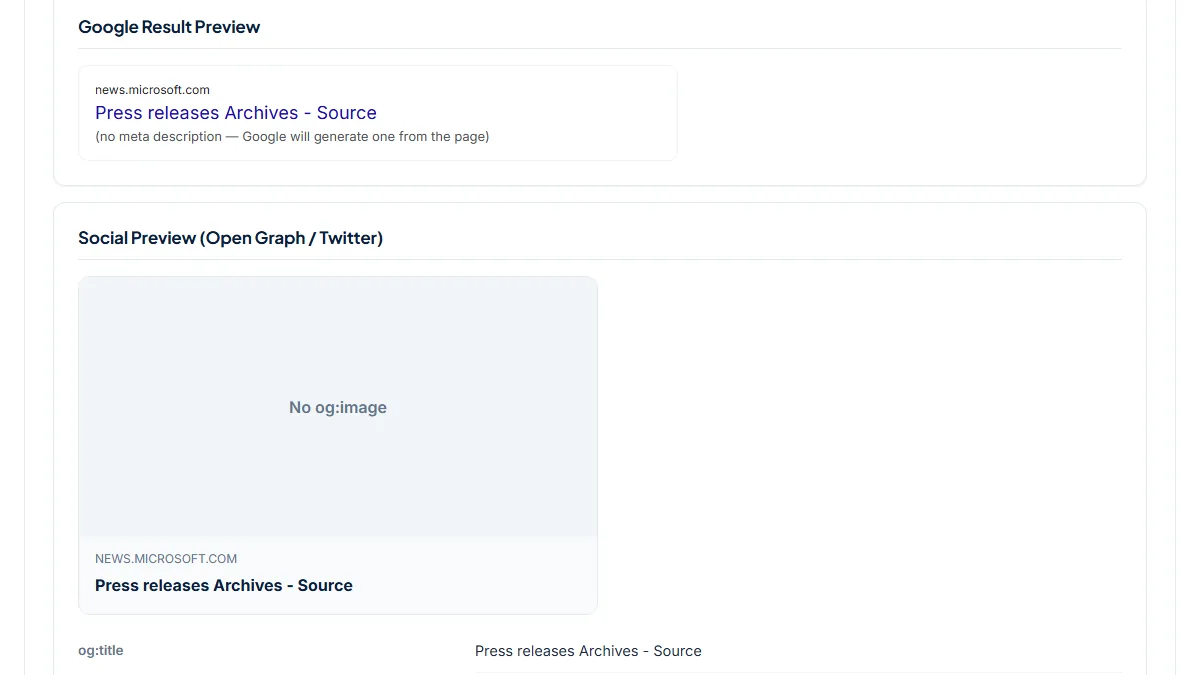
- Score 77/100. The title "Press releases Archives - Source" is Yoast's default taxonomy pattern, the meta description is missing, the social card has no og:image, and Meta robots is
index, follow, so Google is invited to index a page whose snippet it must invent. A press-release hub may well deserve indexing; then it needs its own title and a term description. For thin tags with two posts, the better fix is noindex in the plugin's taxonomy settings.
Common mistakes
- Launching with "Discourage search engines from indexing this site" still ticked from the staging phase. Every page then serves
noindex, nofollow, whatever your SEO plugin says. - Activating a second SEO plugin to try one feature, or keeping Jetpack's or a theme's SEO module on next to Yoast or Rank Math, which prints a second title, description or og:title.
- Hard-coding
<title>orrel="canonical"inheader.php, often pointing every post to the home page, and forgetting it survives each plugin change. - Letting tag, date, author and
?s=search pages index with default "Archives" titles and no description, so dozens of thin URLs compete with your posts. - Checking while logged in as admin or behind a cache. You may see a page the public never gets, or the public may still get the old tags you think you replaced.
Frequently asked questions
Why does my page have two meta descriptions when I only filled in one Yoast field?
Yoast prints exactly one description, so a second one comes from somewhere else: the theme, a page builder, another SEO plugin or a snippet in header.php. Run the URL and look at "Duplicate tags", then view the source and see which copy sits outside the plugin's comment block. Disable plugins one at a time, or use the Health Check & Troubleshooting plugin, until the count drops to one.
I saved a new title in Rank Math, but the page source still shows the old one. Why?
The editor shows what is stored in the database; visitors get whatever your caches serve. Purge the caching plugin, any server or host cache and Cloudflare, then run the public URL here. If the old title is gone, it was the cache. If it remains, check the title template under Titles & Meta and look for a theme or builder overriding it. Google only shows the new title after it re-crawls the page.
Search Console says a page is excluded by a noindex tag I never added. Where does it come from?
Three places are common. Settings › Reading › "Discourage search engines" makes core print noindex, nofollow on every page. Your SEO plugin can noindex a whole content type or taxonomy, such as categories or author archives, in its global settings. Or a single post has its own "allow search engines" toggle switched off. The Meta robots row shows the directive the page serves today, so start there.
Why does Facebook pick a random picture from my post, or none at all?
When a page has no og:image, Facebook guesses from the images it finds, which is how logos, ads and sidebar photos end up in shares after a theme change. Run the post: if Social Preview says "No og:image", set a featured image or the image in the plugin's social tab and check again. If the right tag is there and Facebook still shows the old picture, re-scrape it in the Sharing Debugger.
Why does every post's canonical point to my home page?
Usually a theme or old snippet hard-codes <link rel="canonical" href="https://your-site.com/"> in header.php, so Google is told every article is a copy of the front page and may drop them. Run two different posts: if the Canonical URL row shows the same address for both, search your theme files for "canonical", delete the line and let WordPress or your SEO plugin output a self-referencing canonical per post.
Reference: The official Search Engine Optimization guide in the WordPress documentation points out that meta tags are not included in WordPress by default and that themes and customizations can change what the head contains, which is why the served output is worth checking.