How it works
- Enter a domain name (for example
example.com) — no http prefix needed. - The tool contacts the responsible WHOIS/RDAP server for that top-level domain.
- It parses the raw response into clean, labelled fields you can read at a glance.
- You get the registrar, key dates, name servers and status, all from live registry data.
What it shows
- Registrar — the company the domain is registered through, plus its IANA ID.
- Creation date — when the domain was first registered.
- Expiry date — when the current registration lapses if not renewed.
- Updated date — the last time the record was modified.
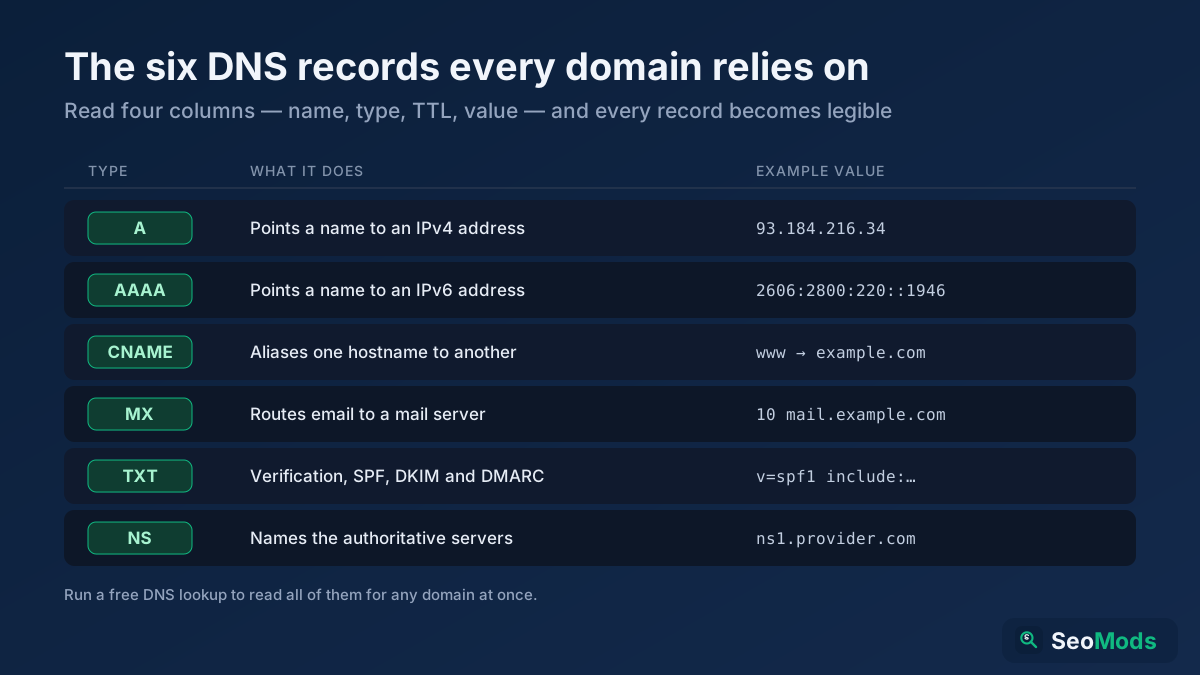
- Name servers — the authoritative DNS servers the domain points to.
- Domain status — EPP codes such as
clientTransferProhibitedthat show locks. - Registrant details — organization and country where the registry publishes them.
- DNSSEC — whether signing is enabled for the zone.
Common use cases
- Buying a domain — check when it expires and whether it may soon become available.
- Verifying ownership — confirm the registrar and organization behind a site.
- Avoiding lapses — track the expiry date of domains you manage.
- Due diligence — investigate a domain before a partnership, purchase or acquisition.
Example
Query google.com and you will see it was created back in 1997, is registered through MarkMonitor, carries several clientUpdateProhibited style locks, and lists Google's own name servers — a clear snapshot of a well-protected, long-established domain.
Frequently asked questions
Is the WHOIS Lookup free?
Yes — completely free, with no signup and no usage limits. You can look up as many domains as you need.
Why is some contact information hidden?
Since GDPR and ICANN privacy rules took effect, many registrars redact personal registrant data or replace it with a privacy service. The registrar, dates, name servers and status remain public, but individual names and emails are often masked.
Can I also check the domain's DNS and age?
Yes. Use the DNS Records Lookup to inspect the live DNS records the WHOIS name servers resolve, and the Domain Age Checker to see exactly how old a domain is. To plan a smooth move between hosts, read our HTTPS migration guide.