PHP2Shell Vulnerability: Check and Fix Your Site
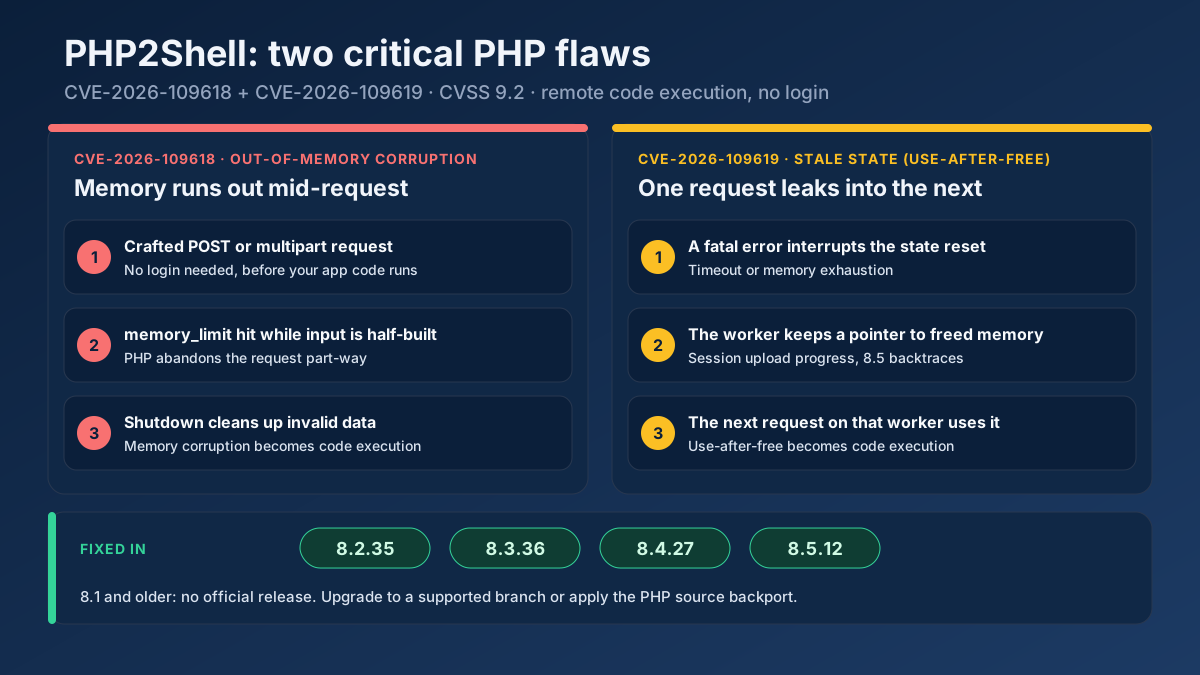
PHP2Shell (CVE-2026-109618, CVE-2026-109619) lets attackers run code on PHP servers. See which versions fix it, how to check your site and what to do today.
Read article →Resolve a domain/IP and get real geolocation, ISP, ASN and hosting organization data.
Fetching live data…
The IP & Geolocation Lookup resolves any domain or IP address and returns its real-world location and hosting details — country, region, city, coordinates, timezone, ISP, hosting organization and ASN. It works with live data from authoritative sources, so you can instantly see where a website is hosted, who provides its connectivity, and where a visitor's IP is located.
example.com) or an IP address (e.g. 8.8.8.8).Look up 8.8.8.8 and you'll see it belongs to Google LLC, located in the United States, with reverse DNS dns.google and its ASN — a clear picture of the network behind the address.
IP geolocation is highly accurate at the country level and usually reliable to the city level, but it reflects the network's registered location, which can differ from a user's exact physical location — especially behind VPNs, proxies or CDNs.
It has a minor effect. Hosting closer to your audience can slightly improve load times, and the server's country can be a weak signal for geo-targeting, though a CDN largely neutralizes the distance factor.
Yes — enter your domain to confirm its IP, host and location. To inspect the server's response in more detail, use the HTTP Header Checker and check DNS with the DNS Records Lookup. To go further and analyze the whole website — technology, hosting, WHOIS, SSL and SEO signals — start from the domain instead of the IP.
Guides, tips and tutorials hand-picked for this tool — go from running a check to actually fixing it.
 Technical SEO
PHP2Shell (CVE-2026-109618, CVE-2026-109619) lets attackers run code on PHP servers. See which versions fix it, how to check your site and what to do today.
Read article →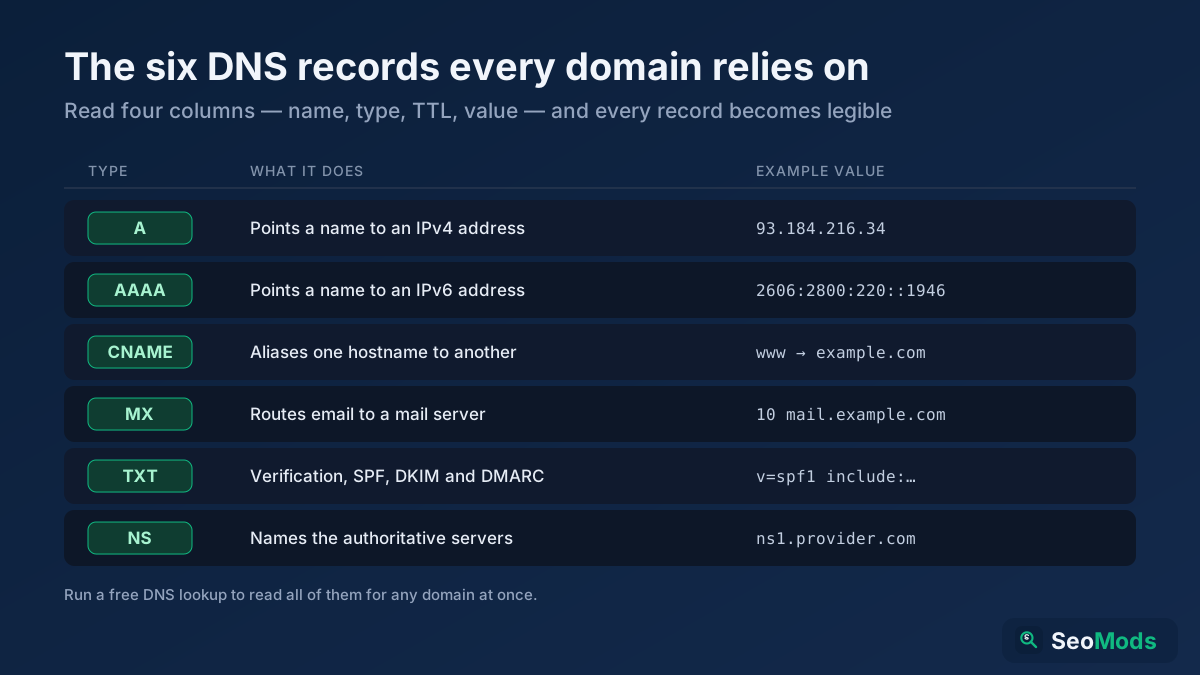 Technical SEO
DNS records are the hidden settings that route a domain's traffic, email and verification. Here is what A, AAAA, CNAME, MX, TXT and NS records do, how to read them, and how to check each one for free.
Read article →A WHOIS lookup reveals a domain's registrar, creation and expiry dates, name servers and — when it is not hidden by privacy — its owner. Here is what a WHOIS record means, how to find who owns a domain, and what to do when the owner is redacted.
Read article →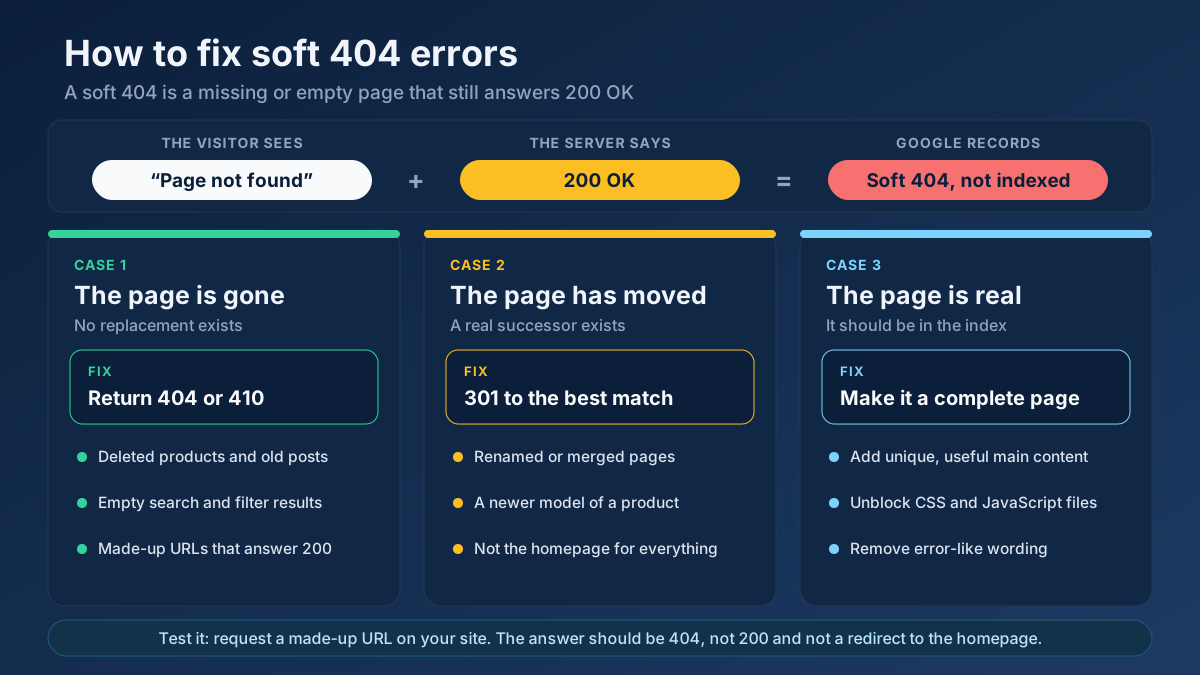 Technical SEO
Learn how to fix soft 404 errors in Google Search Console: find them, tell real ones from false alarms, then return a 404, add a 301 or improve the page.
Read article → Technical SEO
How to fix duplicate content issues in 9 steps: find every duplicate URL, choose between a canonical, a 301 and noindex, and stop the problem returning.
Read article →Faster pages rank better and convert better. Here is a prioritized checklist that actually moves the needle.
Read article →Retrieve real domain registration data: registrar, creation/expiry dates, name servers and status.
Open tool →Query live A, AAAA, MX, NS, TXT, CNAME, SOA and SRV records for any domain.
Open tool →Inspect the live TLS certificate: issuer, validity dates, days remaining and SAN domains.
Open tool →View raw response headers, server software, caching, security headers and content type of any URL.
Open tool →Passive security scan of any website: HTTPS and TLS, HSTS, CSP and other security headers, exposed .env / .git / phpinfo files, cookie flags, mixed content, version leaks and the PHP2Shell (CVE-2026-109618 / CVE-2026-109619) PHP version check.
Open tool →Trace the full redirect chain (301/302/307) of a URL and verify the final status code.
Open tool →Your site may have a critical PHP vulnerability
PHP2Shell (CVE-2026-109618 and CVE-2026-109619) lets attackers run code on servers running PHP older than 8.2.35, 8.3.36, 8.4.27 or 8.5.12, without logging in. Attacks have been seen since 17 October. Check whether your site is affected.