High Impressions but Low Clicks: How to Fix CTR
High impressions but low clicks? Average position tells you whether it is a ranking problem or a snippet problem — and this guide gives the fix for both.
Read article →Map a niche: aggregate real keyword demand signals and competitor angles to size up a market.
Fetching live data…
The Market / Niche Explorer is a free tool that maps a niche by aggregating real keyword demand signals and competitor angles so you can size up a market before committing to it. Give it a seed topic and it gathers the surrounding search ideas, groups them into themes, and surfaces the angles competitors are taking — turning a vague idea into a structured picture of demand and competition. There is no signup, and the keyword data is pulled from live autocomplete and related-search signals.
home coffee brewing).Demand here is a relative estimate built from live suggestion and related-search signals, not licensed search-volume numbers. It reliably shows the shape of a market — which themes are rich and which are thin — but exact monthly volumes require a paid data provider, so we do not invent them.
Explore home coffee brewing and the tool might surface clusters like pour over, espresso at home, grinders and beans by roast, with rich question themes around technique and gear — showing a broad, healthy market and pointing to beginner espresso as an under-served angle.
No. It estimates relative demand from live suggestion and related-search signals, which reveals the shape and breadth of a market. Precise monthly volume figures require a licensed data source, so we never fabricate them.
This zooms out to size up a whole niche; keyword research zooms in on individual terms. After mapping the market, drill into specific themes with the Keyword Research and check commercial value with the PPC & Keyword Value Research.
Convert the strongest clusters into pillar pages and supporting articles. Our topic clusters & pillar pages guide and keyword research guide walk through the full process.
Guides, tips and tutorials hand-picked for this tool — go from running a check to actually fixing it.
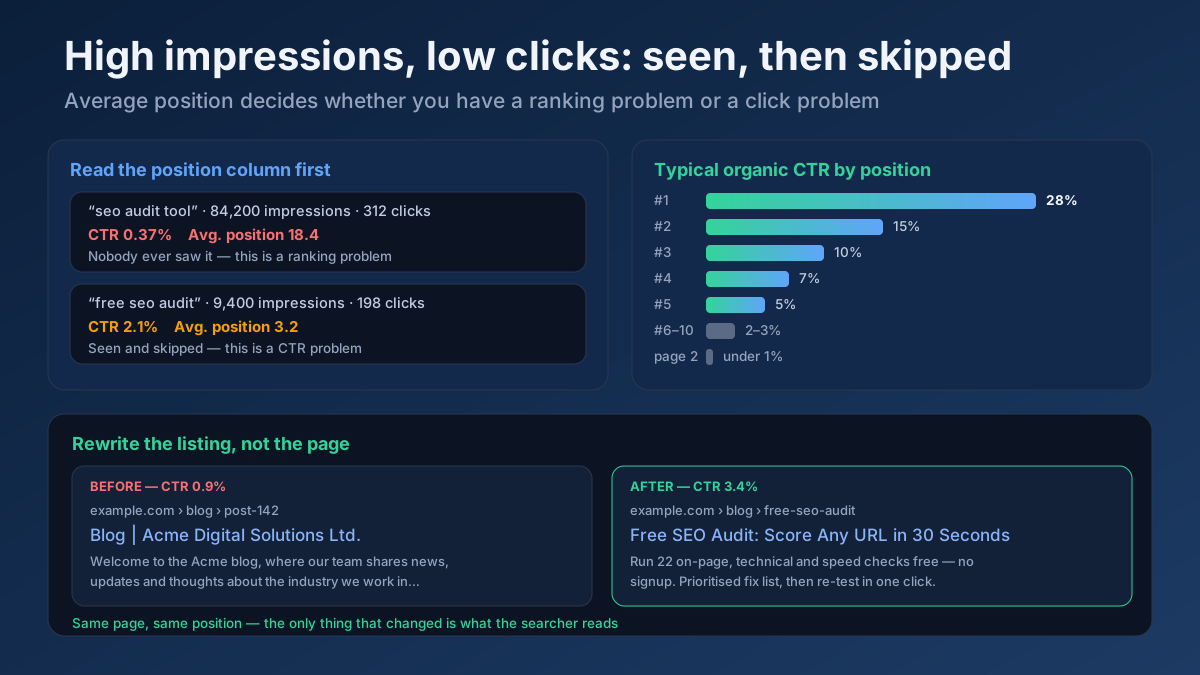 Analytics
High impressions but low clicks? Average position tells you whether it is a ranking problem or a snippet problem — and this guide gives the fix for both.
Read article →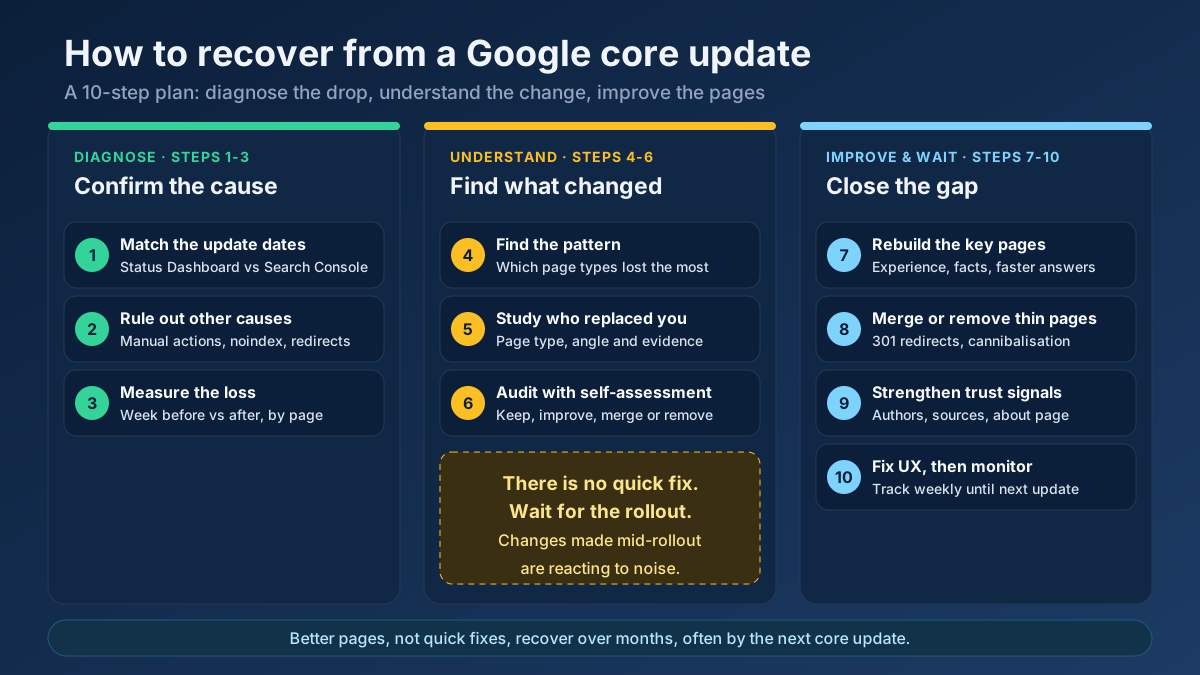 Analytics
Learn how to recover from a Google core update: confirm the drop, rule out technical issues, find the pages that lost and rebuild them in 10 clear steps.
Read article →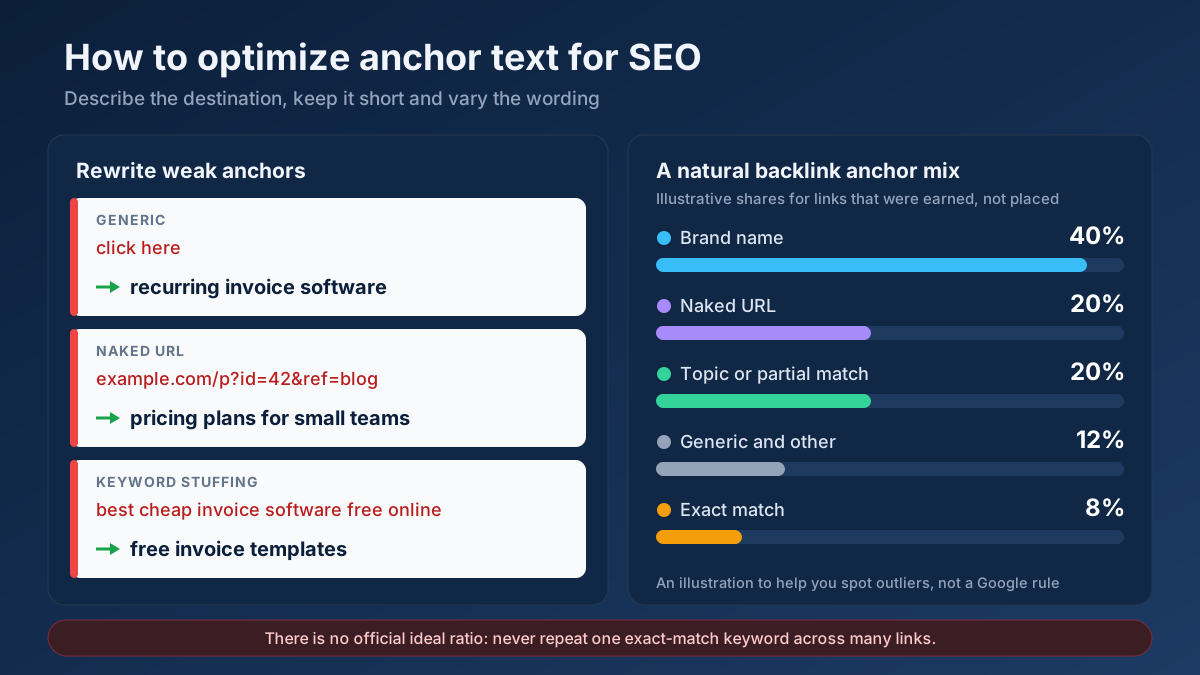 Link Building
How to optimize anchor text for SEO in 9 steps: anchor types, internal link and backlink rules, a natural ratio, rewrite examples and mistakes to avoid.
Read article →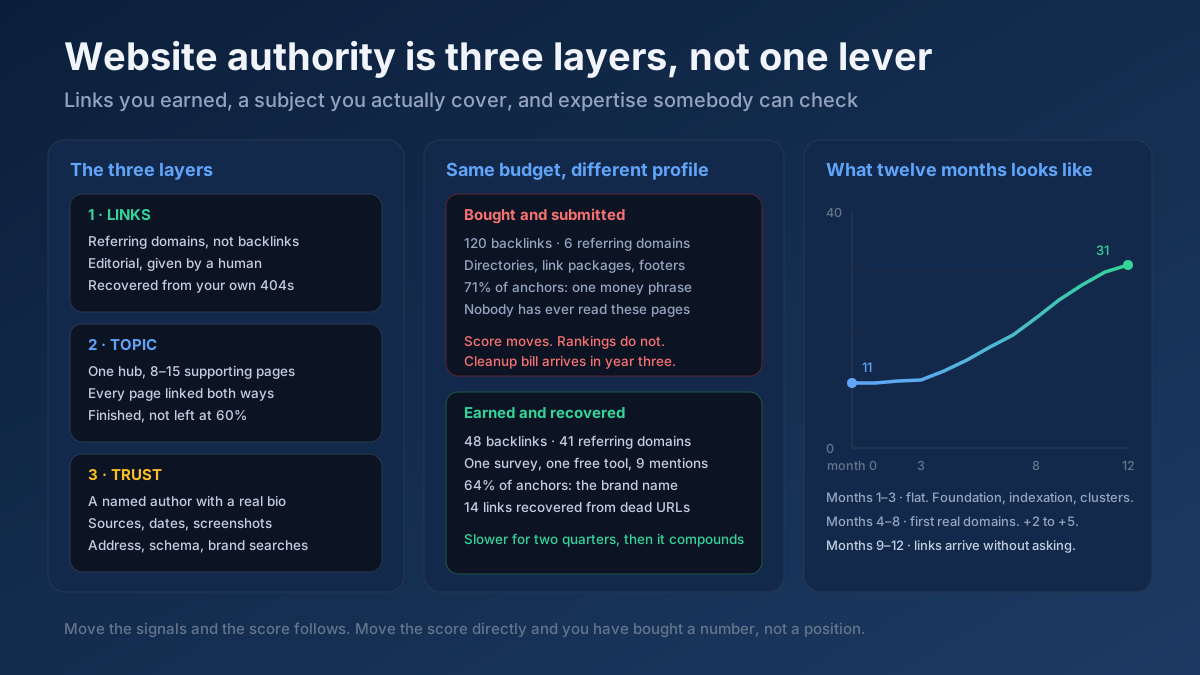 Link Building
How to increase website authority in 10 steps: what the score really measures, the link and content work that moves it, and how long each stage takes.
Read article →Spammy links can drag your site down. Here is how to identify and disavow them safely.
Read article →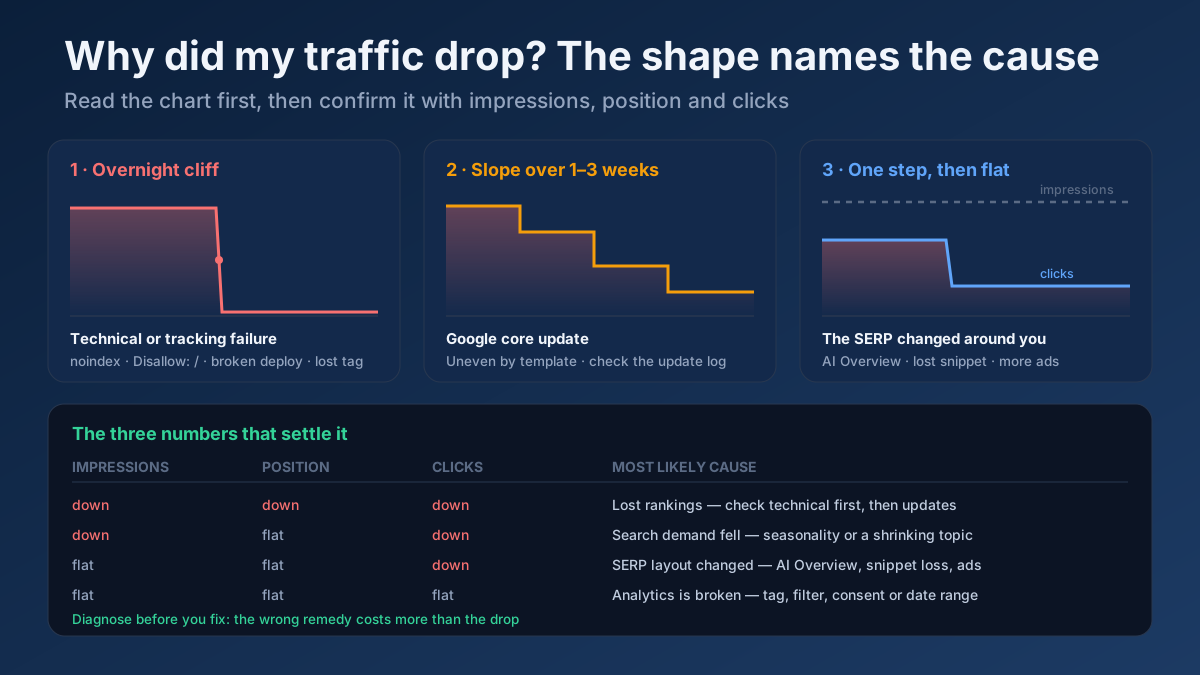 Analytics
Organic traffic drops for seven reasons. Read the shape of the drop, segment it in Search Console, and follow the recovery playbook for your actual cause.
Read article →Full technology & SEO profile of any website (Wappalyzer + BuiltWith style): CMS, theme, plugins, framework, JS & CSS libraries, CDN, hosting, analytics, tag managers, ads, fonts, cookie tools, schema, Open Graph, security headers, HTTP version, SSL, WHOIS, DNS, IP, country and on-site SEO signals.
Open tool →Pull a domain’s most important pages from its sitemap and analyze the topics & keywords they target.
Open tool →See which domains link to any site, ranked by authority, from our own growing link index — then verify live whether specific pages really link to you, with anchor text, rel and status.
Open tool →Paste your backlink list (e.g. from Search Console) and flag toxic, spammy or risky links with a toxicity score.
Open tool →Compare outbound link profiles of two competitor pages to find linking domains you could also target.
Open tool →Check real Domain Authority (DA) and Page Authority (PA) for any website, built on real link-graph authority data. See the raw authority index and global rank, and compare up to 20 domains at once — free, with no signup.
Open tool →Your site may have a critical PHP vulnerability
PHP2Shell (CVE-2026-109618 and CVE-2026-109619) lets attackers run code on servers running PHP older than 8.2.35, 8.3.36, 8.4.27 or 8.5.12, without logging in. Attacks have been seen since 17 October. Check whether your site is affected.