No Signup Unlimited Usage Real Data 100% Free Privacy First Fast Results Export Reports Mobile Friendly

Robots.txt Generator

Build a valid robots.txt with allow/disallow rules, crawl-delay and sitemap reference.

Fetching live data…

Quick answer

The Robots.txt Generator is a free, in-browser tool that builds a valid robots.txt file from simple options — without you having to remember the exact directive syntax. You choose which user-agents to target, add allow and disallow paths, set an optional crawl-delay, and point search engines to your sitemap. The tool outputs a clean, correctly formatted file you can save to the root of your domain. Everything runs locally in your browser; nothing is uploaded.

How it works

  1. Configure your rules — pick the user-agent and add the paths to allow or disallow.
  2. Optionally set a crawl-delay and add your sitemap URL.
  3. Generate the file and copy or download the output.
  4. Upload it as robots.txt in your site's root directory.

What it generates

  • User-agent blocks — target all crawlers with * or name a specific bot.
  • Disallow rules — block paths like /admin/ or /cart/ from being crawled.
  • Allow rules — re-open specific paths inside a blocked folder.
  • Crawl-delay — an optional pause between requests for bots that honour it.
  • Sitemap reference — a full Sitemap: line pointing to your XML sitemap.
  • Clean formatting — correct ordering and one directive per line, ready to deploy.

Common use cases

  • New site launch — create a sensible robots.txt before search engines start crawling.
  • Blocking private areas — keep admin, checkout or staging paths out of the index.
  • Saving crawl budget — stop bots wasting time on faceted or duplicate URLs.
  • Adding a sitemap — make sure crawlers can discover your sitemap automatically.

Example

To block your admin area but allow everything else and declare a sitemap, the tool outputs: User-agent: *
Disallow: /admin/
Allow: /
Sitemap: https://example.com/sitemap.xml
— copy it straight into your root file.

Frequently asked questions

Is the Robots.txt Generator free?

Yes — completely free, with no signup and no limits. It runs in your browser and never stores your input.

Where do I put the file?

It must live at the root of your domain, at https://example.com/robots.txt. After uploading, confirm the rules behave as intended with the Robots.txt Tester and make sure your sitemap resolves with the Sitemap Finder & Validator.

Can a wrong rule hurt my SEO?

Yes — a stray Disallow: / can block your whole site from being crawled. Always double-check before deploying. Our robots.txt guide explains each directive and common pitfalls in detail.

Learn & Resources

Guides, tips and tutorials hand-picked for this tool — go from running a check to actually fixing it.

On-Page SEO
Jul 10, 2026 · 15 min read

What Is SEO? A Complete Guide for Beginners

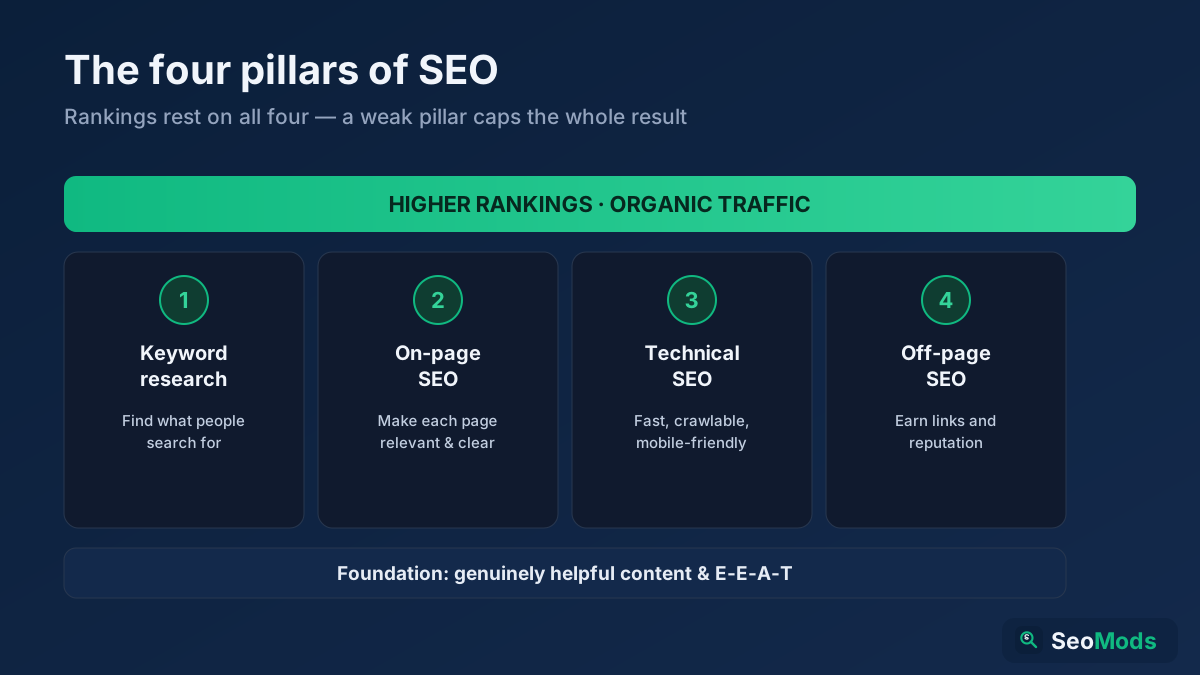
SEO is how you make a website rank higher in search engines so it earns free, organic traffic. This complete beginner's guide explains what SEO is, how search engines work, the four pillars (keyword research, on-page, technical and off-page), GEO for AI search, and a simple step-by-step roadmap you can start today.

Read article →