The robots.txt file is a small but powerful text file placed at the root of your website that tells search engine crawlers which parts of your site they may and may not request. It is the first thing most crawlers check before exploring a site. Used correctly, it manages crawl efficiency; used carelessly, a single line can hide your entire site from Google.
What robots.txt does — and does not do
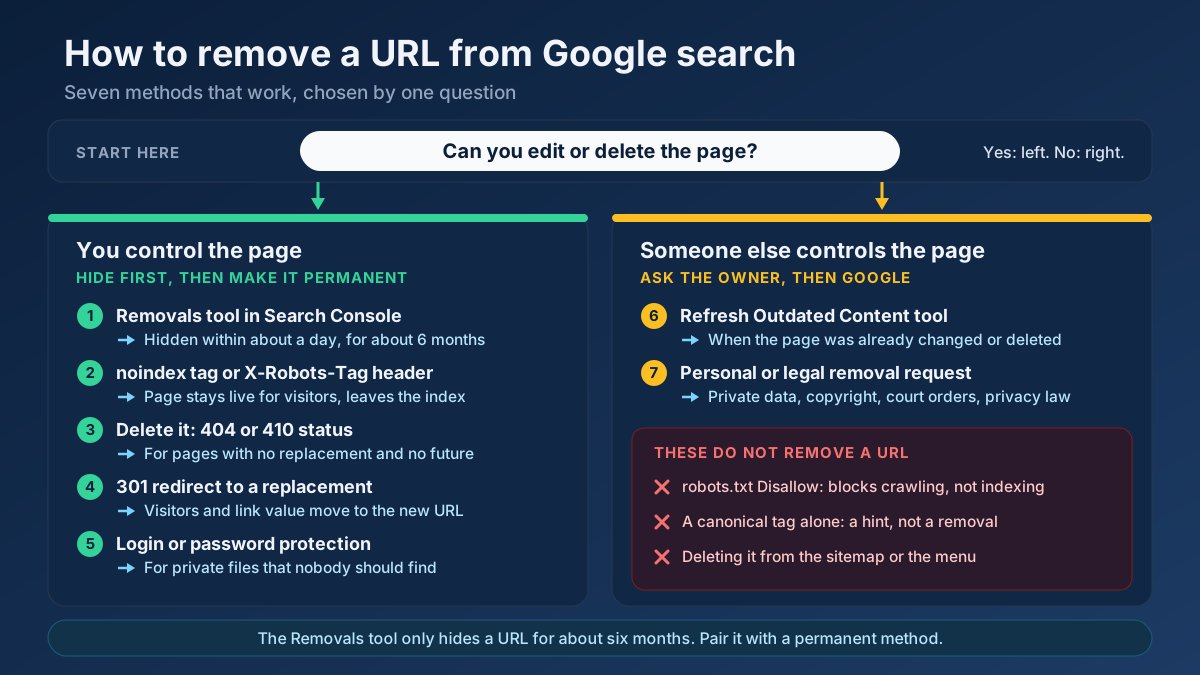
robots.txt controls crawling, not indexing. It tells well-behaved bots which URLs they may fetch. Crucially, it does not reliably keep a page out of Google's index — if a blocked page is linked from elsewhere, Google may still list it (without a description). To keep a page out of search results, use a noindex tag instead, and make sure the page is not blocked in robots.txt so Google can see that tag.
Basic syntax
A robots.txt file is made of rules grouped by user-agent:
User-agent— which crawler the rule applies to (* means all).Disallow— a path the crawler should not request.Allow— an exception within a disallowed path.Sitemap— the location of your XML sitemap.
For example, you might disallow your admin area and cart while allowing everything else, then point to your sitemap at the bottom.
What to block — and what not to
Good uses of robots.txt include blocking crawling of admin pages, internal search results, faceted-navigation URLs with endless parameter combinations, and other low-value sections that waste crawl budget. What you should never do is block CSS and JavaScript that Google needs to render your pages, or use robots.txt to try to hide pages from the index — both are common, damaging mistakes.
The most dangerous mistake
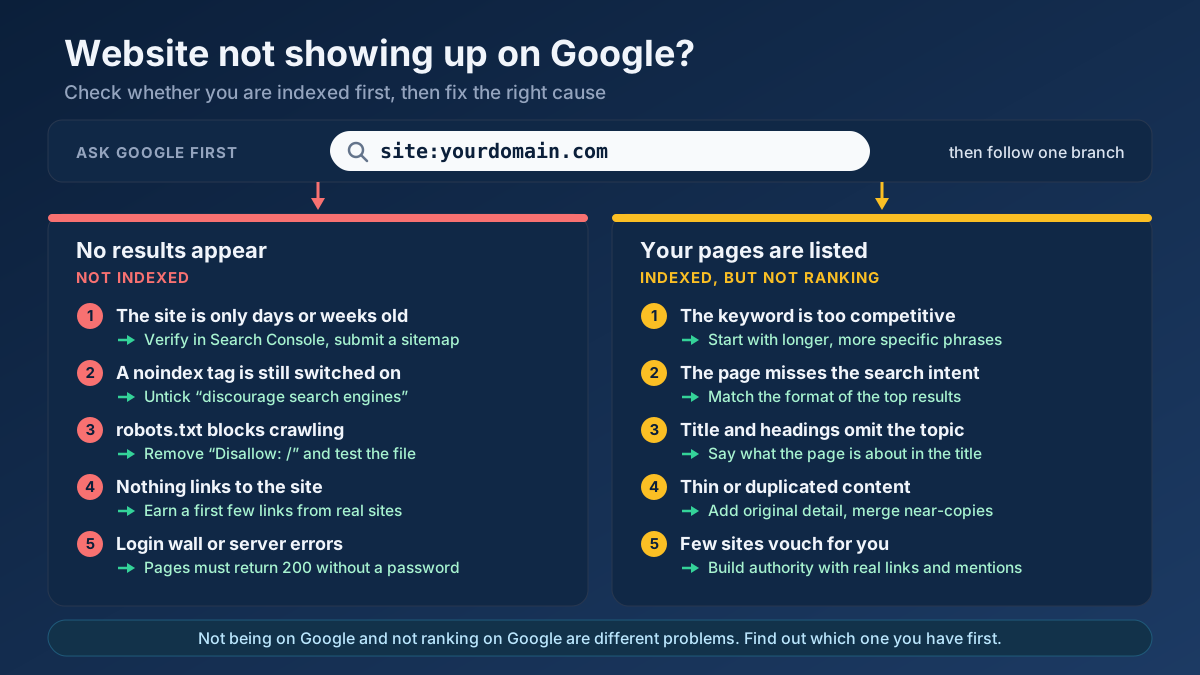
The single most catastrophic error is a stray Disallow: / under User-agent: *, which blocks your entire site from all crawlers. This often slips into production from a staging environment. Always check this after a launch or migration — verify your live rules with the Robots.txt Tester to be certain you are not accidentally blocking everything.
How to create and test robots.txt
Build a valid file with the Robots.txt Generator, which lets you set allow/disallow rules and reference your sitemap. Then inspect any site's rules and confirm yours work as intended with the Robots.txt Tester. Always declare your sitemap location in robots.txt, and confirm it is found with the Sitemap Finder & Validator.
Frequently asked questions
Will robots.txt remove a page from Google?
No. Blocking a page in robots.txt only stops crawling, not indexing. A blocked page can still appear in results if it is linked elsewhere. To remove a page from search, use a noindex tag and leave it crawlable so Google can read that instruction.
Do I even need a robots.txt file?
If you do not need to block anything, a robots.txt is optional — but it is still good practice to have one that allows everything and points to your sitemap. It avoids 404 errors when crawlers look for it and gives you a place to add rules later.
Applying this to your own site? See the tools picked by audience: SEO Tools for SEO Beginners and SEO Tools for WordPress Site Owners.
Conclusion
robots.txt is a precise instrument: it guides crawling but does not control indexing, and one wrong line can be costly. Use it to manage crawl efficiency, never to block CSS/JS or hide pages from the index, and always declare your sitemap. Create it with the Robots.txt Generator and verify with the Robots.txt Tester as part of your technical SEO audit.
Make a habit of re-checking robots.txt after any significant site change — a redesign, a platform migration, or a move to a new server. These are the moments when a blocking rule from a staging environment most often slips into production unnoticed. A thirty-second check can save weeks of lost traffic. When in doubt, remember the golden rule: robots.txt manages crawling, noindex manages indexing, and the two should never be confused.