Crawl budget is the number of pages Googlebot will crawl on your site within a given timeframe. For most small websites it is a non-issue — Google crawls everything it needs. But for large sites with thousands or millions of URLs, crawl budget becomes a real constraint: if Google wastes its budget on low-value pages, your important content may be crawled slowly or missed entirely.
What determines crawl budget
Google balances two factors. Crawl rate limit is how much crawling your server can handle without slowing down — a fast, healthy server invites more crawling. Crawl demand is how much Google wants to crawl your site, driven by its size, popularity, and how fresh your content is. Together these set how aggressively Googlebot explores your pages.
Who needs to worry about it?
If your site has a few hundred or even a few thousand pages, you almost certainly do not need to think about crawl budget — focus on content and links instead. It matters most for large e-commerce catalogs, news publishers, sites with heavy faceted navigation, and any site where new or updated pages are slow to get indexed.
What wastes crawl budget
Crawl budget leaks when Google spends time on URLs that add no value:
- Faceted navigation — filter and sort combinations that generate near-infinite URLs.
- URL parameters — session IDs, tracking and sorting parameters creating duplicates.
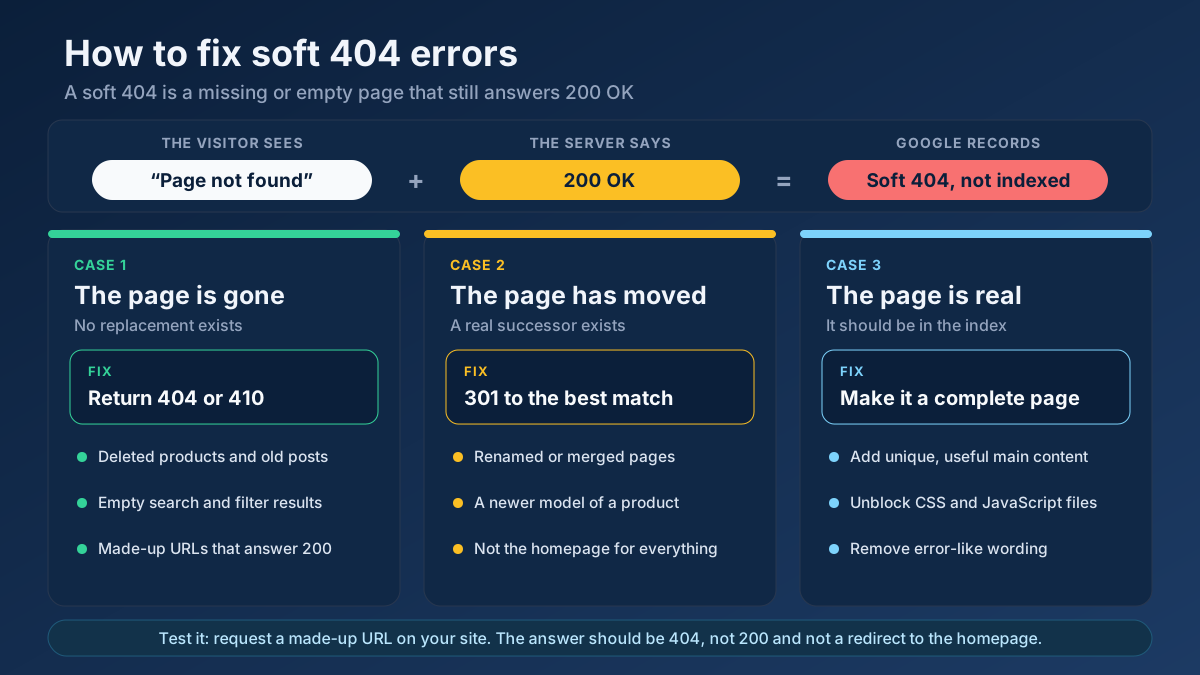
- Broken links and redirect chains — every dead end and extra hop wastes a request.
- Duplicate content — multiple URLs serving the same page.
- Low-value pages — thin tag archives, internal search results and stale content.
How to optimize crawl budget
The goal is to steer Googlebot toward your valuable pages and away from the junk:
- Find and fix broken links and redirect chains with the Broken Link Checker and the Redirect & HTTP Status Checker.
- Crawl your own site with the Technical Site Audit (Crawler) to surface thin, duplicate or noindexed pages eating budget.
- Block low-value paths from crawling in robots.txt — verify your rules with the Robots.txt Tester.
- Keep a clean, accurate XML sitemap of only your canonical, indexable URLs. See our sitemaps guide.
- Improve server speed so Google can crawl more per visit.
Frequently asked questions
How do I know if I have a crawl budget problem?
Signs include new pages taking a long time to get indexed, a large gap between submitted and indexed URLs in Search Console, and the Crawl Stats report showing Googlebot spending time on low-value URLs. If your important pages index quickly, you do not have a problem.
Does blocking pages in robots.txt save crawl budget?
Yes, for crawling. Disallowing genuinely low-value sections stops Google from requesting them, freeing budget for important pages. Just remember robots.txt controls crawling, not indexing — and never block resources Google needs to render your pages.
Do nofollow links affect crawl budget?
They can reduce how much Google follows certain paths, but they are not a precise crawl-control tool. For budget management, focus on site structure, removing low-value URLs, and a clean sitemap rather than relying on nofollow.
Applying this to your own site? See the tools picked by audience: SEO Tools for SEO Beginners and SEO Tools for Freelance SEOs.
Conclusion
Crawl budget rewards a clean, efficient site. Most sites do not need to worry, but large ones should eliminate waste: fix broken links and redirects, prune low-value pages, block junk in robots.txt, and maintain a tidy sitemap. Audit regularly with the Technical Site Audit (Crawler) and fold crawl efficiency into your broader technical SEO checklist.
Ultimately, crawl budget optimization is just good site hygiene applied at scale. The same practices that help a small site — no broken links, no duplicate content, a clean sitemap, fast responses — become mission-critical when multiplied across hundreds of thousands of URLs. If you keep your site lean and well-organized, Google will naturally spend its budget on the pages that matter. Worry about crawl budget only when the data shows a real problem; otherwise, invest that energy in great content and the crawling will take care of itself.