What Is GEO (Generative Engine Optimization)? A 2026 Guide
GEO is the practice of making your content easy for AI answer engines like ChatGPT, Perplexity and Google AI Overviews to understand, cite and recommend. Here is how it works.
Read article →Generate clean, copy-ready title, description, robots, Open Graph and Twitter meta tags.
Fetching live data…
The Meta Tag Generator is a free, in-browser tool that builds clean, copy-ready HTML meta tags for any page — the title tag, meta description, robots directive, canonical link, and full Open Graph and Twitter Card markup. Instead of memorizing the exact syntax for every social and search tag, you fill in a few fields and the tool outputs valid, correctly nested <head> code you can paste straight into your template. Nothing is uploaded or stored; everything runs instantly in your browser.
<head> section.<title> at the length you choose.<meta name="description">.<link rel="canonical"> to prevent duplicate-URL issues.Enter a title, a 150-character description and a 1200×630 image URL, and the tool returns a block like <meta property="og:image" content="https://example.com/cover.jpg"> alongside the matching Twitter Card and canonical tags — all ready to paste.
Yes — completely free, with no signup. It runs entirely in your browser and never stores the values you enter.
Yes. The output follows current HTML, Open Graph and Twitter Card conventions, with special characters escaped so the tags stay valid. You can verify the result with the Meta Tag Analyzer and preview the social card with the Open Graph & Twitter Card Checker.
Aim for roughly 50–60 characters for the title and 120–160 for the description so they don't get truncated in search. Learn the details in our title tag optimization guide and meta description writing guide.
Guides, tips and tutorials hand-picked for this tool — go from running a check to actually fixing it.
GEO is the practice of making your content easy for AI answer engines like ChatGPT, Perplexity and Google AI Overviews to understand, cite and recommend. Here is how it works.
Read article →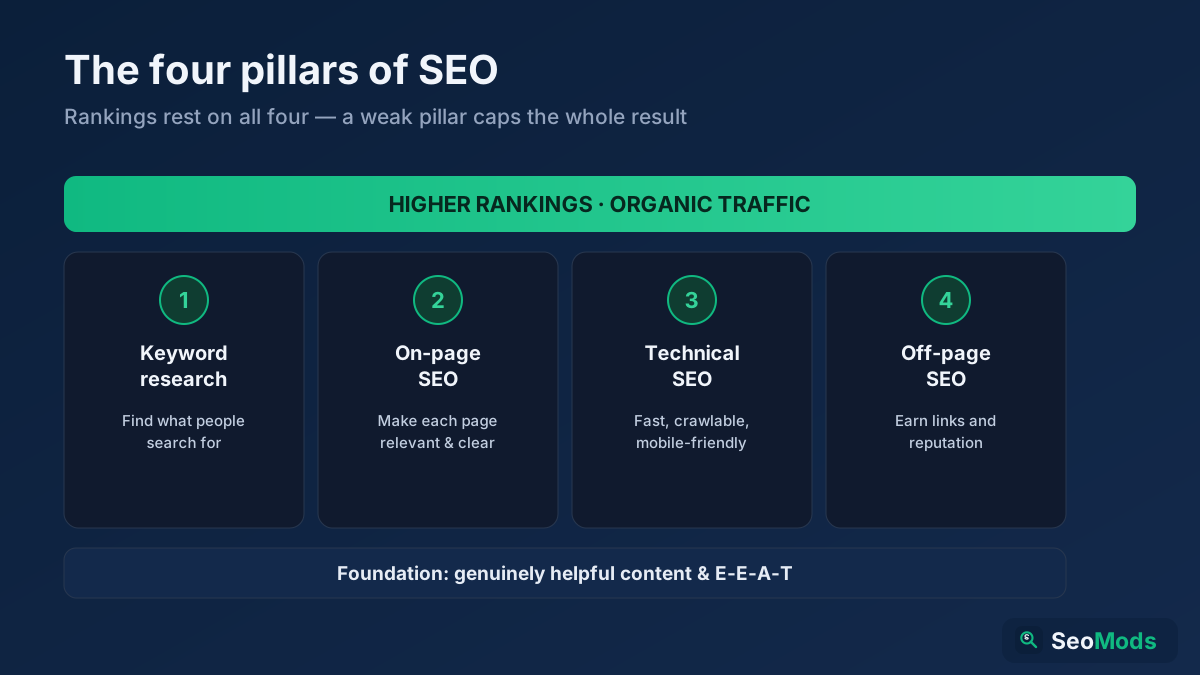 On-Page SEO
SEO is how you make a website rank higher in search engines so it earns free, organic traffic. This complete beginner's guide explains what SEO is, how search engines work, the four pillars (keyword research, on-page, technical and off-page), GEO for AI search, and a simple step-by-step roadmap you can start today.
Read article →GEO, AEO and LLMO are the three acronyms shaping AI search optimization. This guide defines each, shows how they overlap, and explains which to focus on.
Read article →You can do professional SEO yourself without paying for expensive software. This beginner-friendly guide walks through the whole process step by step, using only free tools.
Read article →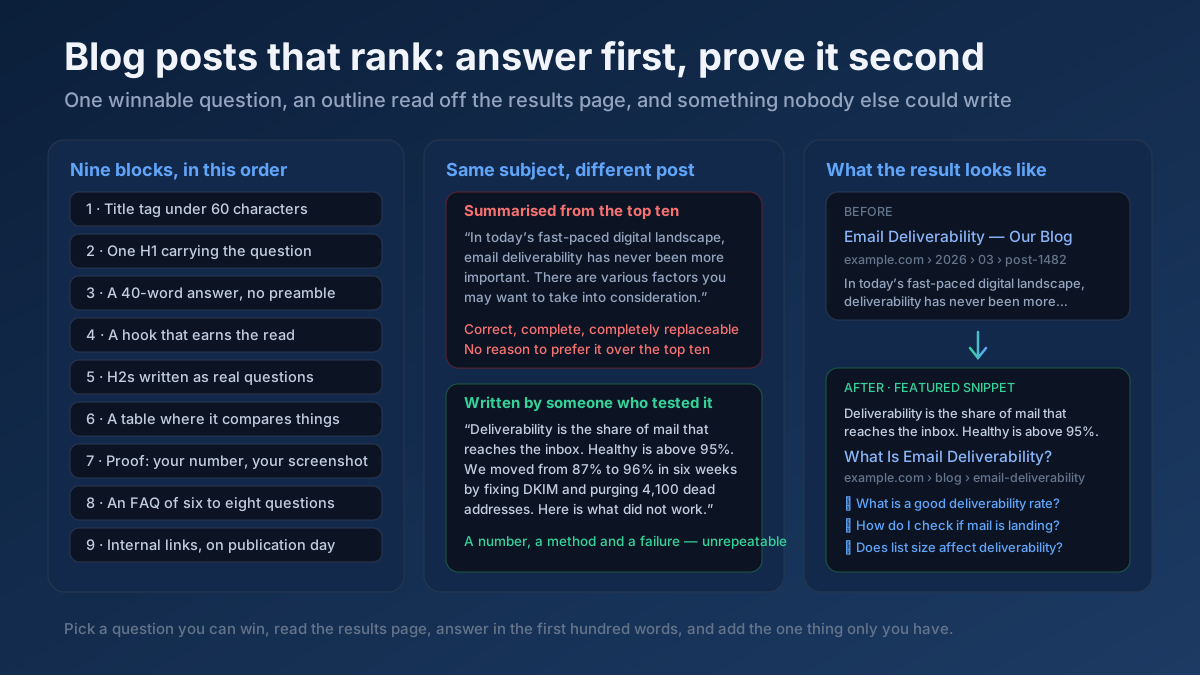 Content
How to write blog posts that rank: pick a winnable question, build the outline from the SERP, answer in the first 100 words, and update before it decays.
Read article → Technical SEO
How to fix duplicate content issues in 9 steps: find every duplicate URL, choose between a canonical, a 301 and noindex, and stop the problem returning.
Read article →Create a valid llms.txt (and optional llms-full.txt) so AI models — ChatGPT, Perplexity, Google AI Overviews — can understand and cite your site. Add your site name, summary and key URLs, then copy or download.
Open tool →Build a valid robots.txt with allow/disallow rules, crawl-delay and sitemap reference.
Open tool →Generate WWW/non-WWW, HTTP→HTTPS and 301 redirect rules for Apache .htaccess.
Open tool →Produce valid JSON-LD structured data for Organization, Website, Article or LocalBusiness.
Open tool →Create trackable campaign URLs with utm_source, medium, campaign, term and content parameters.
Open tool →Convert any title into a clean, lowercase, hyphenated, SEO-friendly URL slug (handles Turkish chars).
Open tool →Your site may have a critical PHP vulnerability
PHP2Shell (CVE-2026-109618 and CVE-2026-109619) lets attackers run code on servers running PHP older than 8.2.35, 8.3.36, 8.4.27 or 8.5.12, without logging in. Attacks have been seen since 17 October. Check whether your site is affected.