What Is GEO (Generative Engine Optimization)? A 2026 Guide
GEO is the practice of making your content easy for AI answer engines like ChatGPT, Perplexity and Google AI Overviews to understand, cite and recommend. Here is how it works.
Read article →Produce valid JSON-LD structured data for Organization, Website, Article or LocalBusiness.
Fetching live data…
The Schema Generator is a free, in-browser tool that produces valid JSON-LD structured data for the most common schema.org types — Organization, Website, Article and LocalBusiness. You fill in plain fields such as name, URL, logo or address, and the tool outputs a ready-to-embed <script type="application/ld+json"> block. Structured data helps Google understand your content and can unlock rich results, but hand-writing JSON is fiddly and easy to break — this tool keeps the syntax correct for you. Everything runs locally in your browser.
<head> or before the closing </body>.@context, @type and nesting every time.<script> tag, ready to paste.Choose Organization, enter your name, URL and logo, and the tool returns a block like {"@context":"https://schema.org","@type":"Organization","name":"Example","url":"https://example.com"} wrapped in a script tag — paste it once and it covers every page.
Yes — completely free, with no signup. It runs in your browser and never stores your input.
Yes. The output follows schema.org and Google's structured-data conventions with correct nesting and context. After pasting it, confirm there are no errors with the Structured Data (Schema) Checker and review the rest of your tags with the Meta Tag Analyzer.
No — valid markup makes you eligible, but Google decides when to show rich results. Our structured data and schema guide explains which types earn which results and how to qualify.
Guides, tips and tutorials hand-picked for this tool — go from running a check to actually fixing it.
GEO is the practice of making your content easy for AI answer engines like ChatGPT, Perplexity and Google AI Overviews to understand, cite and recommend. Here is how it works.
Read article →AEO is the practice of optimizing your content so answer engines and AI assistants return it as the direct answer to a question. Here is how it works and how it differs from SEO and GEO.
Read article →GEO, AEO and LLMO are the three acronyms shaping AI search optimization. This guide defines each, shows how they overlap, and explains which to focus on.
Read article →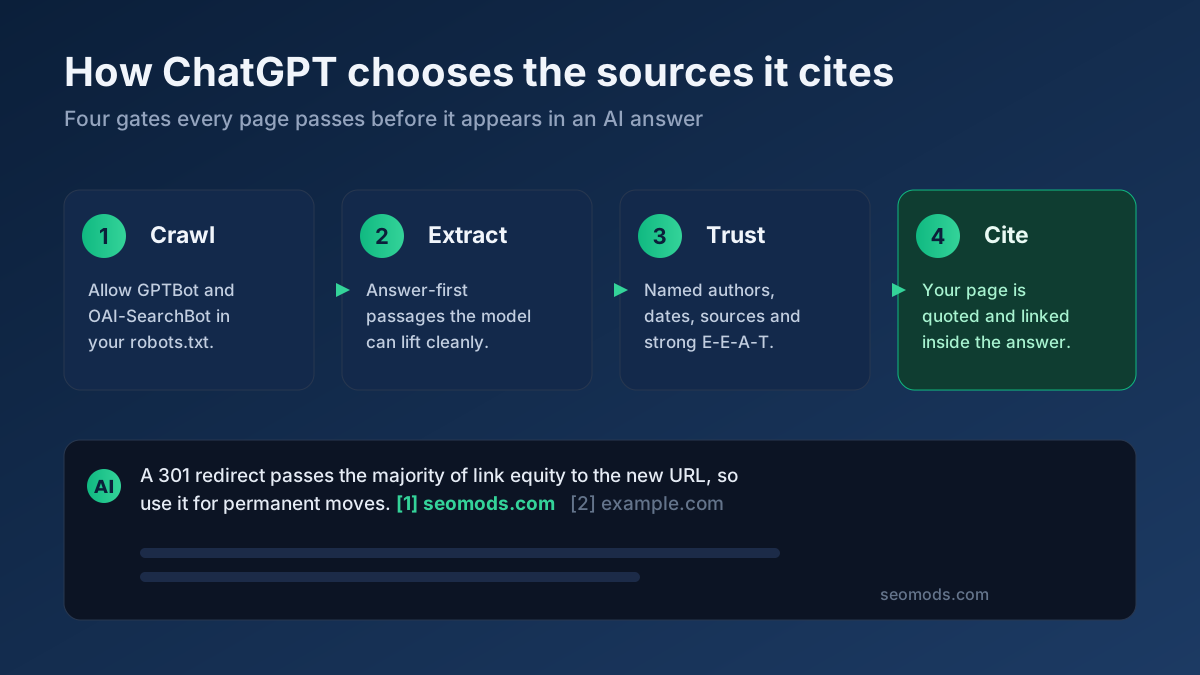 AI Search
ChatGPT search reads live web pages and quotes a handful of sources. Here is exactly how to structure content, schema and crawler access so your site becomes one of them.
Read article →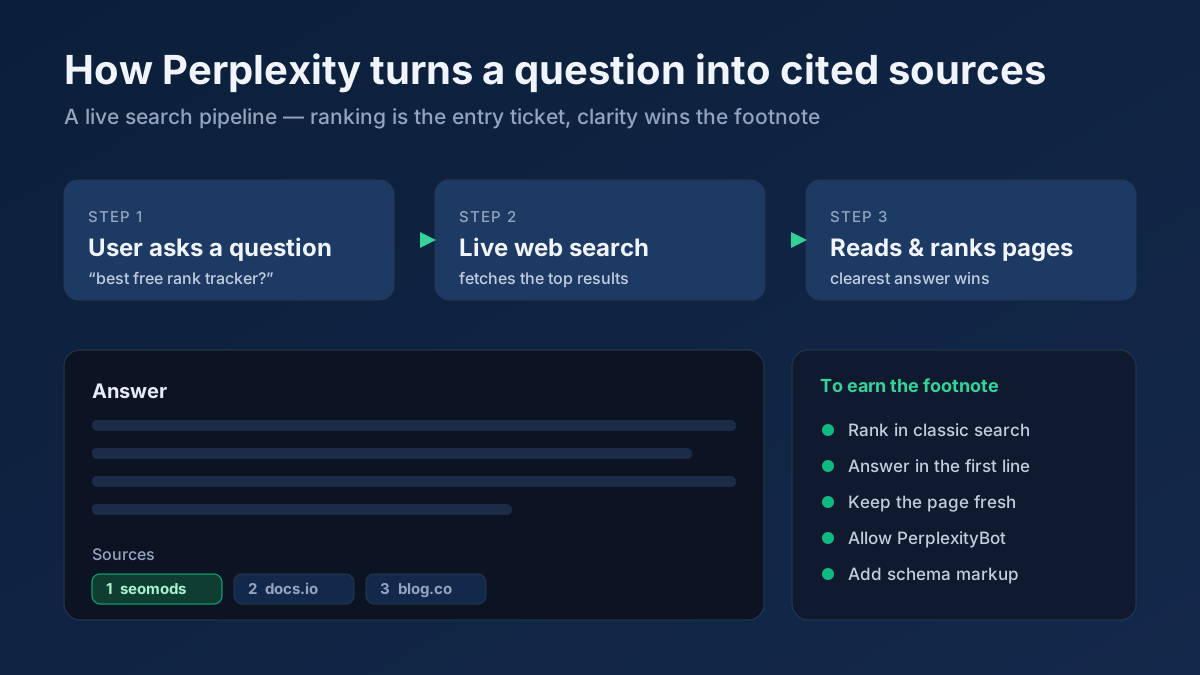 AI Search
Perplexity runs a live search, reads top results and cites its sources inline. This guide shows how to earn those citations with rankings, structure and freshness.
Read article → Technical SEO
How to fix duplicate content issues in 9 steps: find every duplicate URL, choose between a canonical, a 301 and noindex, and stop the problem returning.
Read article →Create a valid llms.txt (and optional llms-full.txt) so AI models — ChatGPT, Perplexity, Google AI Overviews — can understand and cite your site. Add your site name, summary and key URLs, then copy or download.
Open tool →Generate clean, copy-ready title, description, robots, Open Graph and Twitter meta tags.
Open tool →Build a valid robots.txt with allow/disallow rules, crawl-delay and sitemap reference.
Open tool →Generate WWW/non-WWW, HTTP→HTTPS and 301 redirect rules for Apache .htaccess.
Open tool →Create trackable campaign URLs with utm_source, medium, campaign, term and content parameters.
Open tool →Convert any title into a clean, lowercase, hyphenated, SEO-friendly URL slug (handles Turkish chars).
Open tool →Your site may have a critical PHP vulnerability
PHP2Shell (CVE-2026-109618 and CVE-2026-109619) lets attackers run code on servers running PHP older than 8.2.35, 8.3.36, 8.4.27 or 8.5.12, without logging in. Attacks have been seen since 17 October. Check whether your site is affected.