No Signup Unlimited Usage Real Data 100% Free Privacy First Fast Results Export Reports Mobile Friendly

Structured Data (Schema) Checker

Detect JSON-LD and Microdata structured data types implemented on a page (Article, Product, FAQ, etc.).

Fetching live data…

Quick answer

The Structured Data Checker detects the structured data types implemented on any live page — both JSON-LD and Microdata. Structured data is the machine-readable markup that lets Google understand your content as an Article, Product, FAQ, Recipe, Review and more, which can unlock rich results in search. The tool fetches the page and parses its real, live markup, listing exactly which schema types are present so you know what Google can see.

How it works

  1. Paste the URL you want to inspect (for example https://example.com/page).
  2. The tool fetches the live page and scans the HTML for embedded structured data.
  3. It parses both JSON-LD blocks and inline Microdata attributes.
  4. You get a list of every detected schema type and its key properties.

What it checks

  • JSON-LD blocks — the modern <script type="application/ld+json"> markup Google prefers.
  • Microdata — inline itemscope/itemtype attributes in the HTML.
  • Schema types — Article, Product, FAQPage, Organization, BreadcrumbList and more.
  • Key properties — the main fields declared within each type.
  • Multiple entities — surfaces several schema blocks on one page.
  • Type coverage — a quick read on whether the right type is present.

Common use cases

  • Confirming rich-result eligibility — verify a Product or FAQ schema is actually on the page.
  • Debugging a deployment — check that a CMS or plugin output the markup you expected.
  • Competitor research — see which schema types ranking pages use.
  • Pre-launch QA — make sure new templates ship with the intended structured data.

Example

Inspect a recipe page and you might see JSON-LD for both Recipe and BreadcrumbList, confirming Google can read cook times and the site path — while a product page you expected to carry Product markup comes back empty, pointing to a missing template.

Frequently asked questions

Is the Structured Data Checker free?

Yes — completely free, no signup and no limits. Check as many pages as you like with real, live data.

Does having schema guarantee rich results?

No. Valid structured data makes a page eligible for rich results, but Google decides when to show them based on quality and relevance. Detecting the right type is the first step; well-formed, accurate properties matter just as much.

How do I add the schema I'm missing?

Generate clean JSON-LD with the Schema (JSON-LD) Generator and validate other tags with the Meta Tag Analyzer. Learn which types help and how to use them in our structured data guide.

Learn & Resources

Guides, tips and tutorials hand-picked for this tool — go from running a check to actually fixing it.

On-Page SEO
Jul 10, 2026 · 15 min read

What Is SEO? A Complete Guide for Beginners

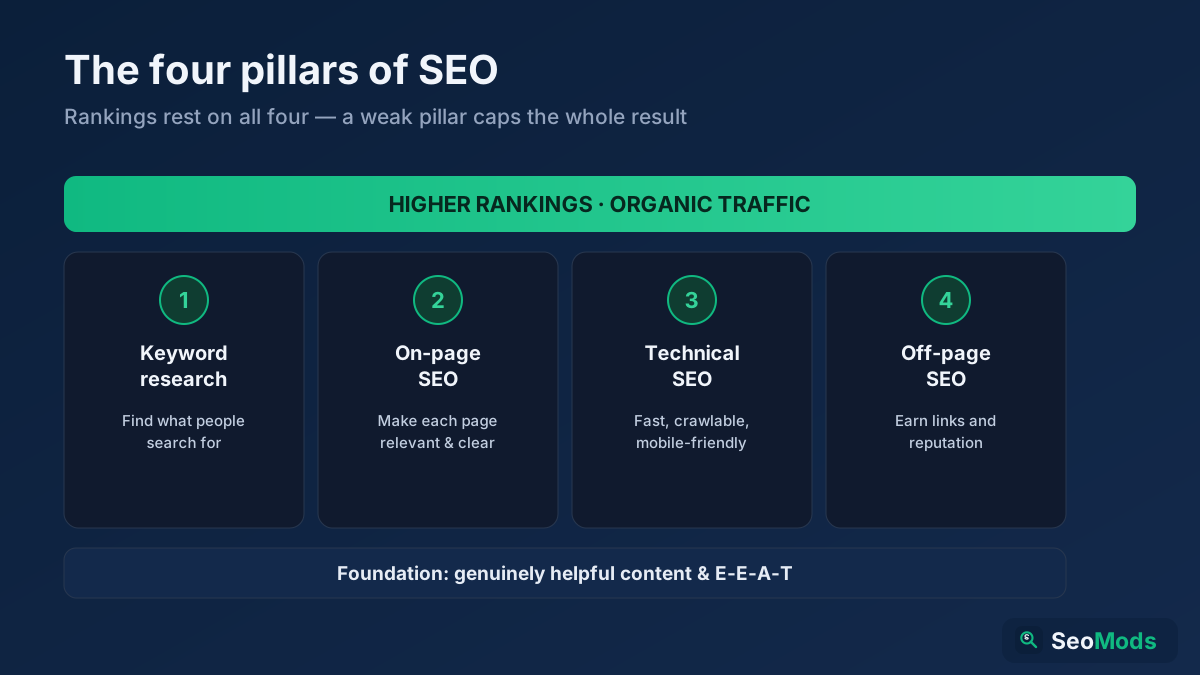
SEO is how you make a website rank higher in search engines so it earns free, organic traffic. This complete beginner's guide explains what SEO is, how search engines work, the four pillars (keyword research, on-page, technical and off-page), GEO for AI search, and a simple step-by-step roadmap you can start today.

Read article →
Analytics
Jul 15, 2026 · 15 min read

How Long Does SEO Take to Work? A Realistic Timeline (2026)

SEO takes four to six months to show meaningful movement and six to twelve months to produce significant organic traffic — faster for technical fixes and established sites, slower for new domains in competitive niches. This 2026 guide gives a realistic month-by-month timeline, the seven factors that decide your pace, how to speed things up, and how to measure progress before your rankings even move.

Read article →
