Short answer: To find low competition keywords, start with specific, long-tail searches in your niche, check each one’s keyword difficulty, then open the live results and look for weak spots: forums, thin pages, outdated posts or small sites in the top ten. A keyword is worth targeting when a site like yours could realistically match what already ranks.
Every new website runs into the same wall. The obvious keywords in your niche are held by sites that have been building authority for a decade, and a perfectly good article from you will sit on page six. The way around it is not to write better than them on their own ground. It is to choose searches where the ground is softer. This guide shows you how to find low competition keywords in nine steps, how to read difficulty scores without being misled by them, how to confirm a keyword is winnable by looking at the results yourself, and what to do once you have a list you trust.
What are low competition keywords?
Low competition keywords are search terms that few strong pages are trying to rank for, so a newer or smaller website has a fair chance of reaching the first page. They are usually longer, more specific and more tied to a particular situation than the head terms everyone chases. “SEO” is high competition. “how to do SEO for a one-page portfolio website” is not.
Notice that “low competition” says nothing about how many people search. A term can have a modest monthly volume and still be very valuable if the people typing it are close to a decision. What makes a keyword low competition is the strength of the pages currently ranking, not the size of the audience. That is why the best way to judge it combines a number from a tool with a look at the real results page.
Three kinds of competition
When people say a keyword is “competitive” they usually mean one of three different things, and mixing them up leads to bad choices.
| Type | What it measures | Where you see it |
|---|---|---|
| Ranking competition | How strong the pages in the top ten are: their authority, links and depth | Keyword difficulty scores and the results page itself |
| Commercial competition | How many advertisers bid on the term, and how much | Cost-per-click and the number of ads above the results |
| SERP-feature competition | How much of the page is taken by answer boxes, videos, maps, shopping blocks or AI summaries | The layout of the results page |
A keyword can score low on the first and high on the other two. A term with weak pages in the top ten but a full-width video carousel and four ads above the first organic link is much harder to profit from than its difficulty score suggests. You will check all three in the method below.
Why new sites should start with low competition keywords
Authority is the main thing separating a ten-year-old site from a ten-week-old one, and authority cannot be written into existence in a month. Google’s own guidance on how search works and how to help it understand your site makes clear that rankings come from many signals, and most of the slow ones, such as links from other sites and a track record of useful pages, are exactly what a new site lacks.
Targeting winnable keywords works around that gap for three reasons.
- You can rank sooner. A page aimed at a weak results page can reach the first page in weeks or a few months, while the same effort aimed at a head term may never get there.
- Early rankings create momentum. Traffic, links and brand searches that arrive from small wins make the next, harder page easier to rank.
- You learn what works. Each published page tells you which topics, formats and titles your audience responds to, long before you commit to a big pillar project.
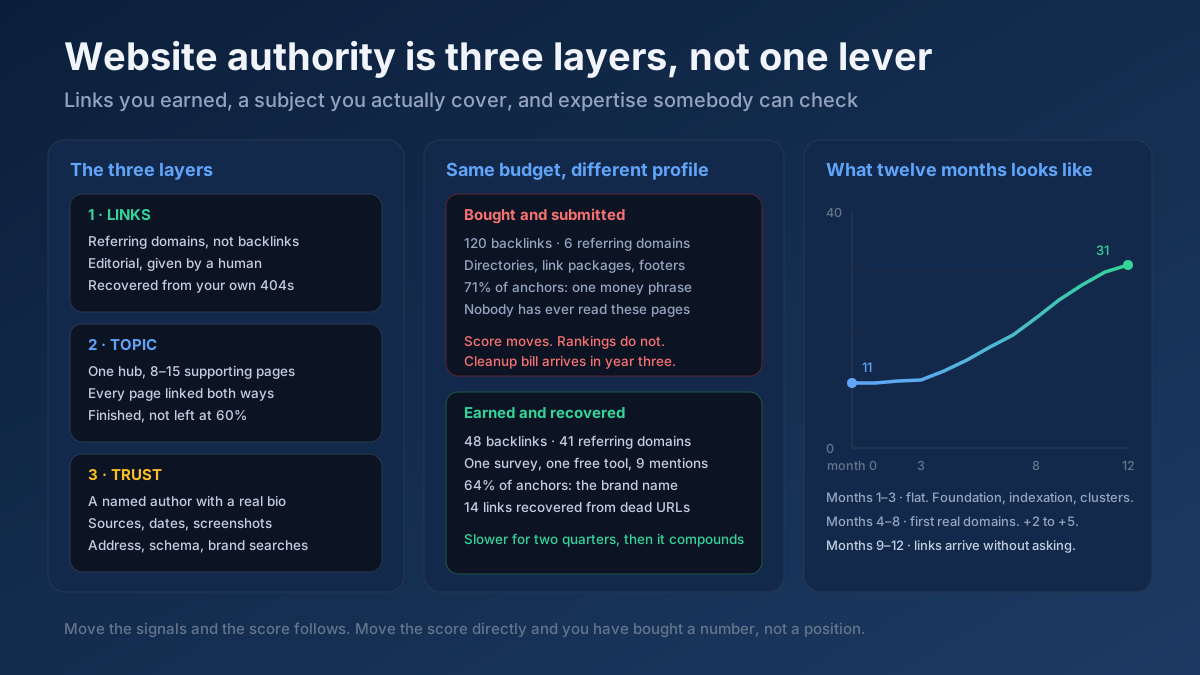
None of this means avoiding competitive terms forever. It means sequencing: win the easier searches first, build topical depth around them, and move up as the site earns trust. The approach pairs naturally with the topic cluster approach and with the broader advice in how to increase your website authority.
How to find low competition keywords in 9 steps
The method below goes from a blank page to a short list of keywords you can defend. Plan on an afternoon for your first pass. Every step is doable with free tools, and the paid options are noted where they save time.
Step 1: Define your niche and your real audience
Before opening any tool, write down who you are writing for and what problem they bring to a search box. “Accounting software” is a market. “Invoicing for freelance photographers who get paid in two currencies” is an audience. The narrower description produces better seed ideas and, just as important, tells you which keywords you can answer with real expertise rather than a rewritten version of what is already online.
Write three sentences: who the reader is, what they are trying to do, and what is stopping them. Every keyword you keep later has to fit inside that description.
Step 2: Collect seed topics from places your audience actually talks
Seed topics are the broad subjects you will expand into specific searches. The best seeds come from real language, not from a keyword tool’s guesses. Look at:
- Questions customers send you by email, chat or social media.
- Titles and subheadings of the top pages in your niche.
- Forum threads, community groups and review sites where your audience complains or asks for help.
- The search queries already bringing impressions to your site in Google Search Console, if you have any data.
Aim for ten to twenty seeds. They can be messy. The next step cleans them up.
Step 3: Expand each seed into long-tail ideas
Long-tail keywords are longer, more specific phrases, usually four words or more, and they are where most low competition keywords live. The long-tail keywords guide explains why: specific searches have fewer competing pages, and the people typing them know what they want.
Feed each seed into the keyword research tool or the keyword suggestion tool to pull related phrases from autocomplete and related searches. Then expand by hand with modifiers that signal a specific situation:
- Who: for beginners, for freelancers, for small shops, for nurses.
- What for: to save time, without coding, on a budget, step by step.
- Format: template, checklist, example, comparison, calculator.
- Problem: not working, why, how to fix, mistakes, alternatives.
- Place or tool: in Shopify, on WordPress, in Excel, in Turkey.
Also open Google, type each seed and note the “People also ask” questions and the related searches at the bottom of the page. These are free, current and written in the audience’s own words. At the end of this step you should have a few hundred raw phrases. That is normal; most will not survive.
Step 4: Check keyword difficulty, but read it as a hint
Keyword difficulty, often shortened to KD, is a score from 0 to 100 that tools estimate from the strength of the pages ranking in the top results, mostly their backlink profiles. Lower means the pages are weaker. Each tool calculates it differently, so a 25 in one product is not a 25 in another, and none of these numbers comes from Google.
Use the score for sorting, not for deciding:
| KD range | Rough reading | What to do |
|---|---|---|
| 0–15 | Very few strong pages compete | Check the results by hand; often a fast win, sometimes a term nobody wants |
| 16–30 | Winnable for a new site with a strong page | The main hunting ground for new websites |
| 31–50 | Needs links, depth and some authority | Save for after your first wins |
| 51+ | Dominated by established sites | Skip for now |
The boundaries are a rule of thumb, not a law. A 40 on a niche where every ranking page is a forum post is easier than a 20 where the top three are government sites. That is why the next step matters more than the number.
If you have no paid tool, you can still filter: skip any phrase where the results are filled with household-name brands, and prefer phrases with four or more words. The score is a shortcut for work you can do with your own eyes.
Step 5: Open the results page and look for weak spots
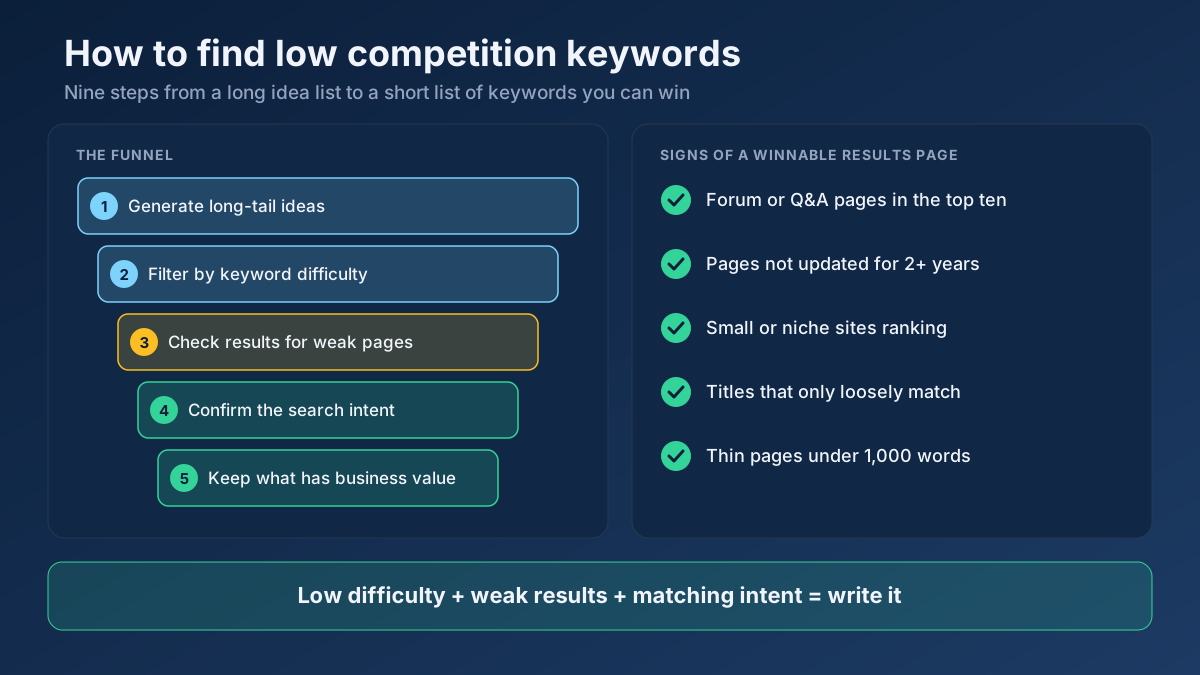
This is the step that separates a keyword list that works from one that does not. Search the phrase in a private window and study the top ten with a simple question: could a site like mine plausibly outrank these pages? Look for these signals.
| Signal in the top ten | Why it suggests an opening |
|---|---|
| Forum threads, Q&A pages or social posts | Google could not find a dedicated article, so a good one has room |
| Pages last updated two or more years ago | The answer may be stale; a current page has an edge |
| Small or niche sites ranking | Authority is not required to appear here |
| Titles that only loosely match the search | Nobody has targeted the exact phrase |
| Thin pages under a thousand words | A more complete answer can beat them |
| Different page types mixed together | Google is still guessing what the searcher wants |
Now check the opposite signals. If the top results are all from large, well-known publishers, every page is a deep guide and the first screen is packed with ads and answer boxes, move on. The SERP features tool shows which features appear for a query, which saves you from opening each result by hand.
Step 6: Confirm the search intent
A keyword can be easy and still be impossible for you if its intent does not match the kind of page you can offer. If every result for a phrase is a product category page and you plan to write a blog post, you will not rank no matter how weak the competitors are. The reverse also holds: if every result is a how-to guide and you plan a sales page, the same problem applies.
Read the top results and ask what the searcher is trying to do: learn something, compare options, find a specific site, or buy. Then pick the page type that matches. The search intent tool and the keyword intent classifier classify phrases in bulk, and search intent explained covers the four types with examples. If a keyword’s intent is mixed, it is usually safer to choose a more specific variation with a clearer one.
Step 7: Score business value
Traffic that never turns into anything is a vanity metric. Give every surviving keyword a quick score for how close the searcher is to your goal, whether that is a purchase, an enquiry, a subscription or simply a reader who trusts you.
- 3 points: the searcher is ready to act, and your product or service solves the problem directly.
- 2 points: the searcher is researching, and your page can move them toward a decision.
- 1 point: the searcher is curious. Useful for authority and awareness, unlikely to convert soon.
- 0 points: the topic is only loosely related. Drop it, however easy it looks.
An easy keyword with zero business value is a trap. It is the main reason people build sites that get traffic and no results.
Step 8: Group related keywords into one page
Do not write one article per phrase. Phrases such as “how to find easy keywords to rank for”, “finding low competition keywords for a new blog” and “low difficulty keywords for beginners” are asking the same question, and one thorough page can rank for all of them. Writing three thin articles creates keyword cannibalization and splits your signals.
A reliable test is to search both phrases and compare the results. If most of the same pages appear for both, they belong on one page. If the results are largely different, they need separate pages. The semantic keyword cluster tool automates the grouping when your list is long.
Step 9: Prioritise and make a publishing plan
Now sort what is left. A simple formula is enough:
Priority = business value × winnability ÷ effort.
Winnability is your judgment from steps 4 and 5, from 1 to 3. Effort is how long a genuinely good page will take you, from 1 for a short answer to 3 for something that needs original research or a tool. Pick the top five to ten, assign them to a calendar, and write the highest score first. A plan with eight dated articles beats a spreadsheet with eight hundred keywords.
A worked example: finding keywords for a freelance photography site
To make the method concrete, here is how it plays out for a freelance wedding photographer who has just launched a website. The figures below are illustrative, rounded values of the kind you would see in a typical keyword tool, not measurements of a real market.
The photographer starts with the seed “wedding photography”. It is a head term with enormous competition from directories and national brands, so it goes straight into the “later” pile. Expanding it with modifiers and the “People also ask” box produces a list like this:
| Keyword | Approx. KD | Results page | Intent | Verdict |
|---|---|---|---|---|
| wedding photography | 70+ | Directories, big brands | Mixed | Skip |
| wedding photographer prices | 45 | Established studios and guides | Research | Later |
| how much does a wedding photographer cost in a small town | 12 | Forum threads, two local blogs | Research | Write |
| questions to ask a wedding photographer before booking | 22 | Lists from mixed-size sites, several dated | Research | Write |
| elopement photographer checklist for mountain weddings | 8 | Few dedicated pages | Research | Write |
| wedding photography shot list template | 35 | Several polished downloads | Template | Later |
Three keywords survive. The photographer then checks each results page. The small-town cost phrase shows two forum threads and a three-year-old blog post in the top five, which is an open invitation. The elopement checklist has few dedicated pages, but the photographer notices only a handful of searches a month, so it becomes a supporting page rather than the lead article. The questions-to-ask phrase has moderate demand, a clear research intent, and a direct link to booking, so it scores highest on business value.
The plan is three articles, written in that order, each linking to the others and to a services page. Within a few months the photographer has a small cluster of pages that rank for related searches, which is the foundation for competing on “wedding photographer prices” later. That is the pattern to copy, not the specific numbers.
Free ways to find low competition keywords
You do not need a paid suite to do this well. Several free sources, used together, cover most of what a new site needs.
- Google autocomplete and “People also ask”. Real searches, updated constantly. Type your seed followed by each letter of the alphabet to surface variations.
- Google Search Console. Once your site has a few weeks of data, the Performance report shows queries where you already appear. The ones on positions 8 to 30 are the cheapest wins, since the page already exists. See measuring SEO with Search Console for how to read the report.
- Competitor pages. Run a small competitor through the organic research tool to see which of its pages bring traffic with few links pointing at them. Those pages show you what a site of your size can win.
- The rank checker for tracking where your new pages land after publishing.
- Communities. Questions that get asked repeatedly on forums and in groups but have no clear article answer are among the best sources there are.
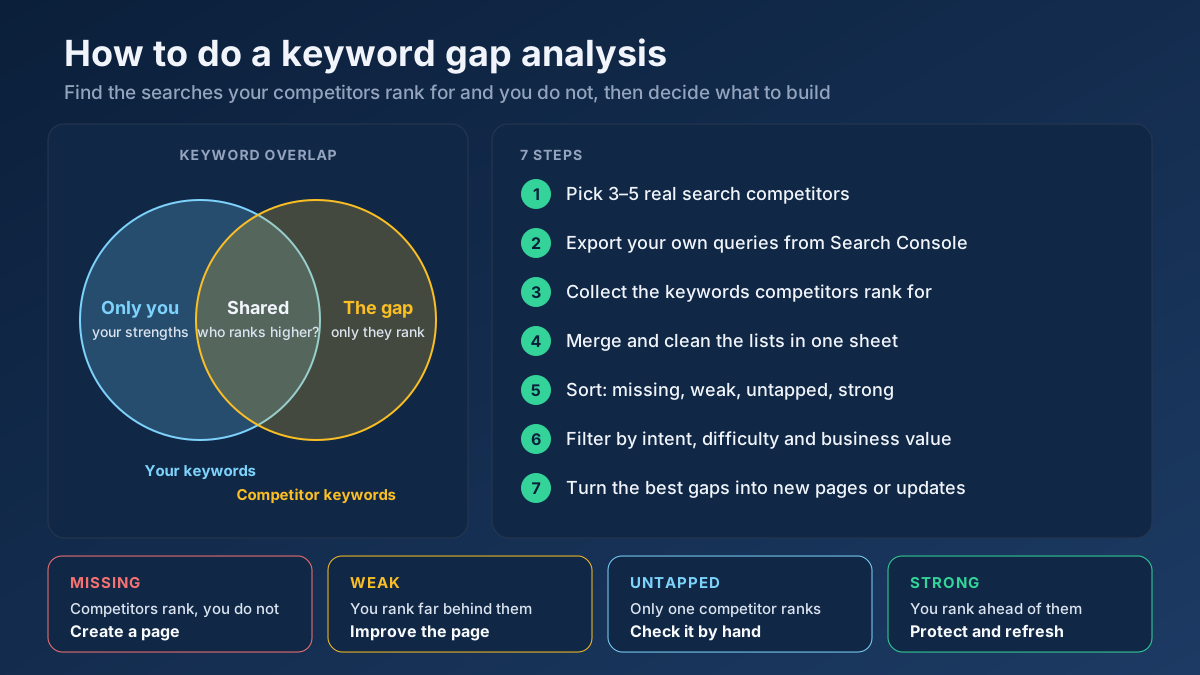
Paid tools earn their fee when you need volume and difficulty for thousands of phrases at once, or historical trends. For the first twenty articles, free sources and your own judgment are enough. The deeper comparison method in how to do a keyword gap analysis adds a way to mine competitors systematically once you have a feel for your niche.
Mistakes that make easy keywords hard
Trusting the difficulty score without looking
A low number can hide a results page dominated by one type of site, or a query with no real audience. A high number can hide a weak page, because the score may be driven by one strong result among nine poor ones. Always open the results.
Chasing zero-volume terms
Some phrases show no searches in a tool but are searched occasionally. Tools sample data and miss new or niche phrases, so zero is not always zero. Still, a keyword with no sign of real demand, such as no autocomplete suggestion and no “People also ask” box, is rarely worth a full article. Look for at least one signal that people really ask the question.
Ignoring intent and page type
An easy keyword that wants a tool, a product page or a video will not be satisfied by your blog post. Match the format, or pick another phrase.
Publishing thin pages to hit the long-tail
Low competition does not mean low effort. Pages that cover a narrow topic still need to answer it better than the weak pages already ranking, and Google’s documentation on creating helpful, reliable, people-first content asks for originality and real usefulness. Mass-producing near-identical pages for every phrase is the kind of scaled content that Google’s spam policies warn against.
Never moving up
The opposite mistake is staying in the shallow end for years. When your easy pages start ranking, use them: link to them from your harder target pages, earn a few links, and graduate to the next tier of difficulty. Treat low competition keywords as the first stage, not the strategy.
What to do after you pick your keywords
Choosing the keyword is about a third of the job. The rest decides whether it ranks.
Write for the searcher, then optimise
Put the primary phrase in the title and H1 in natural wording, answer the question in the first paragraph, and use the secondary phrases where they fit the sentence. The checklist in the on-page SEO guide covers the details, and the on-page checker tests a page against a target keyword once it is live. If you are writing with an AI assistant, how to use AI for SEO content writing shows how to keep the result original.
Match the best result, then add something it lacks
Cover everything the top pages cover, then add what they do not: a worked example, a table, a screenshot, a correction of an outdated claim, your own experience. The content gap tool compares your draft with a ranking page and lists missing terms.
Link each new page into the site
A page nobody links to is slow to be found and slow to be trusted. Link every new article from at least two existing pages and from your related articles, using descriptive anchor text, as described in the internal linking strategy guide. Make sure Google can discover it by keeping it in your XML sitemap and checking indexing in Search Console.
Give it time, then review
New pages on new sites need patience. Check progress after four to six weeks, then again at three months, using real positions rather than impressions alone. Pages stuck on pages two and three often need a better title, a clearer answer or a few internal links. How long SEO takes sets realistic expectations for the timeline.
Frequently asked questions
What is a good keyword difficulty for a new website?
Most new websites do best with keywords scoring roughly 0 to 30 in their tool, as long as the live results confirm it. Because every tool scores differently, compare phrases within one tool rather than against a fixed number from another source.
Are low competition keywords worth it if the search volume is small?
Often, yes. Specific searches convert better because the searcher knows what they want, and a cluster of small keywords can add up to more traffic than one hard head term you never rank for. Skip them only if the topic has no business value for you.
How do I find low competition keywords for free?
Combine Google autocomplete, the “People also ask” box, related searches, your Search Console queries and a free keyword tool. Then check each shortlisted phrase by hand: forums, outdated posts and small sites in the top ten show that the results are beatable.
How long does it take to rank for a low competition keyword?
Commonly a few weeks to a few months, depending on how weak the existing results are, how good your page is and how quickly Google crawls your site. No honest source can promise a fixed timeline, so track positions and improve the page if it stalls.
Can I rank for low competition keywords without backlinks?
Sometimes. When the pages in the top ten have few links themselves, a clearly better page with good internal links can rank without any. For anything above a very low difficulty, a handful of relevant links helps a great deal.
What is the difference between low competition and low difficulty keywords?
Low difficulty refers to a tool’s score for how strong the ranking pages are. Low competition is the broader idea, which also includes ads, answer boxes and the real quality of the pages you would face. A keyword can have a low score and still be hard if the results page is crowded with features.
Should I target one keyword per page or several?
Target one primary keyword and a handful of closely related secondary phrases that share the same intent and the same set of ranking pages. If searching two phrases gives mostly different results, give each its own page.
Applying this to your own site? See the tools picked by audience: Keyword Research for SEO Beginners, SEO Tools for Freelance SEOs and SEO Tools for SEO Beginners.
Start with five keywords this week
You do not need a perfect list. You need a handful of keywords where the numbers are modest, the results are beatable, the intent matches a page you can write and the topic matters to your business. Define your audience, expand your seeds into long-tail phrases, sort by difficulty, inspect the live results, confirm intent, score business value, group the overlaps and write the best candidate first.
To begin today, enter your main topic into the free keyword research tool and note the five most specific phrases it returns. Check each one with the SERP features tool and the manual checklist above, then write the winner and track it with the free rank checker in a month. One page that ranks teaches you more than any amount of planning.