Google Chose Different Canonical Than User? Fix It
Fix “Duplicate, Google chose different canonical than user” in Search Console: why Google ignores your canonical tag and 9 steps to align every signal.
Read article →Show your browser’s user agent string with one-click copy, parsed into browser, version, engine, operating system and device type, plus the real values from Client Hints that the frozen string hides. Runs in your browser.
Fetching live data…
Your user agent is a short line of text your browser sends with every request, telling the website which browser, version, rendering engine and operating system you use. This page shows yours the moment it loads, lets you copy it with one click, and breaks it down into readable parts — handy when a support team asks for it, when you test how a site treats different browsers, or when you set up a crawler or proxy tool that needs a realistic user agent.
Browsers have “reduced” their user agent for privacy: Chromium browsers freeze minor version numbers to 0 and still say “Windows NT 10.0” on Windows 11, and Safari reports a fixed macOS version. Every user agent also starts with “Mozilla/5.0” for historical reasons. That is why this page reads Client Hints too and shows Windows 11 or the exact Chrome build when your browser provides them. Remember that a user agent is easy to change, so websites never treat it as proof of anything.
Crawlers, scrapers and rank trackers send a user agent too. Copy yours to make a script look like a normal browser, or check which pages a crawler’s user agent may fetch on your site with the Robots.txt Tester. The user agent is only one part of what a site can see — the Browser Fingerprint Test shows the rest, from screen size to installed fonts.
On its own it is shared by millions of people with the same browser and system, so it does not identify you. Combined with other signals it becomes part of a fingerprint. This page stores nothing.
In Chrome and Edge, open Developer Tools, choose Network conditions and untick “Use browser default”. Firefox has general.useragent.override in about:config, and Safari has Develop → User Agent. Extensions can switch it per site. Reload this page to confirm the change.
Because the user agent string is frozen at “Windows NT 10.0”. The real version is only available through Client Hints, which this page reads automatically in Chromium browsers; Firefox and Safari do not provide it.
Guides, tips and tutorials hand-picked for this tool — go from running a check to actually fixing it.
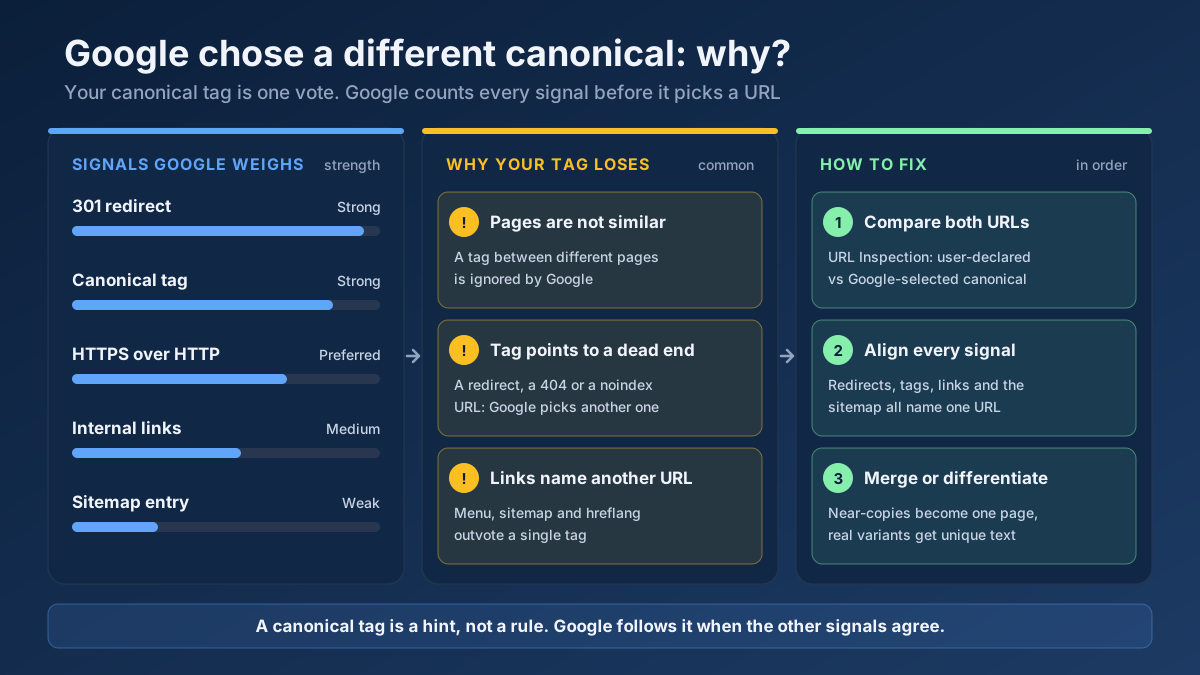 Technical SEO
Fix “Duplicate, Google chose different canonical than user” in Search Console: why Google ignores your canonical tag and 9 steps to align every signal.
Read article →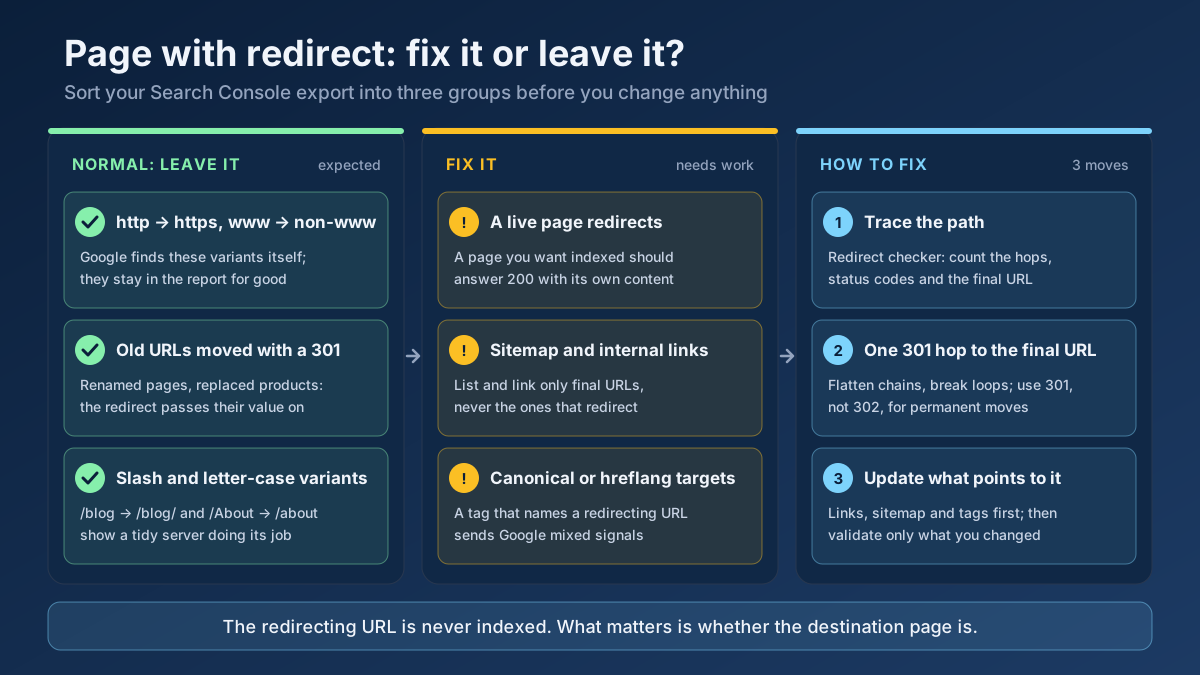 Technical SEO
How to fix Page with redirect in Google Search Console: when to ignore it, when it blocks indexing, and 8 steps to clean up redirects, chains and sitemaps.
Read article →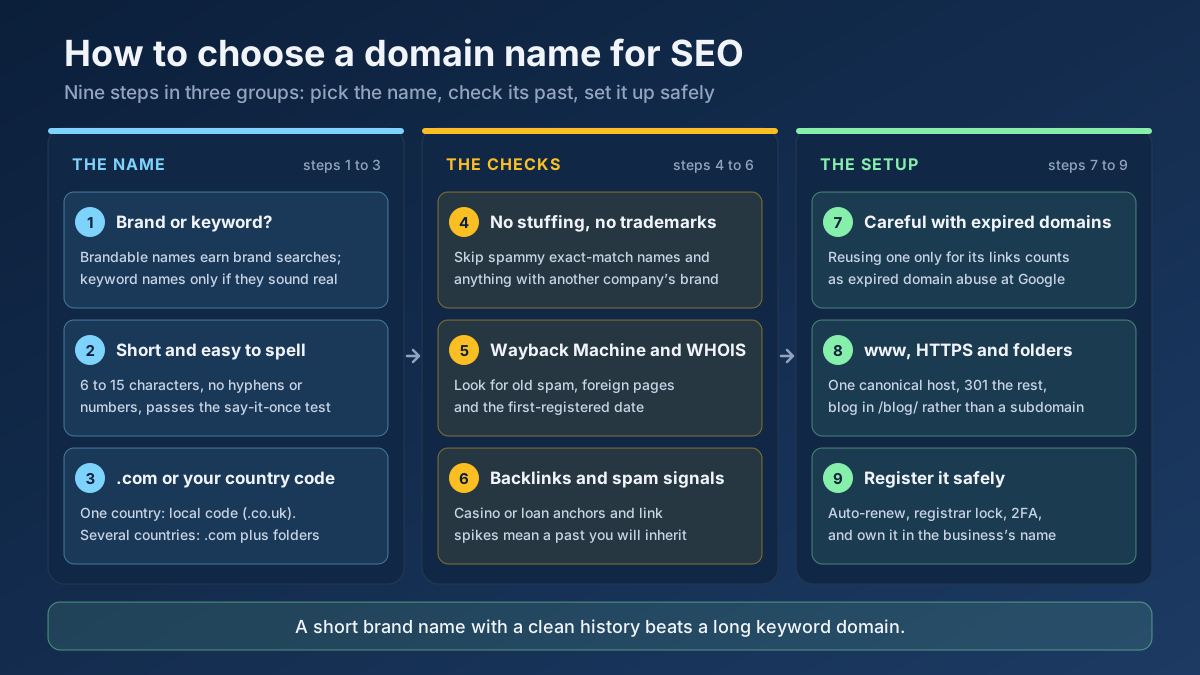 Technical SEO
How to choose a domain name for SEO: brand vs keyword names, the best extension, how to check a domain’s history and when an expired domain becomes a risk.
Read article →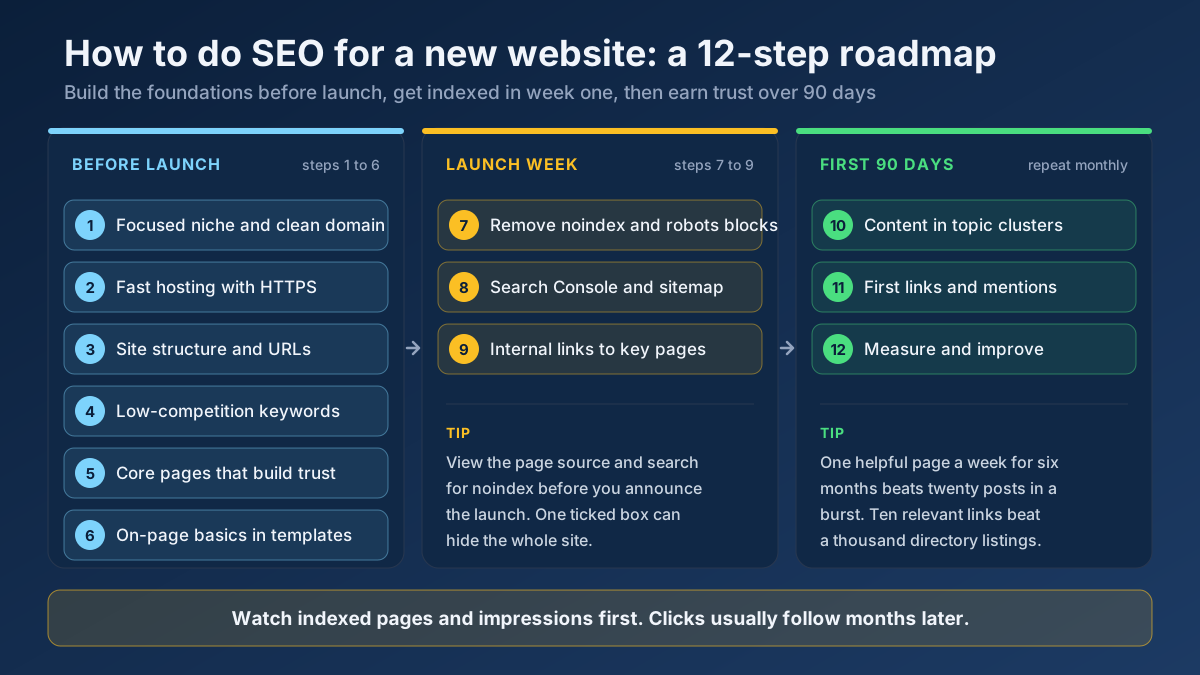 Technical SEO
Learn how to do SEO for a new website in 12 steps: what to set up before launch, how to get indexed in week one and how to earn traffic in the first 90 days.
Read article →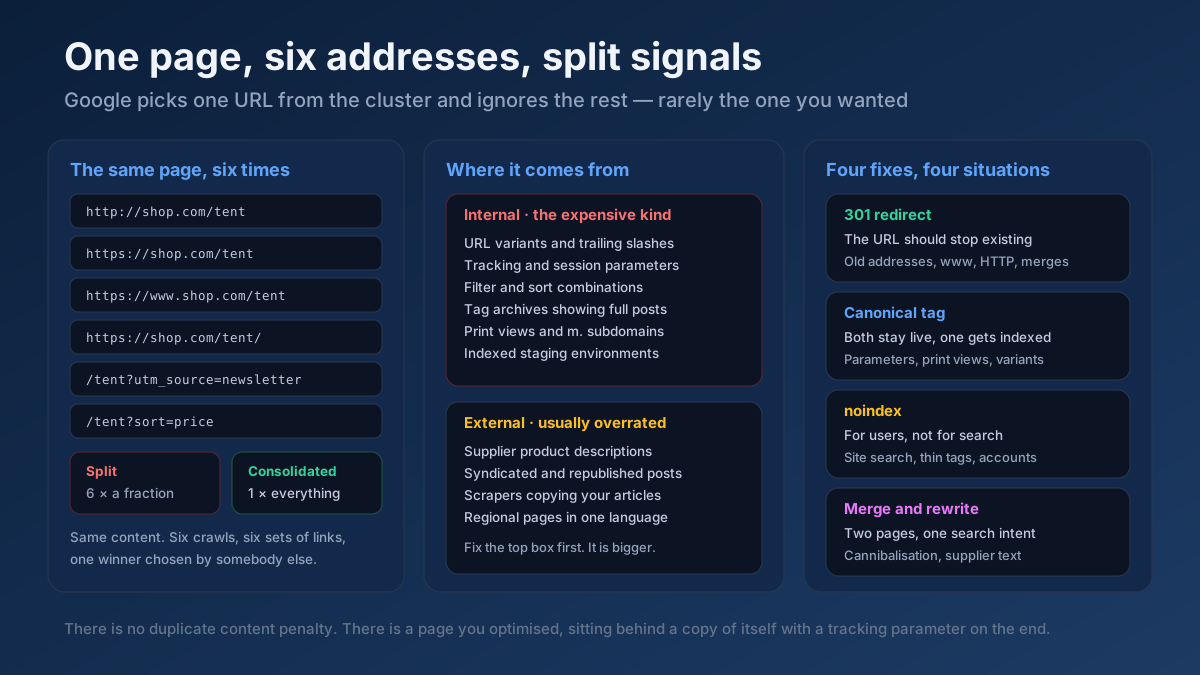 Technical SEO
How to fix duplicate content issues in 9 steps: find every duplicate URL, choose between a canonical, a 301 and noindex, and stop the problem returning.
Read article →Crawlability, indexability, speed and structured data — the technical foundations that let your content rank.
Read article →See how recognisable your browser is without cookies: user agent, language, time zone, screen, CPU cores, memory, touch, cookies and Do Not Track, canvas and WebGL hashes, installed fonts and an audio fingerprint, with a simple uniqueness score. Runs in your browser; nothing is stored.
Open tool →See the public IP address websites see for you, with its location, ISP, connection type (home, mobile, datacenter or VPN), proxy header leaks, WebRTC leaks and time zone match.
Open tool →Find out whether your browser reveals your real IP address through WebRTC, even behind a VPN or proxy: local, public and mDNS candidates gathered via a STUN server, compared with the address our server sees, plus a separate IPv6 leak check and a guide to turning WebRTC off.
Open tool →Open this page through your proxy to see what websites receive: the connecting IP and every proxy header (X-Forwarded-For, Via, Forwarded, X-Real-IP, Proxy-Connection…), classified as transparent, anonymous or elite. Or enter a proxy and test it from our server.
Open tool →Check whether ports on your own connection are open to the internet: up to 10 TCP ports per run (80, 443, 22, 3389, 25565, 27015…) tested from our server with a 3-second timeout and reported as open, closed or filtered. Only your own IP can be tested.
Open tool →IPv4 and IPv6 subnet calculator: network and broadcast address, first and last host, host count, netmask, wildcard, binary view, address type and reverse DNS zone — plus splitting a range into smaller subnets. Runs in your browser.
Open tool →