Google Chose Different Canonical Than User? Fix It
Fix “Duplicate, Google chose different canonical than user” in Search Console: why Google ignores your canonical tag and 9 steps to align every signal.
Read article →IPv4 and IPv6 subnet calculator: network and broadcast address, first and last host, host count, netmask, wildcard, binary view, address type and reverse DNS zone — plus splitting a range into smaller subnets. Runs in your browser.
Fetching live data…
The Subnet Calculator works out everything about an IP range from its CIDR notation, for both IPv4 and IPv6. Enter something like 192.168.1.0/24, an address with a mask such as 10.0.0.5 255.255.0.0, or an IPv6 prefix like 2001:db8::/48, and it shows the network and broadcast addresses, the usable host range, the number of hosts, the netmask and wildcard mask, the binary layout and the reverse DNS zone. It can also split the range into smaller subnets. All the maths happens in your browser.
Wrong subnet maths causes some of the hardest network faults to track down: devices that can reach some neighbours but not others, firewall rules that let too much through, or DHCP pools that collide. Planning address space — for VLANs, cloud VPCs, VPN tunnels or a whitelist on a server — means turning prefixes into ranges and back again many times, and a calculator removes the guesswork. When you need to know who owns a public range, look it up with the ASN Lookup.
A /24 is 256 addresses (254 hosts), a /25 is 128, a /26 is 64, a /27 is 32, a /28 is 16, a /29 is 8 and a /30 is 4 (2 hosts). Every step of one in the prefix halves the range. In IPv6 a /64 is the standard size for a single network, a /56 holds 256 of them and a /48 holds 65,536. The wildcard mask, used in Cisco ACLs and OSPF, is simply the subnet mask with every bit flipped.
In IPv4 the first address of a subnet identifies the network itself and the last is the broadcast address, so neither can be given to a device. The exceptions are /31, which RFC 3021 allows for two-host links, and /32, a single address.
The calculator finds the network that address belongs to — 192.168.1.130/26 belongs to 192.168.1.128/26 — and notes that you entered a host inside it.
No. The calculation is done by a script in your browser, so you can use it for internal address plans. To see the public address you are using right now, open What Is My IP?.
Guides, tips and tutorials hand-picked for this tool — go from running a check to actually fixing it.
 Technical SEO
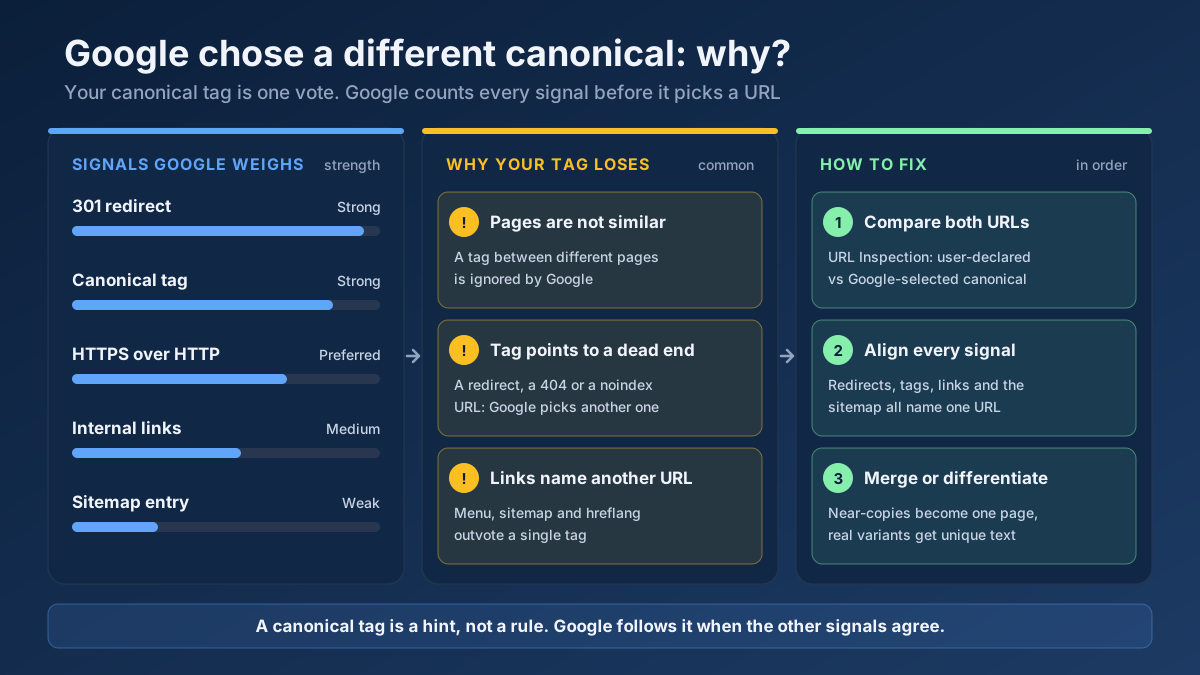
Fix “Duplicate, Google chose different canonical than user” in Search Console: why Google ignores your canonical tag and 9 steps to align every signal.
Read article →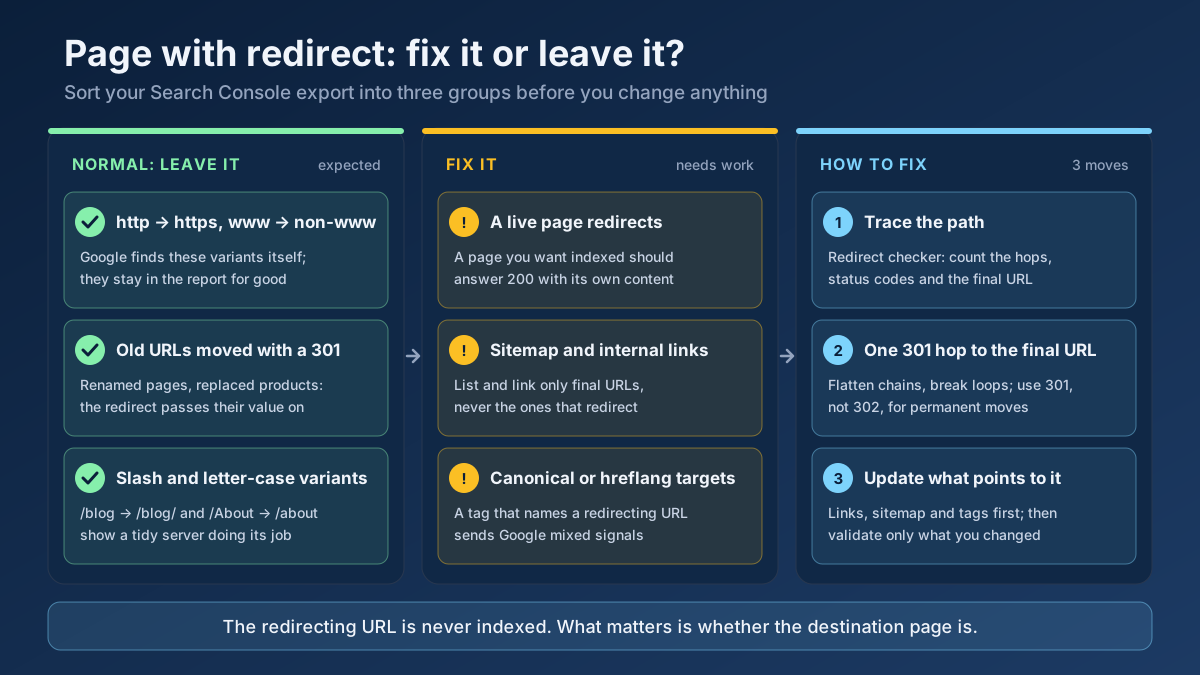 Technical SEO
How to fix Page with redirect in Google Search Console: when to ignore it, when it blocks indexing, and 8 steps to clean up redirects, chains and sitemaps.
Read article →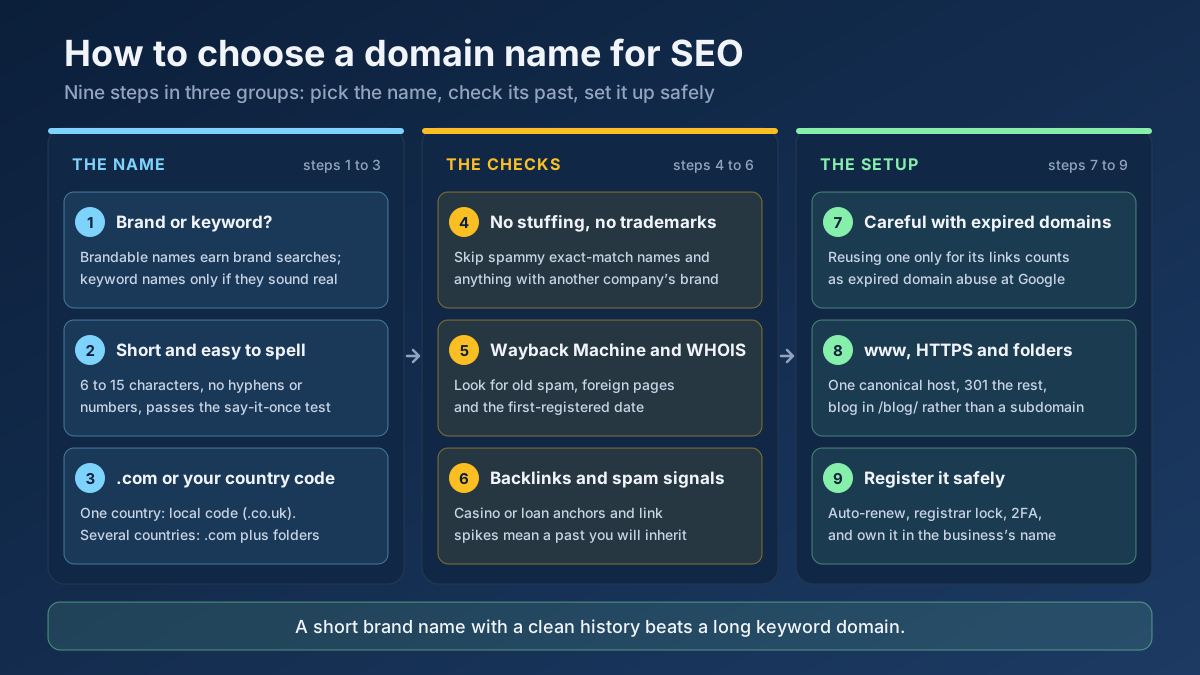 Technical SEO
How to choose a domain name for SEO: brand vs keyword names, the best extension, how to check a domain’s history and when an expired domain becomes a risk.
Read article →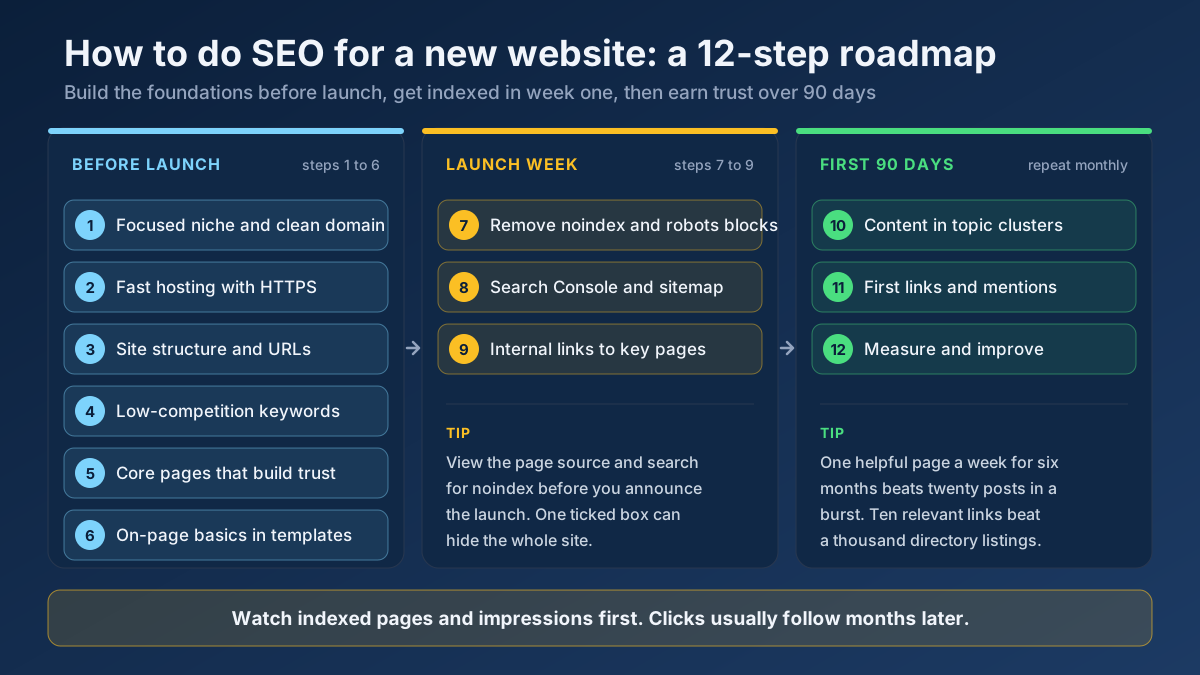 Technical SEO
Learn how to do SEO for a new website in 12 steps: what to set up before launch, how to get indexed in week one and how to earn traffic in the first 90 days.
Read article →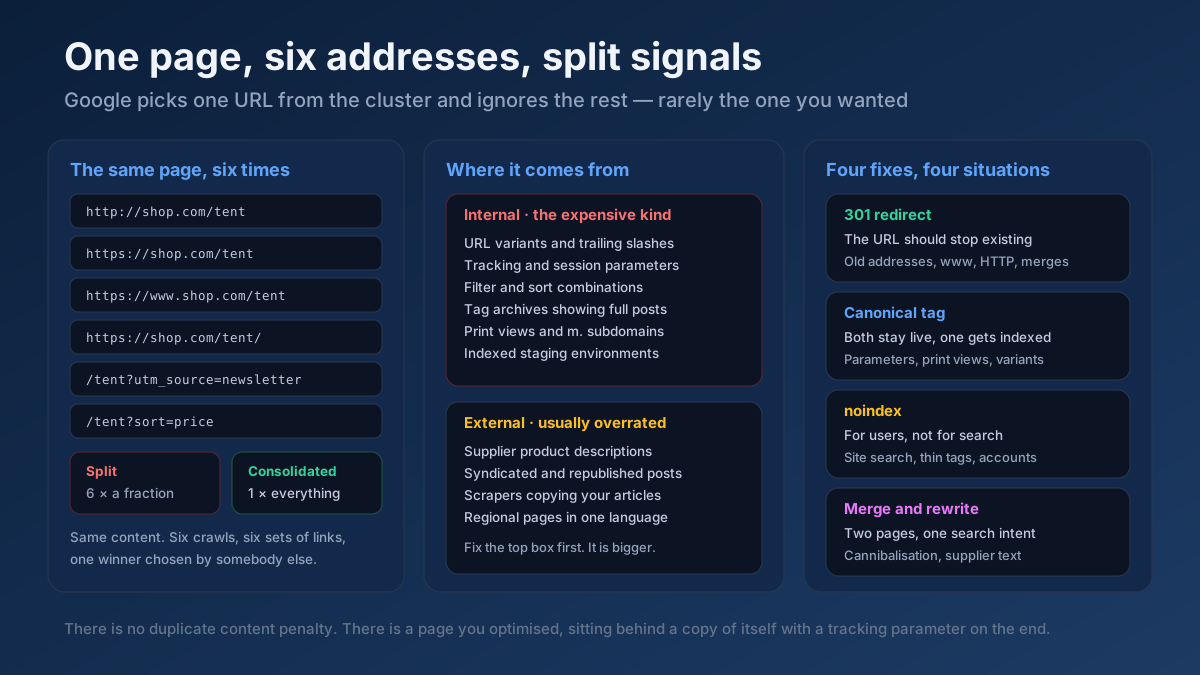 Technical SEO
How to fix duplicate content issues in 9 steps: find every duplicate URL, choose between a canonical, a 301 and noindex, and stop the problem returning.
Read article →Crawlability, indexability, speed and structured data — the technical foundations that let your content rank.
Read article →Find which network (autonomous system) an IP address or domain belongs to — AS number, holder, country and the announced range — or enter an AS number to list every IPv4 and IPv6 block it announces. Free routing data, updated weekly.
Open tool →Resolve a domain/IP and get real geolocation, ISP, ASN and hosting organization data.
Open tool →See the public IP address websites see for you, with its location, ISP, connection type (home, mobile, datacenter or VPN), proxy header leaks, WebRTC leaks and time zone match.
Open tool →Check whether ports on your own connection are open to the internet: up to 10 TCP ports per run (80, 443, 22, 3389, 25565, 27015…) tested from our server with a 3-second timeout and reported as open, closed or filtered. Only your own IP can be tested.
Open tool →Show your browser’s user agent string with one-click copy, parsed into browser, version, engine, operating system and device type, plus the real values from Client Hints that the frozen string hides. Runs in your browser.
Open tool →See how recognisable your browser is without cookies: user agent, language, time zone, screen, CPU cores, memory, touch, cookies and Do Not Track, canvas and WebGL hashes, installed fonts and an audio fingerprint, with a simple uniqueness score. Runs in your browser; nothing is stored.
Open tool →