How to See Google Results From Another Country
See Google results from another country or city: why they differ, how gl, hl and UULE work, when a VPN is enough and when a local proxy is the better tool.
Read article →See the public IP address websites see for you, with its location, ISP, connection type (home, mobile, datacenter or VPN), proxy header leaks, WebRTC leaks and time zone match.
Fetching live data…
Your IP address is the public number every website sees when your browser connects to it. This tool shows it the moment the page opens, together with what sites can work out from it: your approximate city, your internet provider, whether the address looks like a home, mobile, datacenter or VPN connection, and whether a proxy or WebRTC is leaking a different address.
Via or X-Forwarded-For.Google personalises and localises results by the searcher’s IP. When you check your own rankings, the map pack, “near me” results, prices and ads are picked for the city this tool shows, not for your customers’ city. Knowing that explains most cases of “I rank first but my client can’t find us”. The connection type matters too: datacenter and VPN addresses get CAPTCHAs and thinner results far more often, so a search made from one is not a fair view of a normal visitor’s page.
&gl= (country) and &hl= (language) to a Google search URL, or turn on a VPN for that country, then reload this page to confirm the new location.IP databases record where an address block is registered or routed, not where your device is. Mobile networks and some ISPs route traffic through a regional hub, so a city an hour away, or the capital, is common. Country-level location is usually right.
It replaces your IP with the VPN server’s for the sites you visit, but the VPN provider still sees your real address, and a WebRTC leak can expose it to a page. Run this check with the VPN on: the IP, location and WebRTC rows should all show the VPN server.
The page reads the address to show it to you. Like any website, our server logs requests for security and abuse protection; the result itself is not published or shared.
Guides, tips and tutorials hand-picked for this tool — go from running a check to actually fixing it.
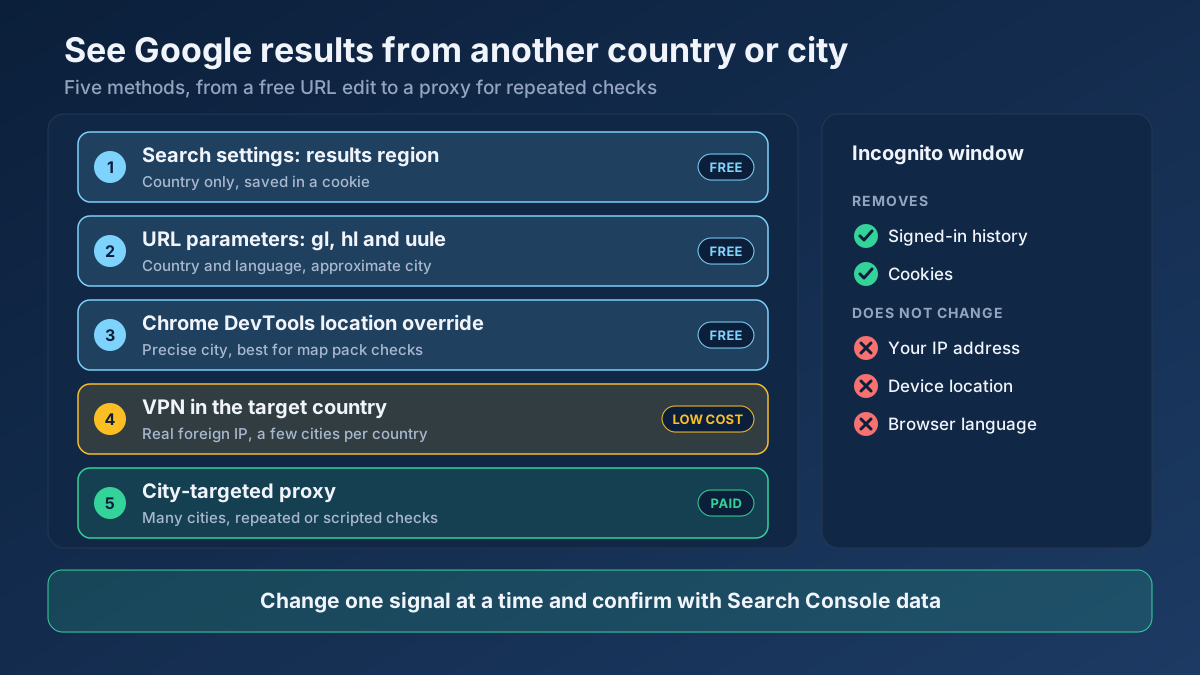 Keyword Research
See Google results from another country or city: why they differ, how gl, hl and UULE work, when a VPN is enough and when a local proxy is the better tool.
Read article →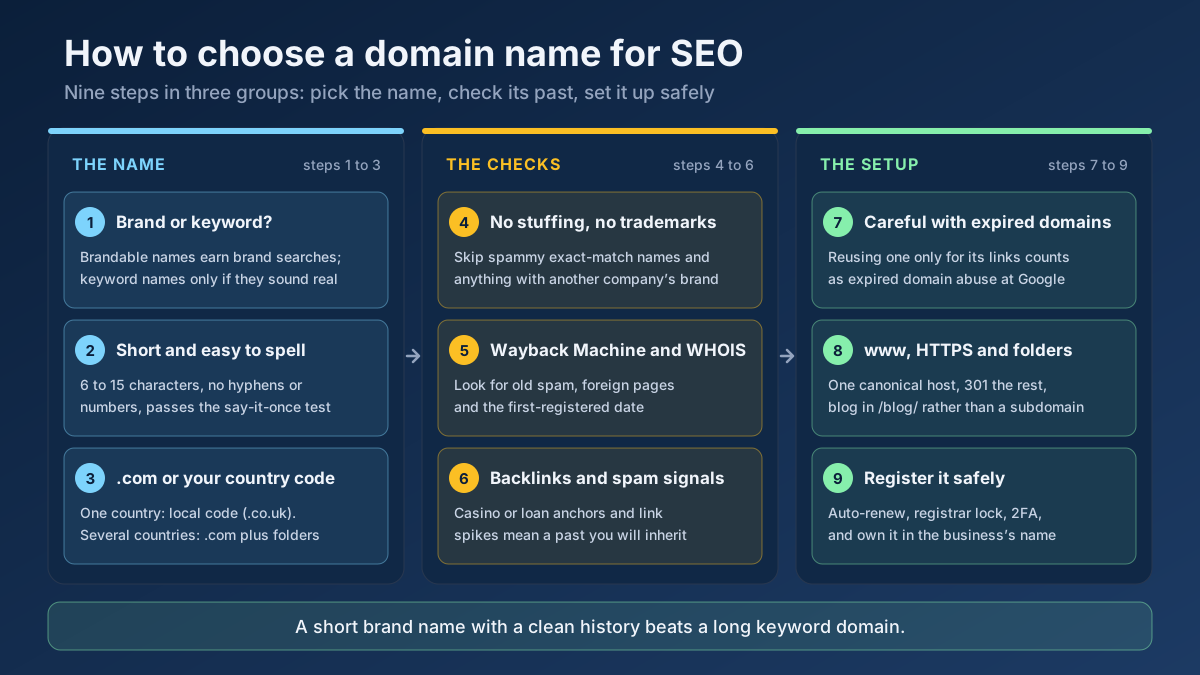 Technical SEO
How to choose a domain name for SEO: brand vs keyword names, the best extension, how to check a domain’s history and when an expired domain becomes a risk.
Read article →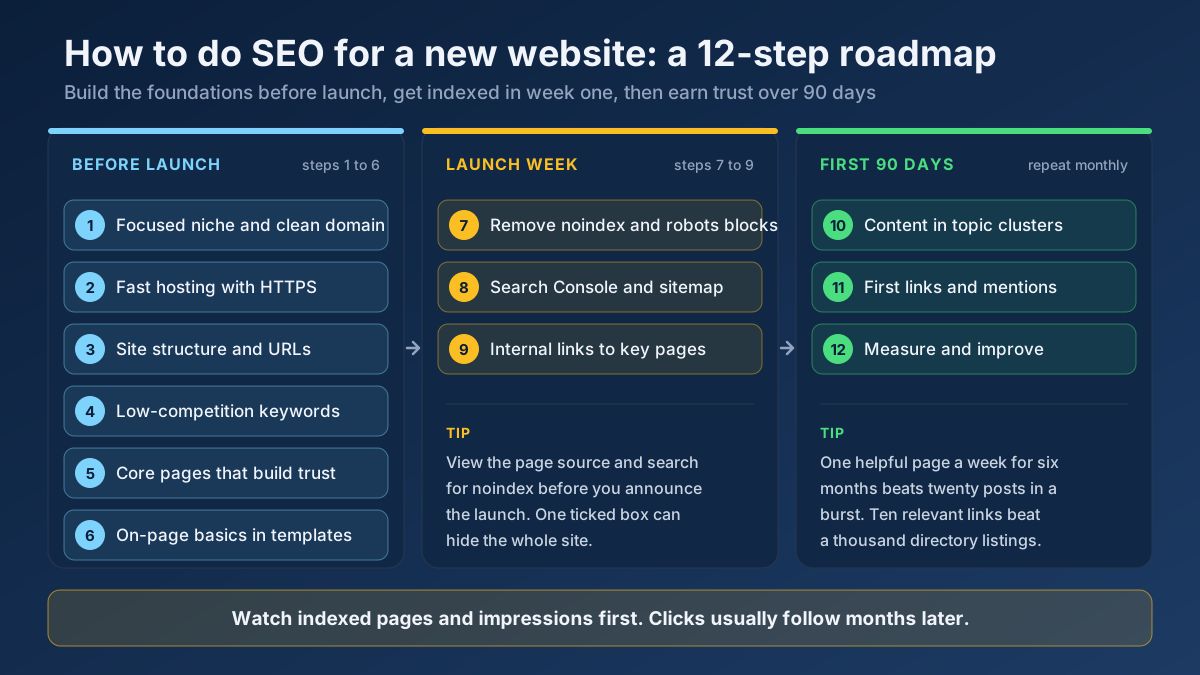 Technical SEO
Learn how to do SEO for a new website in 12 steps: what to set up before launch, how to get indexed in week one and how to earn traffic in the first 90 days.
Read article →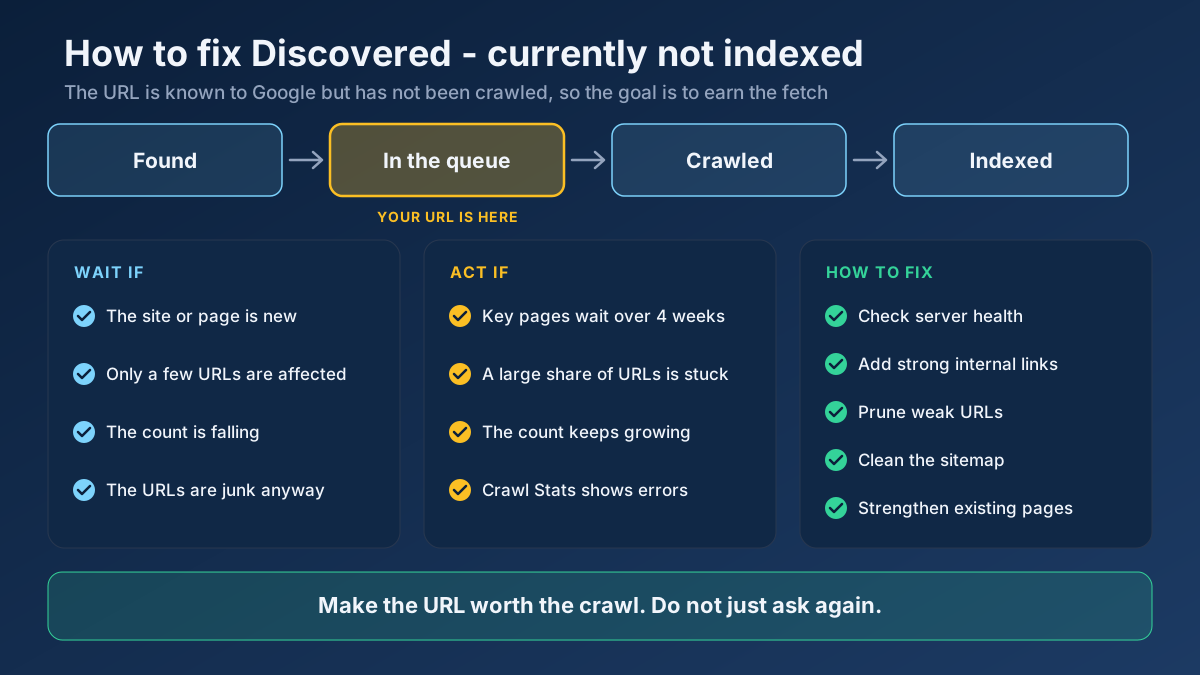 Technical SEO
Learn how to fix Discovered - currently not indexed: when to wait, how to find the real cause and 10 steps that earn Google’s crawl without resubmitting.
Read article →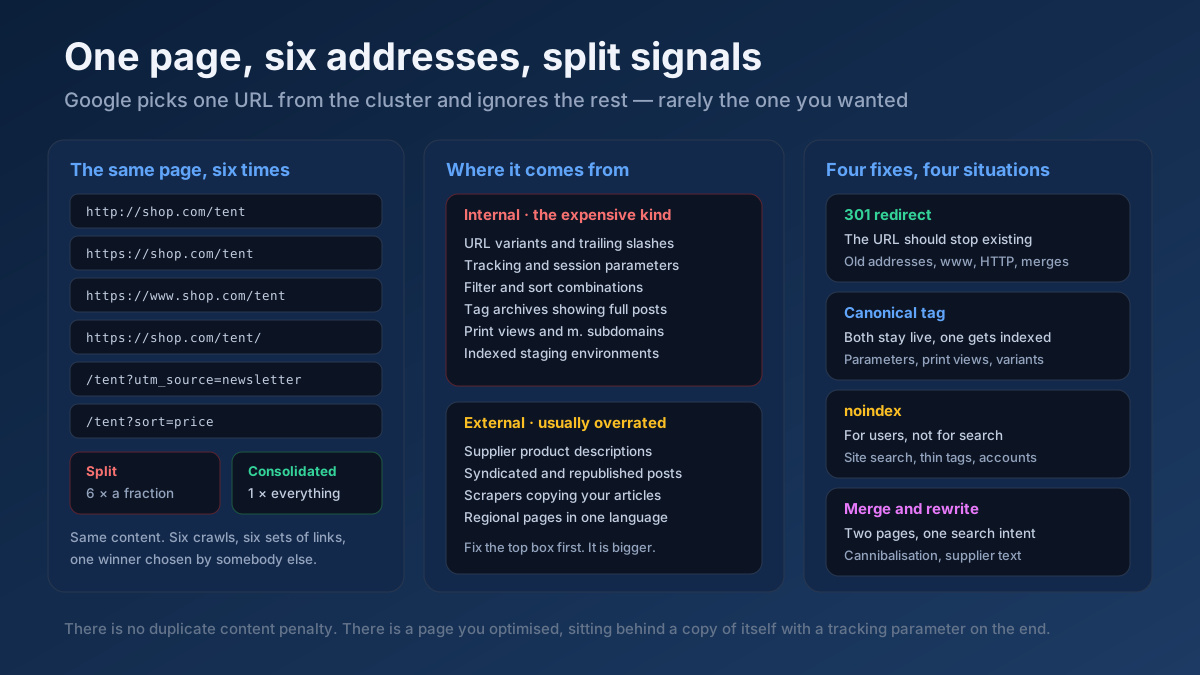 Technical SEO
How to fix duplicate content issues in 9 steps: find every duplicate URL, choose between a canonical, a 301 and noindex, and stop the problem returning.
Read article →Faster pages rank better and convert better. Here is a prioritized checklist that actually moves the needle.
Read article →Test up to 20 HTTP, HTTPS or SOCKS proxies at once: whether each one works, its speed, exit IP and country, anonymity level (transparent, anonymous or elite) and whether Google answers through it.
Open tool →Resolve a domain/IP and get real geolocation, ISP, ASN and hosting organization data.
Open tool →Convert a proxy list between ip:port:user:pass, user:pass@ip:port and URL formats, or turn it into ready-to-paste curl, Python requests, Node.js, Puppeteer and Playwright settings. Runs in your browser.
Open tool →Trace the full redirect chain (301/302/307) of a URL and verify the final status code.
Open tool →Fetch and parse a site’s robots.txt, test any URL against it for Googlebot and Bingbot, list rules per user-agent and locate sitemap declarations.
Open tool →Passive security scan of any website: HTTPS and TLS, HSTS, CSP and other security headers, exposed .env / .git / phpinfo files, cookie flags, mixed content, version leaks and the PHP2Shell (CVE-2026-109618 / CVE-2026-109619) PHP version check.
Open tool →