PHP2Shell Vulnerability: Check and Fix Your Site
PHP2Shell (CVE-2026-109618, CVE-2026-109619) lets attackers run code on PHP servers. See which versions fix it, how to check your site and what to do today.
Read article →Convert a proxy list between ip:port:user:pass, user:pass@ip:port and URL formats, or turn it into ready-to-paste curl, Python requests, Node.js, Puppeteer and Playwright settings. Runs in your browser.
Fetching live data…
The Proxy Format Converter rewrites a proxy list from one format to another: ip:port:user:pass, user:pass@ip:port, user:pass:ip:port or a full URL. It can also turn the list into ready-to-paste settings for curl, Python requests, Node.js, Puppeteer and Playwright, or export it as CSV or JSON. The conversion runs entirely in your browser, so the list and its passwords never reach our server.
socks5://user:pass@host:port, with special characters in passwords encoded correctly.Every tool wants proxies in its own shape, and converting by hand is where mistakes creep in: a colon in the wrong place, a password with an @ that breaks a URL, or a SOCKS proxy pasted as HTTP. A wrong line usually fails silently and looks like a dead proxy. Converting in one step keeps the list consistent and the passwords off third-party servers.
No. The converter is a script that runs in the page. The Convert button does not submit the form to our server, so the list and its credentials stay on your computer.
Desktop crawlers and most extensions ask for host, port, username and password in separate fields; the CSV output gives you exactly those columns. Extensions that take a single string usually expect user:pass@ip:port or a URL.
The line did not match a known shape, for example a missing port, a port above 65535, or three colons where four were expected. The result lists the skipped line numbers so you can fix them.
Guides, tips and tutorials hand-picked for this tool — go from running a check to actually fixing it.
 Technical SEO
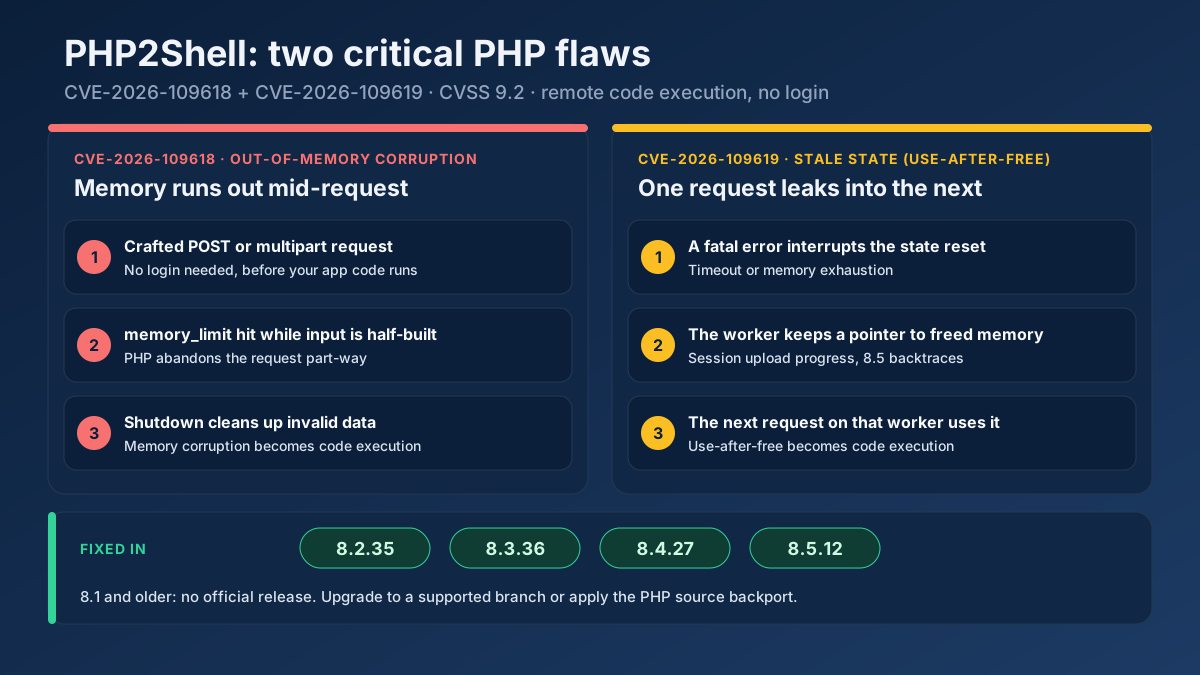
PHP2Shell (CVE-2026-109618, CVE-2026-109619) lets attackers run code on PHP servers. See which versions fix it, how to check your site and what to do today.
Read article →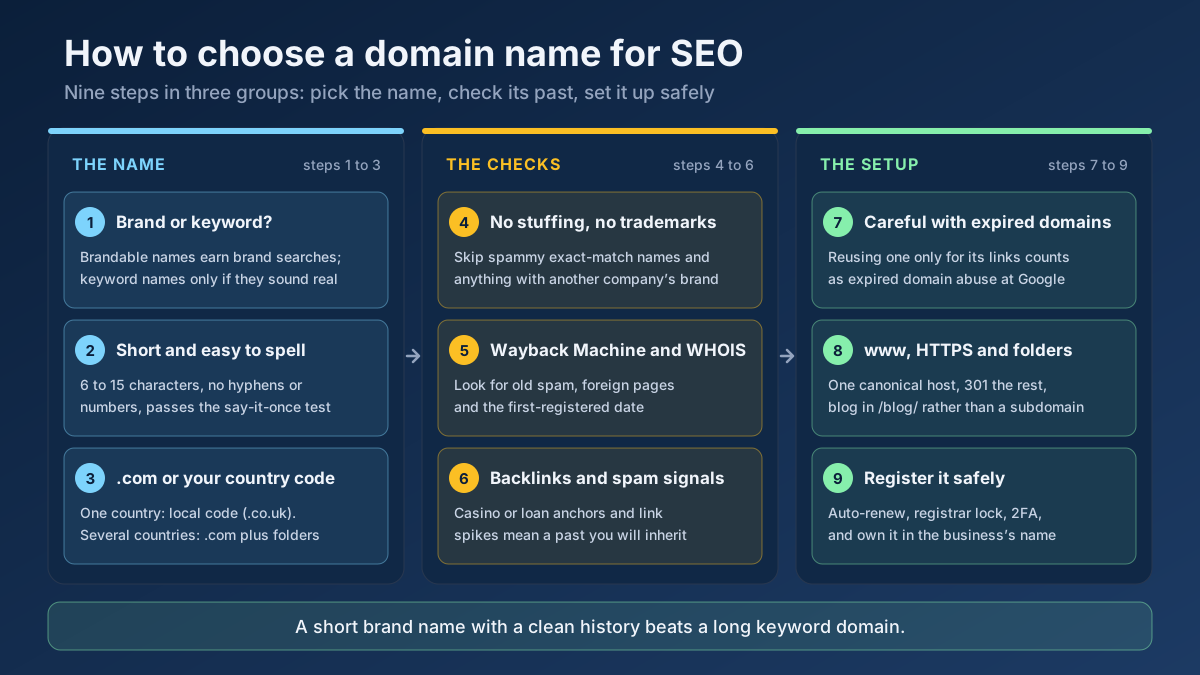 Technical SEO
How to choose a domain name for SEO: brand vs keyword names, the best extension, how to check a domain’s history and when an expired domain becomes a risk.
Read article →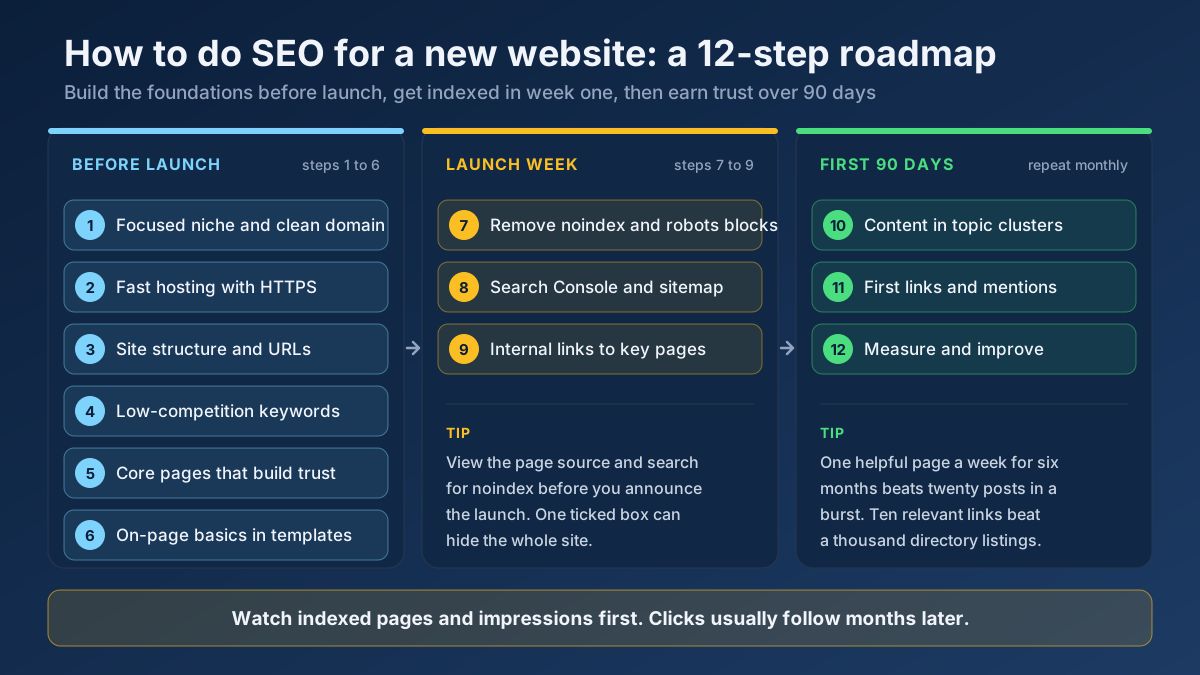 Technical SEO
Learn how to do SEO for a new website in 12 steps: what to set up before launch, how to get indexed in week one and how to earn traffic in the first 90 days.
Read article →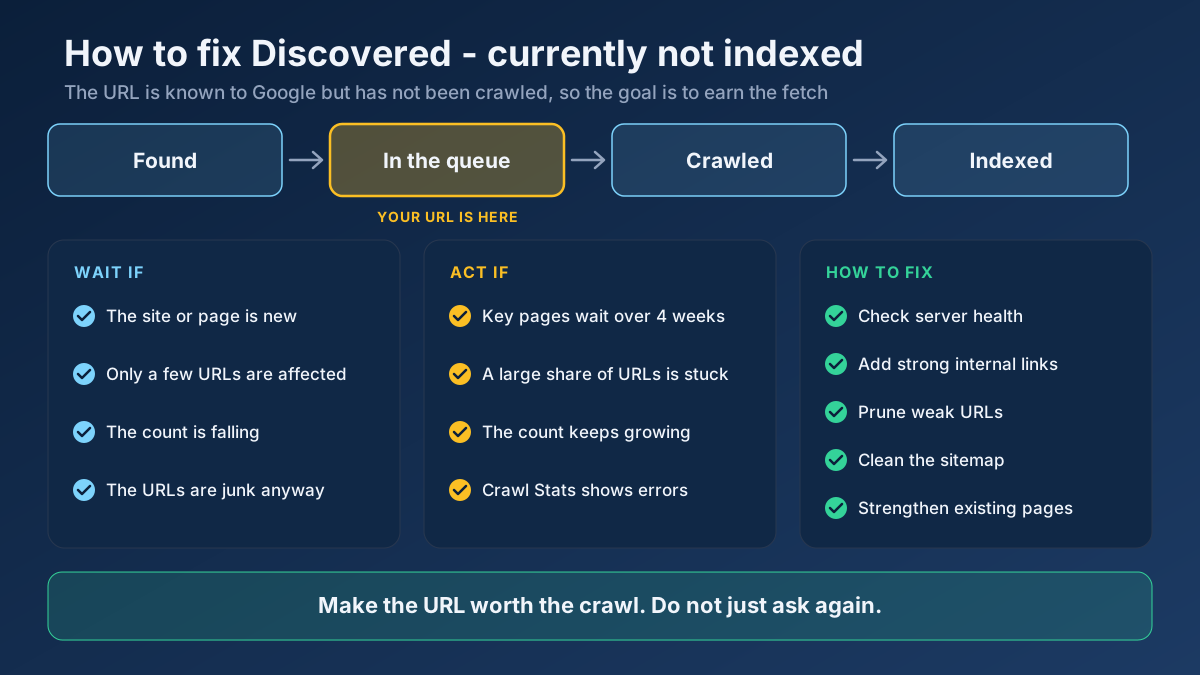 Technical SEO
Learn how to fix Discovered - currently not indexed: when to wait, how to find the real cause and 10 steps that earn Google’s crawl without resubmitting.
Read article →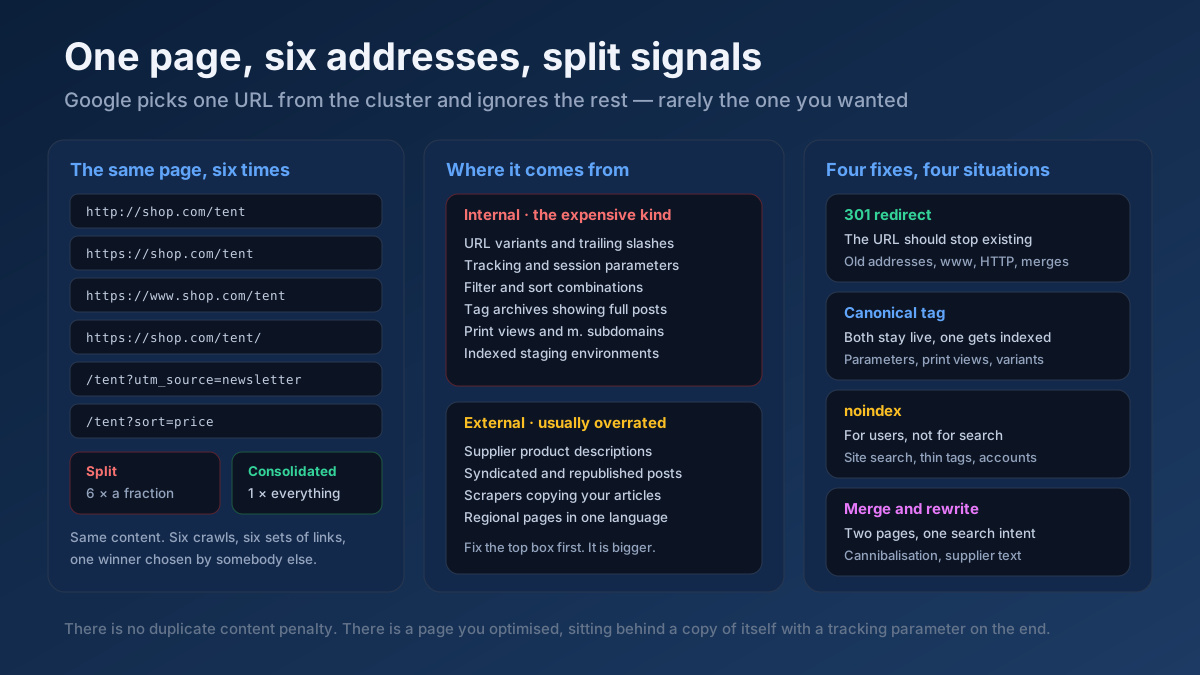 Technical SEO
How to fix duplicate content issues in 9 steps: find every duplicate URL, choose between a canonical, a 301 and noindex, and stop the problem returning.
Read article →Faster pages rank better and convert better. Here is a prioritized checklist that actually moves the needle.
Read article →Fetch and parse a site’s robots.txt, test any URL against it for Googlebot and Bingbot, list rules per user-agent and locate sitemap declarations.
Open tool →Test up to 20 HTTP, HTTPS or SOCKS proxies at once: whether each one works, its speed, exit IP and country, anonymity level (transparent, anonymous or elite) and whether Google answers through it.
Open tool →Locate a domain’s XML sitemap(s), validate the format and count the URLs inside.
Open tool →See the public IP address websites see for you, with its location, ISP, connection type (home, mobile, datacenter or VPN), proxy header leaks, WebRTC leaks and time zone match.
Open tool →Check whether a URL serves compressed content and measure the bytes & percentage saved.
Open tool →Resolve a domain/IP and get real geolocation, ISP, ASN and hosting organization data.
Open tool →Before you buy, check that the target is OK with automated traffic: read its robots.txt and terms, keep request rates low and use an official API where one exists. Search Console’s API is the most accurate source for your own rankings and costs nothing.
If you do need proxies for a tool you run yourself, Proxy-Seller is one provider; its panel exports lists in the ip:port:user:pass format this converter reads. Proxy-Seller proxies
Discount code SEOMODS: 15% off IPv4, IPv6 and ISP proxies, 15% off residential, 10% off mobile proxies.
If you buy through this link, SeoMods earns a commission at no extra cost to you. It does not change what we recommend. Details