PHP2Shell Vulnerability: Check and Fix Your Site
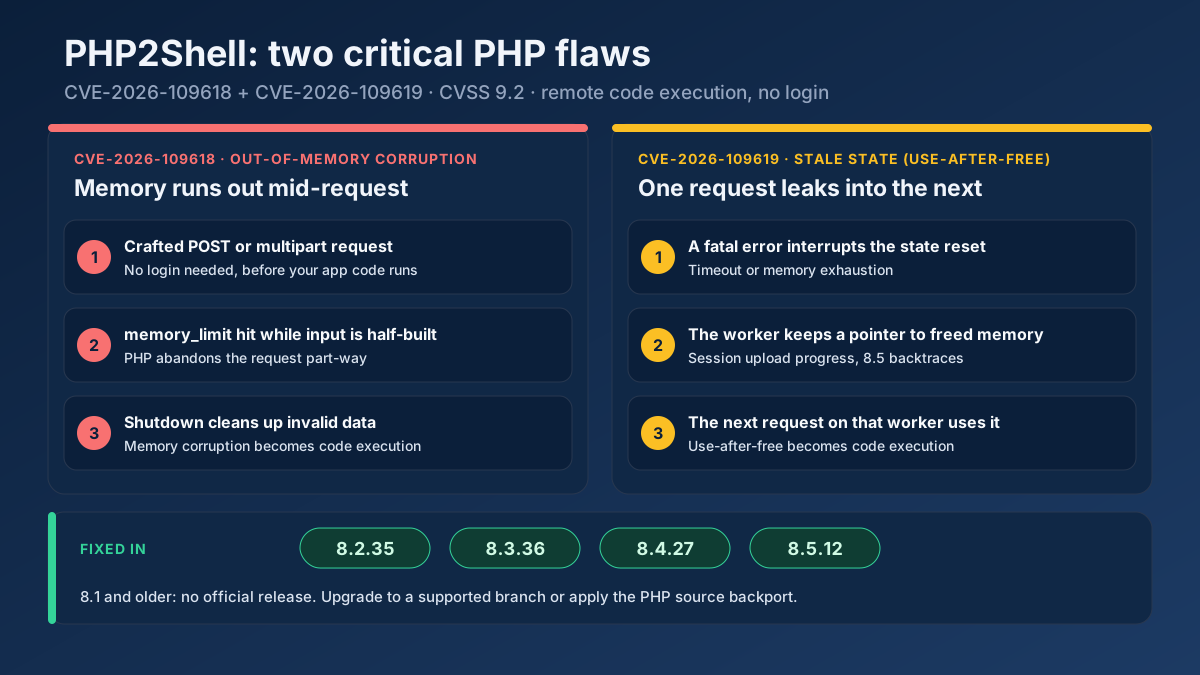
PHP2Shell (CVE-2026-109618, CVE-2026-109619) lets attackers run code on PHP servers. See which versions fix it, how to check your site and what to do today.
Read article →Check whether a URL serves compressed content and measure the bytes & percentage saved.
Fetching live data…
The Gzip / Brotli Compression Test is a free tool that checks whether a URL serves its content compressed and measures exactly how many bytes — and what percentage — that compression saves. Text-based resources like HTML, CSS and JavaScript shrink dramatically when a server applies Gzip or Brotli, which means faster loads and lower bandwidth. This tool requests the real, live page with compression enabled, inspects the response headers, and reports the true before-and-after size, all with no signup.
https://example.com).Accept-Encoding: gzip, br, just like a browser.Content-Encoding header and measures the compressed transfer size.br) or none, from the response header.Run the tool on a homepage and you might see Content-Encoding: br, an uncompressed size of 142 KB shrinking to 31 KB over the wire — a 78% reduction. If the result instead reads "not compressed," that's a clear, fixable performance win.
Yes — completely free, with no signup and no limits. Test as many URLs as you like.
Brotli usually compresses text a little smaller than Gzip at similar speed and is supported by all modern browsers, so it's preferred when available. Either one is far better than serving uncompressed assets. See the wider picture in our page speed optimization guide.
Compression is one piece of performance. Pair this with the Page Speed & Size Test to measure response time and page weight, and the HTTP Header Checker to inspect caching and the full set of response headers.
Guides, tips and tutorials hand-picked for this tool — go from running a check to actually fixing it.
 Technical SEO
PHP2Shell (CVE-2026-109618, CVE-2026-109619) lets attackers run code on PHP servers. See which versions fix it, how to check your site and what to do today.
Read article →INP replaced FID in 2024. Here is what Core Web Vitals mean today and how to measure and improve performance for free.
Read article →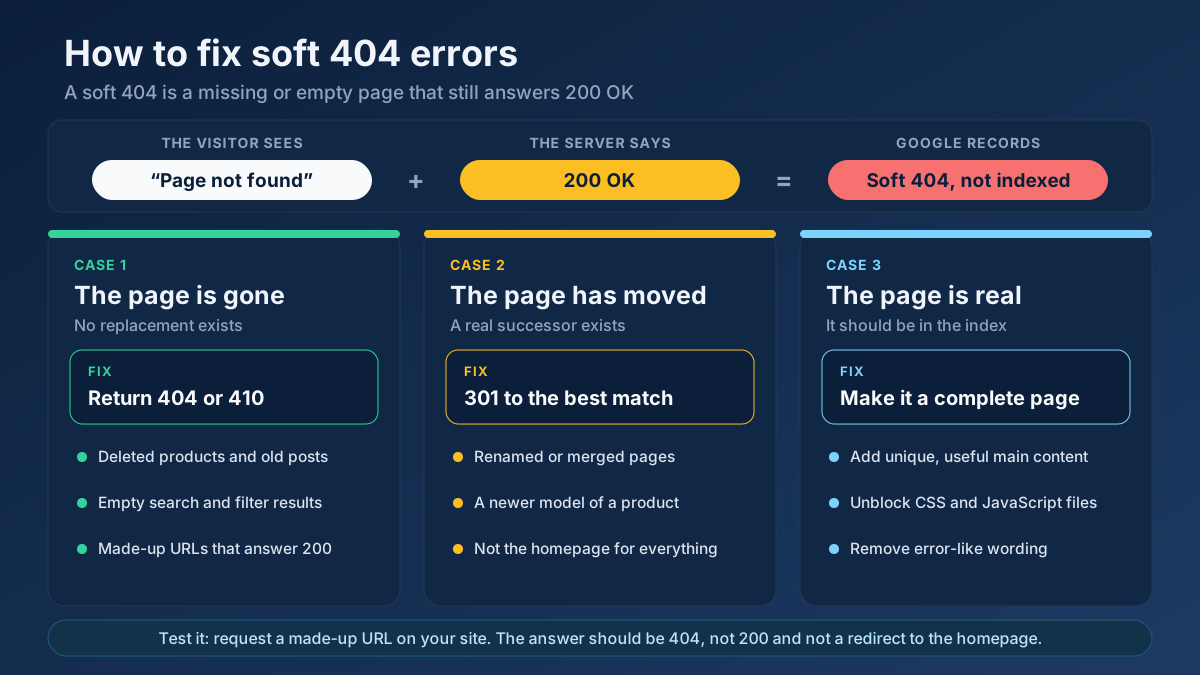 Technical SEO
Learn how to fix soft 404 errors in Google Search Console: find them, tell real ones from false alarms, then return a 404, add a 301 or improve the page.
Read article →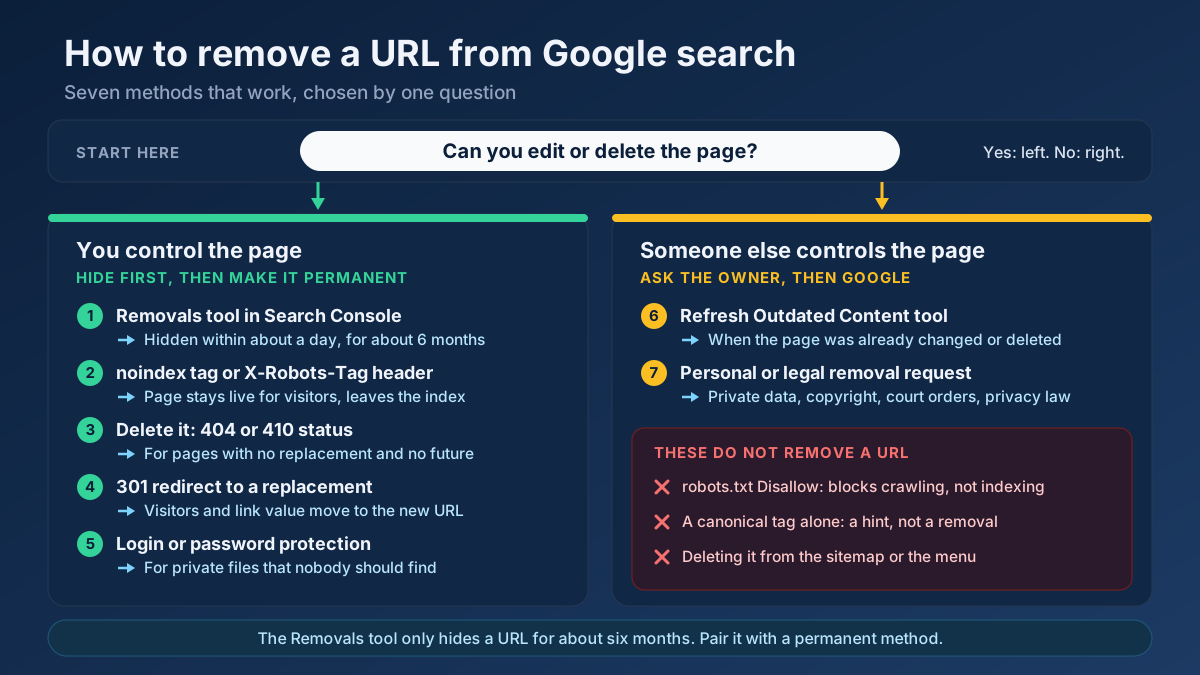 Technical SEO
Learn how to remove a URL from Google search results: hide it in a day with the Removals tool, then delete it for good with noindex, 404/410 or a redirect.
Read article → Technical SEO
How to fix duplicate content issues in 9 steps: find every duplicate URL, choose between a canonical, a 301 and noindex, and stop the problem returning.
Read article →Faster pages rank better and convert better. Here is a prioritized checklist that actually moves the needle.
Read article →Retrieve real domain registration data: registrar, creation/expiry dates, name servers and status.
Open tool →Query live A, AAAA, MX, NS, TXT, CNAME, SOA and SRV records for any domain.
Open tool →Inspect the live TLS certificate: issuer, validity dates, days remaining and SAN domains.
Open tool →View raw response headers, server software, caching, security headers and content type of any URL.
Open tool →Passive security scan of any website: HTTPS and TLS, HSTS, CSP and other security headers, exposed .env / .git / phpinfo files, cookie flags, mixed content, version leaks and the PHP2Shell (CVE-2026-109618 / CVE-2026-109619) PHP version check.
Open tool →Trace the full redirect chain (301/302/307) of a URL and verify the final status code.
Open tool →Your site may have a critical PHP vulnerability
PHP2Shell (CVE-2026-109618 and CVE-2026-109619) lets attackers run code on servers running PHP older than 8.2.35, 8.3.36, 8.4.27 or 8.5.12, without logging in. Attacks have been seen since 17 October. Check whether your site is affected.