Google Chose Different Canonical Than User? Fix It
Fix “Duplicate, Google chose different canonical than user” in Search Console: why Google ignores your canonical tag and 9 steps to align every signal.
Read article →Find which network (autonomous system) an IP address or domain belongs to — AS number, holder, country and the announced range — or enter an AS number to list every IPv4 and IPv6 block it announces. Free routing data, updated weekly.
Fetching live data…
The ASN Lookup tells you which network an IP address belongs to. Every public address on the internet is announced by an autonomous system (AS) — an internet provider, hosting company, cloud platform, university or large business — identified by an AS number such as AS15169 for Google. Enter an IP address or a domain to see its AS number, the organisation that holds it, the registered country and the exact range it is announced in. Enter an AS number to list every IPv4 and IPv6 block that network announces.
Knowing the network behind an address answers practical questions: is this visitor on a home connection or in a data centre, which host runs a competitor’s site, who should receive an abuse report, and which ranges should a firewall allow or block for a whole provider. SEO and security teams use it to spot bot traffic from cloud ranges, to verify that a crawler really comes from the company it claims to, and to see whether sites share a host. For city-level location and ISP details, use the IP & Geolocation Lookup.
The database is rebuilt every week from the latest routing table, and the date of the copy in use is shown under every result. Routing changes slowly, but blocks do move between networks after sales and mergers, so a range may appear under its new holder a few days late. Addresses that no network currently announces are reported as unrouted. To check whether an address in a range has a bad reputation, run the IP Blacklist Checker.
An IP address identifies one interface; an ASN identifies the whole network that announces a group of addresses to the rest of the internet through BGP. One AS can hold thousands of address blocks.
The country is where the AS is registered. Large providers and cloud platforms announce blocks used in data centres all over the world under one registration, so a server can be elsewhere.
No. It runs on a free, public-domain dataset stored on our server, so lookups are instant and nothing you enter is passed to a third party. Work out the size of any block with the Subnet Calculator (CIDR).
Guides, tips and tutorials hand-picked for this tool — go from running a check to actually fixing it.
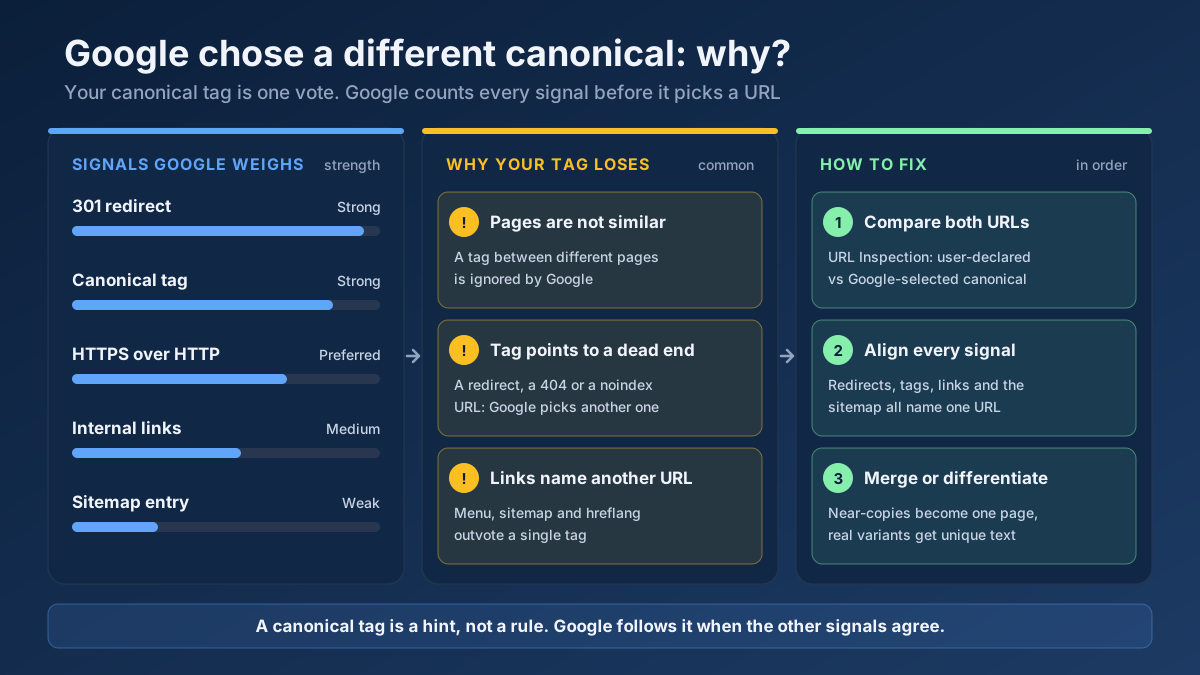 Technical SEO
Fix “Duplicate, Google chose different canonical than user” in Search Console: why Google ignores your canonical tag and 9 steps to align every signal.
Read article →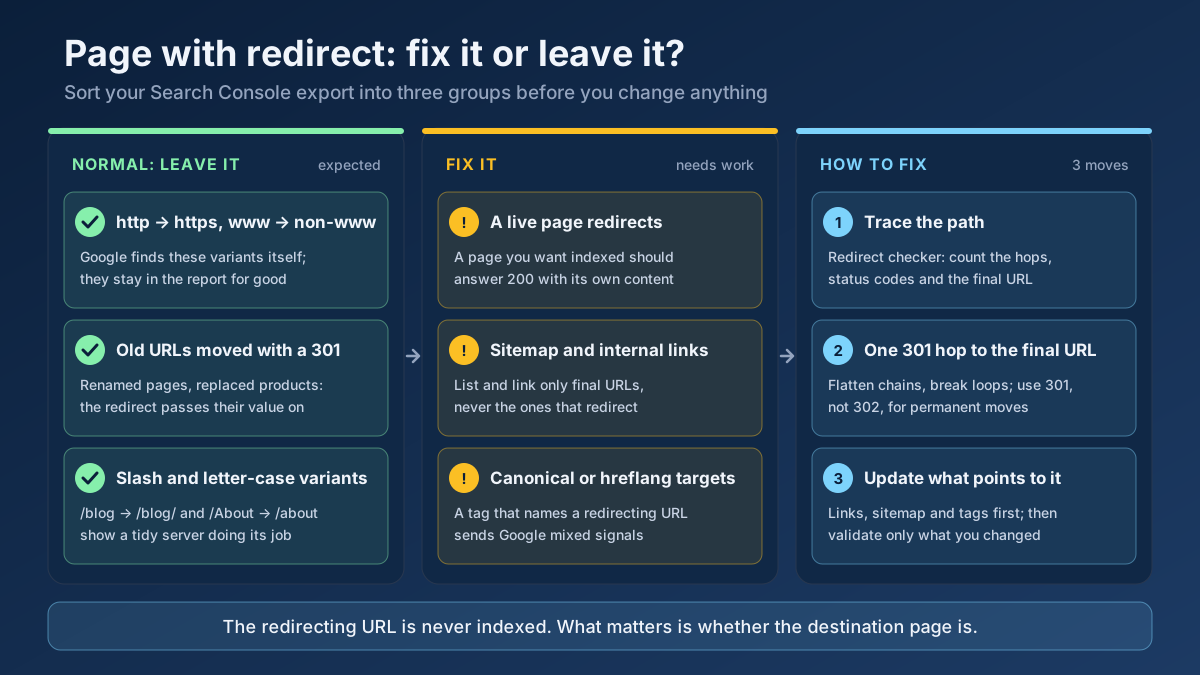 Technical SEO
How to fix Page with redirect in Google Search Console: when to ignore it, when it blocks indexing, and 8 steps to clean up redirects, chains and sitemaps.
Read article →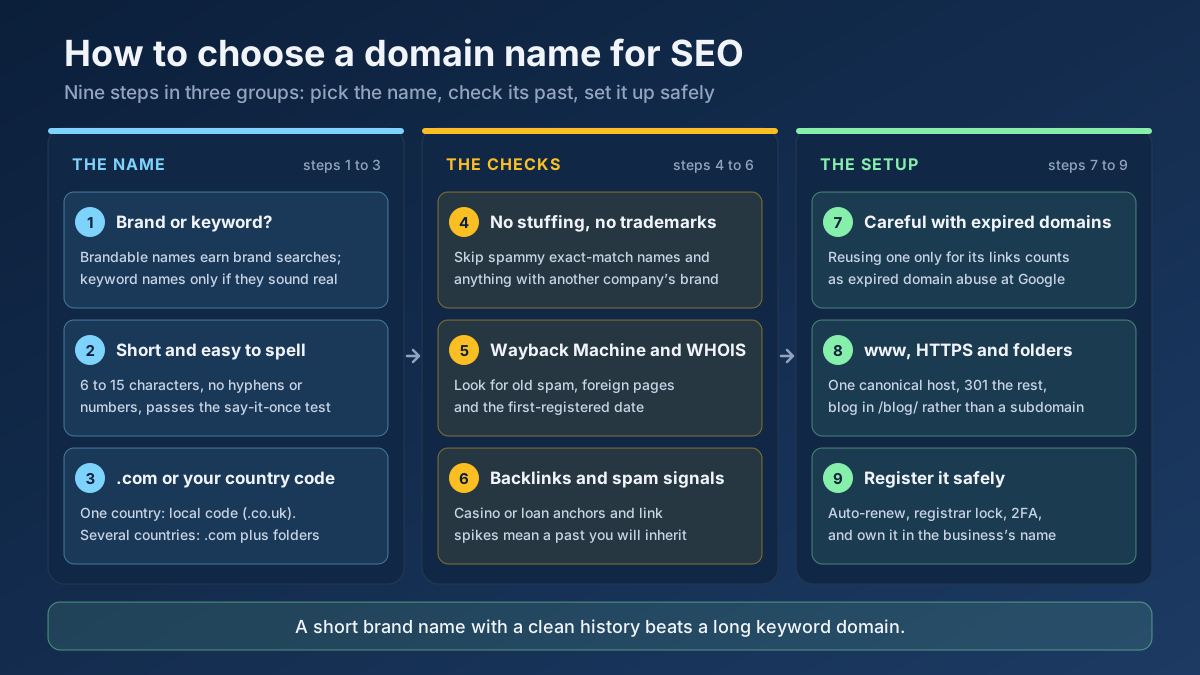 Technical SEO
How to choose a domain name for SEO: brand vs keyword names, the best extension, how to check a domain’s history and when an expired domain becomes a risk.
Read article →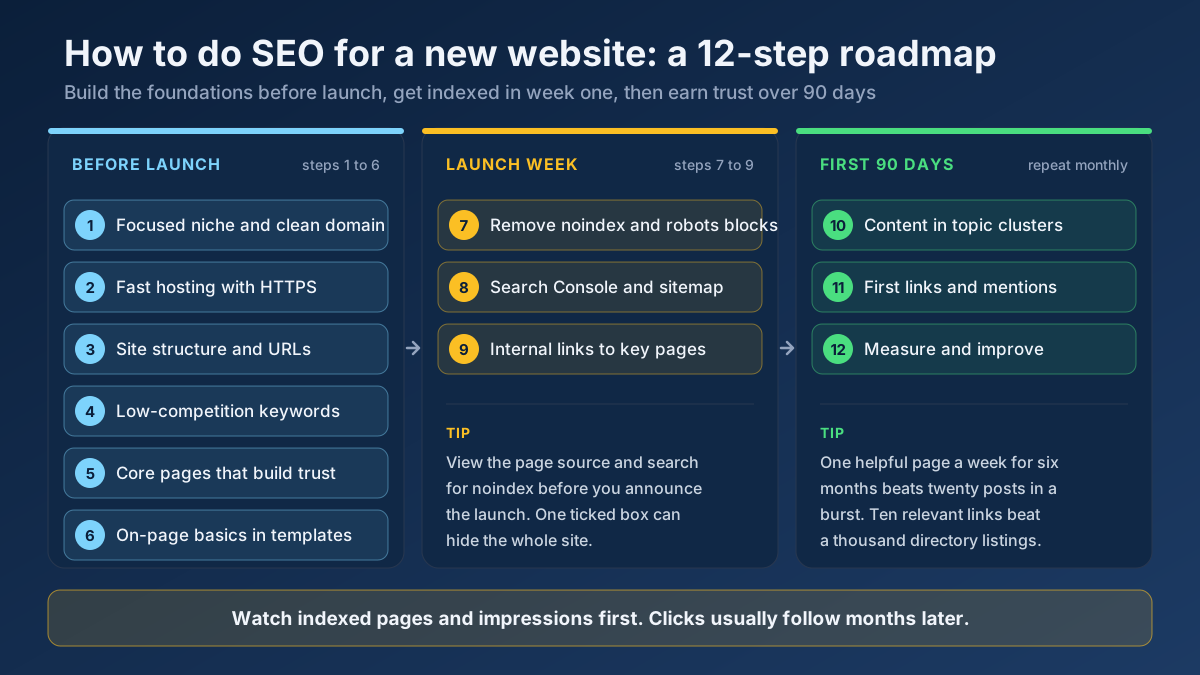 Technical SEO
Learn how to do SEO for a new website in 12 steps: what to set up before launch, how to get indexed in week one and how to earn traffic in the first 90 days.
Read article →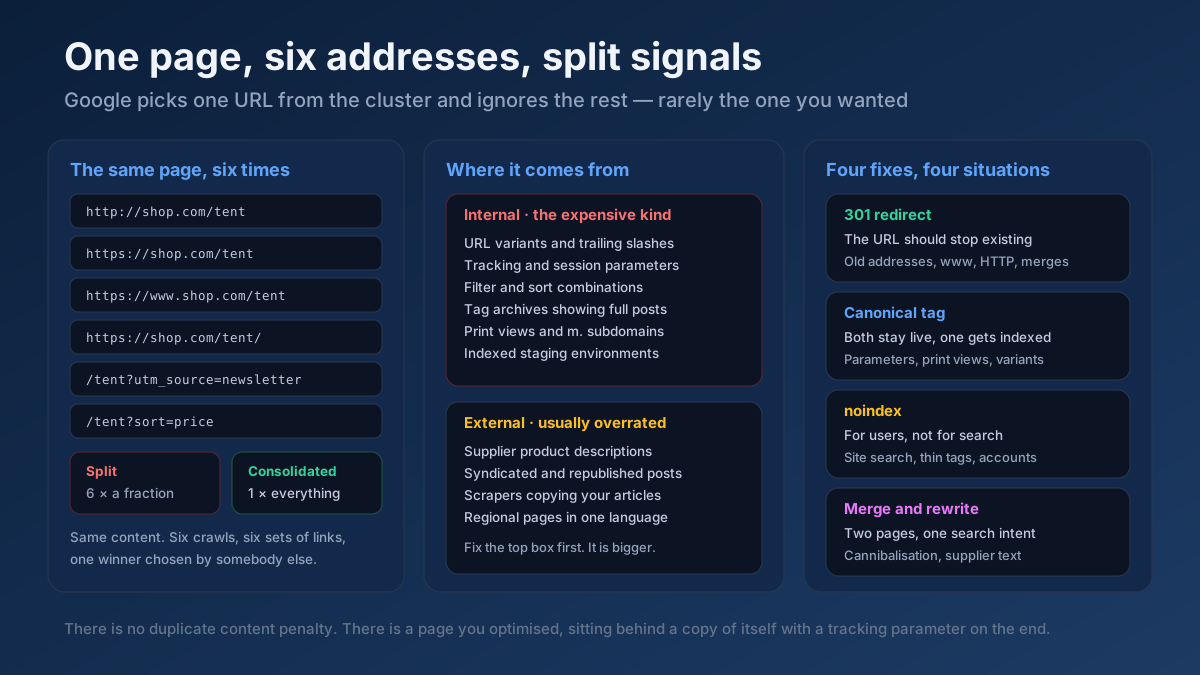 Technical SEO
How to fix duplicate content issues in 9 steps: find every duplicate URL, choose between a canonical, a 301 and noindex, and stop the problem returning.
Read article →Crawlability, indexability, speed and structured data — the technical foundations that let your content rank.
Read article →Resolve a domain/IP and get real geolocation, ISP, ASN and hosting organization data.
Open tool →Check an IP address or a domain against 70+ DNS blacklists (Spamhaus ZEN and DBL, Barracuda, SpamCop, URIBL, SURBL, UCEPROTECT…) queried from our own resolver: clean, listed or could-not-check per list, a reputation score and delisting links.
Open tool →IPv4 and IPv6 subnet calculator: network and broadcast address, first and last host, host count, netmask, wildcard, binary view, address type and reverse DNS zone — plus splitting a range into smaller subnets. Runs in your browser.
Open tool →See the public IP address websites see for you, with its location, ISP, connection type (home, mobile, datacenter or VPN), proxy header leaks, WebRTC leaks and time zone match.
Open tool →Query live A, AAAA, MX, NS, TXT, CNAME, SOA and SRV records for any domain.
Open tool →Retrieve real domain registration data: registrar, creation/expiry dates, name servers and status.
Open tool →