Google Chose Different Canonical Than User? Fix It
Fix “Duplicate, Google chose different canonical than user” in Search Console: why Google ignores your canonical tag and 9 steps to align every signal.
Read article →Check an IP address or a domain against 70+ DNS blacklists (Spamhaus ZEN and DBL, Barracuda, SpamCop, URIBL, SURBL, UCEPROTECT…) queried from our own resolver: clean, listed or could-not-check per list, a reputation score and delisting links.
Fetching live data…
The IP Blacklist Checker tells you whether an IP address or a domain appears on DNS blacklists (DNSBLs, also called RBLs) — the lists that mail servers, firewalls and spam filters consult before they accept a message or a connection. Enter an IP, a domain or a URL, or leave the field empty to check your own address, and more than 70 lists are queried at once, including Spamhaus ZEN and DBL, Barracuda, SpamCop, UCEPROTECT, URIBL and SURBL.
10.113.0.203.zen.spamhaus.org for 203.0.113.10. Domain lists such as Spamhaus DBL, URIBL and SURBL are asked about the domain itself.A single listing on a major blacklist can send every e-mail from a server to spam or get it rejected outright — order confirmations, password resets and newsletters included. Shared hosting and cloud addresses often inherit a bad reputation from a previous user. Domain listings hurt even more: a domain on Spamhaus DBL or URIBL is flagged wherever it appears in a message, whichever server sends it. Checking before you launch a mail server, after moving hosts, or when deliverability suddenly drops saves days of guessing.
If a major list shows the address, find the cause before asking for removal: an infected computer, an open relay, a hacked contact form or a compromised mailbox will get you listed again within hours. Then make sure the IP has a reverse DNS name that matches your mail server and that the domain publishes SPF, DKIM and DMARC — check them with the SPF, DKIM & DMARC Checker. Follow each list’s delisting link; many lists expire entries on their own once the abuse stops. Use IP & Geolocation Lookup to see who owns the address and its network.
The list did not give a usable answer: it timed out, returned an error, sent a refusal code, or failed to answer its own test entry. Such lists are counted neither as clean nor as listed, so the result never looks better or worse than what the lists really said.
No. The PBL lists end-user ranges that should not send mail directly to other servers; your provider asked for it. Mail sent through your provider’s or mail service’s servers is not affected. It only matters if you run a mail server on that connection.
Check whenever you set up a new mail server, change hosting, or notice bounces or a drop in opens. Results are cached for 15 minutes, so check again later to confirm a removal has taken effect.
Guides, tips and tutorials hand-picked for this tool — go from running a check to actually fixing it.
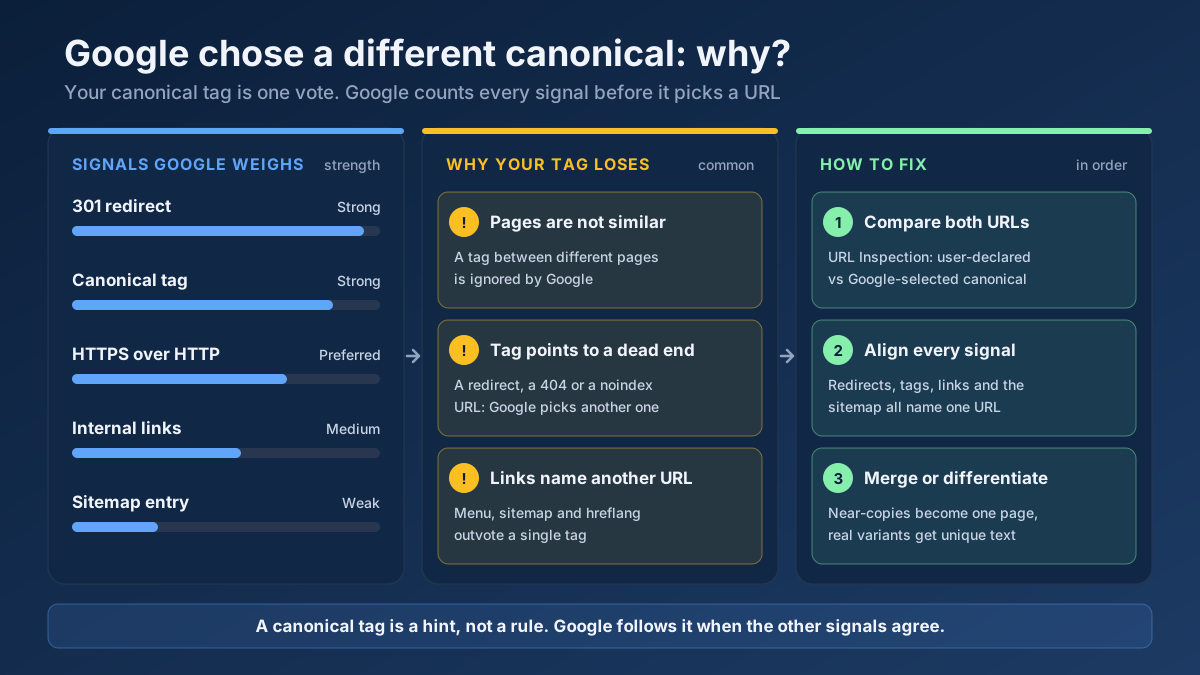 Technical SEO
Fix “Duplicate, Google chose different canonical than user” in Search Console: why Google ignores your canonical tag and 9 steps to align every signal.
Read article →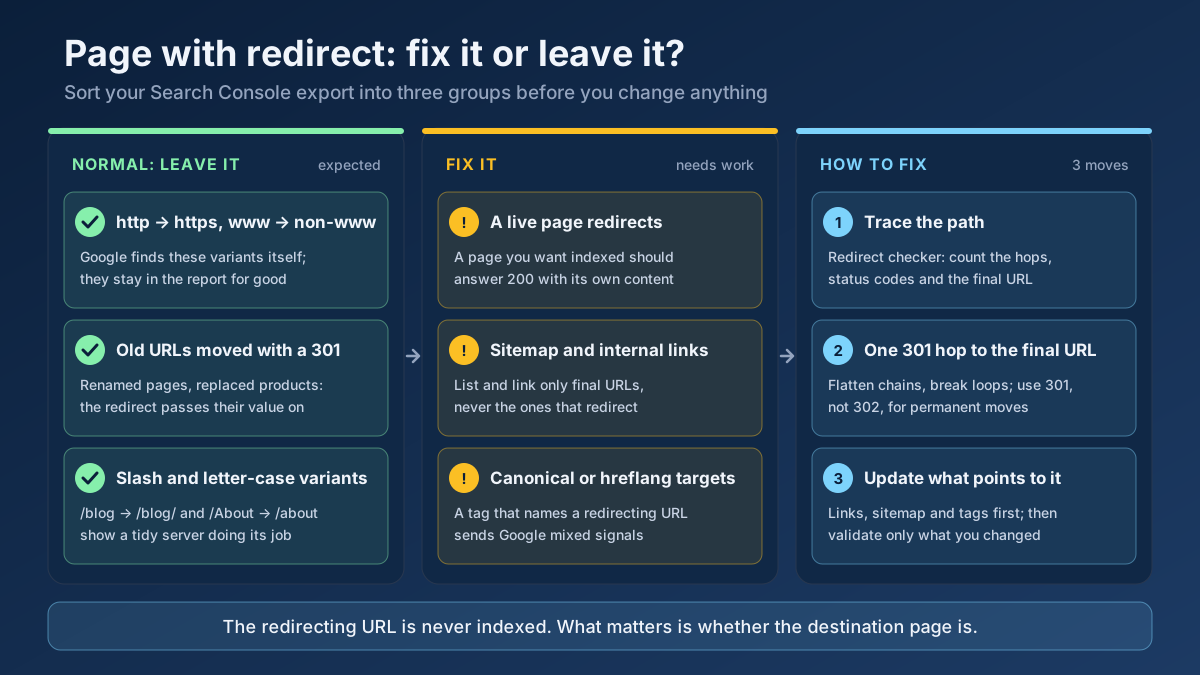 Technical SEO
How to fix Page with redirect in Google Search Console: when to ignore it, when it blocks indexing, and 8 steps to clean up redirects, chains and sitemaps.
Read article →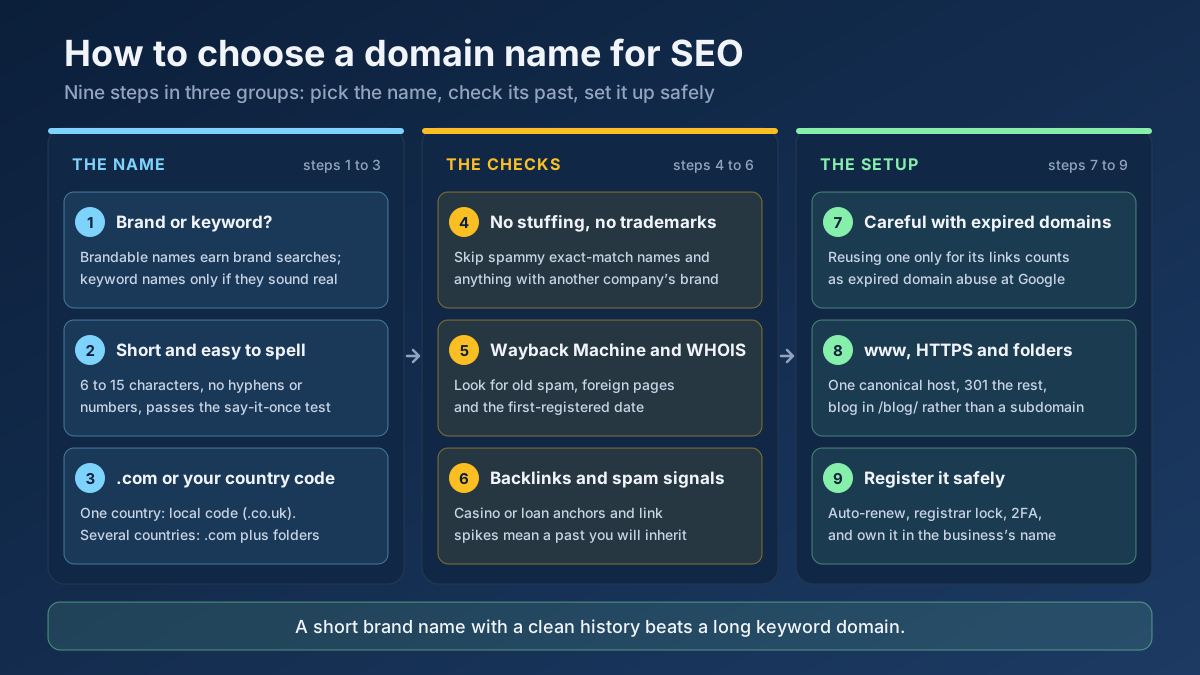 Technical SEO
How to choose a domain name for SEO: brand vs keyword names, the best extension, how to check a domain’s history and when an expired domain becomes a risk.
Read article →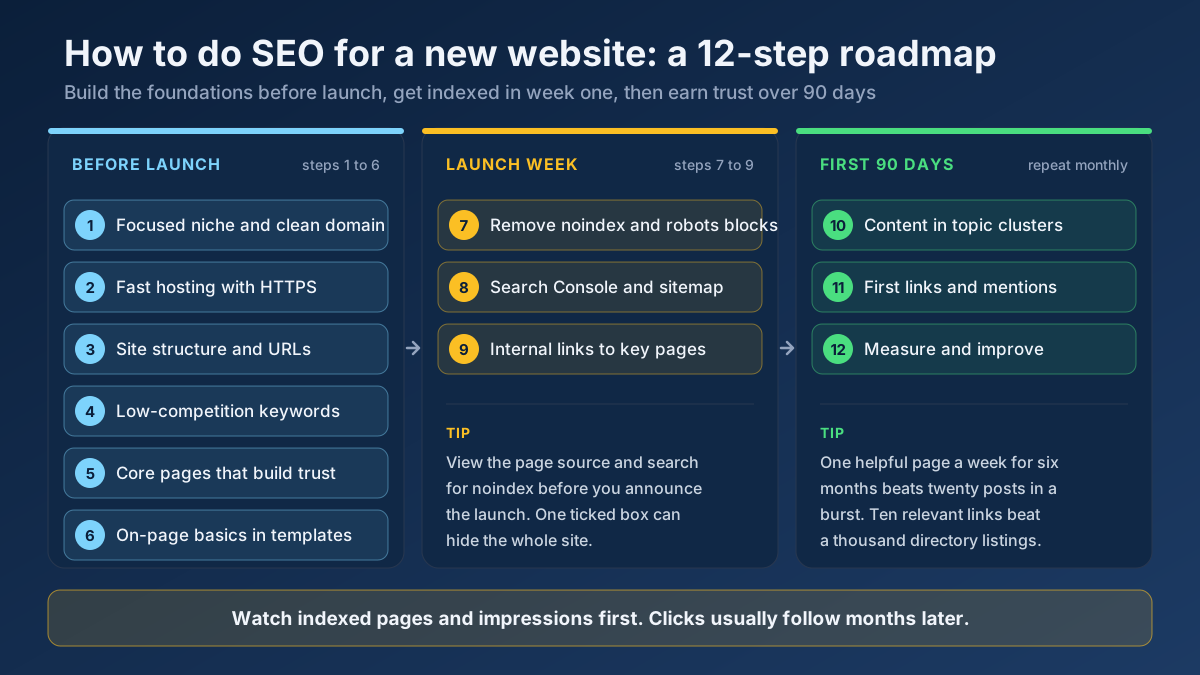 Technical SEO
Learn how to do SEO for a new website in 12 steps: what to set up before launch, how to get indexed in week one and how to earn traffic in the first 90 days.
Read article →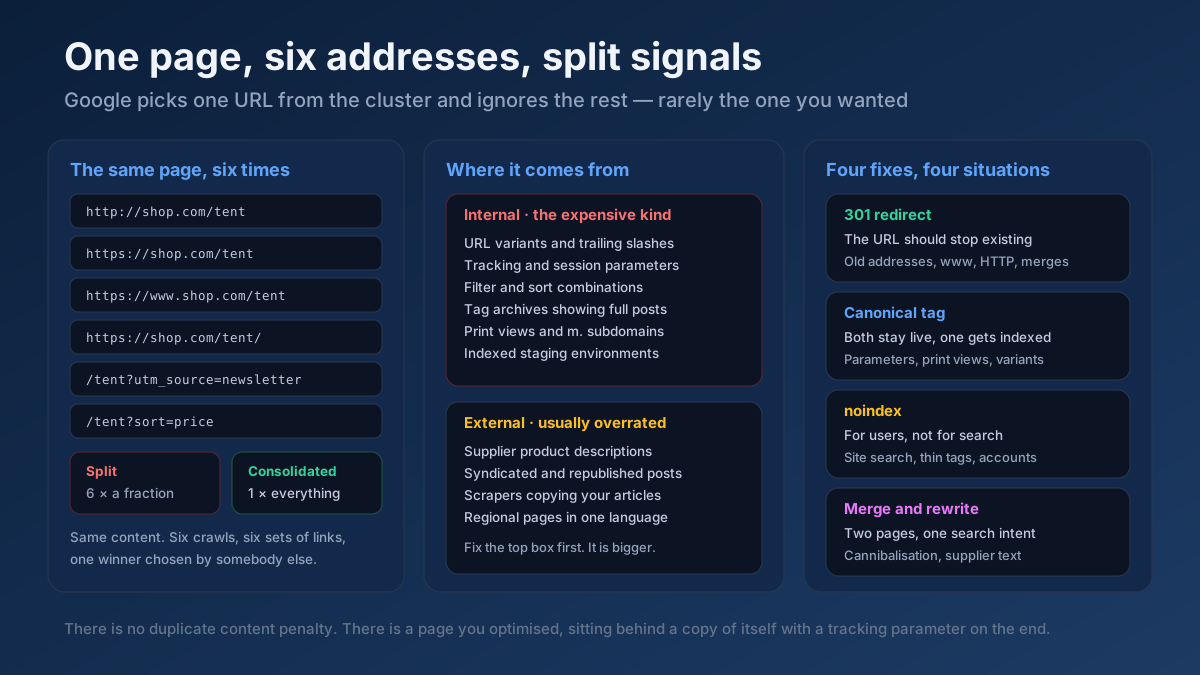 Technical SEO
How to fix duplicate content issues in 9 steps: find every duplicate URL, choose between a canonical, a 301 and noindex, and stop the problem returning.
Read article →Crawlability, indexability, speed and structured data — the technical foundations that let your content rank.
Read article →Resolve a domain/IP and get real geolocation, ISP, ASN and hosting organization data.
Open tool →Check a domain’s email authentication from live DNS: the SPF record with a recursive count of its 10 DNS lookups and the all qualifier, duplicate SPF records, DMARC policy (p=, rua=, pct=) and DKIM keys found on common selectors with their key length.
Open tool →Find which network (autonomous system) an IP address or domain belongs to — AS number, holder, country and the announced range — or enter an AS number to list every IPv4 and IPv6 block it announces. Free routing data, updated weekly.
Open tool →See the public IP address websites see for you, with its location, ISP, connection type (home, mobile, datacenter or VPN), proxy header leaks, WebRTC leaks and time zone match.
Open tool →Query live A, AAAA, MX, NS, TXT, CNAME, SOA and SRV records for any domain.
Open tool →Check whether ports on your own connection are open to the internet: up to 10 TCP ports per run (80, 443, 22, 3389, 25565, 27015…) tested from our server with a 3-second timeout and reported as open, closed or filtered. Only your own IP can be tested.
Open tool →