Google Chose Different Canonical Than User? Fix It
Fix “Duplicate, Google chose different canonical than user” in Search Console: why Google ignores your canonical tag and 9 steps to align every signal.
Read article →Check a domain’s email authentication from live DNS: the SPF record with a recursive count of its 10 DNS lookups and the all qualifier, duplicate SPF records, DMARC policy (p=, rua=, pct=) and DKIM keys found on common selectors with their key length.
Fetching live data…
The SPF, DKIM & DMARC Checker reads a domain's email authentication records from live DNS and tells you whether they work. It counts the SPF record's DNS lookups recursively against the limit of 10, checks the all qualifier, looks for DKIM keys on common selectors and measures their length, and explains the DMARC policy, with a score and concrete fixes.
example.com. You can paste a URL or an email address too; the tool keeps only the domain. If you know your DKIM selector, add it (several can be separated by commas).include: and redirect=, counting each DNS lookup the way receiving servers do._dmarc. plus your domain, and falls back to the organizational domain for subdomains.selector._domainkey. plus your domain, then reads each key's type and bit length.v=spf1. Two records cause a permanent error, so neither one is used.include, a, mx, ptr, exists and redirect each cost one DNS lookup, and nested includes add up. More than 10 means SPF fails at the receiver.mx terms with more than 10 hosts.-all (fail) and ~all (softfail) are fine; ?all is neutral and weak; +all lets anyone send as you. The deprecated ptr mechanism is flagged.p=), test mode and the provider behind a CNAME. 1024-bit keys are marked weak, 2048-bit and longer good.p= (none, quarantine, reject), sp=, pct=, reporting addresses (rua=, ruf=), alignment modes and whether an external report address is authorised.Email authentication decides whether your messages reach the inbox and whether others can send mail pretending to be you. Since February 2024 Google and Yahoo ask everyone who sends to their users to authenticate mail, and bulk senders to publish SPF, DKIM and a DMARC record (see the Google email sender guidelines). The rules themselves are written down in RFC 7208 (SPF) and RFC 7489 (DMARC). Most problems are quiet ones: an SPF record that grew past 10 lookups when a new tool was added, a second SPF record created by a hosting panel, or a DMARC policy left on p=none for years. None of them show up until mail starts going missing. Email is not a Google ranking factor, but password resets, order confirmations and newsletters that land in spam cost you customers all the same.
v=spf1, all the include and ip4 terms together, and one ~all or -all at the end.a and mx with ip4: ranges where possible, or flatten includes and keep the list updated. The include tree shows which branch costs the most.DKIM-Signature: … s=selector; d=yourdomain. Enter that selector here. If there is no signature, turn on DKIM in your mail provider and publish the record it gives you.v=DMARC1; p=none; rua=mailto:dmarc@yourdomain, read the reports for a few weeks, fix legitimate senders, then switch to p=quarantine and finally p=reject.Email records are one part of a domain's health. The Website Security Checker covers HTTP security headers, the SSL Certificate Checker checks the certificate, and the WHOIS Lookup shows who controls the domain.
Not necessarily. DNS cannot list every selector a domain uses, so the tool can only try known names. Providers often use custom selectors. Look for the s= value in a sent message's DKIM-Signature header and enter it in the form to check that key.
Both are acceptable. -all tells receivers to reject unlisted servers, while ~all marks them as suspicious. With an enforcing DMARC policy the difference is small, and ~all is safer while you are still finding all your senders. ?all and +all give little or no protection.
Every include, a, mx, ptr, exists and redirect costs one lookup, including those inside included records. ip4, ip6 and all cost nothing. The tool follows the whole chain and shows the count for each branch of the include tree.
If a subdomain has no DMARC record of its own, receivers use the policy of the organizational domain (the sp= tag if present, otherwise p=). The tool does the same lookup and tells you which record applies.
Guides, tips and tutorials hand-picked for this tool — go from running a check to actually fixing it.
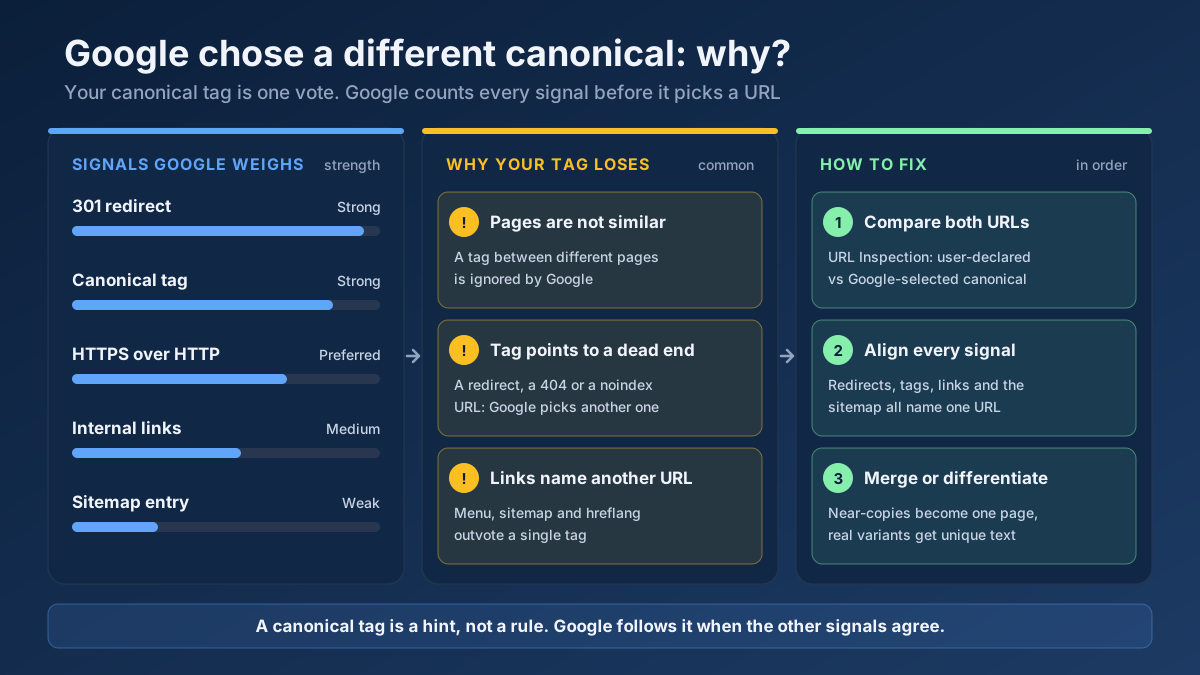 Technical SEO
Fix “Duplicate, Google chose different canonical than user” in Search Console: why Google ignores your canonical tag and 9 steps to align every signal.
Read article →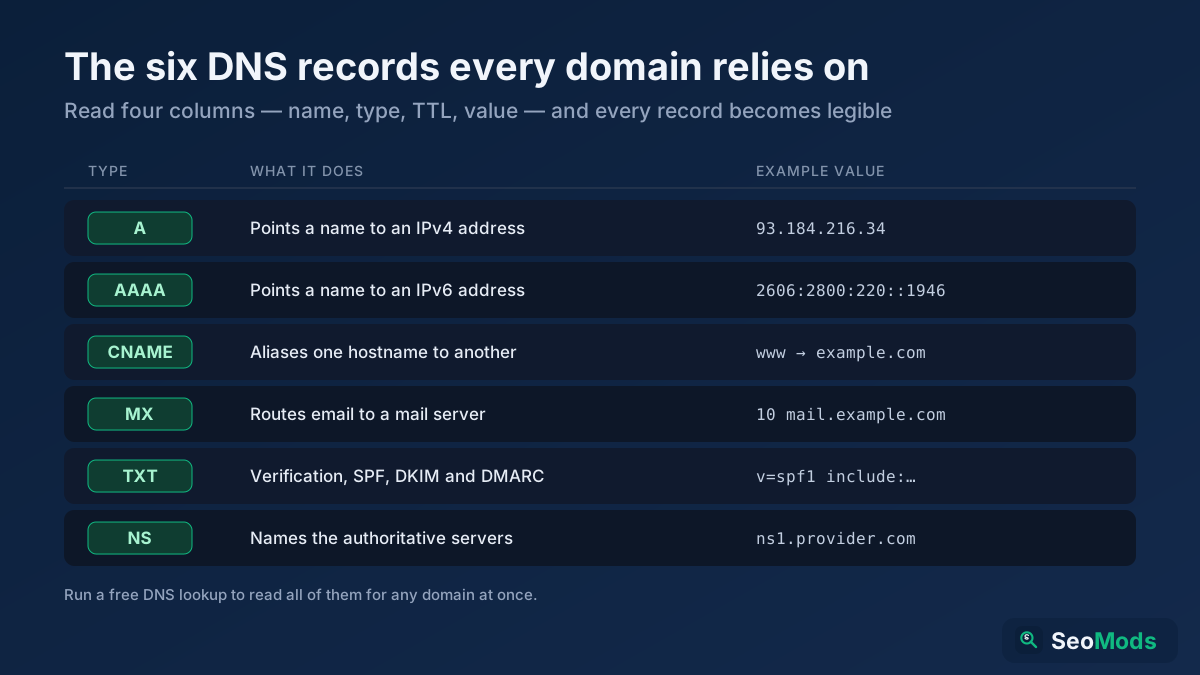 Technical SEO
DNS records are the hidden settings that route a domain's traffic, email and verification. Here is what A, AAAA, CNAME, MX, TXT and NS records do, how to read them, and how to check each one for free.
Read article →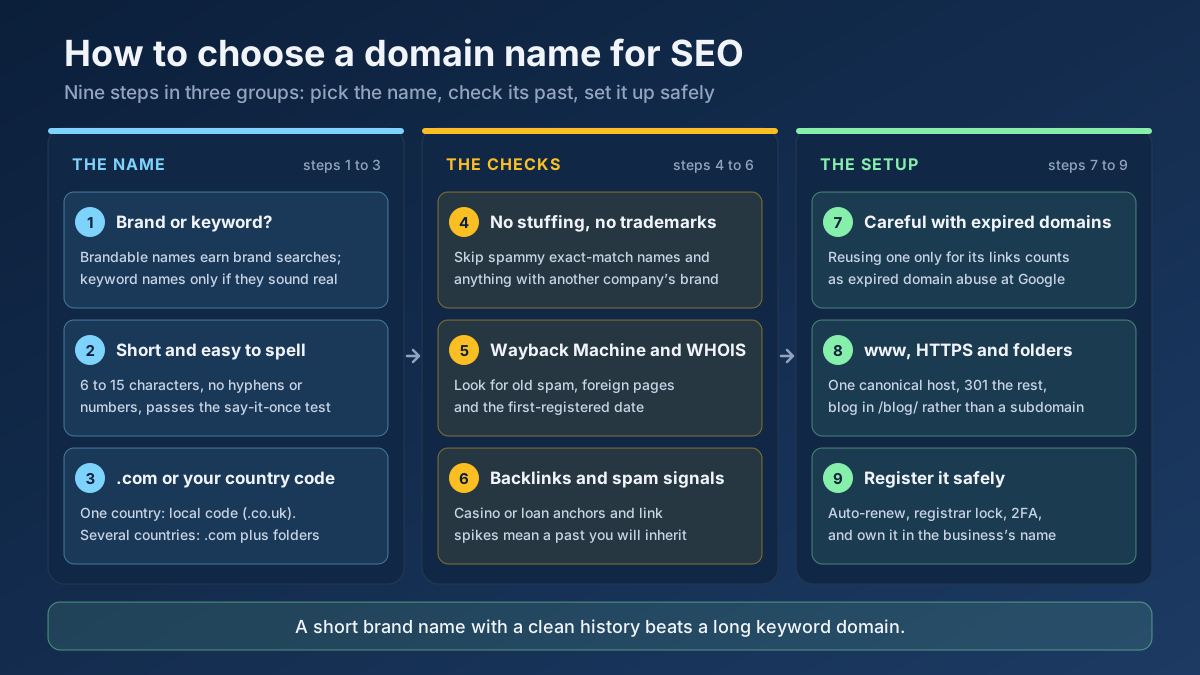 Technical SEO
How to choose a domain name for SEO: brand vs keyword names, the best extension, how to check a domain’s history and when an expired domain becomes a risk.
Read article →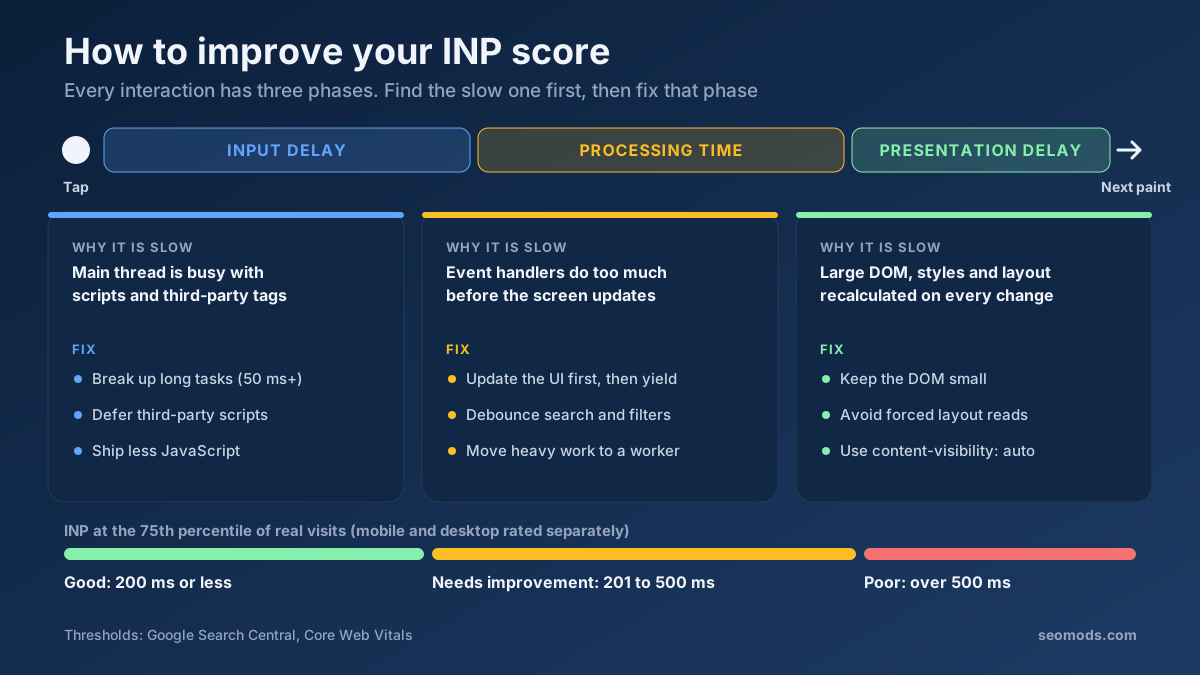 Performance
How to improve INP score: find the slow interaction, cut input delay, processing or presentation time, and pass the 200 ms Core Web Vitals threshold.
Read article →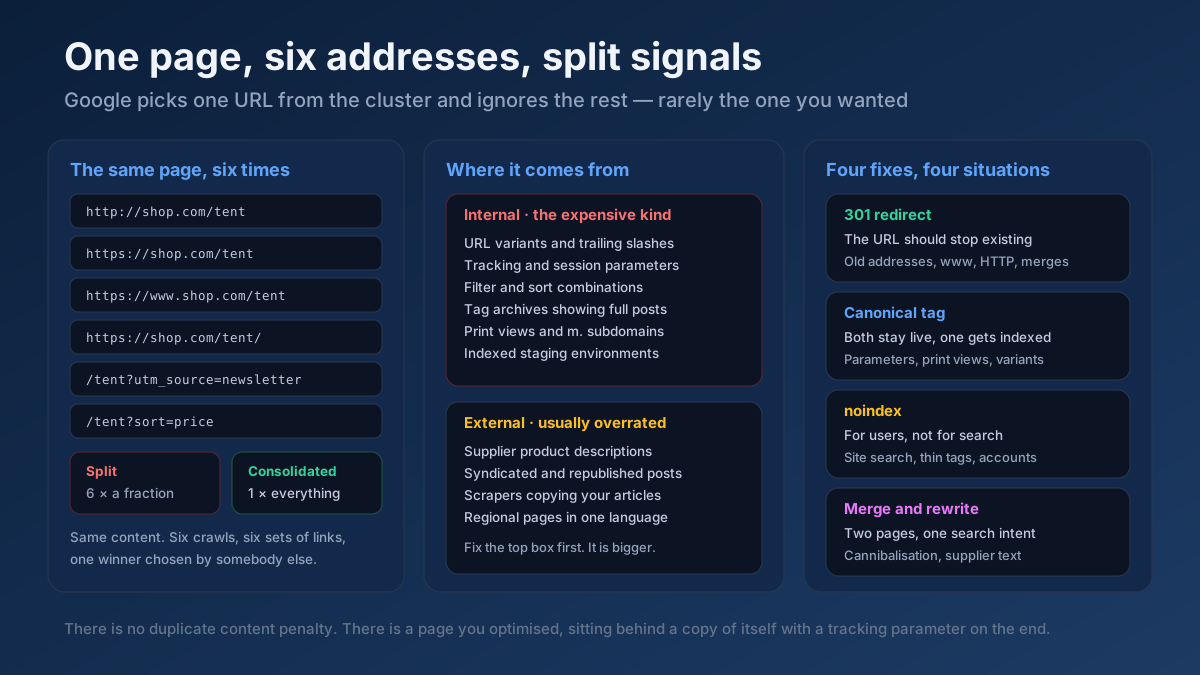 Technical SEO
How to fix duplicate content issues in 9 steps: find every duplicate URL, choose between a canonical, a 301 and noindex, and stop the problem returning.
Read article →Faster pages rank better and convert better. Here is a prioritized checklist that actually moves the needle.
Read article →Query live A, AAAA, MX, NS, TXT, CNAME, SOA and SRV records for any domain.
Open tool →Passive security scan of any website: HTTPS and TLS, HSTS, CSP and other security headers, exposed .env / .git / phpinfo files, cookie flags, mixed content, version leaks and the PHP2Shell (CVE-2026-109618 / CVE-2026-109619) PHP version check.
Open tool →Retrieve real domain registration data: registrar, creation/expiry dates, name servers and status.
Open tool →Inspect the live TLS certificate: issuer, validity dates, days remaining and SAN domains.
Open tool →View raw response headers, server software, caching, security headers and content type of any URL.
Open tool →Find out what a website is built with: CMS, e-commerce platform, JavaScript framework, CDN, analytics, tag managers, server and programming language, detected from the HTML, HTTP headers and cookies with version numbers and a confidence level for each match.
Open tool →