Google Chose Different Canonical Than User? Fix It
Fix “Duplicate, Google chose different canonical than user” in Search Console: why Google ignores your canonical tag and 9 steps to align every signal.
Read article →See how recognisable your browser is without cookies: user agent, language, time zone, screen, CPU cores, memory, touch, cookies and Do Not Track, canvas and WebGL hashes, installed fonts and an audio fingerprint, with a simple uniqueness score. Runs in your browser; nothing is stored.
Fetching live data…
The Browser Fingerprint Test shows what any website can learn about your browser without cookies, logins or permission prompts, and how easily those details single you out. Ad networks and anti-fraud scripts combine dozens of small signals — screen size, time zone, fonts, graphics card, the way your browser draws text — into a fingerprint that often stays the same even after you clear cookies or open a private window. Everything is computed inside your browser; nothing is sent to our server or stored.
A fingerprint works where cookies fail: it survives private browsing, cookie deletion and, if only the IP changes, a VPN as well. Sites use it to recognise returning visitors, link accounts, score fraud risk and decide when to show a CAPTCHA. If you test ads, run several accounts, check search results from other countries or just value privacy, it helps to know how much your browser gives away. For the network side, run the WebRTC Leak Test and check your address with What Is My IP?.
The aim is to look like many other people, not to look unusual. Firefox with Enhanced Tracking Protection set to Strict, or with privacy.resistFingerprinting on, reports standard values. Brave randomises canvas, WebGL and audio results on every site. Tor Browser makes all its users look the same. Avoid rare fonts, extensions and settings, since every rare value narrows the crowd. Run the test again after each change and watch the score and the canvas line.
No. The test is a script in your browser; it does not send the results anywhere, and the page does not set a tracking cookie for it. Because we keep no database, the score is an estimate based on typical values from public fingerprinting research rather than a comparison with other visitors.
That usually means your browser protects you: Brave, Firefox with fingerprinting protection, and Safari add small random noise to canvas or audio results, so the hashes change between visits. That is good — a fingerprint that changes cannot follow you.
Hardly. Private mode clears cookies and history when you close it, but your screen, fonts, GPU and time zone stay the same, so most of the fingerprint does too. See your raw user agent string with What's My User Agent.
Guides, tips and tutorials hand-picked for this tool — go from running a check to actually fixing it.
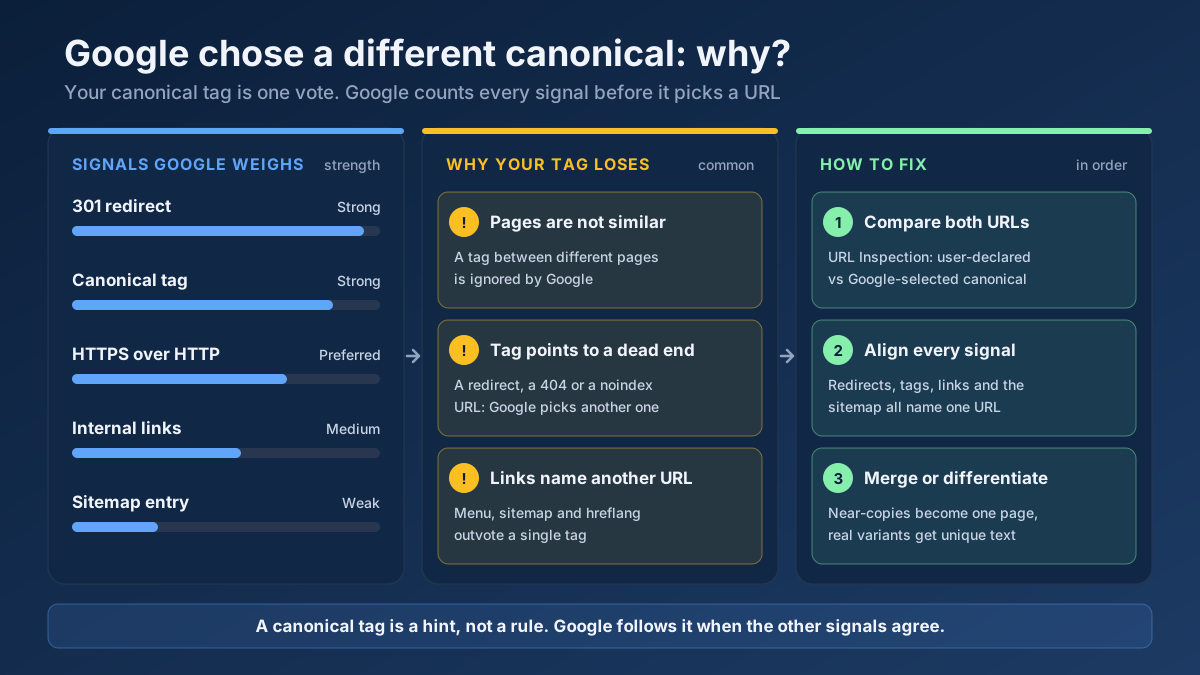 Technical SEO
Fix “Duplicate, Google chose different canonical than user” in Search Console: why Google ignores your canonical tag and 9 steps to align every signal.
Read article →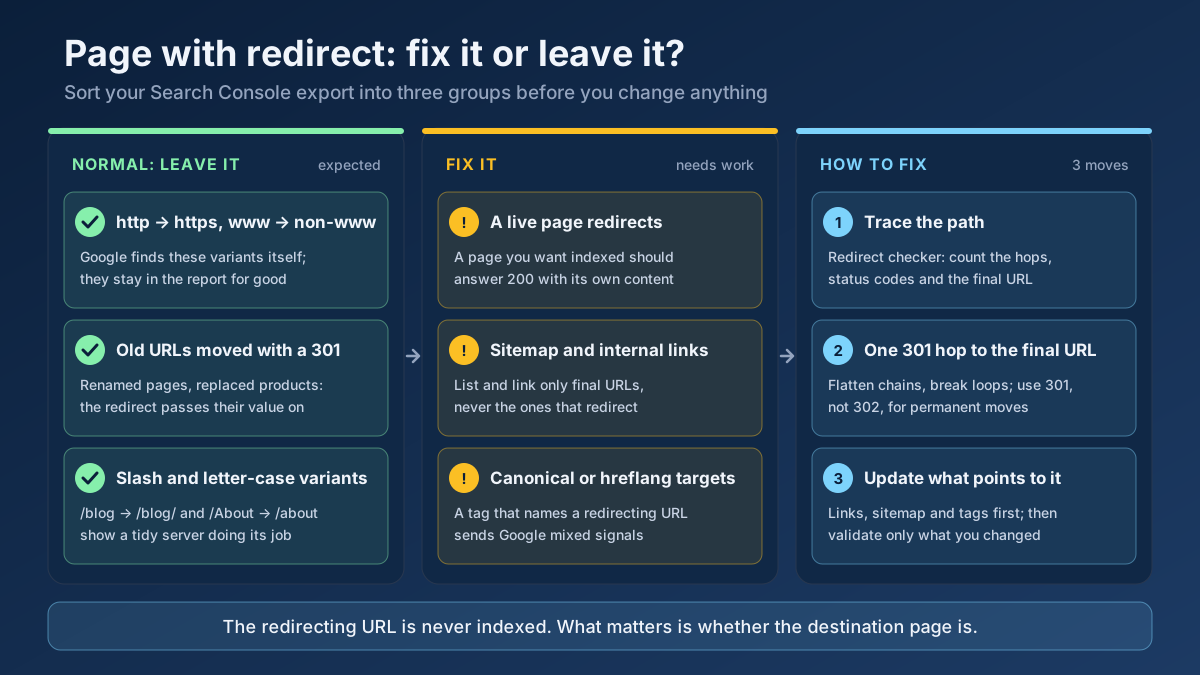 Technical SEO
How to fix Page with redirect in Google Search Console: when to ignore it, when it blocks indexing, and 8 steps to clean up redirects, chains and sitemaps.
Read article →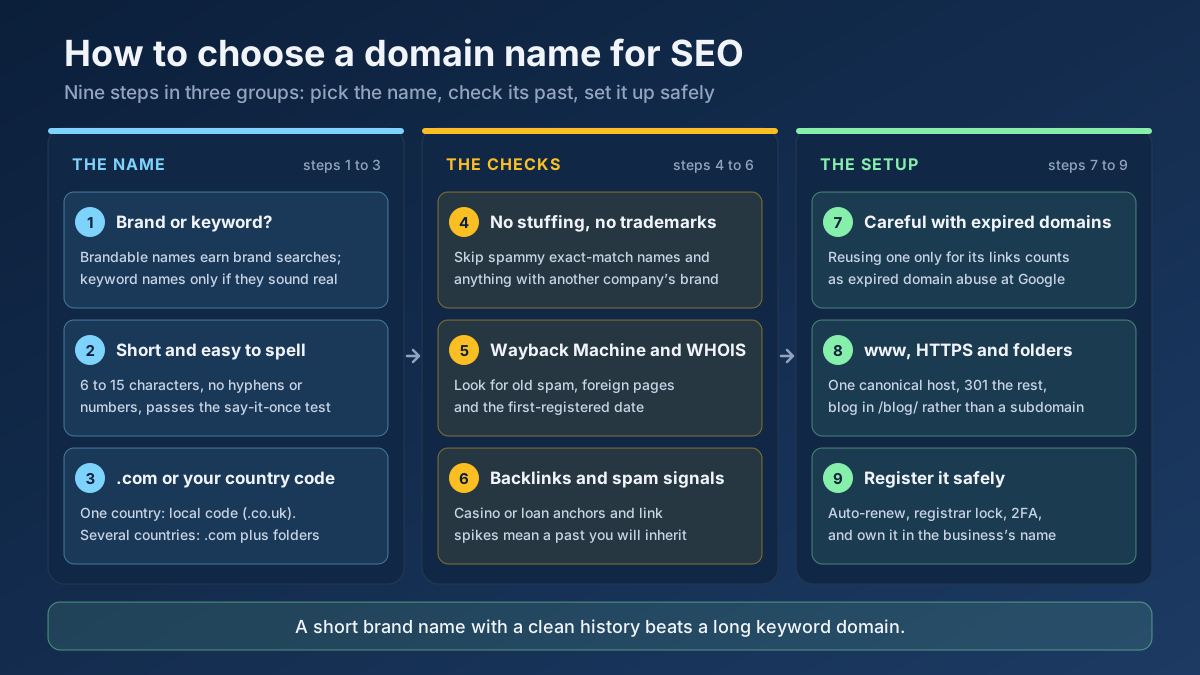 Technical SEO
How to choose a domain name for SEO: brand vs keyword names, the best extension, how to check a domain’s history and when an expired domain becomes a risk.
Read article →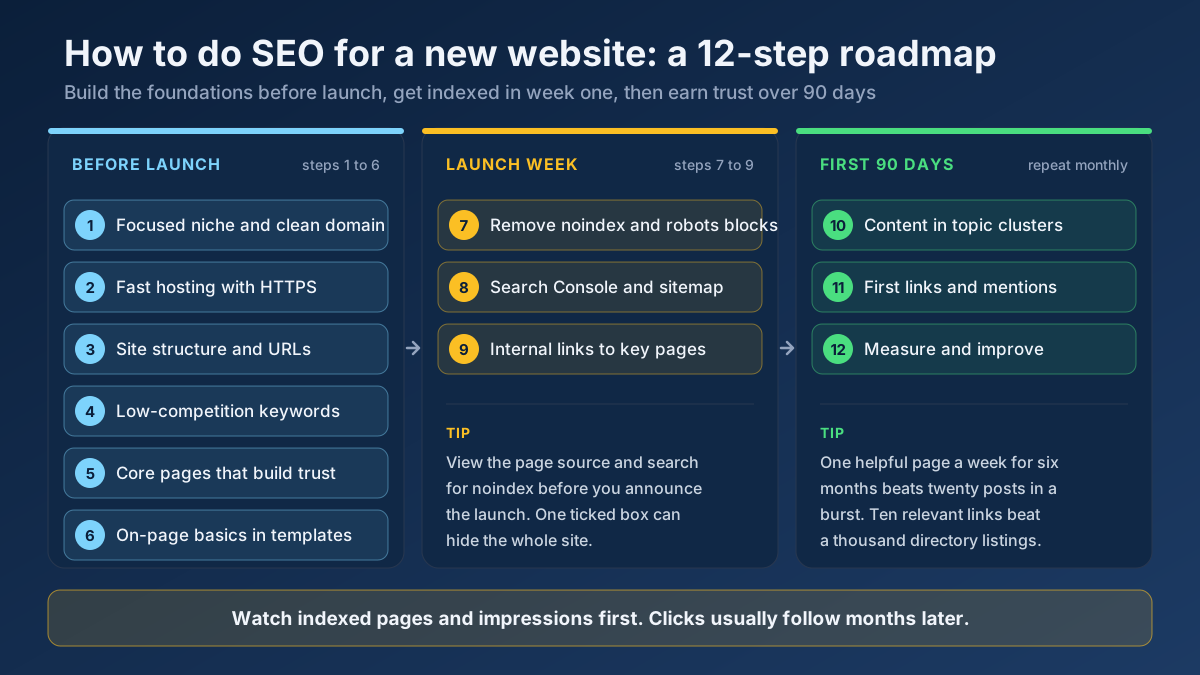 Technical SEO
Learn how to do SEO for a new website in 12 steps: what to set up before launch, how to get indexed in week one and how to earn traffic in the first 90 days.
Read article →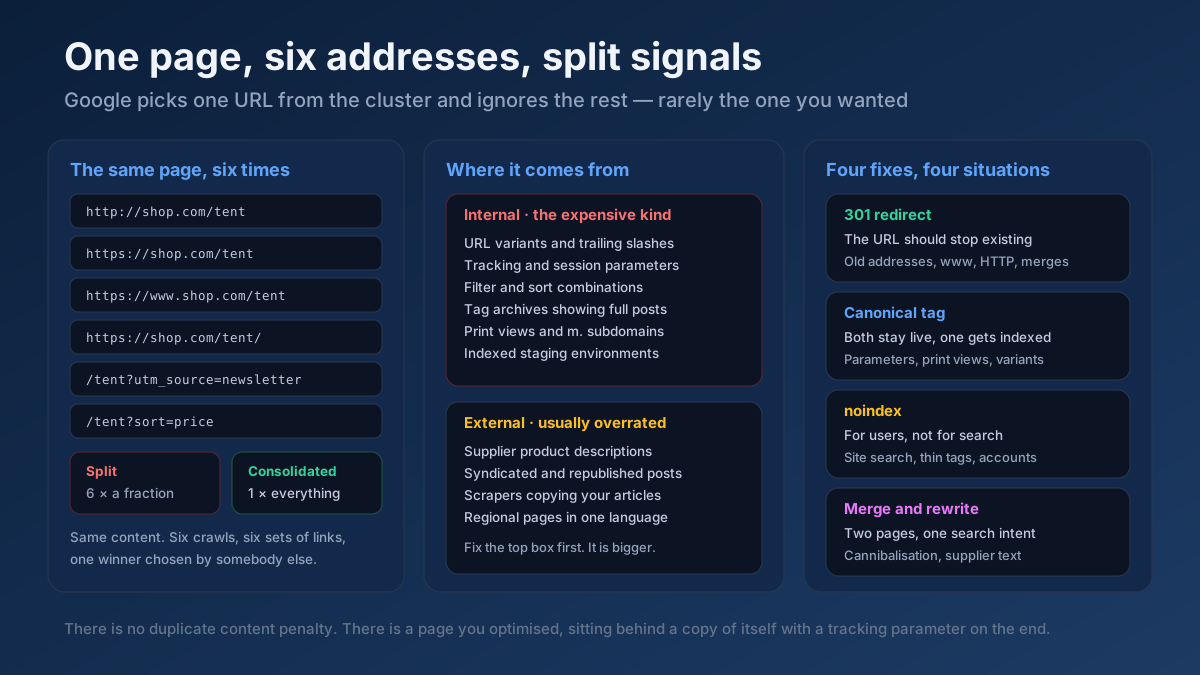 Technical SEO
How to fix duplicate content issues in 9 steps: find every duplicate URL, choose between a canonical, a 301 and noindex, and stop the problem returning.
Read article →Crawlability, indexability, speed and structured data — the technical foundations that let your content rank.
Read article →Find out whether your browser reveals your real IP address through WebRTC, even behind a VPN or proxy: local, public and mDNS candidates gathered via a STUN server, compared with the address our server sees, plus a separate IPv6 leak check and a guide to turning WebRTC off.
Open tool →Show your browser’s user agent string with one-click copy, parsed into browser, version, engine, operating system and device type, plus the real values from Client Hints that the frozen string hides. Runs in your browser.
Open tool →See the public IP address websites see for you, with its location, ISP, connection type (home, mobile, datacenter or VPN), proxy header leaks, WebRTC leaks and time zone match.
Open tool →Open this page through your proxy to see what websites receive: the connecting IP and every proxy header (X-Forwarded-For, Via, Forwarded, X-Real-IP, Proxy-Connection…), classified as transparent, anonymous or elite. Or enter a proxy and test it from our server.
Open tool →Resolve a domain/IP and get real geolocation, ISP, ASN and hosting organization data.
Open tool →Check an IP address or a domain against 70+ DNS blacklists (Spamhaus ZEN and DBL, Barracuda, SpamCop, URIBL, SURBL, UCEPROTECT…) queried from our own resolver: clean, listed or could-not-check per list, a reputation score and delisting links.
Open tool →