Google Chose Different Canonical Than User? Fix It
Fix “Duplicate, Google chose different canonical than user” in Search Console: why Google ignores your canonical tag and 9 steps to align every signal.
Read article →Find out whether your browser reveals your real IP address through WebRTC, even behind a VPN or proxy: local, public and mDNS candidates gathered via a STUN server, compared with the address our server sees, plus a separate IPv6 leak check and a guide to turning WebRTC off.
Fetching live data…
The WebRTC Leak Test checks whether your browser gives away your real IP address through WebRTC, the technology behind video calls in the browser. Any web page can ask WebRTC for the addresses of your device with a few lines of JavaScript — no permission prompt — and if one of them is your home address while a VPN or proxy is on, the VPN does not hide you. The test runs entirely in your browser and compares what WebRTC reveals with the address our server sees.
stun:stun.l.google.com:19302) and collects every ICE candidate it offers: local addresses, the public address the STUN server saw, and hidden .local (mDNS) names..local names.WebRTC traffic does not always follow the browser’s proxy settings, and some VPN apps do not route it. A site that wants to unmask visitors — or simply a fraud-scoring script — can read the leaked address silently. If you use a VPN or proxy to see another country’s search results, test geo-targeting or keep your location private, a WebRTC leak quietly undoes all of it.
Chrome has no built-in switch. Install Google’s own WebRTC Network Limiter extension and choose “Use my proxy server (if present)”, or in uBlock Origin open Settings and tick Prevent WebRTC from leaking local IP addresses. On managed computers, the WebRtcIPHandling policy set to disable_non_proxied_udp does the same. Also turn on your VPN app’s WebRTC protection if it has one.
about:config in the address bar and accept the warning.media.peerconnection.enabled and set it to false to switch WebRTC off completely.media.peerconnection.ice.default_address_only and media.peerconnection.ice.no_host to true.Open Settings → Privacy and security → WebRTC IP handling policy and pick Disable non-proxied UDP. WebRTC then only uses the proxy or VPN path and cannot reveal your real address.
Safari hides local addresses by default and only exposes candidates after a page has camera or microphone access. Keep it that way: on macOS do not enable Develop → WebRTC → Disable ICE Candidate Restrictions, and deny camera and microphone to sites you do not trust. Run this test again after changing any setting.
Not of your location: private addresses are reused in millions of homes and do not identify you on their own. They do add to your browser fingerprint, though, so browsers now hide them behind mDNS names. Only a public address different from the one websites see is a real leak.
No. The candidates are gathered and compared inside your browser and nothing from the WebRTC part is sent to our server. Our server only reports the address your request arrived from, which every website sees anyway.
Yes. Without a VPN or proxy the address WebRTC shows is the same one websites see, so nothing extra is revealed. The test is meaningful when a VPN or proxy is on: then any different public address is your real one. Check the rest of your connection with What Is My IP? and Proxy Anonymity Test.
Working proxies, re-tested every 30 minutes and filterable by country, protocol and anonymity: Free Proxy List
Guides, tips and tutorials hand-picked for this tool — go from running a check to actually fixing it.
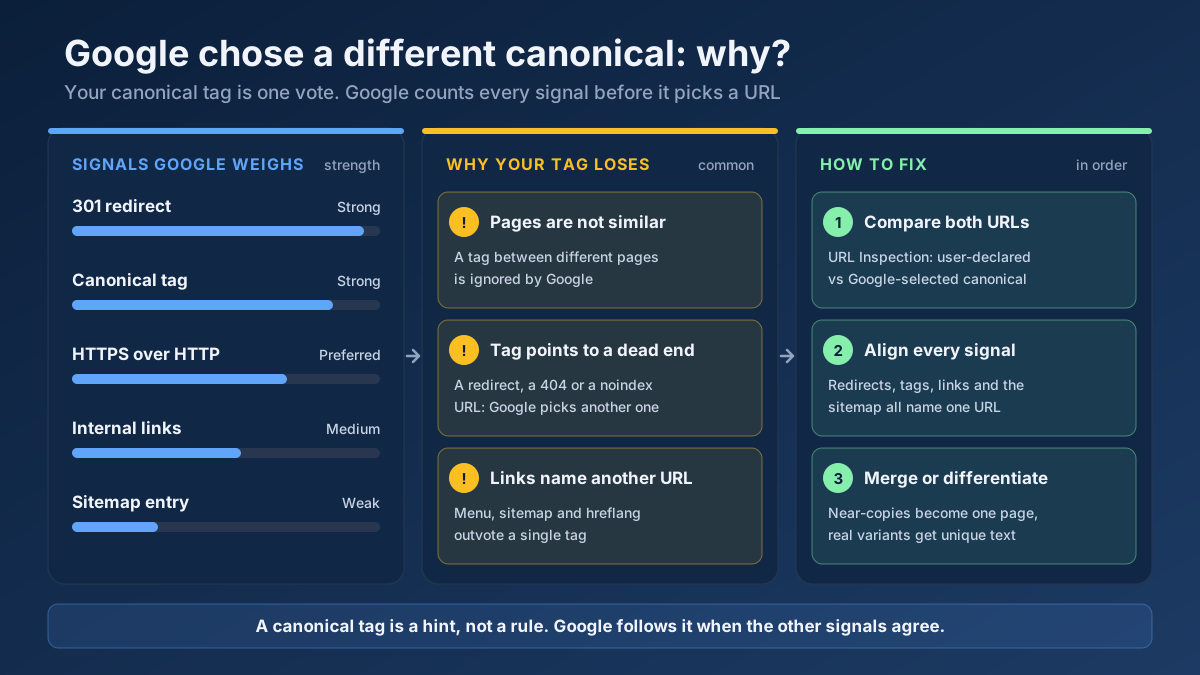 Technical SEO
Fix “Duplicate, Google chose different canonical than user” in Search Console: why Google ignores your canonical tag and 9 steps to align every signal.
Read article →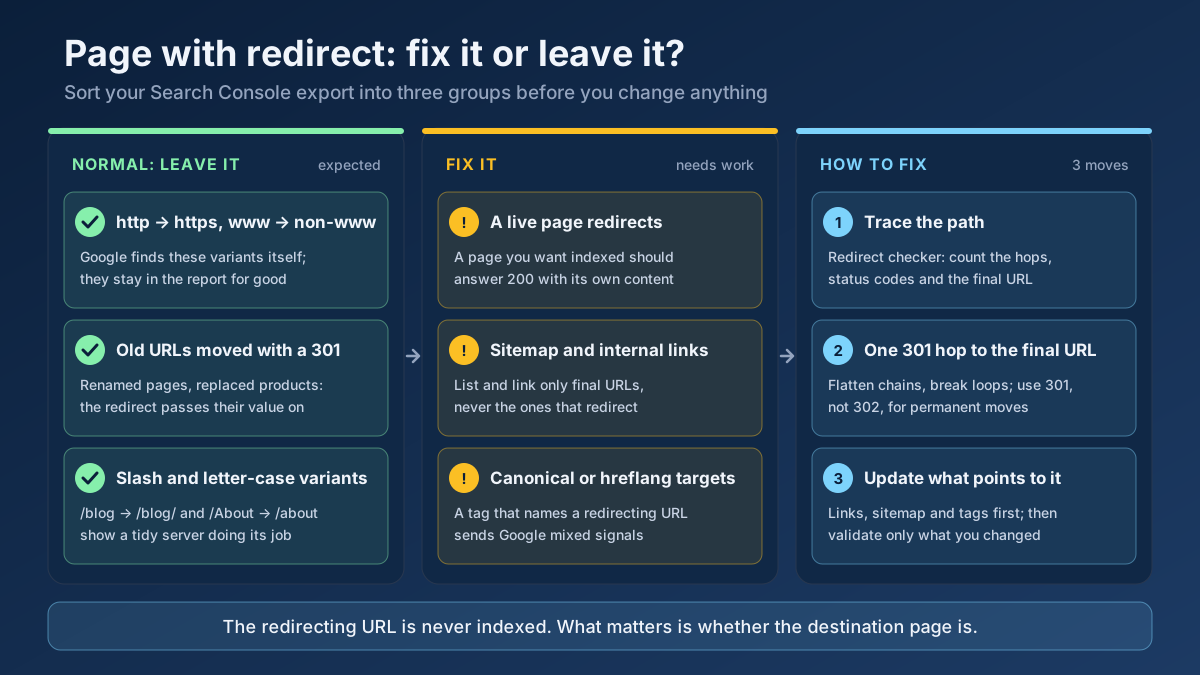 Technical SEO
How to fix Page with redirect in Google Search Console: when to ignore it, when it blocks indexing, and 8 steps to clean up redirects, chains and sitemaps.
Read article →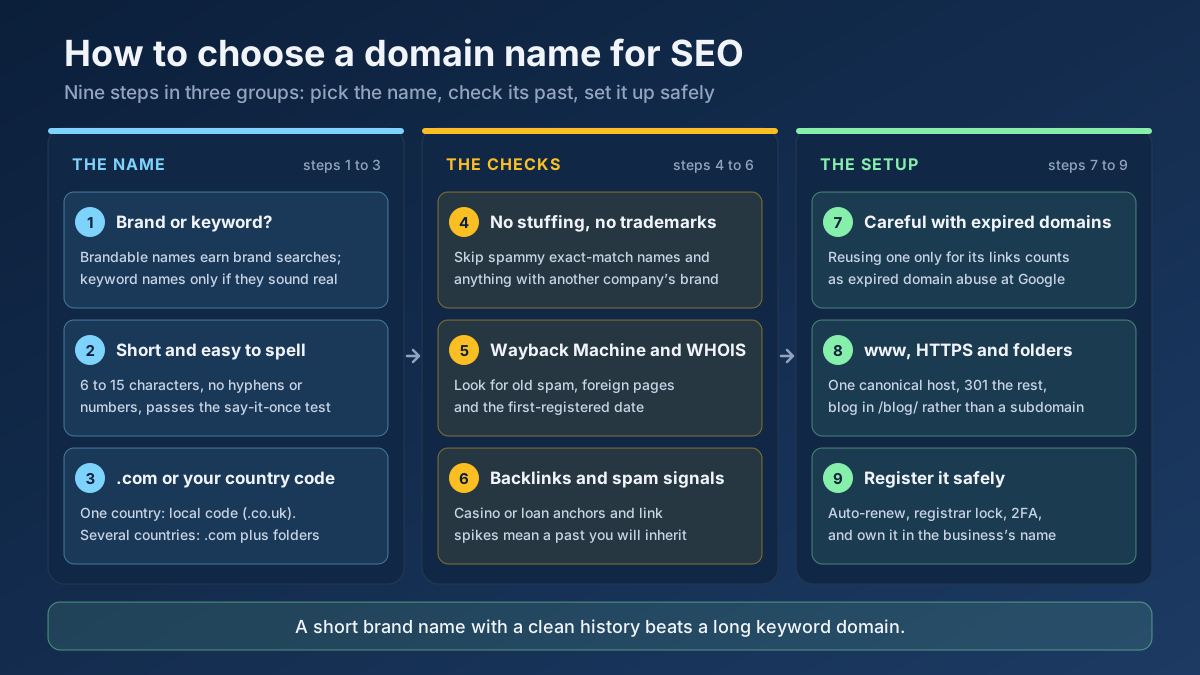 Technical SEO
How to choose a domain name for SEO: brand vs keyword names, the best extension, how to check a domain’s history and when an expired domain becomes a risk.
Read article →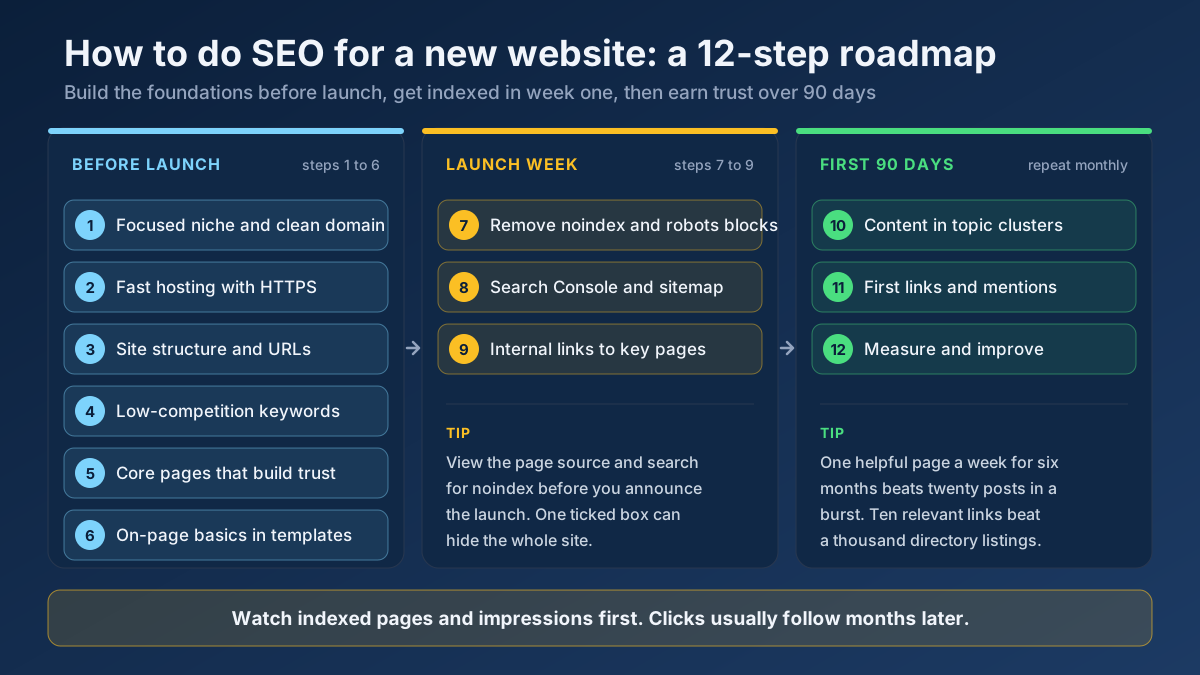 Technical SEO
Learn how to do SEO for a new website in 12 steps: what to set up before launch, how to get indexed in week one and how to earn traffic in the first 90 days.
Read article →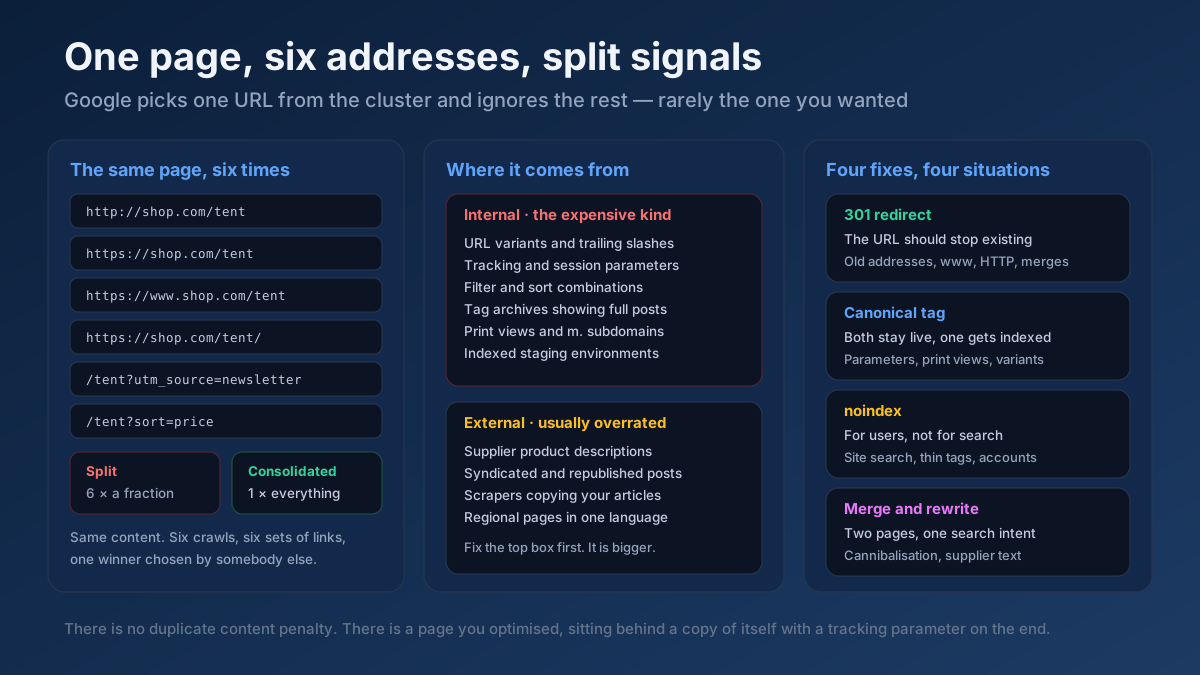 Technical SEO
How to fix duplicate content issues in 9 steps: find every duplicate URL, choose between a canonical, a 301 and noindex, and stop the problem returning.
Read article →Crawlability, indexability, speed and structured data — the technical foundations that let your content rank.
Read article →See the public IP address websites see for you, with its location, ISP, connection type (home, mobile, datacenter or VPN), proxy header leaks, WebRTC leaks and time zone match.
Open tool →Open this page through your proxy to see what websites receive: the connecting IP and every proxy header (X-Forwarded-For, Via, Forwarded, X-Real-IP, Proxy-Connection…), classified as transparent, anonymous or elite. Or enter a proxy and test it from our server.
Open tool →See how recognisable your browser is without cookies: user agent, language, time zone, screen, CPU cores, memory, touch, cookies and Do Not Track, canvas and WebGL hashes, installed fonts and an audio fingerprint, with a simple uniqueness score. Runs in your browser; nothing is stored.
Open tool →Test up to 20 HTTP, HTTPS or SOCKS proxies at once: whether each one works, its speed, exit IP and country, anonymity level (transparent, anonymous or elite) and whether Google answers through it.
Open tool →Show your browser’s user agent string with one-click copy, parsed into browser, version, engine, operating system and device type, plus the real values from Client Hints that the frozen string hides. Runs in your browser.
Open tool →Convert a proxy list between ip:port:user:pass, user:pass@ip:port and URL formats, or turn it into ready-to-paste curl, Python requests, Node.js, Puppeteer and Playwright settings. Runs in your browser.
Open tool →