Google Chose Different Canonical Than User? Fix It
Fix “Duplicate, Google chose different canonical than user” in Search Console: why Google ignores your canonical tag and 9 steps to align every signal.
Read article →Open this page through your proxy to see what websites receive: the connecting IP and every proxy header (X-Forwarded-For, Via, Forwarded, X-Real-IP, Proxy-Connection…), classified as transparent, anonymous or elite. Or enter a proxy and test it from our server.
Fetching live data…
The Proxy Anonymity Test shows exactly what a website receives when you visit it through a proxy: the IP address the connection comes from and every header a proxy may add, such as X-Forwarded-For, Via, Forwarded, X-Real-IP and Proxy-Connection. From that it rates the proxy as transparent, anonymous or elite. Open the page through your proxy and the answer appears on its own, or type a proxy address and our server tests it for you.
X-Forwarded-For; the site knows who you are and that a proxy is involved.Via or Proxy-Connection reveal that a proxy is in use.A proxy that forwards your real address gives you none of the privacy you expect, and one that announces itself is easy to block or to serve different content to. If you check rankings from other countries, test geo-targeted pages, scrape responsibly or simply want privacy, you need to know which kind you have. The same classification is used for every entry in our Free Proxy List, so the anonymity column there means the same thing as the verdict here.
Set the proxy in your browser or system, then reload this page and press the plain-HTTP button. Transparent proxies should not be used for anything private. Anonymous proxies are fine for basic geo checks but are often flagged. For the cleanest results choose elite proxies, then run the WebRTC Leak Test to make sure the browser itself does not leak your address. To test many proxies at once, use the Proxy Checker.
Over HTTPS the traffic is encrypted end to end, so a proxy can only tunnel it and cannot add headers. Header leaks happen on plain HTTP requests, which is why the test sends one through our endpoint and brings the signed result back to this page.
The proxy, including any username and password, is used only for a single test request and is never saved or logged; only the number of lines tested is recorded. Private and reserved addresses and common service ports are refused.
Headers are only one signal. Sites also check whether the IP belongs to a data centre, appears on proxy blacklists, or does not match your browser’s time zone and language. An elite rating means the proxy adds no traces of its own, not that its address is unknown.
Working proxies, re-tested every 30 minutes and filterable by country, protocol and anonymity: Free Proxy List
Guides, tips and tutorials hand-picked for this tool — go from running a check to actually fixing it.
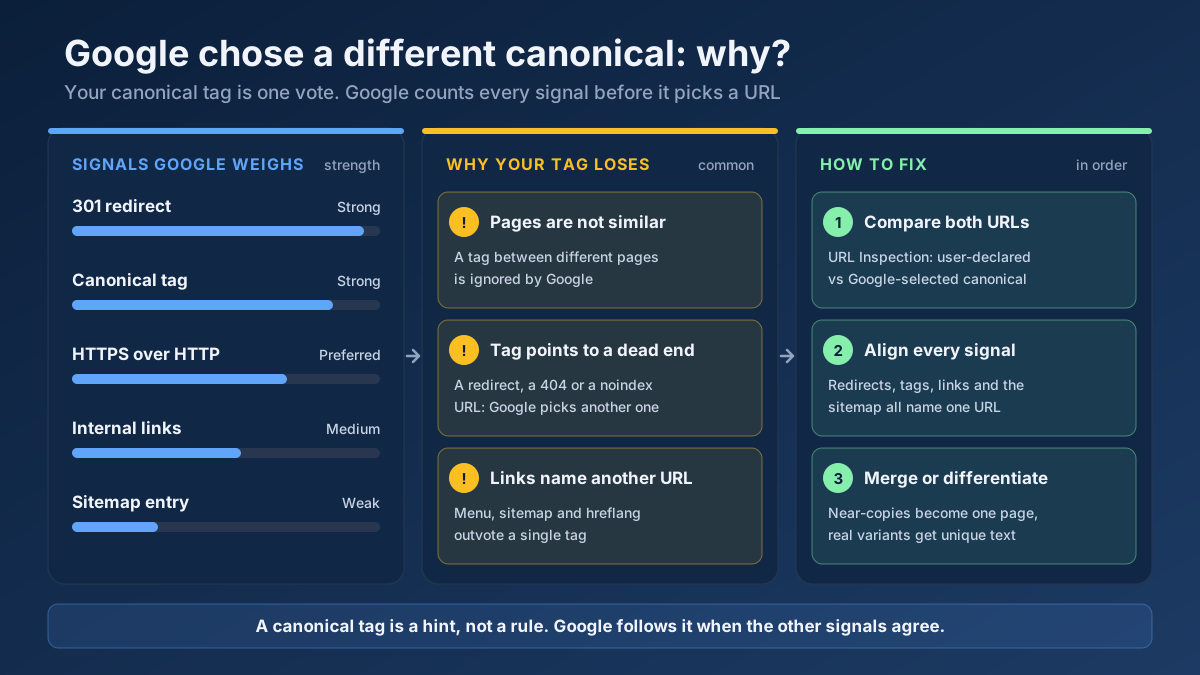 Technical SEO
Fix “Duplicate, Google chose different canonical than user” in Search Console: why Google ignores your canonical tag and 9 steps to align every signal.
Read article →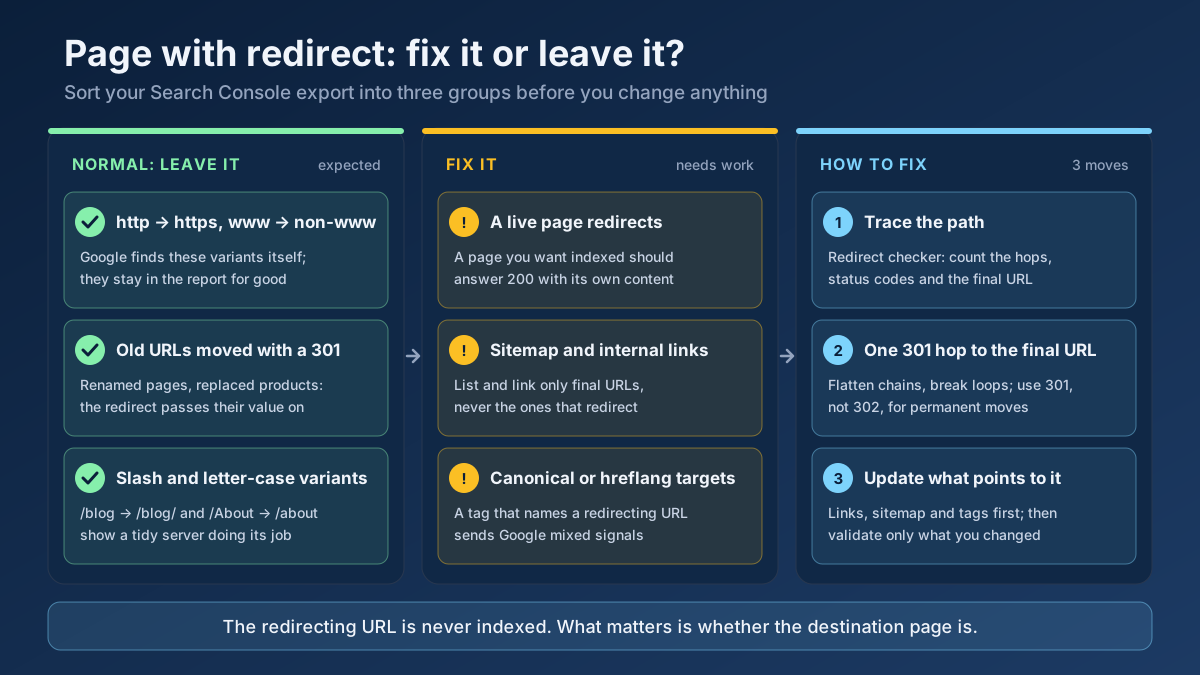 Technical SEO
How to fix Page with redirect in Google Search Console: when to ignore it, when it blocks indexing, and 8 steps to clean up redirects, chains and sitemaps.
Read article →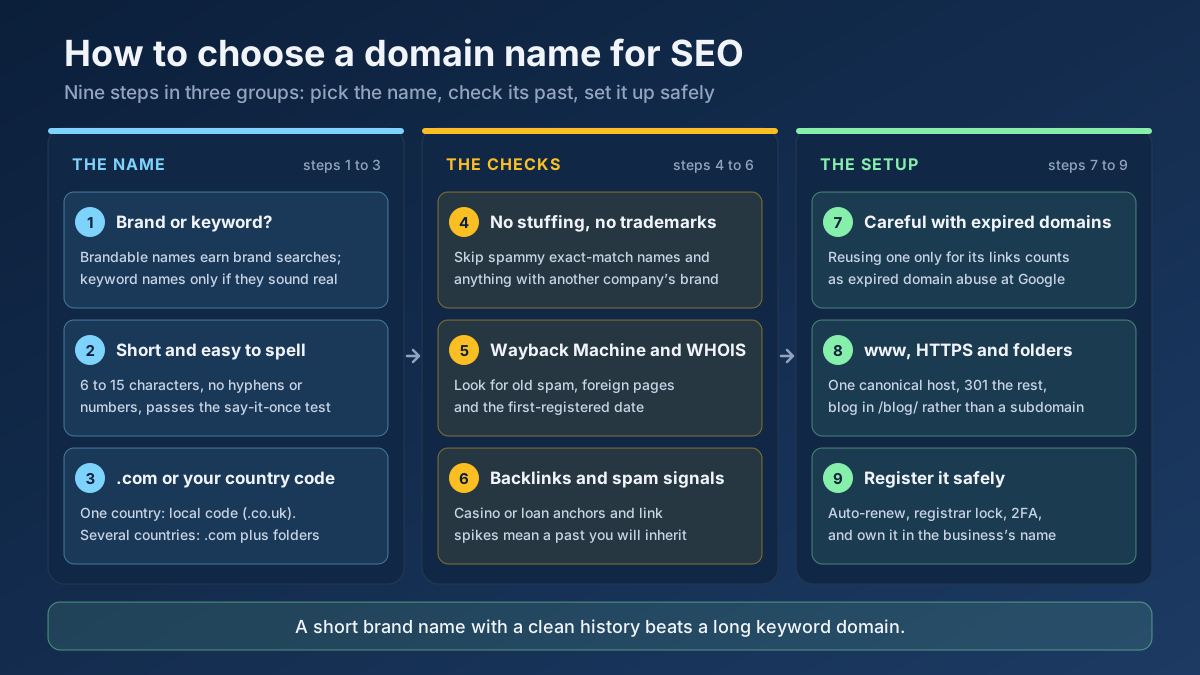 Technical SEO
How to choose a domain name for SEO: brand vs keyword names, the best extension, how to check a domain’s history and when an expired domain becomes a risk.
Read article →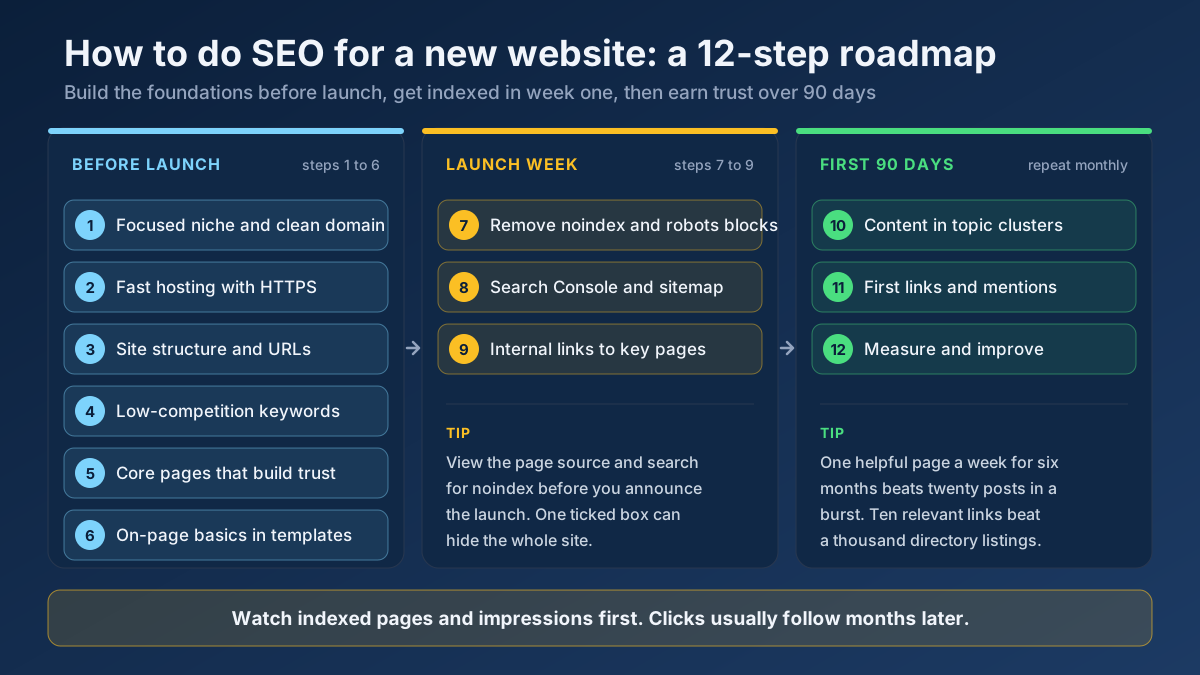 Technical SEO
Learn how to do SEO for a new website in 12 steps: what to set up before launch, how to get indexed in week one and how to earn traffic in the first 90 days.
Read article →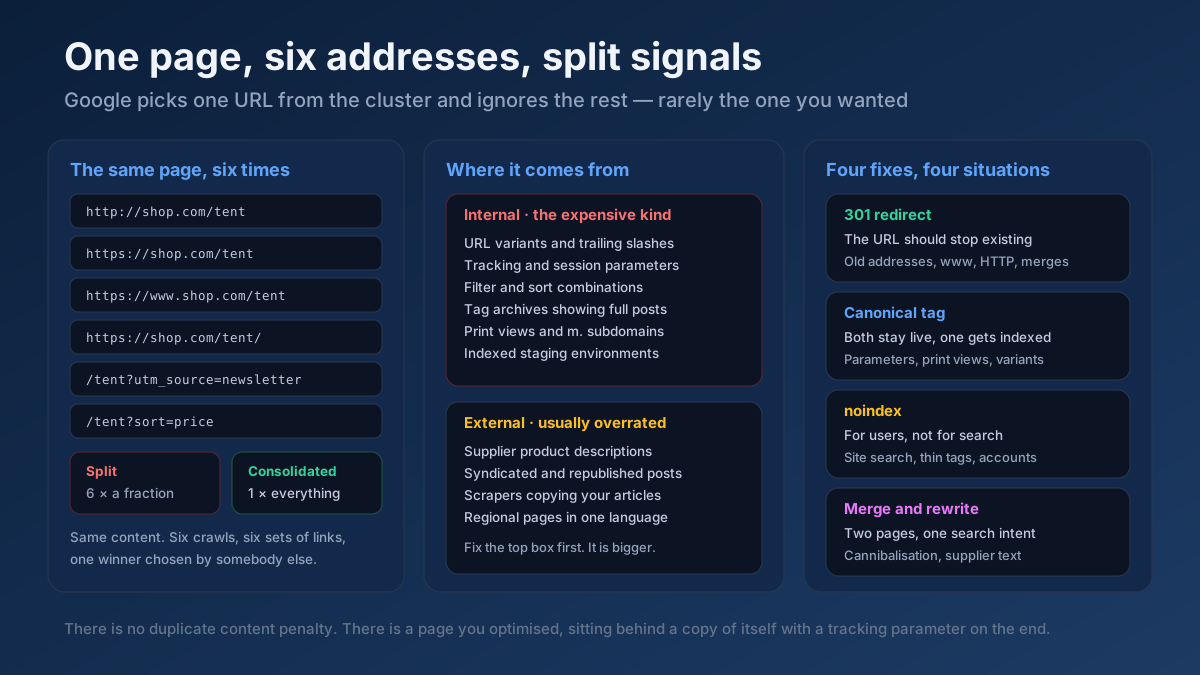 Technical SEO
How to fix duplicate content issues in 9 steps: find every duplicate URL, choose between a canonical, a 301 and noindex, and stop the problem returning.
Read article →Crawlability, indexability, speed and structured data — the technical foundations that let your content rank.
Read article →Test up to 20 HTTP, HTTPS or SOCKS proxies at once: whether each one works, its speed, exit IP and country, anonymity level (transparent, anonymous or elite) and whether Google answers through it.
Open tool →Find out whether your browser reveals your real IP address through WebRTC, even behind a VPN or proxy: local, public and mDNS candidates gathered via a STUN server, compared with the address our server sees, plus a separate IPv6 leak check and a guide to turning WebRTC off.
Open tool →See the public IP address websites see for you, with its location, ISP, connection type (home, mobile, datacenter or VPN), proxy header leaks, WebRTC leaks and time zone match.
Open tool →Convert a proxy list between ip:port:user:pass, user:pass@ip:port and URL formats, or turn it into ready-to-paste curl, Python requests, Node.js, Puppeteer and Playwright settings. Runs in your browser.
Open tool →See how recognisable your browser is without cookies: user agent, language, time zone, screen, CPU cores, memory, touch, cookies and Do Not Track, canvas and WebGL hashes, installed fonts and an audio fingerprint, with a simple uniqueness score. Runs in your browser; nothing is stored.
Open tool →Show your browser’s user agent string with one-click copy, parsed into browser, version, engine, operating system and device type, plus the real values from Client Hints that the frozen string hides. Runs in your browser.
Open tool →