No Signup Unlimited Usage Real Data 100% Free Privacy First Fast Results Export Reports Mobile Friendly

Strong Password Generator

Generate cryptographically secure random passwords with configurable length and character sets.

Fetching live data…

Quick answer

The Strong Password Generator is a free, in-browser utility that creates random, hard-to-guess passwords using your browser's cryptographically secure random number generator. You choose the length and which character sets to include — uppercase, lowercase, digits and symbols — and the tool builds a fresh password instantly. It is a general security utility rather than an SEO tool, but a strong, unique password on your CMS, hosting and analytics accounts is the first line of defence for any website. Nothing is sent to a server; passwords are generated entirely on your device.

How it works

  1. Configure your options — set the length and toggle the character sets you want.
  2. The tool draws random characters using the secure crypto API in your browser.
  3. Generate the password and regenerate as many times as you like.
  4. Copy it with one click and store it in your password manager.

What it generates

  • Adjustable length — from short PINs to long 32+ character passphrases.
  • Uppercase & lowercase — mix letter cases for more entropy.
  • Digits — include numbers to meet common password rules.
  • Symbols — add special characters like !@#$% for extra strength.
  • Cryptographically secure randomness — uses the browser's secure RNG, not Math.random.
  • Private generation — nothing leaves your device or is stored anywhere.

Common use cases

  • New accounts — create a unique password for each CMS, host or tool login.
  • Rotating credentials — replace a weak or reused password after a breach.
  • Service & API logins — generate strong secrets for FTP, databases or admin panels.
  • Team handoff — produce a one-off strong password to share securely.

Example

Set the length to 20 and enable all character sets, and the tool might output something like k7$Rm2!qXz9&Lp4Wd8Vn — a high-entropy password no dictionary attack will guess.

Frequently asked questions

Is the Password Generator free and private?

Yes — completely free, with no signup. Passwords are generated entirely in your browser and are never transmitted or stored, so no one else ever sees them.

How long should my password be?

Aim for at least 16 characters with a mix of letters, numbers and symbols. Longer is stronger — for important accounts, 20 or more is ideal. Always use a unique password per account and keep them in a password manager.

What does this have to do with my website?

A compromised CMS or hosting login can let attackers inject spam or malware that wrecks your rankings. Secure your accounts, then keep the site itself healthy with the SSL Certificate Checker and the HTTP Header Checker tools.

Learn & Resources

Guides, tips and tutorials hand-picked for this tool — go from running a check to actually fixing it.

On-Page SEO
Jul 10, 2026 · 15 min read

What Is SEO? A Complete Guide for Beginners

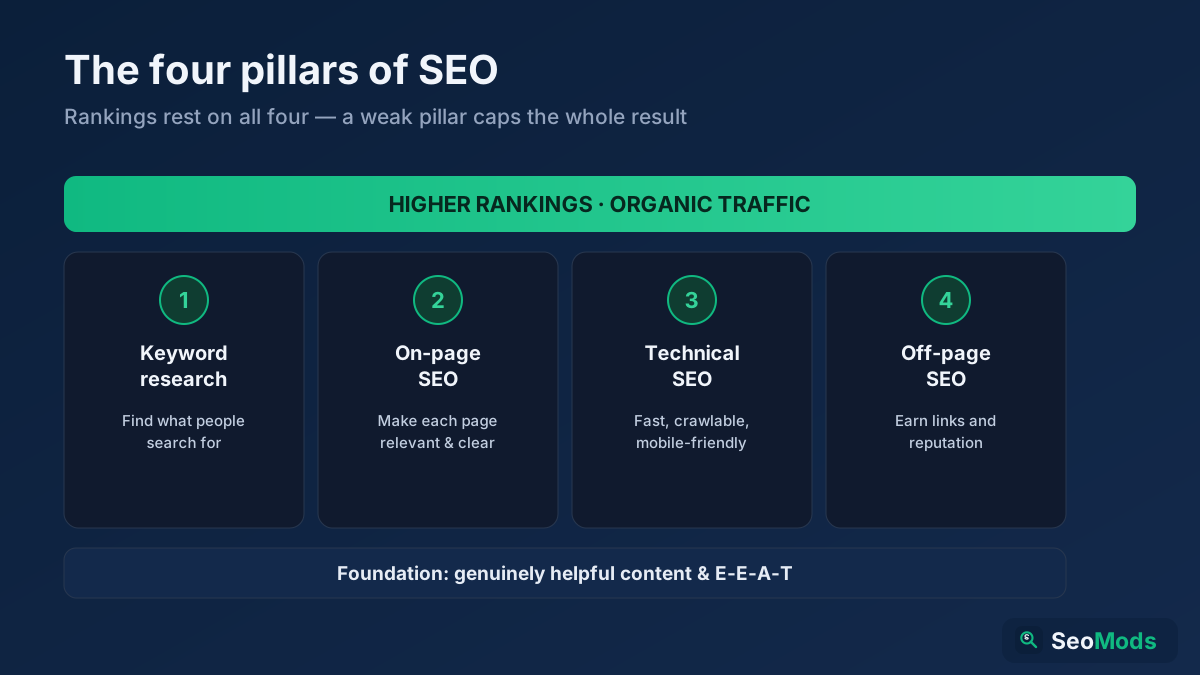
SEO is how you make a website rank higher in search engines so it earns free, organic traffic. This complete beginner's guide explains what SEO is, how search engines work, the four pillars (keyword research, on-page, technical and off-page), GEO for AI search, and a simple step-by-step roadmap you can start today.

Read article →