Orphan Pages: How to Find and Fix Them for SEO
Orphan pages have no internal links pointing to them, so Google barely sees them and users never find them. Here is how to detect and reconnect them.
Read article →Crawl a website (up to 500 URLs) and build a clean XML sitemap that lists only indexable pages: URLs blocked by robots.txt, non-200 responses, noindex pages, pages canonicalised elsewhere and non-HTML files are left out and shown with the reason. lastmod comes from the Last-Modified header.
Fetching live data…
The XML Sitemap Generator crawls your website from the home page and builds a ready-to-upload sitemap.xml that lists only indexable pages. URLs blocked by robots.txt, redirects, error pages, noindex pages, pages that point their canonical elsewhere and non-HTML files are left out, and each one is shown with the reason, so the file you submit sends a clean signal.
robots.txt. The www and non-www versions count as one site, but every URL in the file uses the host your site actually answers on.<a href> links level by level, eight pages at a time, within a time budget of about 45 seconds. URLs that robots.txt disallows for Googlebot are never requested, and links to images, PDFs, scripts or feeds are recognised by their extension and skipped.<lastmod> is taken from each page's Last-Modified response header. If the server sends no such header, the tag is left out instead of being filled with today's date. If almost every page reports "right now", the dates are dropped as well and the report tells you why./sitemap.xml), including up to five child files of a sitemap index, and shows which indexable pages it misses and which non-indexable URLs it lists.A sitemap tells search engines which URLs you consider important and canonical. Google describes it as a way to help crawlers find your pages, especially on new, large or poorly linked sites. A sitemap full of redirects, 404s and noindex pages sends mixed signals: you ask for a page to be indexed while the page itself says the opposite.
Because this generator builds the list from what a crawler actually finds and keeps only URLs that pass every indexability check, the file matches what your site really serves. The excluded list is often just as useful as the sitemap itself, because it shows broken internal links, redirect chains, stray noindex tags and duplicate URLs in one place.
https://yoursite.com/sitemap.xml.Sitemap: https://yoursite.com/sitemap.xml. The Robots.txt Generator can write the whole file for you, and the Robots.txt Tester checks that the rules do what you expect.Either they did not pass a check or the crawler did not reach them. Look them up in the excluded table for the reason. If a page is not listed at all, no internal link pointed to it within the chosen depth, or the crawl stopped at the URL or time limit. The report says clearly when that happens and how many discovered URLs were not fetched.
Up to 500 URLs per run, within about 45 seconds. The sitemap protocol itself allows 50,000 URLs and 50 MB per file, so a larger site needs a sitemap index made of several files, which is usually produced by your CMS. For a full technical crawl of a bigger site, run the Technical Site Audit (Crawler).
Google states that it ignores both values. A reliable lastmod is the field it can use, and only when the date reflects a real content change. That is why lastmod comes from your server's Last-Modified header and is left out when that header is missing.
Nofollow links are followed so that their targets can be checked, and the report counts them. Query-string URLs are crawled too, but only the first 50 are queued, which protects the crawl from endless filter, session or calendar URLs. Tracking parameters such as utm_source, gclid and fbclid are removed before URLs are compared.
Guides, tips and tutorials hand-picked for this tool — go from running a check to actually fixing it.
 On-Page SEO
Orphan pages have no internal links pointing to them, so Google barely sees them and users never find them. Here is how to detect and reconnect them.
Read article →An XML sitemap helps Google discover and prioritize your pages. Here is how to build and submit one correctly.
Read article →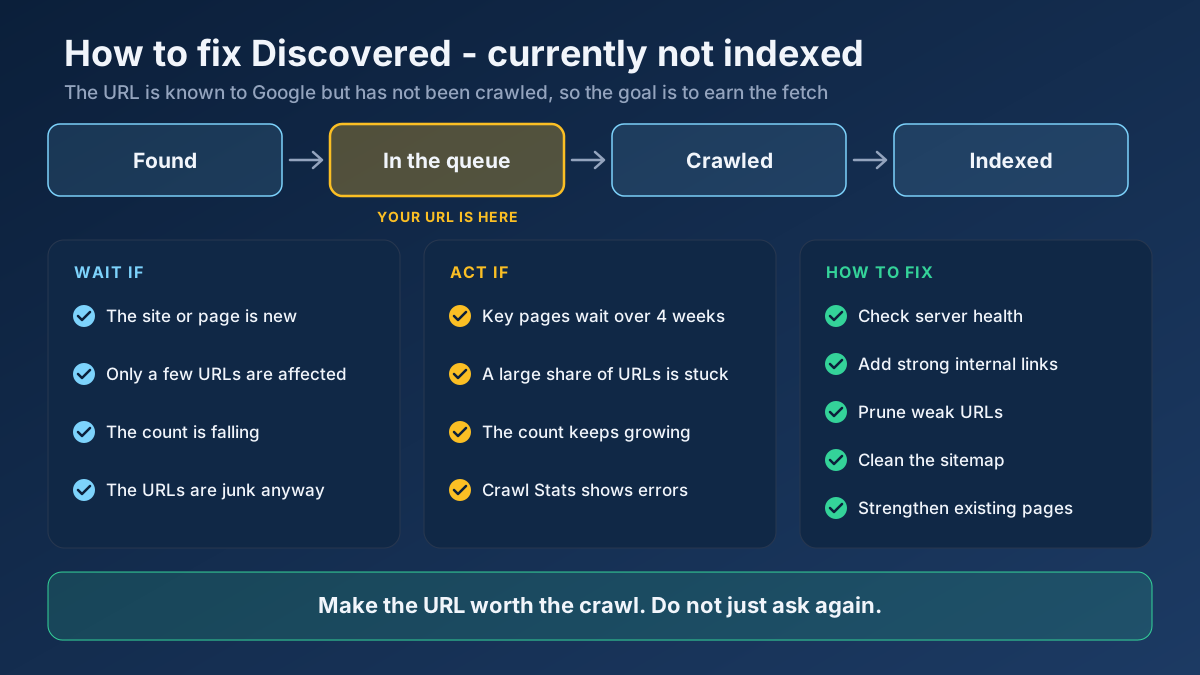 Technical SEO
Learn how to fix Discovered - currently not indexed: when to wait, how to find the real cause and 10 steps that earn Google’s crawl without resubmitting.
Read article →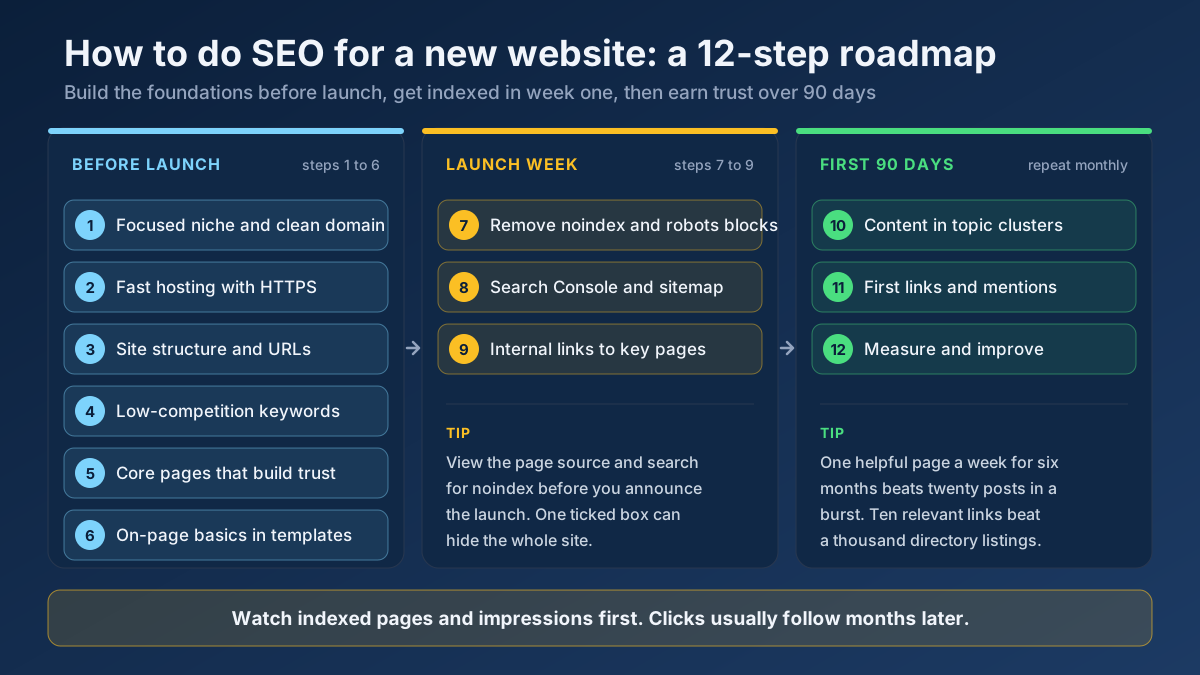 Technical SEO
Learn how to do SEO for a new website in 12 steps: what to set up before launch, how to get indexed in week one and how to earn traffic in the first 90 days.
Read article →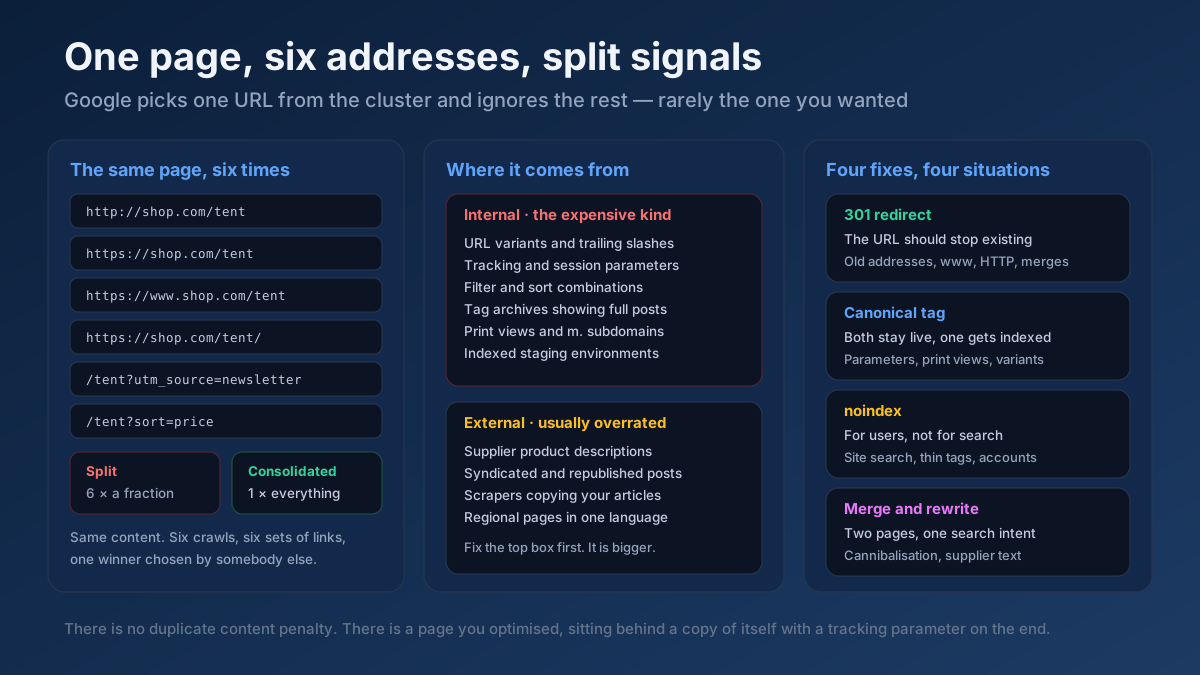 Technical SEO
How to fix duplicate content issues in 9 steps: find every duplicate URL, choose between a canonical, a 301 and noindex, and stop the problem returning.
Read article →Faster pages rank better and convert better. Here is a prioritized checklist that actually moves the needle.
Read article →Locate a domain’s XML sitemap(s), validate the format and count the URLs inside.
Open tool →Fetch and parse a site’s robots.txt, test any URL against it for Googlebot and Bingbot, list rules per user-agent and locate sitemap declarations.
Open tool →Build a valid robots.txt with allow/disallow rules, crawl-delay and sitemap reference.
Open tool →Find out whether Google can index a URL, and if not, exactly why: robots.txt, redirects and status codes, soft 404s, noindex in meta tags or X-Robots-Tag, canonical problems, sitemap membership and thin content. One URL or up to 25 at once, with CSV export.
Open tool →Crawl multiple pages of a site and aggregate technical SEO issues: broken links, missing titles, thin content, redirects and noindex.
Open tool →Crawl all links on a page and report dead links (4xx/5xx), redirects and their HTTP status codes.
Open tool →