How it works
- Paste up to 10 of your URLs into the box — typically the pages you suspect target the same or similar keywords.
- The tool fetches each URL and reads the live HTML so it works with the content exactly as it is published.
- It extracts the signals that define each page's topic: the title tag, the main H1 heading and the most frequent meaningful topic terms.
- It then compares every possible pair of pages, measuring how much their titles, H1s and topic terms overlap.
- Pairs that cross the overlap threshold are flagged as cannibalization risks, each shown with the specific shared terms so you can act on the conflict.
What it compares
- Title tags — how closely the two pages' titles match, since near-identical titles are the clearest cannibalization signal to search engines.
- H1 headings — whether both pages lead with the same primary heading and therefore claim the same core topic.
- Topic terms — the most frequent meaningful words on each page, compared to reveal how much subject matter they genuinely share.
- Pairwise overlap — every combination of your URLs is scored, not just adjacent ones, so no hidden conflict slips through.
- Shared term list — the exact words two pages have in common, so you can see precisely what they are both trying to rank for.
- Risk flags — high-overlap pairs are surfaced clearly so you know which relationships need consolidation or differentiation first.
Why it matters
Keyword cannibalization happens when two or more of your pages chase the same query. Instead of one strong page, Google sees several weaker ones and has to guess which deserves to rank. That splits your link equity, click signals and topical authority across duplicates, so both pages underperform. Worse, the engine may surface the wrong URL — an outdated post instead of your money page — and your rankings can swing unpredictably as the two swap positions. Left unchecked, cannibalization quietly caps how high any of the competing pages can climb.
How to fix cannibalization
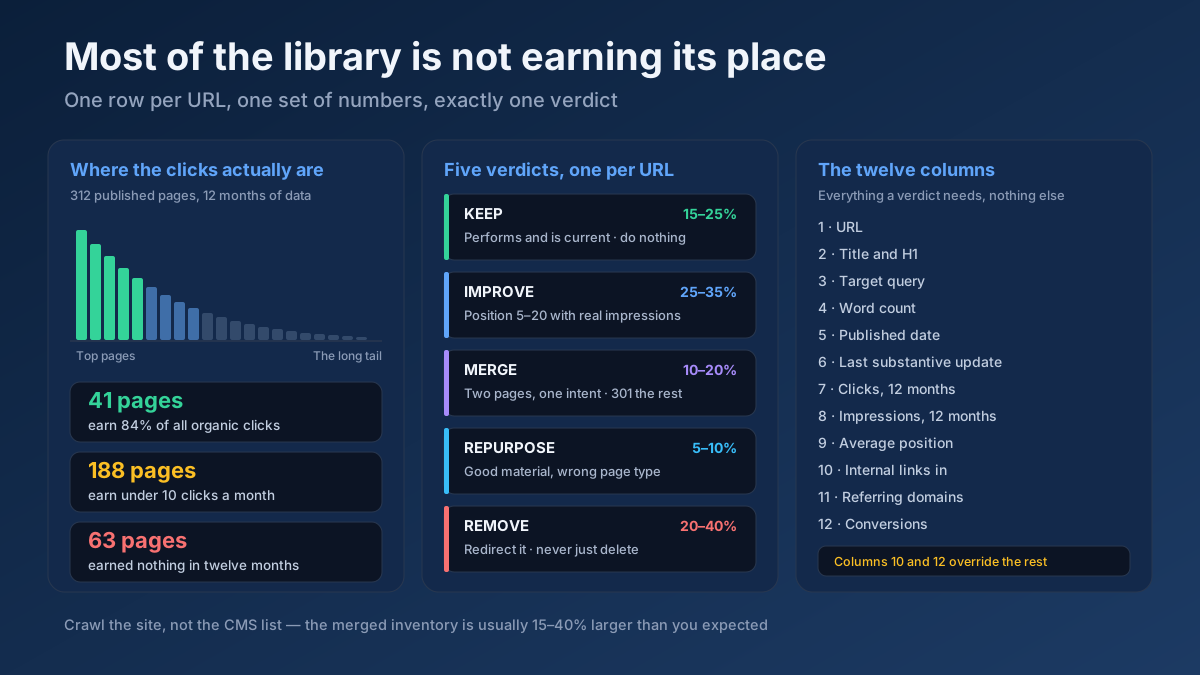
Start with the highest-overlap pairs. If two pages cover the same intent, consolidate them: merge the stronger content into one URL and 301-redirect the weaker one to preserve its links. If both pages deserve to exist, differentiate them — retarget titles, H1s and topic terms so each owns a distinct angle. When duplication is unavoidable, add a canonical tag pointing to the primary version. Finally, fix internal links so your anchor text and links consistently point to the single page you want to rank.
Frequently asked questions
How many URLs can I check at once?
You can paste up to 10 URLs in a single run. The tool compares every possible pair among them, so even a full batch of 10 is analyzed exhaustively — no conflict between any two pages is skipped, whether they sit next to each other in the list or far apart.
Does high overlap always mean I have a problem?
Not always. Some overlap is natural when pages sit in the same topic cluster. A flag is a prompt to investigate, not an automatic verdict. Check whether the two pages target the same search intent — if they do, act on it; if each serves a genuinely different query, the shared terms may be harmless.
Should I always delete or redirect one of the pages?
No. Consolidation is only one option. If both pages earn traffic and links, it is often better to differentiate their titles, headings and focus so each targets a distinct query, or to add a canonical tag. Reserve redirects for cases where one page is clearly weaker or redundant.