Google Business Profile Optimization
Your Google Business Profile is the heart of local SEO. Here is how to optimize it for the map pack.
Read article →Track real-time web & news mentions of your brand or keyword via live Google News / RSS feeds.
Fetching live data…
The Brand Mention Monitoring tool is a free tool that tracks where your brand, product or any keyword is being mentioned across the web and news in near real time. It pulls from live Google News and RSS feeds, so you see actual published mentions — headlines, sources and dates — rather than estimates. Staying on top of mentions helps you catch PR opportunities, find unlinked brand references to turn into backlinks, and react quickly to coverage. No signup is required.
your brand).Track a product name and the tool might surface a review on a tech blog from this morning, a roundup article that names your brand without linking to it, and a press pickup from yesterday — the unlinked one is a ready-made link-building target.
Yes — completely free, with no signup and no limits. Track as many terms as you like.
Yes. Results come straight from live Google News and RSS feeds, so every mention is a real, published item — nothing is invented or randomized. Coverage reflects what those feeds currently index.
When a site names you without linking, reach out and ask for a link — then confirm it went live with the Backlink Checker / Verifier. Track your overall profile with the Site Explorer and learn the playbook in our link-building guide.
Guides, tips and tutorials hand-picked for this tool — go from running a check to actually fixing it.
Your Google Business Profile is the heart of local SEO. Here is how to optimize it for the map pack.
Read article →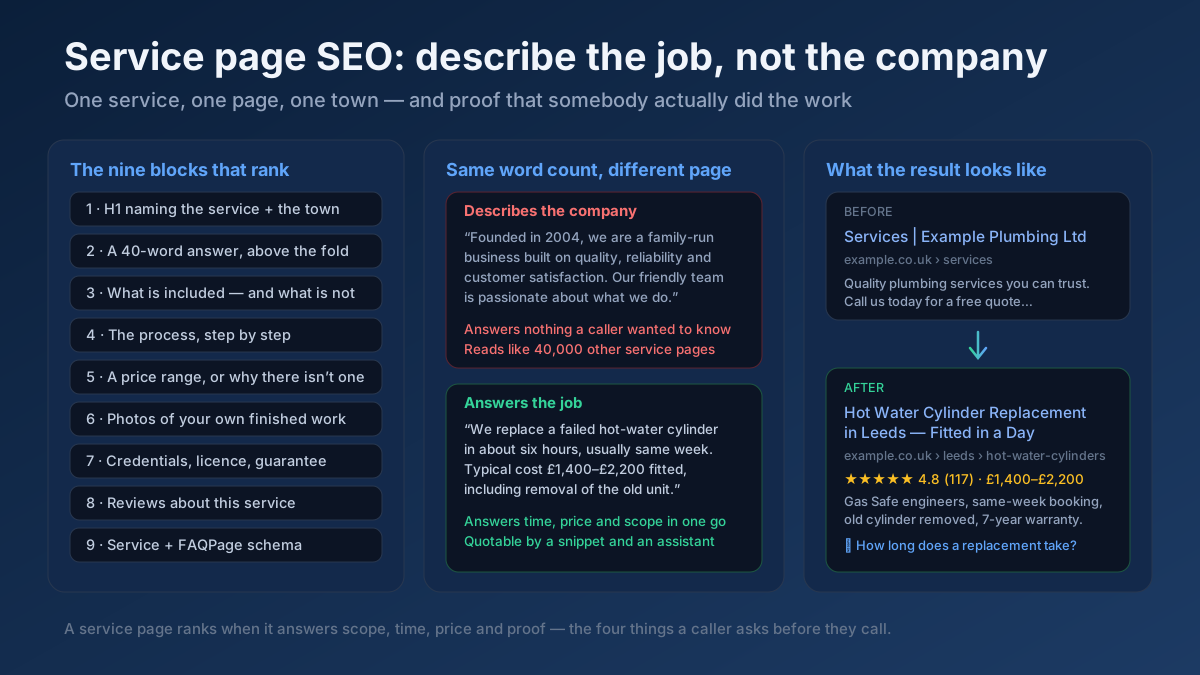 Local SEO
Service page SEO in 20 checks: pages that answer scope, time and price, town pages that are not doorways, Service schema, and a realistic 60-day plan.
Read article →For local businesses, consistent NAP and citations are foundational. Here is what to get right.
Read article →Your site may have a critical PHP vulnerability
PHP2Shell (CVE-2026-109618 and CVE-2026-109619) lets attackers run code on servers running PHP older than 8.2.35, 8.3.36, 8.4.27 or 8.5.12, without logging in. Attacks have been seen since 17 October. Check whether your site is affected.