How to Improve INP Score: 10 Fixes That Work
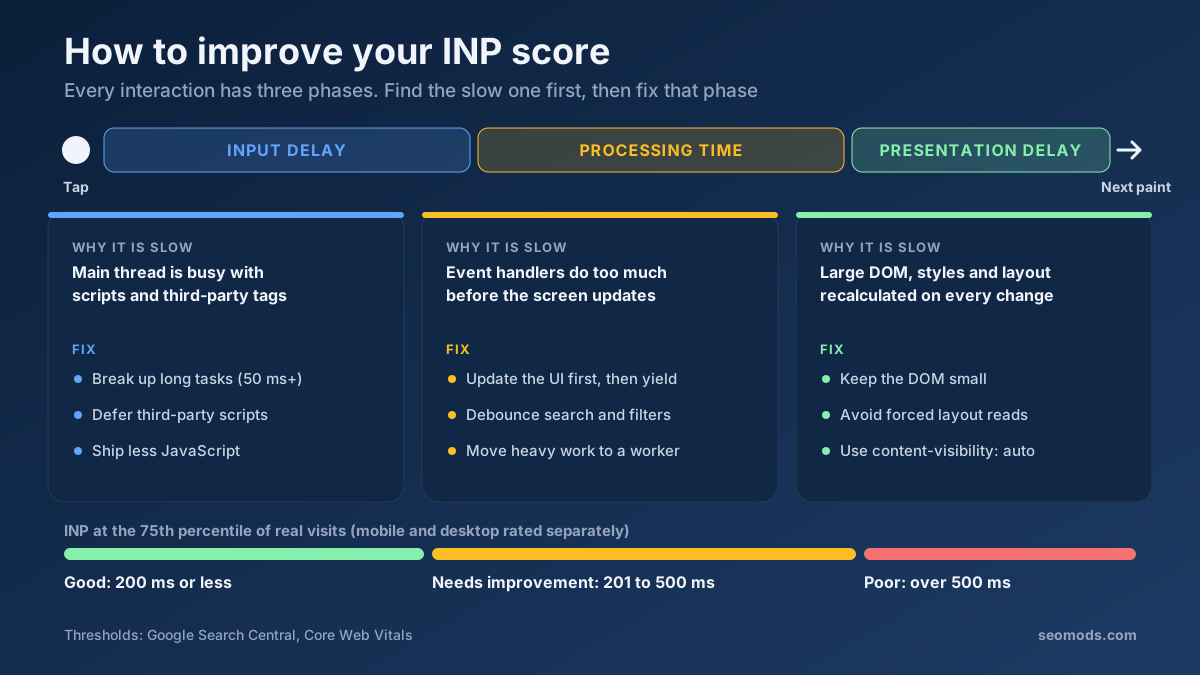
How to improve INP score: find the slow interaction, cut input delay, processing or presentation time, and pass the 200 ms Core Web Vitals threshold.
Read article →See what AI crawlers that do not run JavaScript get from a page: raw HTML vs a headless-Chromium render, field by field (title, canonical, robots, headings, words, links, JSON-LD, hreflang), JS dependency %, render-only text highlighted and SSR/prerender fixes.
Fetching live data…
The JavaScript Rendering Checker shows what AI crawlers see on a page compared with what a browser sees. It fetches the raw HTML without running JavaScript, renders the same page in headless Chromium, and compares the two field by field. You learn how much of your content, links and metadata exist only after JavaScript runs, and what to move into the server HTML.
Googlebot renders pages, so content added by JavaScript can still reach Google Search, as Google's JavaScript SEO basics explains. GPTBot, ClaudeBot and PerplexityBot do not execute JavaScript. A single-page app that ships an empty shell and builds everything in the browser can look complete to a visitor while an AI crawler receives a title and almost nothing else. The same goes for links added by click handlers and for JSON-LD injected by a tag manager.
The score starts at 100. Each critical finding subtracts 25 points, each warning 10, and every 10% of JS dependency another 5, down to a minimum of 0. This is our own measure of how much a page relies on JavaScript, not a rule from Google or any AI company. A low score suggests that crawlers which do not render may miss parts of the page; it cannot show how a particular service uses what it fetched.
<a href> elements with real URLs, not buttons or click handlers that change the page in JavaScript.llms.txt checked by the llms.txt Validator.GPTBot, ClaudeBot and PerplexityBot fetch the HTML without executing JavaScript, and many other AI crawlers work the same way. Googlebot renders pages. This tool's raw fetch approximates the non-rendering crawlers, and its Chromium render approximates a browser or a rendering crawler.
It is the share of rendered words that are missing from the raw HTML: rendered words minus raw words, divided by rendered words, times 100. A value near zero means the text is already in the server response; a high value means most of it appears only after JavaScript runs.
They do not change the text, links or tags the tool compares, and skipping them makes rendering faster. Scripts and data requests still run, so content built by JavaScript appears in the render as it would in a browser, within the 15-second limit.
Results are cached for 24 hours per URL, and renders run in a small queue so each one gets enough resources. If you have just deployed a fix, the cached report may still show the earlier version until the cache expires.
Not by itself. Google can render JavaScript, and the score is our own criterion, not a Google ranking factor. A low score is mainly a warning about crawlers that do not render, and a reason to confirm that key content, links and tags are in the server HTML.
Yes, it is free to use. Enter a URL and the report shows the raw and rendered versions side by side, with the field-by-field table, the text diff and fix suggestions. For speed and layout metrics, use the Page Speed & Size Test.
Guides, tips and tutorials hand-picked for this tool — go from running a check to actually fixing it.
 Performance
How to improve INP score: find the slow interaction, cut input delay, processing or presentation time, and pass the 200 ms Core Web Vitals threshold.
Read article →Find out what a website is built with: CMS, e-commerce platform, JavaScript framework, CDN, analytics, tag managers, server and programming language, detected from the HTML, HTTP headers and cookies with version numbers and a confidence level for each match.
Open tool →Map how completely your site covers a topic — the way Google and AI engines judge topical authority. Crawls your internal links, titles and headings, compares them against the real subtopics people search for, and shows your covered subtopics plus the content gaps to build for a stronger topic cluster.
Open tool →Check whether GPTBot, OAI-SearchBot, ChatGPT-User, ClaudeBot, PerplexityBot and 12 other AI bots can reach a page: the robots.txt rule (with line number) and a live request with each bot’s real User-Agent, WAF challenge detection and copy-ready robots.txt templates.
Open tool →Extract the named entities (people, organizations, places, concepts) a page contains — the way AI and Google’s Knowledge Graph read it. Lists every entity with mention counts and a type guess, scores entity richness and diversity, and flags where schema markup would define your entities more clearly. Paste text or enter a URL.
Open tool →Check how well your content answers the prompts real people type into AI chatbots. Scores prompt-alignment — direct answers, self-contained context, definitions, steps and comparisons — so ChatGPT and Perplexity can lift a complete answer from your page.
Open tool →Analyze your content the way a natural-language processing engine does: entities, salient terms, sentiment, readability, sentence structure and factual signals. Scores how parseable and unambiguous your text is for search and AI models, with a top-terms chart and linguistic metrics. Paste text or enter a URL.
Open tool →