Why SEO Beginners need this
When you are new to SEO, the hard part is not fixing things. It is knowing what to look at. Guides list dozens of factors, and an empty page source tells you nothing about which of them your own site is missing.
A scored checkup gives you a starting list. This audit fetches one page of your site and runs 36 checks on it: title and meta description, headings, HTTPS, the viewport tag, noindex, a sample of links, response headers, Open Graph and structured data. Each row comes back passed, as a warning or as a failed check, and the failed and warning rows land in a prioritized list with a suggested fix.
The number on top is the part beginners misread most. It is a SeoMods score built on SeoMods thresholds. Google does not use it, it is not a forecast of where the page will rank, and two pages with the same score can need very different work. This page shows how to read it, using three real sites we checked on 10 November 2026.
SEO Beginners specific guidance
What the three numbers are made of
Overall Score adds up points. Each of the 36 checks carries a weight, from 2 points for the HTML5 doctype to 10 for HTTPS and for the page being indexable, 188 points in all, scaled to 100. Health Score ignores the weights and simply shows the share of checks passed. Performance, labelled Server response, is the time our server needed to download the page's HTML: 100 at zero seconds, falling to 0 at three seconds.
Because the first two count differently, they can disagree. A page that misses a few heavy checks and a page that misses many light ones can land on the same Overall Score, which is exactly what happened with the bakery and the blog below. That is why the list underneath matters more than the number.
What the score cannot tell you
The thresholds are our criteria. A title outside 30–60 characters or a page under 300 words is a check not met, not a Google rule broken. Google's own starter guide says there is no ideal word count for a page.
The audit also never asks Google anything. It cannot say whether the page is indexed, where it ranks or how many people visit. The Server response figure is not page speed: images, CSS and scripts are not downloaded and JavaScript is not run, so it says nothing about Core Web Vitals. And it covers one page; your other pages can be better or worse.
A first pass that fits in an evening
- Run your home page and open Issues to Fix.
- Fix every Critical row first. These are failed checks worth 8 points or more, such as a missing meta description, a noindex tag or a broken link.
- Then go through the Medium rows in the Meta & Content card. Title, description and H1 are edits you can make yourself in most site builders.
- Read the Low rows and decide which apply to your page. Security headers usually need your host; a short blog index page may never reach 300 words, and that is fine.
- Run the same URL again and check that the rows you fixed now pass. Then repeat on your most important inner page.
What this tool does not tell you
- One page per run. It does not crawl or find your other pages.
- No Google data: no index status, rankings, clicks or Core Web Vitals.
- It reads the HTML as delivered and does not run JavaScript, so tags a site builder adds by script are not seen.
- Only the first 25 links on the page are tested, so a clean broken-link row does not cover every link.
Real examples
1. A bakery home page: one Critical row and a title built from the tagline
- Situation
- The home page of Tartine Bakery, a WordPress site, the kind of small-business site many beginners look after. We ran it on 10 November 2026.
- Input
https://tartinebakery.com/- Reading the result
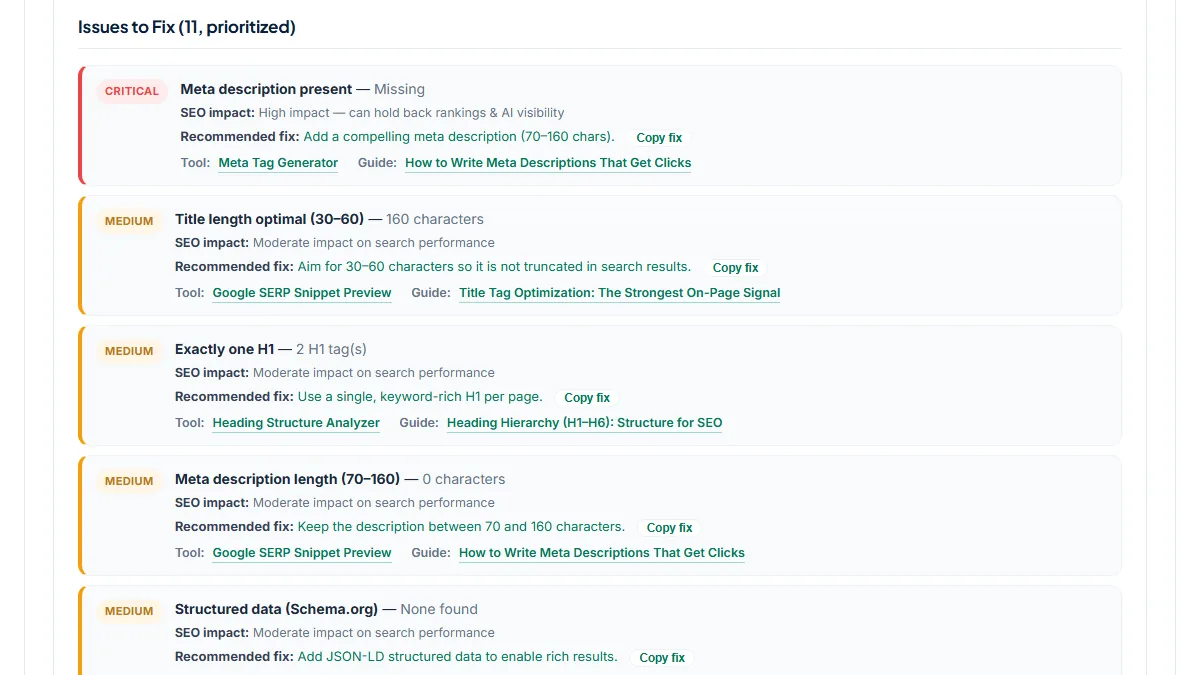
- Overall Score 70, Health Score 69%: 25 passed, 1 failed, 10 warnings. The one Critical row is Meta description present — Missing. The Medium rows show where it comes from: the title is 160 characters because the site name is followed by the whole brand sentence, and the page has 2 H1 tags, "Home" from the theme and "Welcome to Tartine". Technical & Indexability scores 100% while Social & Structured Data scores 0% (no Open Graph, no JSON-LD). For a beginner the to-do list is short: write a description, cut the title to the name and what the bakery sells, and remove the theme's "Home" heading.
2. A personal blog: the same 70, with zero failed checks
- Situation
- The front page of Jim Nielsen's blog, a small hand-built site with no CMS. Same day.
- Input
https://blog.jim-nielsen.com/- Reading the result
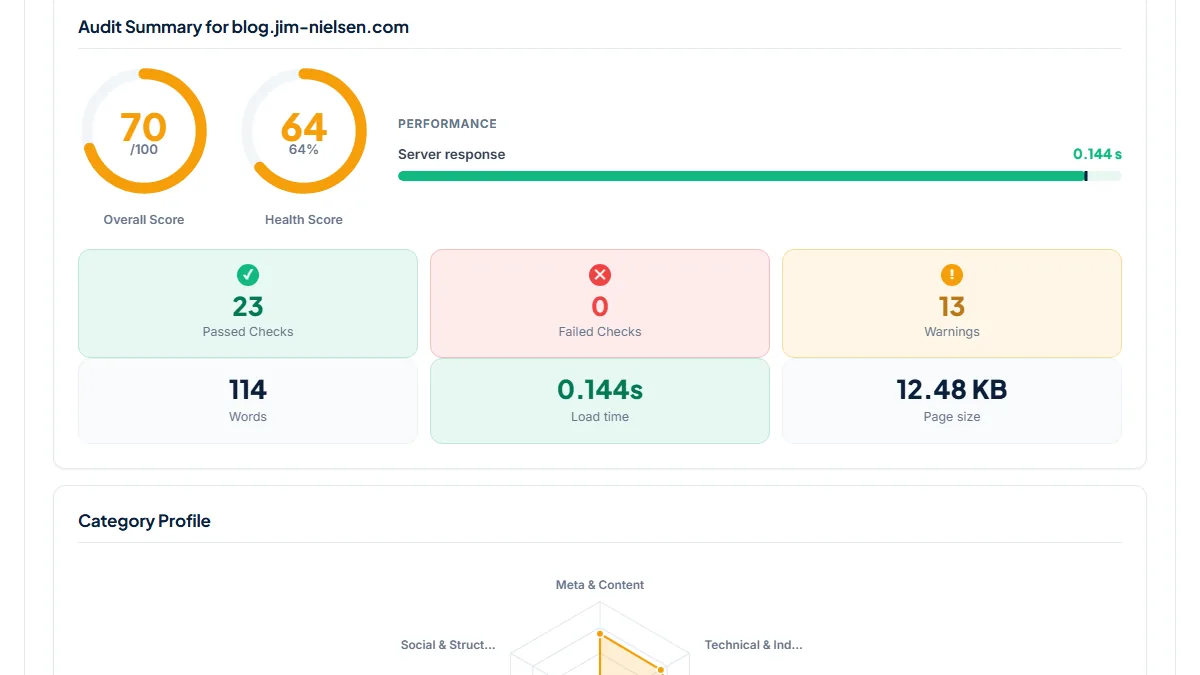
- Overall Score 70, exactly like the bakery, but Health Score 64%: 23 passed, 0 failed, 13 warnings. Nothing is Critical. The warnings are small items added up: a title of 18 characters, 114 words, no canonical tag, nothing at /sitemap.xml or /robots.txt, no favicon, no Open Graph tags and three missing security headers. Server response was 0.144 s for 12.48 KB of HTML, and Performance scored 100%. This is the example to remember: the same score as the bakery, but nothing urgent. A front page that lists posts is often short by nature, so the word count row is a judgment call rather than a fix.
3. A newsletter site: 81 points and one dead referral link
- Situation
- The home page of Justin Jackson's personal site, a one-person site built around a newsletter. Same day.
- Input
https://justinjackson.ca/- Reading the result
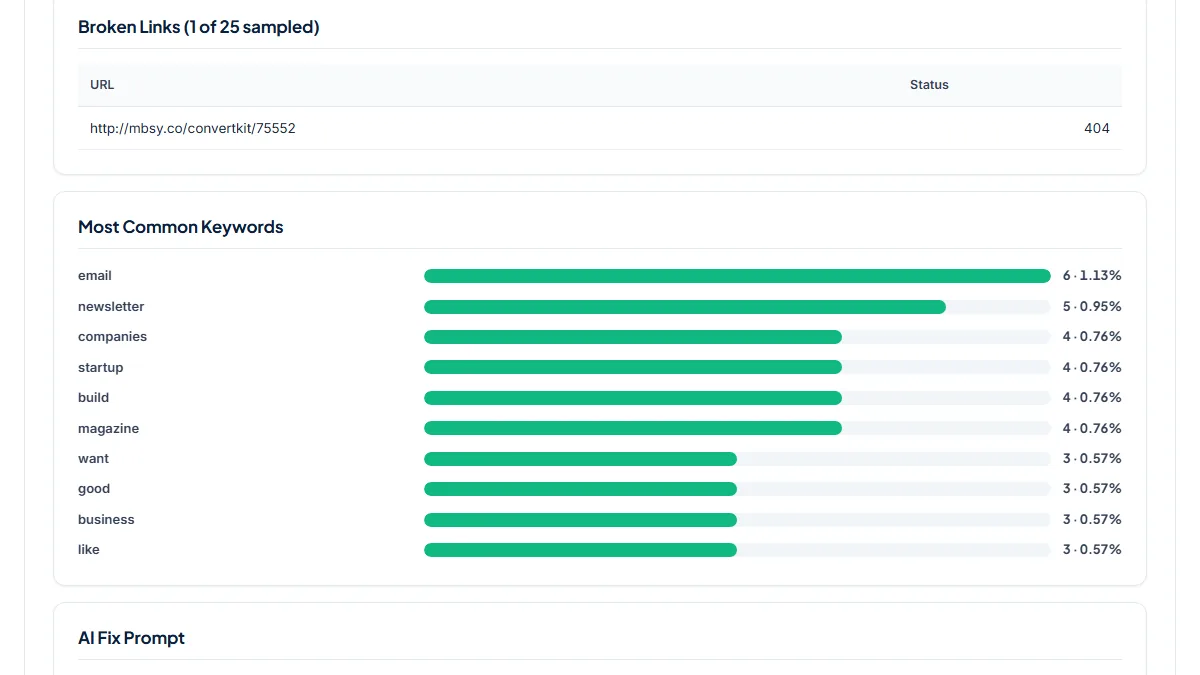
- Overall Score 81, Health Score 81%: 29 passed, 1 failed, 6 warnings. The Critical row is No broken links — 1 broken (of 25 sampled). The Broken Links table names it: an old referral short link that now redirects to a 404 page. The other rows are lighter: 0 H1 tags, 0 H2 subheadings, a missing lang attribute, and a meta description of 162 characters, two over our 160 limit. Social & Structured Data scores 100%. Replace the dead link first; trimming two characters can wait, because 70–160 is our range, not a limit Google sets.
Common mistakes
- Comparing scores across sites as if they were rankings. The bakery and the blog both scored 70 with very different lists; the score measures our checklist, not how either site does in search.
- Fixing rows in the order they appear in the category cards. Start with Issues to Fix, which is already sorted Critical, Medium, Low.
- Padding a page with words to pass Sufficient content (≥300 words). The 300-word line is our threshold; extra text that says nothing helps no reader.
- Reading Server response as your site's speed. It is HTML download time from our server; run a page speed test for what visitors actually wait for.
- Auditing only the home page. Your blog posts and service pages each need their own run, or the separate Site Audit for a crawl.
Frequently asked questions
What is a good SEO audit score for a beginner's site?
There is no score Google asks for, so pick a target that means something: no Critical rows, and Medium rows you have looked at and either fixed or decided to keep. Do not expect 100 on a small site: security headers usually need your host, and social tags need a plugin or theme setting. A page at 70 with no Critical items can be in better shape than a page at 80 with a noindex tag.
Why are Overall Score and Health Score different?
Overall Score weights each check by points, so missing a meta description (8 points) costs more than missing a favicon (2 points). Health Score counts every check the same and shows the share that passed. In our runs the bakery scored 70 and 69%, while the blog scored 70 and 64%: the blog missed more checks, but lighter ones. Read both, then read the list.
Will fixing every issue make my page rank higher?
Not by itself, and nobody can promise that. The checks cover things that help search engines read a page, such as a clear title, a description, one main heading, HTTPS and no noindex tag. Ranking also depends on whether the content answers the search, on other sites linking to yours and on competition, and the audit sees none of that. Treat a clean report as a tidy page, not a ranking.
Is this the same as an audit an SEO agency would do?
No. This is an automated check of one page against a fixed list. A person reviewing your site looks at content, site structure, search demand and your Search Console data, which this tool never sees. Google's own advice is to ask what any audit involves and to check a tool's recommendations against Google's documentation, and that applies to ours too. Use it as a first pass before deciding whether you need more help.
Reference: Google's page Do you need an SEO? notes that Google does not evaluate or endorse third-party SEO tools, that these tools have no access to its internal ranking data, and that their recommendations should be checked against official Google guidance. Read our score with that in mind.