Why Ghost Users need this
Ghost's help on SEO says each post has its own metadata and, if you leave it blank, Ghost uses data from the page as a fallback. That keeps posts from going out empty, but the fallback is not the same for every tag. A blank meta title becomes the post title, so a long headline is your search title. A blank meta description becomes the custom excerpt, the sub-headline your theme may print under the title. When that field is empty too, the page has no description tag at all.
Social cards fall back further, to the first 50 words of the post. That is how a share can open with a subscribe pitch or a photo credit while Google gets nothing to quote.
None of this shows in the editor unless you open the Meta data panel post by post. This analyzer fetches the published page as a visitor and reports the title, description, canonical, robots and Open Graph tags it finds, with their lengths, a Google preview and a social card preview, so you can tell a written snippet from a fallback in one run.
Ghost Users specific guidance
Read the result as Ghost wrote it
Three rows tell you which fields a post filled in. If "Title tag present" shows exactly your headline, the meta title was left blank, or copied from the headline; some themes add the site name around it. If "Meta description present" says Missing, both the meta description and the custom excerpt are empty. Ghost prints no description tag then, and the Google Result Preview says Google will generate one from the page. If the description matches the line under your headline word for word, it is the custom excerpt standing in.
Then compare with the Social Preview block. When og:description is a long sentence cut mid-way and no description tag exists, you are looking at Ghost's 50-word automatic excerpt. When og:description differs from a description you wrote, the custom excerpt is winning on social cards.
Fix one post, then the pattern
Open the post in the editor, go to post settings and fill in Meta data: a meta title of 30 to 60 characters and a description of 70 to 160, written for someone choosing between results. If shares look wrong, fill in the X card and Facebook card too, or adjust the custom excerpt, since it feeds both. Publish the update and run the URL again; the checks read the public page, so a pass means the change is live. Facebook keeps its own copy of a card, so use its Sharing Debugger after the change.
Then find the habit behind it. If one author never fills in excerpts, or your newsletter template opens every post with the same paragraph, the next post will repeat the problem. Run one recent post per author or per series rather than every archive URL; the homepage uses the site-wide meta from Settings, General, Meta data, and needs a separate run.
What this tool does not tell you
- It reads one URL per run and cannot list every Ghost post without a meta description; sample by author or series.
- It cannot see your Ghost admin, so it infers which field produced a tag by comparing the text with the headline and the excerpt.
- It shows the tags you serve, not the snippet Google picks. Ghost's help notes search engines may still show other text.
- Members-only posts are fetched as a logged-out visitor, which is what search engines get too.
Real examples
1. No description tag, and the social card opens with a subscribe pitch
- Situation
- A one-person newsletter about tech and business publishes long essays on Ghost 6.76 and leaves the metadata panel alone. We ran one essay on 9 November 2026.
- Input
https://www.wheresyoured.at/ai-had-better-work-out/- Reading the result
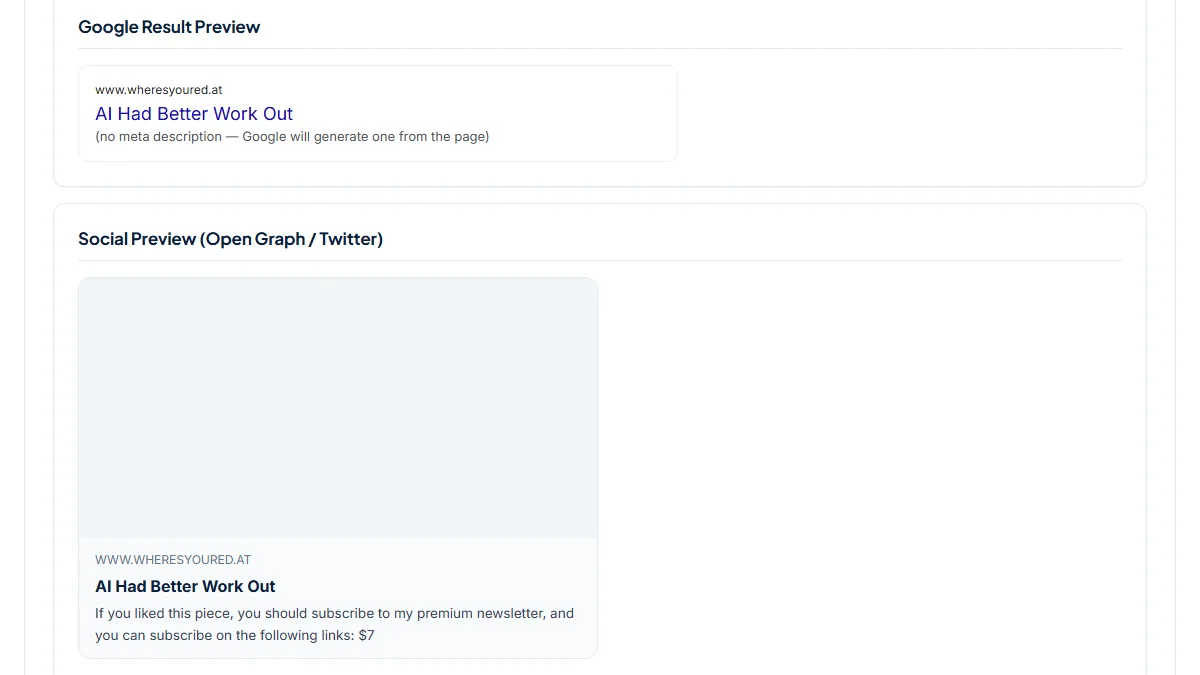
- Score 67/100. "Meta description present" is the one critical issue: Missing, so Desc chars reads 0 and the Google Result Preview says Google will generate one from the page. The title "AI Had Better Work Out" is the headline itself, 22 characters, flagged as short. Social Tags pass with 6 Open Graph tags, but og:description begins "If you liked this piece, you should subscribe to my premium newsletter": the post's opening box, picked up as the automatic excerpt. Both the custom excerpt and the meta description are empty here.
2. A five-character snippet: the custom excerpt doubling as the description
- Situation
- A video-game publication on Ghost writes a short, joking dek under each headline. Same day.
- Input
https://aftermath.site/what-happened-to-feedly/- Reading the result
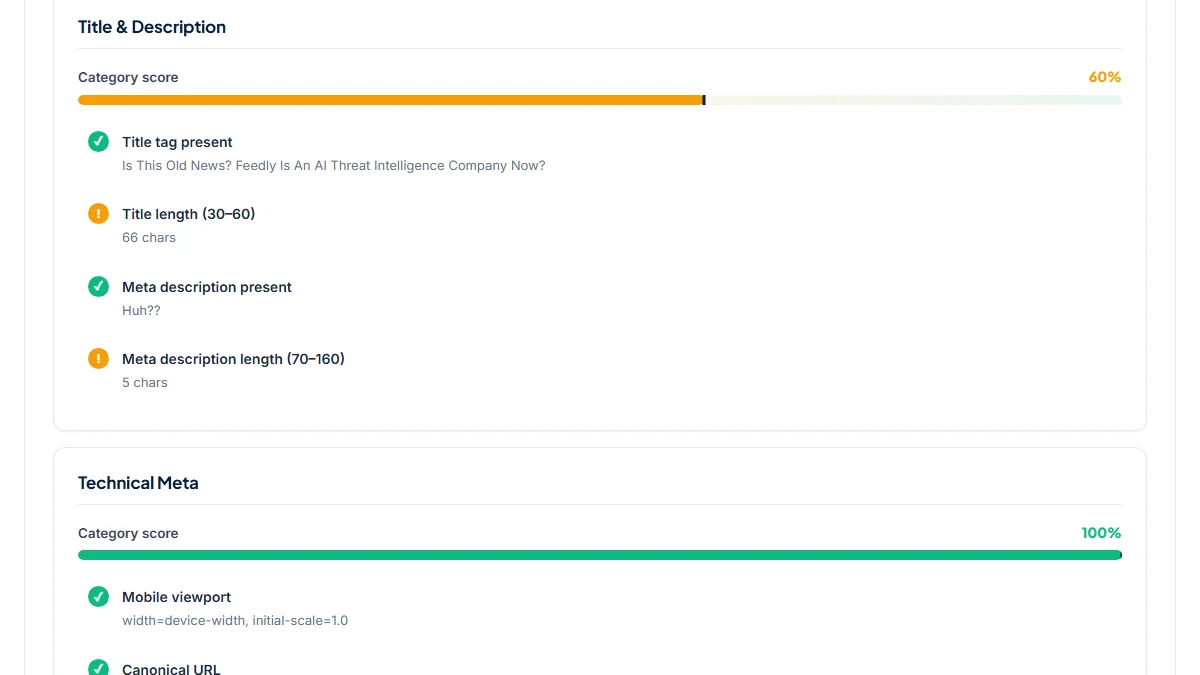
- Score 80/100, no failed checks, two warnings. The description tag exists and reads "Huh??", 5 characters, the same line printed under the headline, and og:description repeats it. The title is the 66-character headline, over the 60 the tool counts as safe. On the page the dek works as a punchline; as a search snippet it says nothing about Feedly. A meta description written in the Meta data panel would replace it in search without changing the dek on the page.
3. 100/100, and the social card still says something else
- Situation
- A daily politics newsletter on Ghost fills in the meta description on its news posts. Same day.
- Input
https://www.readtangle.com/trump-names-stephen-miller-chief-of-staff/- Reading the result
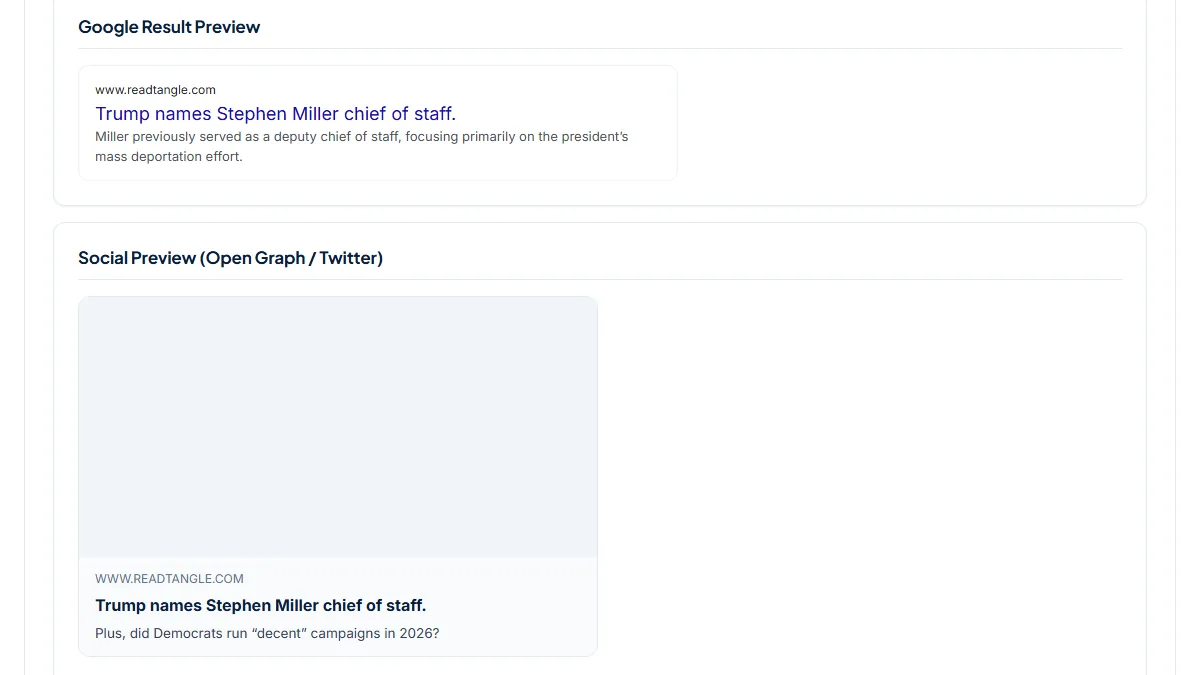
- Score 100/100: a 42-character title and a 115-character meta description that summarises the story. The Social Preview shows a different line, "Plus, did Democrats run “decent” campaigns in 2026?", which is the custom excerpt under the headline. Ghost puts the excerpt ahead of the meta description on social cards, so shares tease the second story. Request Details also lists 2× meta robots, two identical max-image-preview:large tags, likely one from Ghost and one from the theme; harmless while they agree.
Common mistakes
- Assuming Ghost writes a description from the first paragraph. That 50-word fallback goes only into social tags; with no meta description and no custom excerpt, the page has no description tag.
- Writing a witty custom excerpt and nothing else. It becomes the search snippet too, as the five-character "Huh??" shows.
- Filling in the meta description and expecting shares to use it. The custom excerpt wins on Facebook and X cards unless their own fields are filled in.
- Checking the editor preview instead of the live URL. Only the published page shows what the theme and Ghost printed together.
Frequently asked questions
Does Ghost create a meta description automatically if I leave it blank?
Only partly. For the description tag Ghost uses your meta description, and if that is empty, the custom excerpt. If both are empty it prints no description tag at all, and this tool reports "Meta description present" as Missing. The automatic excerpt of the first 50 words is used for og:description and twitter:description, so social shares get text while search engines get none. Writing the meta description in the Meta data panel is the only way to choose the snippet.
Why is my Ghost search title just the post headline?
Because the meta title field is empty, and Ghost then uses the post title; some themes add the site name. That is fine for a headline of 30 to 60 characters, but long, clever or question headlines get cut in results. Write a meta title in post settings for posts whose headline does not say what the article is about, then run the URL again to see the new value and its length in the Title chars card.
My Facebook share shows a different text from my meta description. Why?
On social cards Ghost looks at the Facebook card or X card field first, then the custom excerpt, and only then the meta description. If a post has a custom excerpt, shares use it even when you wrote a better description. Fill in the card fields in post settings, or rewrite the excerpt. Facebook caches the card it saw at publish time, so ask it to scrape the URL again in the Sharing Debugger.
Should I write a meta description for every Ghost post?
For posts you want found in search, yes, or at least a custom excerpt that reads as a summary. Short newsletter issues, link roundups and members-only notes matter less. Search engines can still choose other text from the page, as Ghost's help notes, but a missing tag leaves the choice entirely to them. Start with the posts that already get search traffic in Search Console and check the rest by author.
Reference: Ghost's help article SEO in Ghost describes the automatic metadata: custom titles and descriptions are optional per post, and when they are left blank Ghost uses data from the page as a fallback. This page shows what that fallback looks like on live posts.